# Comprehensive Guide to AWS WAF: Logging, Monitoring, and Visualization
> Learn how to set up and monitor AWS WAF logs for enhanced security. This comprehensive guide covers AWS WAF configuration, waf logs, automated ingestion, dashboards, and best practices for visualization and insights.
Source: https://openobserve.ai/blog/how-to-monitor-aws-waf-logs/
Published: 2024-12-01
Authors: Chaitanya Sistla
Category: How To
Tags: AWS, Logging
---
AWS Web Application Firewall (WAF) is a powerful tool designed to protect web applications from common exploits and vulnerabilities. By analyzing HTTP/S traffic, AWS WAF helps you mitigate threats such as SQL injection, cross-site scripting (XSS), and more, ensuring robust security for your applications. Whether you're securing an API Gateway, Amazon CloudFront, or an Application Load Balancer, AWS WAF provides a customizable and scalable solution.
## Key Features of AWS WAF
- **API Gateway Protection**: Safeguard APIs from abusive traffic patterns and exploits.
- **Bot Control**: Defend against automated threats using AWS WAF Bot Control.
- **Flexible Rules**: Create custom rules for tailored protection.
- **Real-Time Monitoring**: Analyze logs for insights into traffic patterns and threats.
For step-by-step instructions on setting up AWS WAF, refer to the AWS WAF Getting Started Guide.
## Why Enable AWS WAF Logging?
Logging in AWS WAF provides visibility into allowed and blocked requests, helping you:
- **Analyze Traffic**: Understand patterns and identify potential attacks.
- **Enhance Security**: Refine WAF rules based on detailed log data.
- **Meet Compliance**: Retain logs for auditing and compliance requirements.
## Step-by-Step Guide to Configuring AWS WAF Logging
1. ### **Enable Logging in AWS WAF**:
- Navigate to the AWS WAF console.
- Choose the web ACL for which you want to enable logging.
- Specify the S3 bucket to store logs. 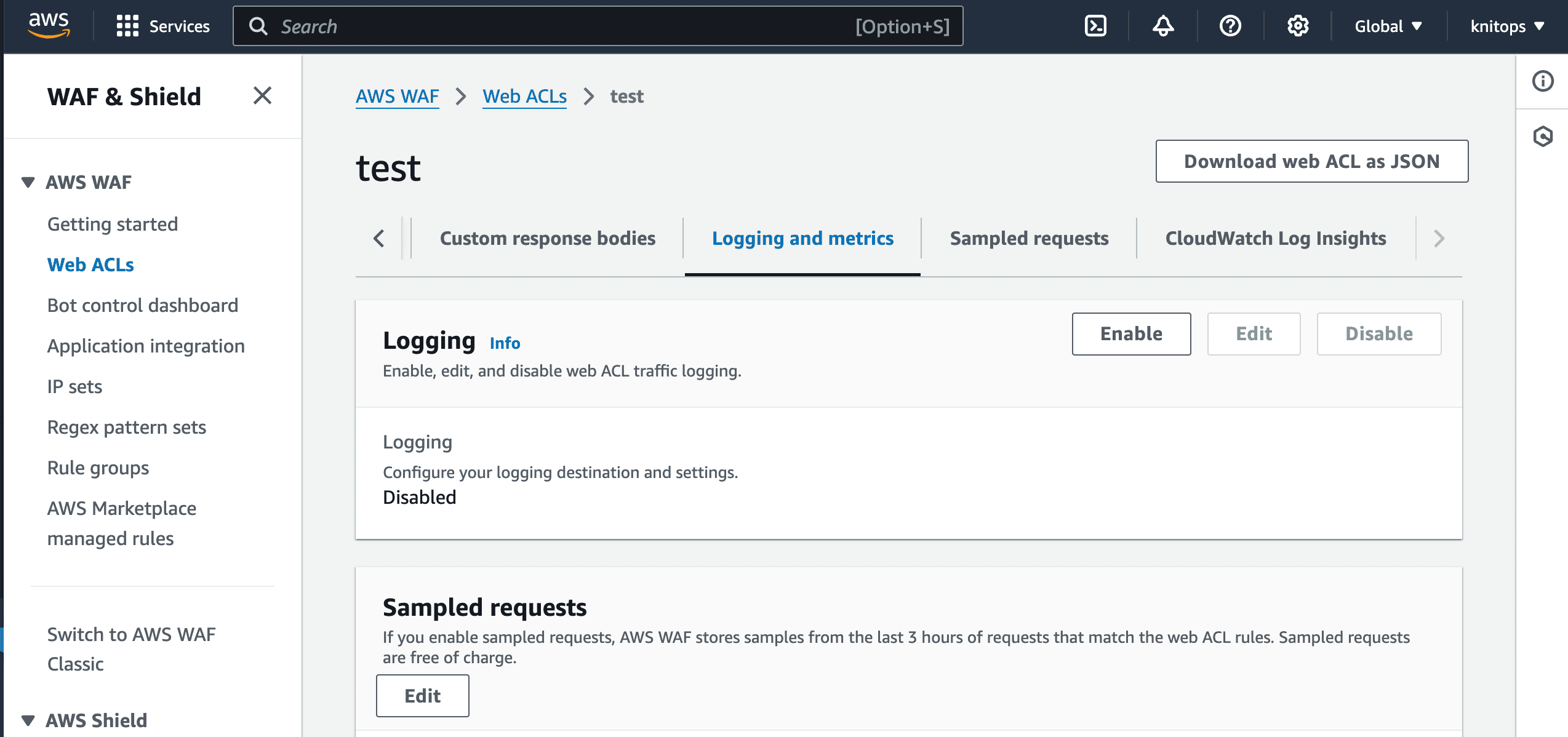 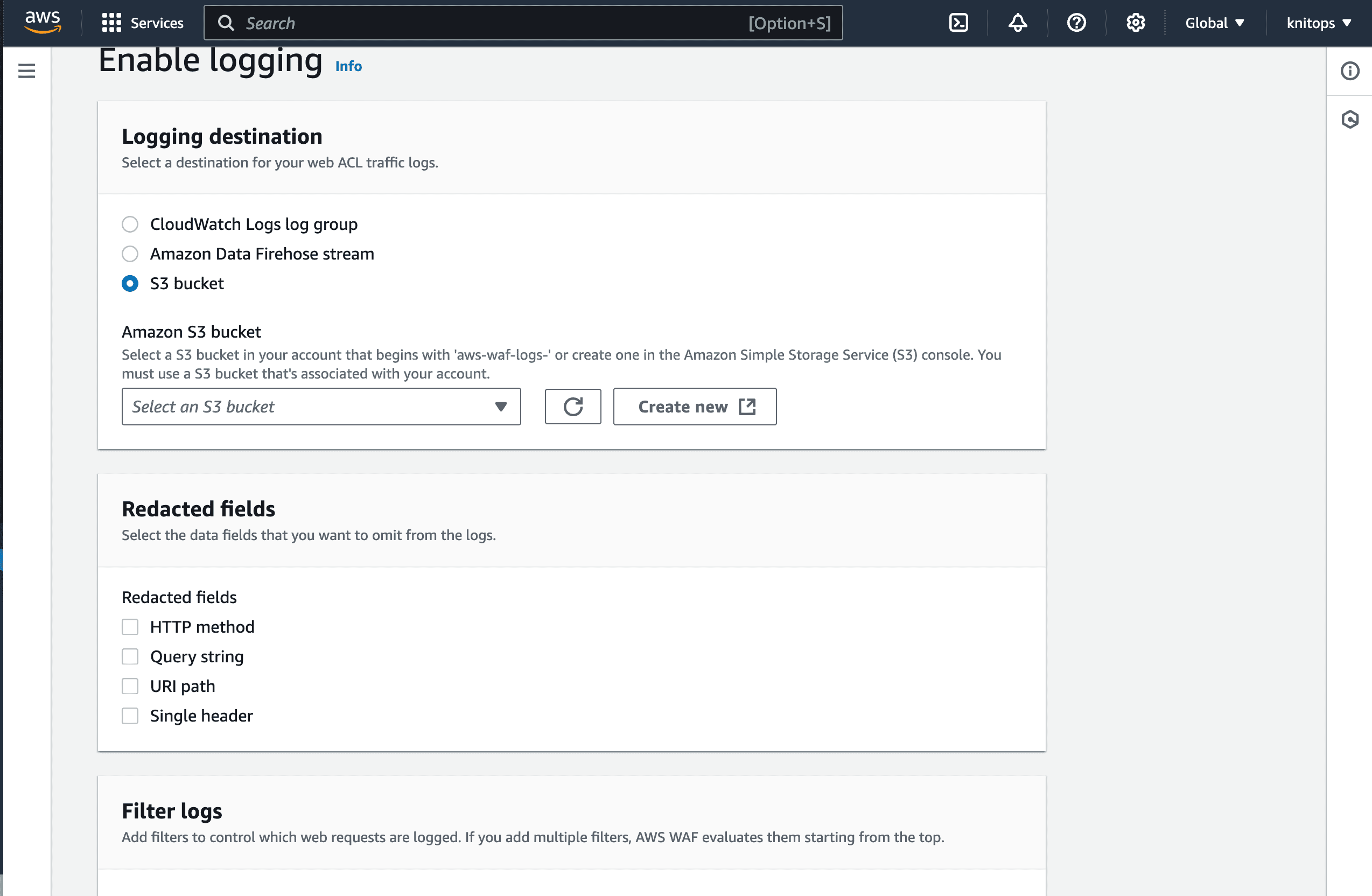
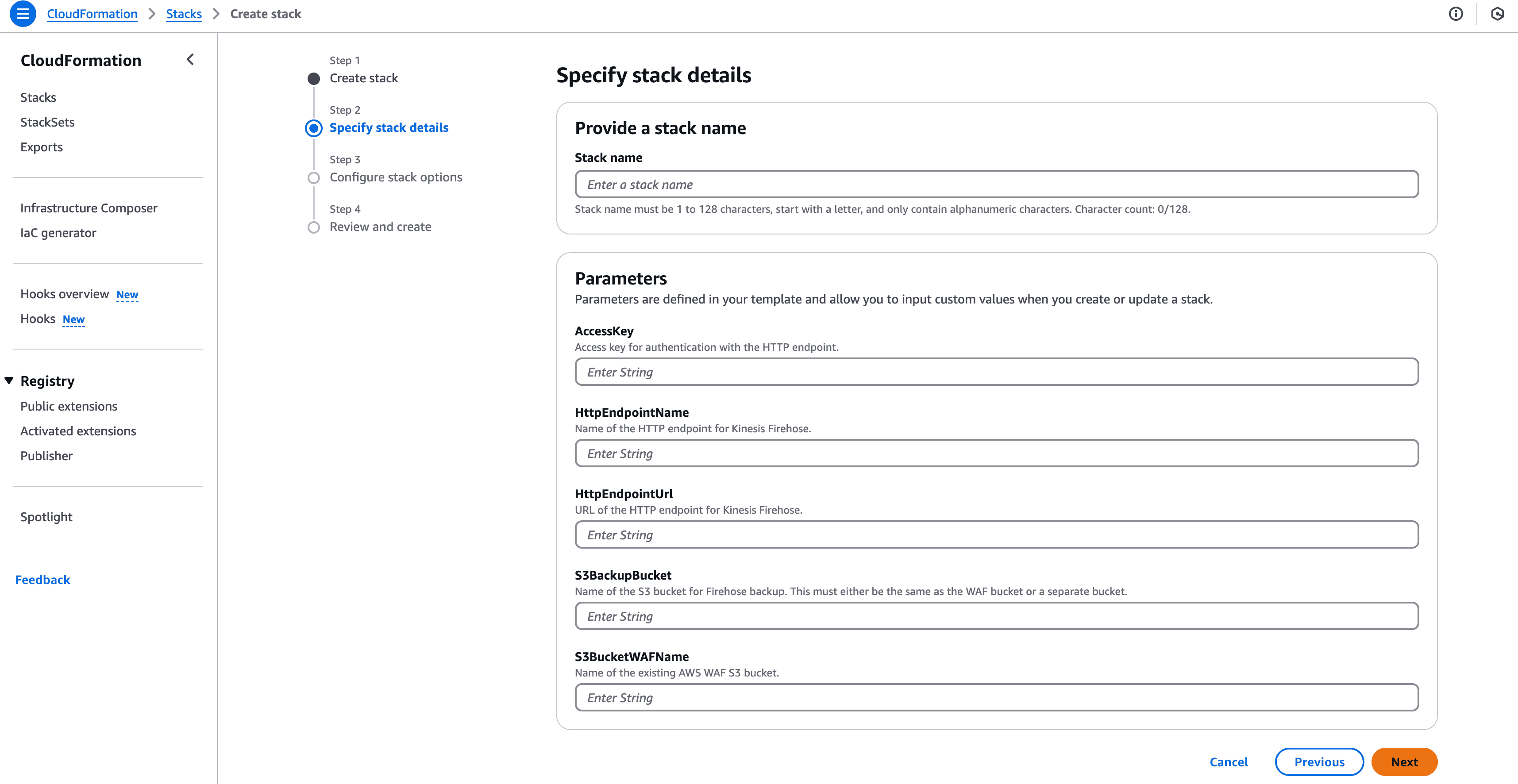
2. ### **Deploy the CloudFormation Template**:
- Use the CloudFormation template from our repository.
- Upload the CloudFormation template to your AWS account.
- Provide parameters such as:
- The HTTP endpoint name and [URL](https://openobserve.ai/blog/monitor-aws-lambda-logs-cloudwatch-kinesis-firehose/#_21-retrieve-openobserve-kinesis-firehose-details).
- The access key for the HTTP endpoint.
- Names of the CloudTrail S3 bucket and backup bucket.
 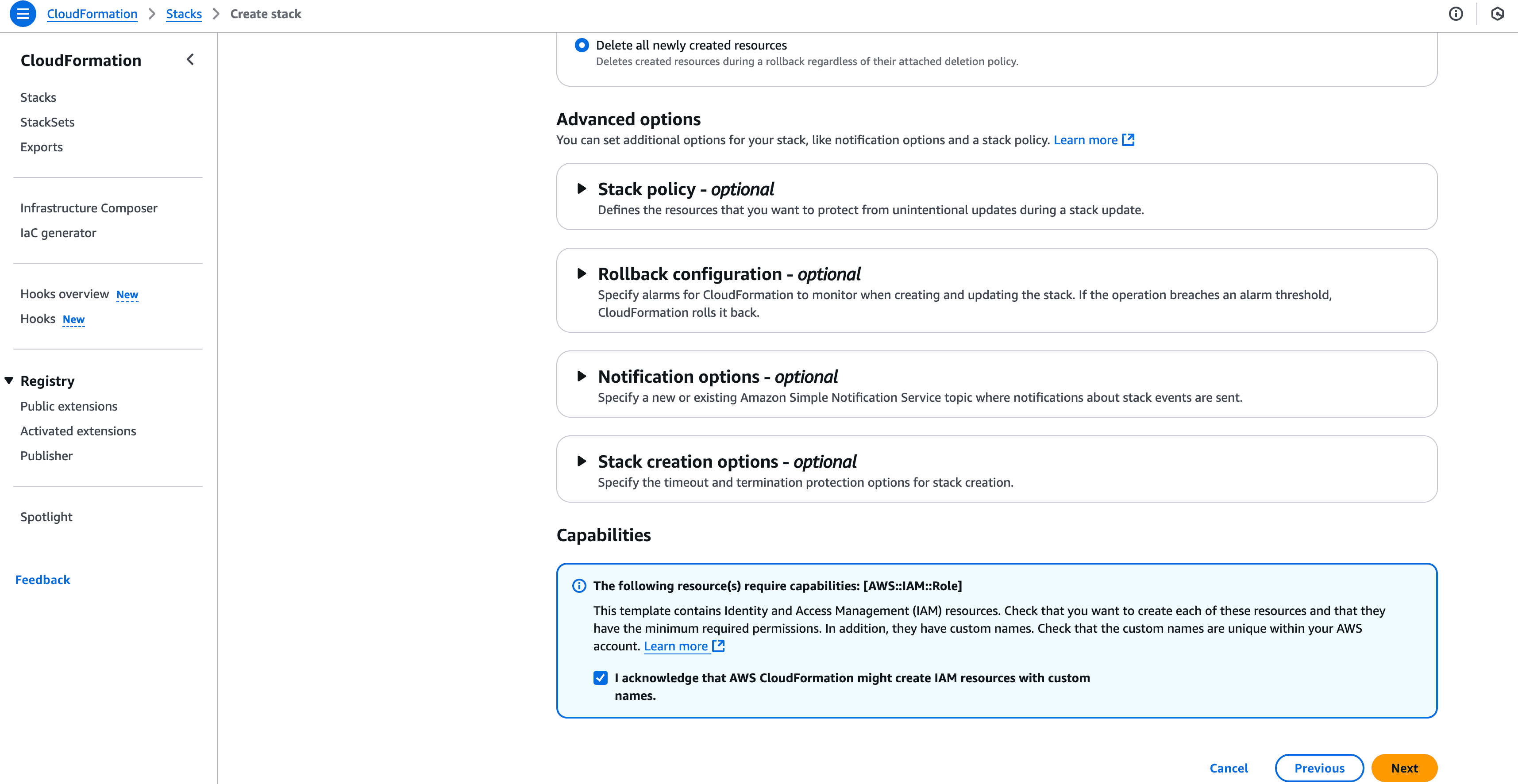
- Ensure the IAM roles, Lambda function, Kinesis Firehose, and S3 configurations are created successfully. 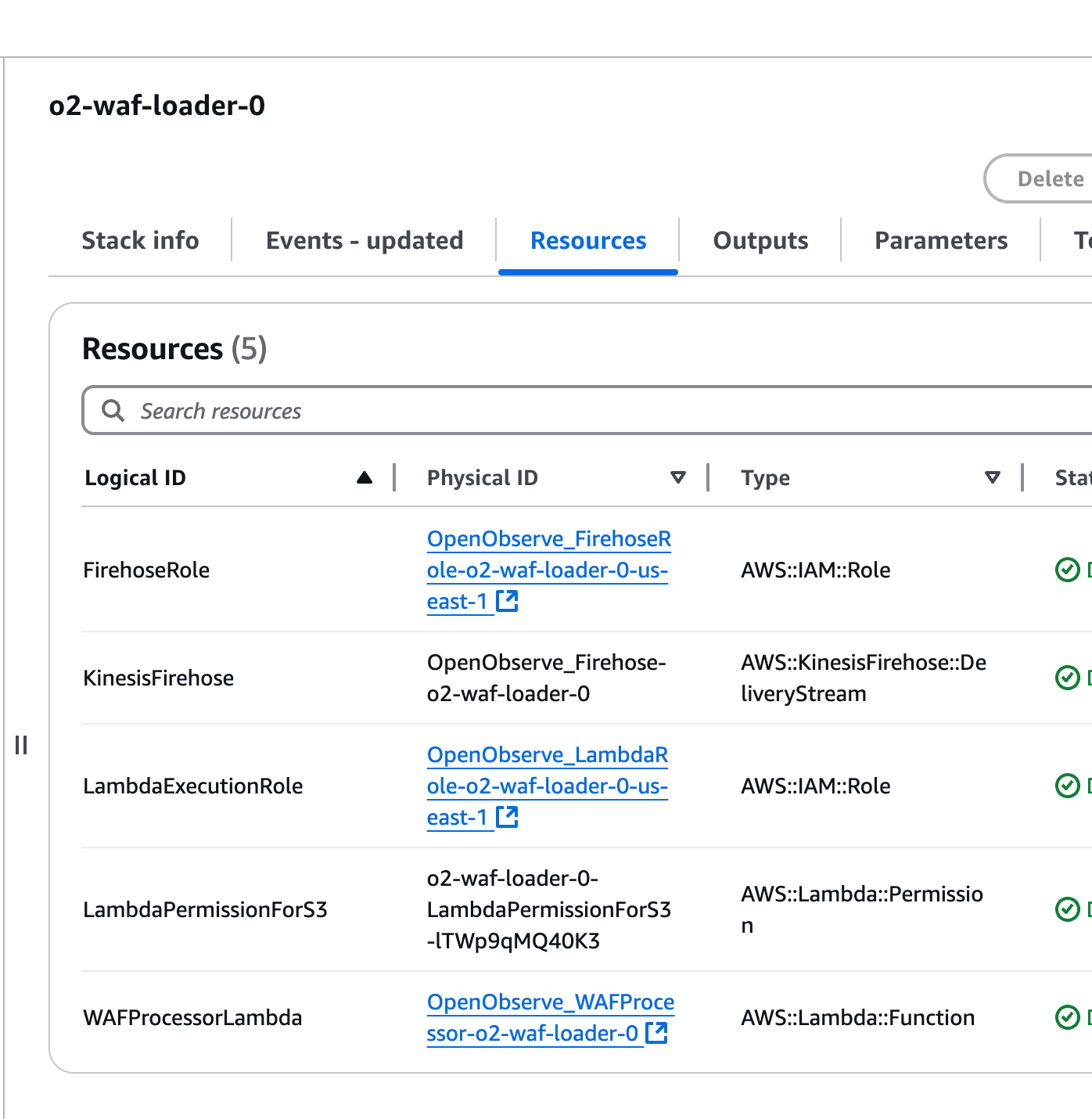
- Cloudformation does not support enabling trigger on existing bucket so you will need to add the trigger manually as below. 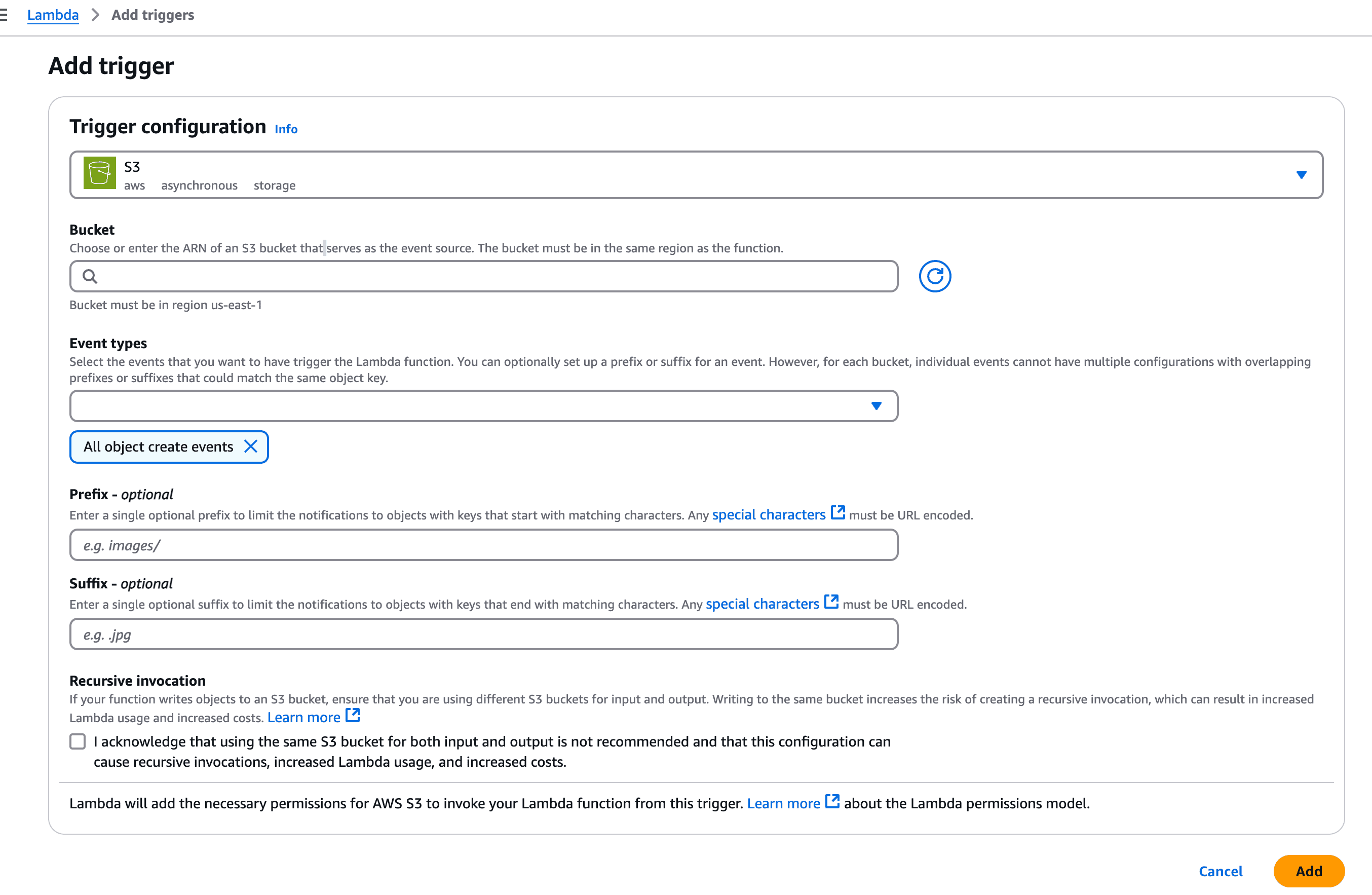
## Visualizing AWS WAF Logs in OpenObserve
### Analyzing the logs
Go to your OpenObserve dashboard and verify the logs by searching your stream. 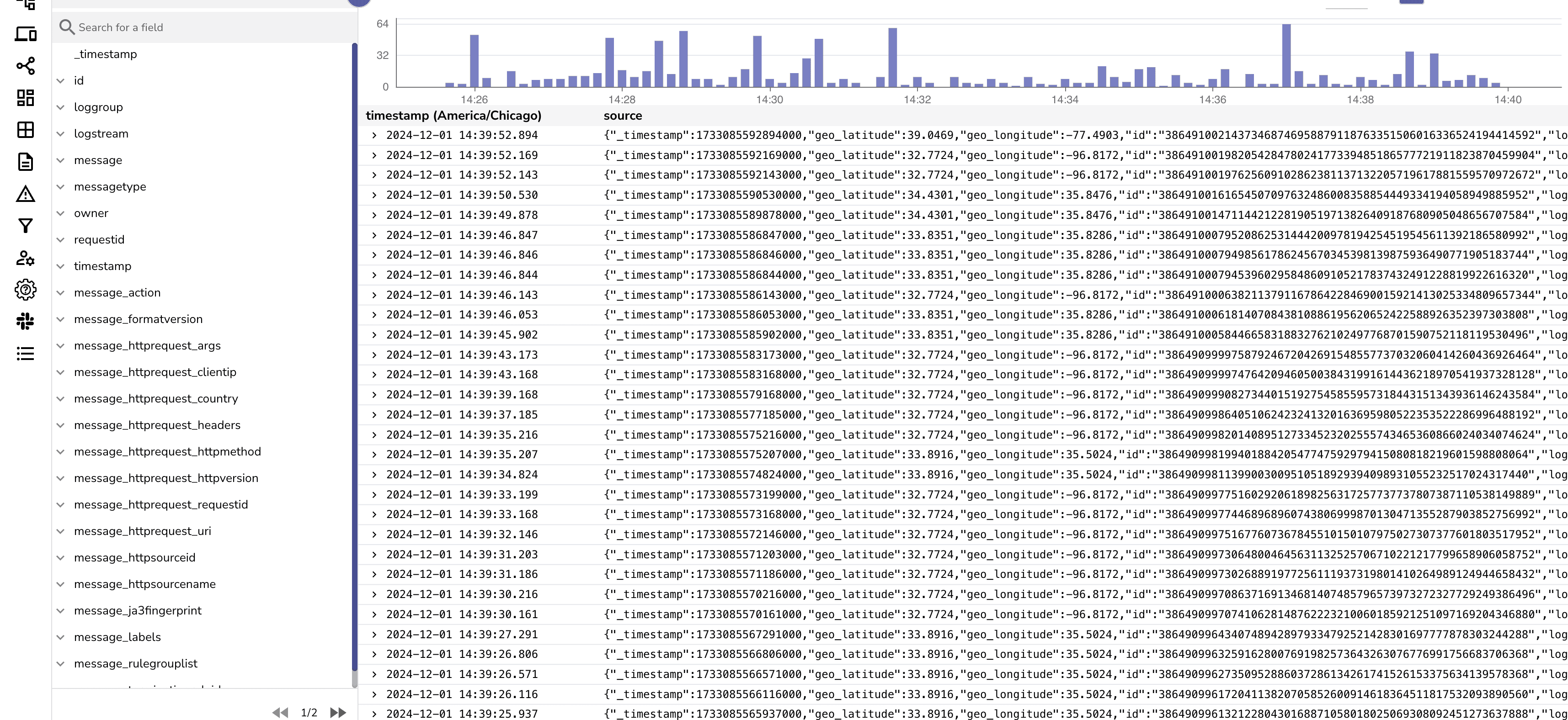
### Benefits of Dashboards
With OpenObserve, you can create custom dashboards to:
- **Track Threats**: Monitor blocked requests, bot challenges, and threat patterns.
- **Analyze API Gateway Metrics**: Gain insights into API traffic and security.
- **Optimize Rules**: Adjust WAF rules based on detailed analytics.
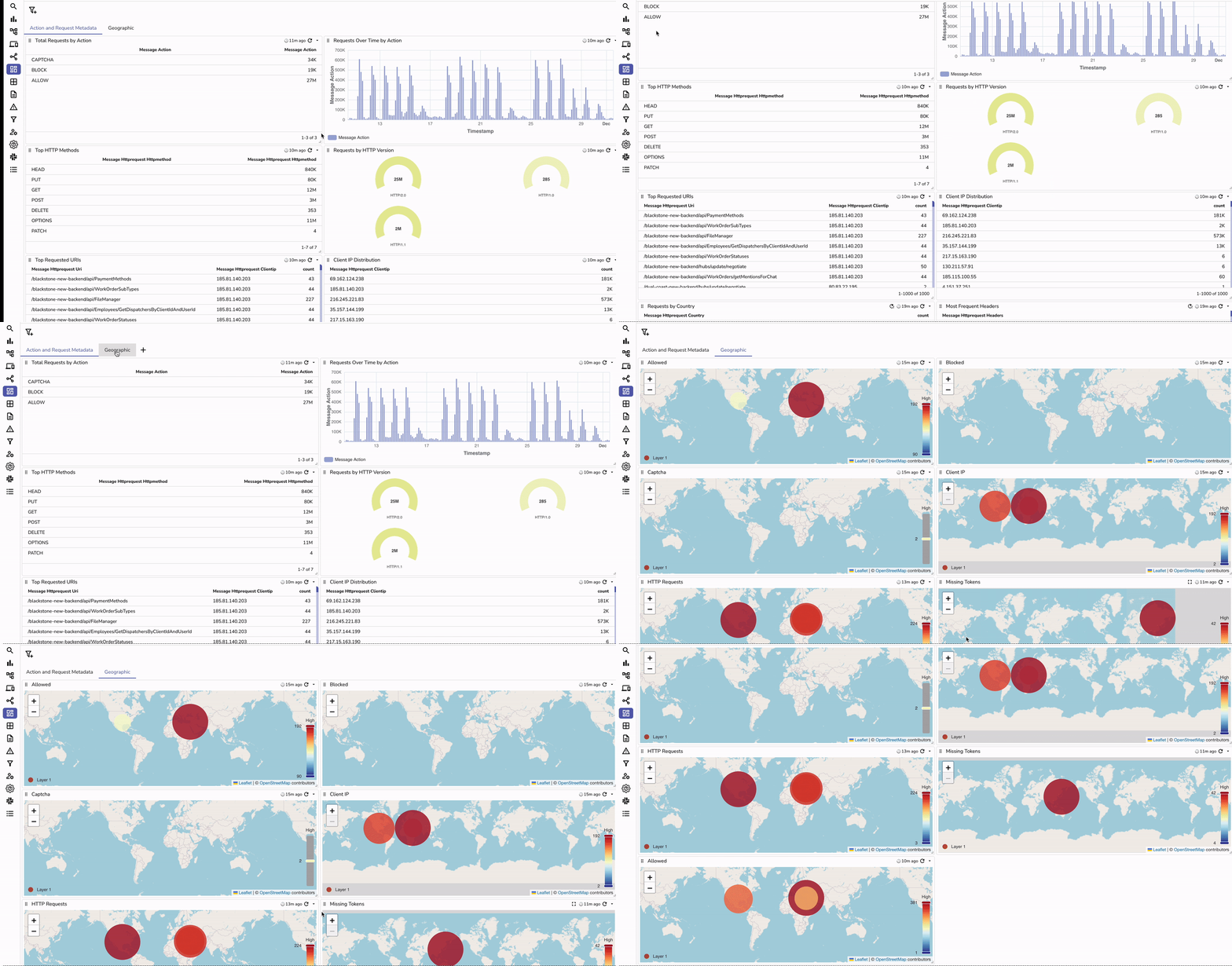
You can download our AWS WAF dashboard to get started with basic charts.
### Example Dashboard Panels
1. **Top Blocked IPs**: Identify malicious sources.
2. **Request Trends**: Visualize traffic spikes and anomalies.
3. **Action Summary**: Breakdown of `allow`, `deny`, and `challenge` actions.
4. **Bot Control Analysis**: Understand bot-related activity.
## Best Practices for AWS WAF Monitoring
- **Implement Custom Rules**: Tailor rules to your application needs.
- **Use AWS Managed Rules**: Leverage pre-configured rule groups for common threats.
- **Enable Bot Control**: Protect against automated attacks.
- **Regularly Review Logs**: Stay proactive in identifying new attack patterns.
## Conclusion: Why Monitor AWS WAF Logs?

The combination of AWS WAF logging and OpenObserve dashboards provides unparalleled insights into your web application’s security. From real-time monitoring to historical data analysis, these tools empower you to safeguard your infrastructure effectively. With intuitive dashboards, you can quickly identify malicious activity, optimize rules, and track API Gateway usage.
Detailed logs and visualizations ensure compliance and make troubleshooting seamless. Automated alerts and reports keep you informed about anomalies, while centralized monitoring offers a unified view of your application’s security posture. Together, AWS WAF and OpenObserve deliver a robust, scalable, and proactive solution to meet your web application security and monitoring needs.
### Comparison Table: Ingesting AWS WAF Logs to OpenObserve vs. Without
| Feature | With OpenObserve | Without OpenObserve |
| ---------------------- | ----------------------------------------------------- | ---------------------------------------------------------- |
| Log Analysis | Interactive dashboards for deep insights | Limited to raw log files |
| Visualization | Real-time visual representation of traffic | Limited visualization |
| Threat Tracking | Identify patterns and malicious activity | Manual analysis required |
| Alerts | Custom alerts for anomalies or specific events | Limited alerting mechanism |
| Reports | Automated, scheduled reports with actionable insights | Requires manual reporting efforts |
| Centralized Monitoring | Single pane of glass for AWS WAF and other logs | Logs siloed, no unified view (imagine having org accounts) |
| Automation | Integrated alerts and workflows for quick responses | No automation capabilities |
Ready to get started with OpenObserve to ingest AWS WAF logs for detailed analysis? Visit our [cloud version](https://cloud.openobserve.ai/) to quickly setup your OpenObserve account.