---
title: approx-topk-distinct
metaTitle: approx_topk_distinct() Function in OpenObserve
description: "Use approx_topk_distinct() to find the top K values in one field by distinct count in another, with HyperLogLog and Space-Saving for high-cardinality data."
---
This page provides instructions on using the `approx_topk_distinct()` function.
If you only need to find the top K most frequently occurring values in a field, refer to the [approx_topk()](./approx-topk.md) function.
## What is approx_topk_distinct?
The `approx_topk_distinct()` function returns an approximate list of the top K values from one field (field1) that have the most number of distinct values in another field (field2). It is designed to handle large-scale, high-cardinality datasets efficiently by combining two algorithms:
- **HyperLogLog**: Used to estimate the number of distinct values in field2 per field1.
- **Space-Saving**: Used to select the top K field1 values with the highest estimated distinct counts.
Because both algorithms are probabilistic and the computation is distributed across multiple query nodes, the results are approximate.
---
## Query Syntax
```sql
SELECT approx_topk_distinct(field1, field2, K) FROM "stream_name"
```
Here:
- `field1`: The field to group by and return top results for.
- `field2`: The field whose distinct values are counted per field1.
- `K`: Number of top results to return.
- `stream_name`: The stream containing the data
**Example**
```sql
SELECT approx_topk_distinct(clientip, user_agent, 5) FROM "demo1"
```
This query returns an approximate list of the top 5 `clientip` values that have the most number of distinct user_agent values in the `demo1` stream.
**Note:** The result is returned as an array of objects, where each object includes the value of `field1` and its corresponding distinct count based on `field2`.
```json
{
"item": [
{ "value": "192.168.1.100", "count": 1450 },
{ "value": "203.0.113.50", "count": 1170 },
{ "value": "10.0.0.5", "count": 1160 },
{ "value": "198.51.100.75", "count": 1040 },
{ "value": "172.16.0.10", "count": 1010 }
]
}
```
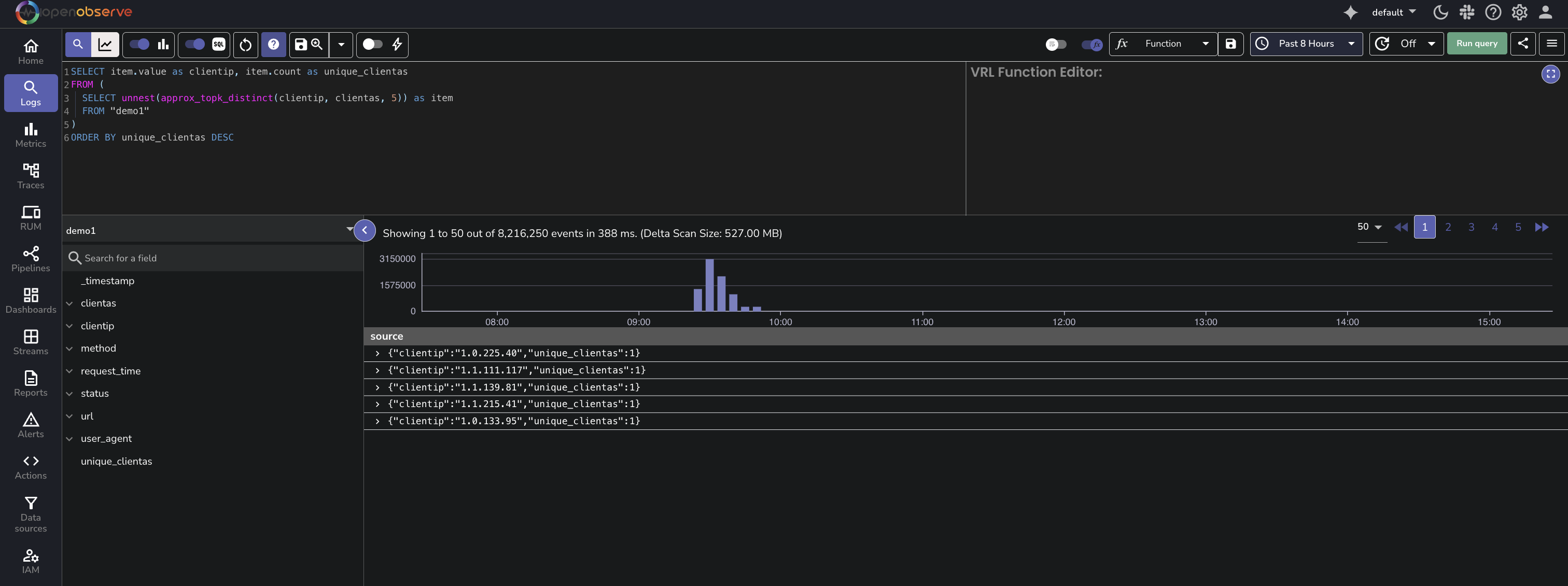
### Use `approx_topk_distinct` With `unnest`
To convert the nested array into individual rows for easier readability or further processing, use the `unnest()` function.
```sql
SELECT item.value as clientip, item.count as distinct_user_agent_count
FROM (
SELECT unnest(approx_topk_distinct(clientip, user_agent, 5)) as item
FROM "demo1"
)
ORDER BY distinct_user_agent_count DESC
```
**Result**
This query using approx_topk_distinct() with unnest() returns a flat result, where each row represents a value from field1 and its corresponding approximate distinct count from field2:
## Performance Considerations
The `approx_topk_distinct()` function is designed for high-cardinality fields and large datasets. It uses the same distributed and memory-efficient architecture as `approx_topk()`.
For details on how this approach compares to traditional GROUP BY queries in terms of performance and memory usage, see the [approx_topk() guide](./approx-topk.md).
---
## Limitations
The following are the known limitations of `approx_topk_distinct()` function:
- Results are approximate, not guaranteed to be exact.
- Accuracy depends on data distribution across partitions.