---
title: approx_topk
metaTitle: approx_topk() Function in OpenObserve
description: "Use approx_topk() to find the most frequent values in high-cardinality fields. Syntax, example, result structure, and comparison with GROUP BY."
---
This page provides instructions on using the `approx_topk()` function and explains its performance benefits compared to the traditional `GROUP BY` method.
## What is `approx_topk`?
The `approx_topk()` function returns an approximate list of the top K most frequently occurring values in a specified field. It uses the Space-Saving algorithm, a memory-efficient approach designed for high-cardinality data and distributed processing, providing significant [performance benefits](#performance-comparison).
> To find the top K values based on the number of distinct values in another field, use the [approx_topk_distinct() function](./approx-topk-distinct.md).
---
## Query Syntax
```sql
SELECT approx_topk(field_name, K) FROM "stream_name"
```
Here:
- `field_name`: The field for which top values should be retrieved.
- `K`: The number of top values to return.
- `stream_name`: The stream containing the data.
**Example**
```sql
SELECT approx_topk(clientip, 10) FROM "demo1"
```
This query returns an approximate list of the `top k` most frequently occurring values in the `clientip` field from the `demo1` stream.
**Result of `approx_topk`**
The result is returned as an array of objects, where each object includes the value and its corresponding count. For example:
```json
{
"item": [ { "value": "192.168.1.100", "count": 2650 }, { "value": "10.0.0.5", "count": 2230 }, { "value": "203.0.113.50", "count": 2210 }, { "value": "198.51.100.75", "count": 1979 }, { "value": "172.16.0.10", "count": 1939 } ]
}
```
### Use `approx_topk` With `unnest`
To convert these nested results into individual rows, use the `unnest()` function.
```sql
SELECT item.value as clientip, item.count as request_count
FROM (
SELECT unnest(approx_topk(clientip, 20)) as item
FROM "demo1"
)
ORDER BY request_count
DESC
```
**Result of `approx_topk()` with `unnest()`**
This provides a flat output as shown below:
```json
{ "value": "192.168.1.100", "count": 2650 }
{ "value": "10.0.0.5", "count": 2230 }
{ "value": "203.0.113.50", "count": 2210 }
...
```
---
## `GROUP BY` Versus `approx_topk`
### How `GROUP BY` Works
The traditional way to find the top values in a field is by using a `GROUP BY` query combined with `ORDER BY` and `LIMIT`.
For example:
```sql
SELECT clientip AS x_axis_1, COUNT(*) AS y_axis_1
FROM cdn_production
GROUP BY x_axis_1
ORDER BY y_axis_1 DESC
LIMIT 10
```
This query counts how many times each unique `clientip` appears and returns the **top 10** based on that count.
:::accordion[Why Traditional `GROUP BY` Breaks in Large Datasets]
In large datasets with high-cardinality fields, the query is executed across multiple querier nodes. Each node uses multiple CPU cores to process the data. The data is split into partitions, and each core handles a subset of partitions.
Consider the following scenario:
- Dataset contains `3 million` unique client IPs.
- Query runs using `60` querier nodes.
- Each core processes `60` CPU cores, with each core processing one partition.
This results in:
`3 million` values × `60` nodes × `60` cores or partitions = `10.8 billion` data entries being processed in memory.
This level of memory usage can overwhelm the system and cause failures.
**Typical Failure Message**
```
Resources exhausted: Failed to allocate additional 63232256 bytes for GroupedHashAggregateStream[20] with 0 bytes already allocated for this reservation - 51510301 bytes remain available for the total pool
```
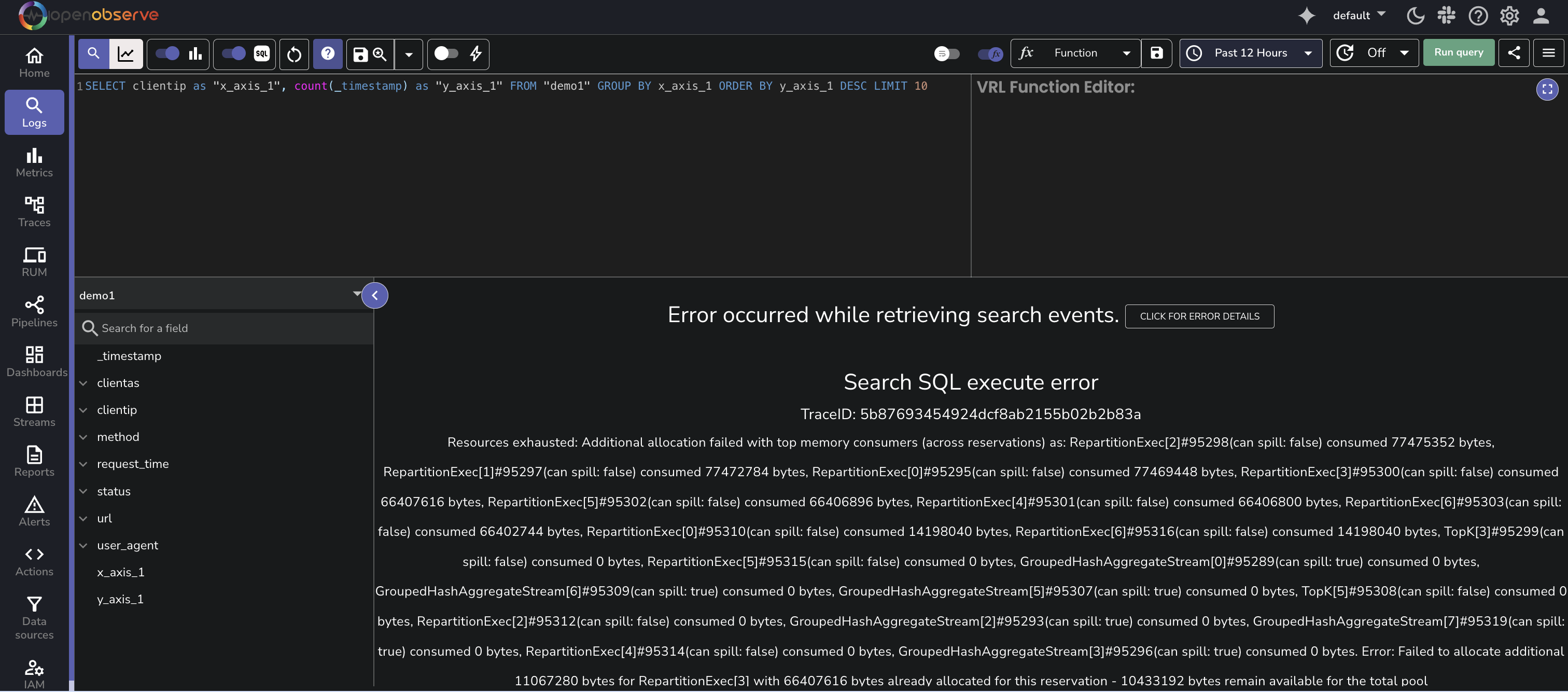
This is a common limitation of using traditional `GROUP BY` with high-cardinality fields in large environments.
:::
### How `approx_topk` Works
When you run a query using `approx_topk()`, each query node processes a subset of the dataset and computes its local approximate top K values.
Each node sends up to `max(K * 10, 1000)` values to the leader node rather than just **K** values. This provides buffer capacity to prevent missing globally frequent values that may not appear in the **local top K** lists of individual nodes.
Despite this optimization, `approx_topk()` still returns approximate results because the function uses a probabilistic algorithm and the query execution is distributed across nodes.
:::note[Note]
This method improves performance and reduces memory usage, especially in production-scale environments. It is a trade-off between precision and efficiency. View the **performance comparison** shown in the following section.
:::
---
### Performance Comparison
When querying high-cardinality fields like clientip in large datasets, performance becomes critical. This section compares the execution performance of a traditional `GROUP BY` query with a query that uses the `approx_topk()` function.
**Use Case**
You want to identify the top 20 most frequent client IP addresses in the `demo1` stream based on request volume.
**Query 1: Using `GROUP BY` and `LIMIT`**
```sql
SELECT clientip as "x_axis_1", count(_timestamp) as "y_axis_1"
FROM "demo1"
GROUP BY x_axis_1
ORDER BY y_axis_1 DESC
LIMIT 20
```
**Query 2: Using `approx_topk()`**
```sql
SELECT item.value as clientip, item.count as request_count
FROM (
SELECT unnest(approx_topk(clientip, 20)) as item
FROM "demo1"
)
ORDER BY request_count DESC
```
**Results**
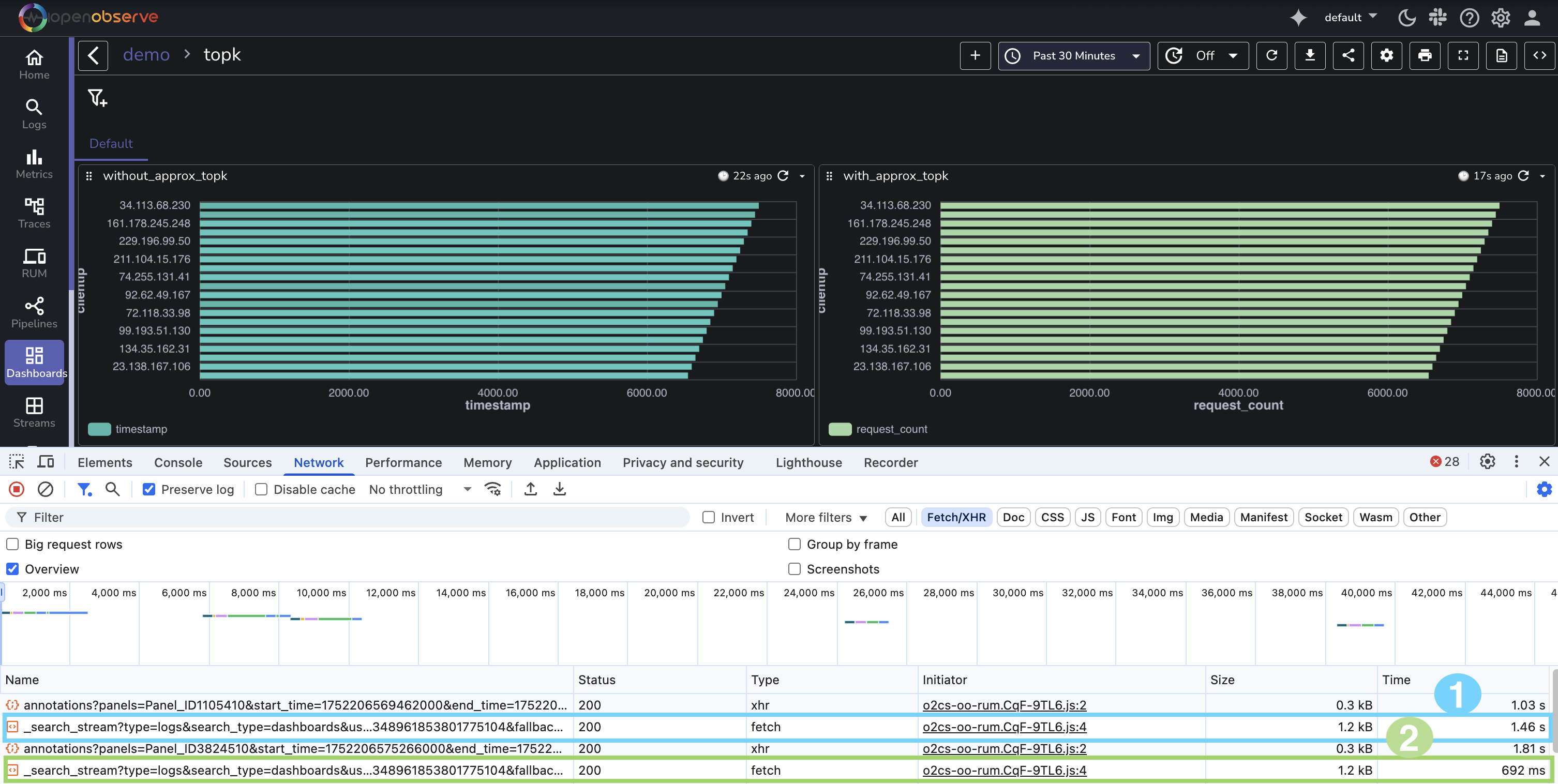
Both queries were run against the same dataset using OpenObserve dashboards. Here are the observed query durations from the browser developer tools:
- The `GROUP BY` query without `approx_topk` took **1.46 seconds** to complete.
- The query using `approx_topk` completed in **692 milliseconds**.
This demonstrates that **approx_topk** executed more than twice as fast in this scenario, delivering a performance improvement of **over 50 percent**.
---
## Limitations
The following are the known limitations of `approx_topk()` function:
- Results are approximate, not guaranteed to be exact. Not recommended when exact accuracy is critical for analysis or reporting.
- Accuracy depends on data distribution across partitions.
---
## Frequently Asked Questions
**Q.** Can I use a `WHERE` clause with `approx_topk()`?
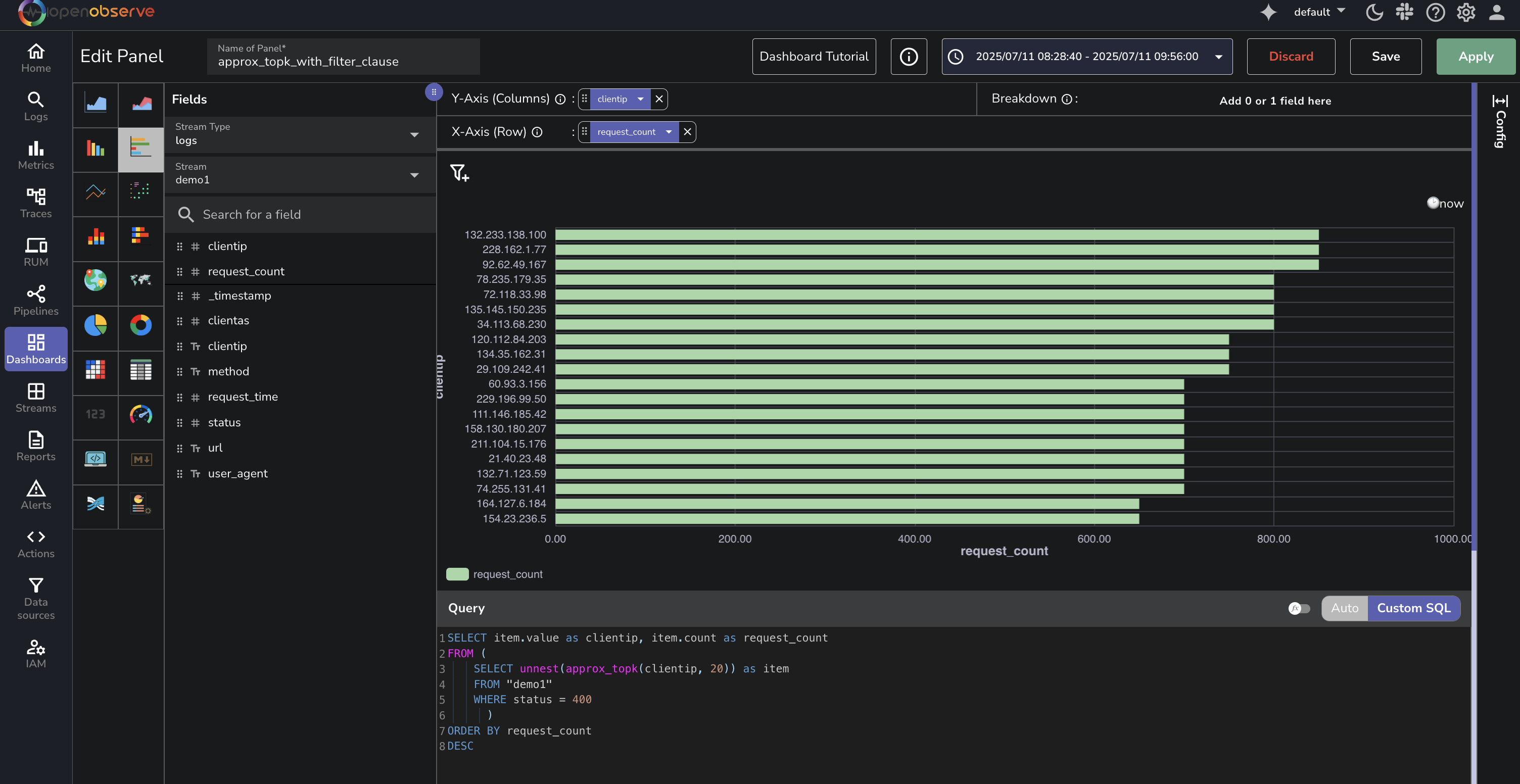
**A.** Yes. You can apply a `WHERE` clause before calling the `approx_topk()` function to filter the dataset. This limits the scope of the top K calculation to only the matching records.
```sql
SELECT item.value as clientip, item.count as request_count
FROM (
SELECT unnest(approx_topk(clientip, 5)) as item
FROM "demo1"
WHERE status = 401
)
ORDER BY request_count DESC
```