---
title: Array Functions
metaTitle: Array Functions in OpenObserve
description: "Array functions for stringified JSON arrays in OpenObserve: sort, count, extract, join, and combine elements with arrsort, arrjoin, arrindex, and more."
---
This page lists the array functions supported in OpenObserve, along with their usage formats, descriptions, and examples.
The array functions operate on fields that contain arrays. In OpenObserve, array fields are typically stored as stringified JSON arrays.
For example, in a stream named `default`, there may be a field named `emails` that contains the following value:
`["jim@email.com", "john@doe.com", "jene@doe.com"]`
Although the value appears as a valid array, it is stored as a string. The array functions in this section are designed to work on such stringified JSON arrays and provide support for sorting, counting, joining, slicing, and combining elements.
---
## `arr_descending`
**Syntax**: `arr_descending(field)`
**Description**:
- Sorts the elements in the specified array field in descending order.
- The array must be a stringified JSON array.
- All elements in the array must be of the same type.
**Example**:
```sql
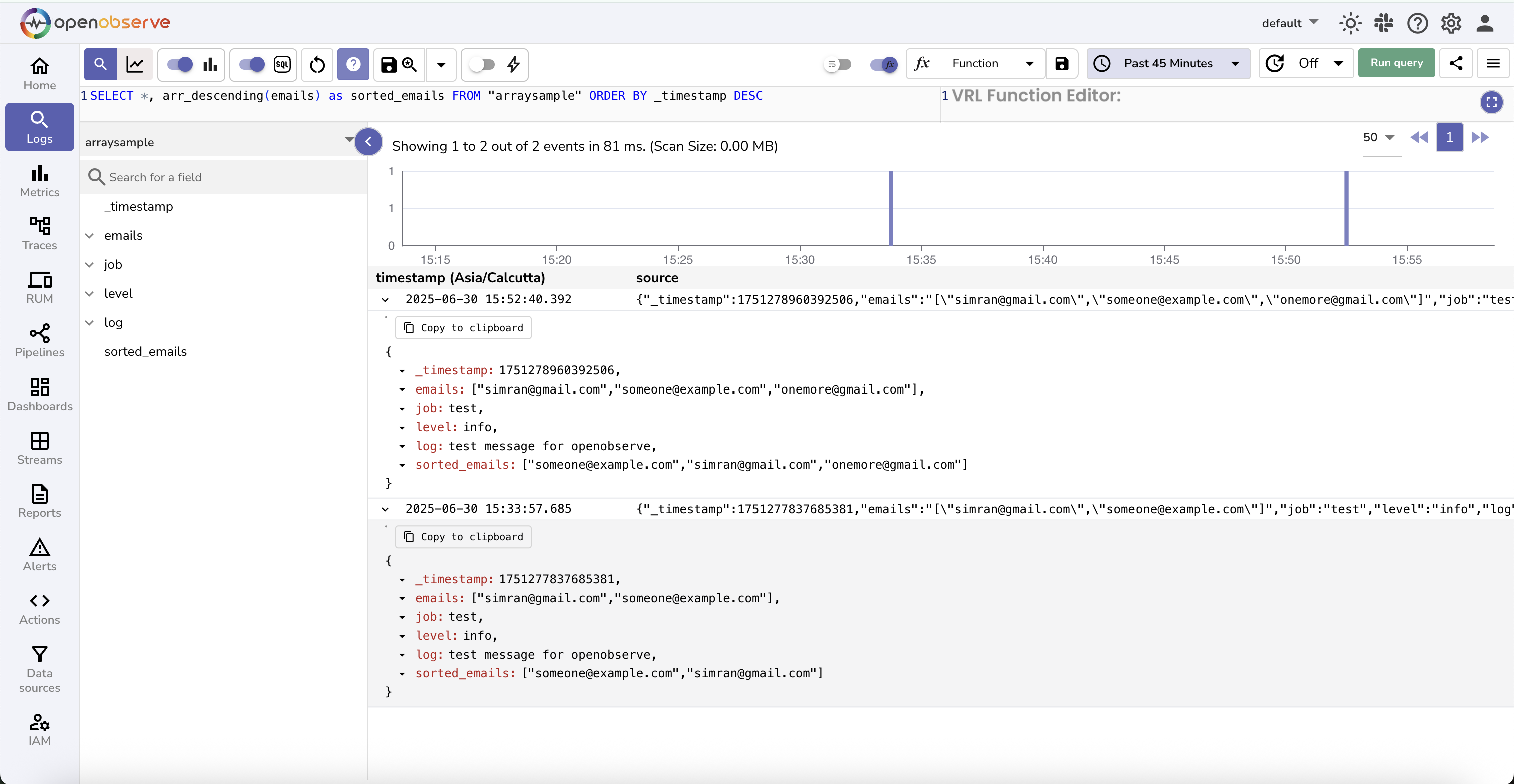
SELECT *, arr_descending(emails) as sorted_emails FROM "default" ORDER BY _timestamp DESC
```
In this query, the emails field contains a stringified JSON array such as `["jim@email.com", "john@doe.com", "jene@doe.com"]`. The query creates a new field `sorted_emails`, which contains the elements sorted in descending order:
`["john@doe.com", "jene@doe.com", "jim@email.com"]`
---
## `arrcount`
**Syntax**: `arrcount(arrfield)`
**Description**:
Counts the number of elements in a stringified JSON array stored in the specified field. The field must contain a valid JSON array as a string.
**Example**:
```sql
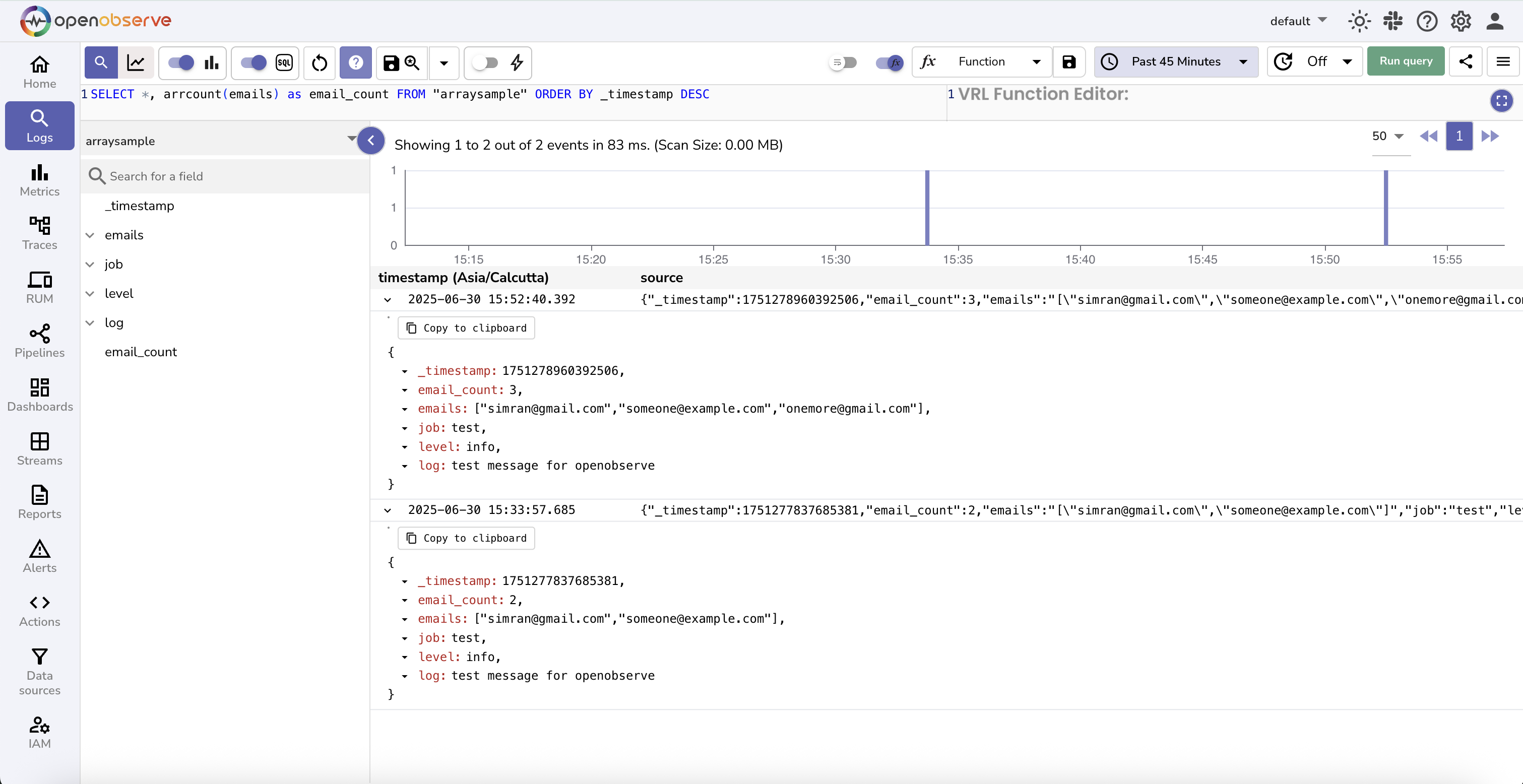
SELECT *, arrcount(emails) as email_count FROM "default" ORDER BY _timestamp DESC
```
In this query, the `emails` field contains a value such as `["jim@email.com", "john@doe.com", "jene@doe.com"]`. The function counts the number of elements in the array and returns the result: `3`.
---
## `arrindex`
**Syntax**: `arrindex(field, start, end)`
**Description:**
- Returns a subset of elements from a stringified JSON array stored in the specified field.
- The function selects a range starting from the start index up to and including the end index.
**Example:**
```sql
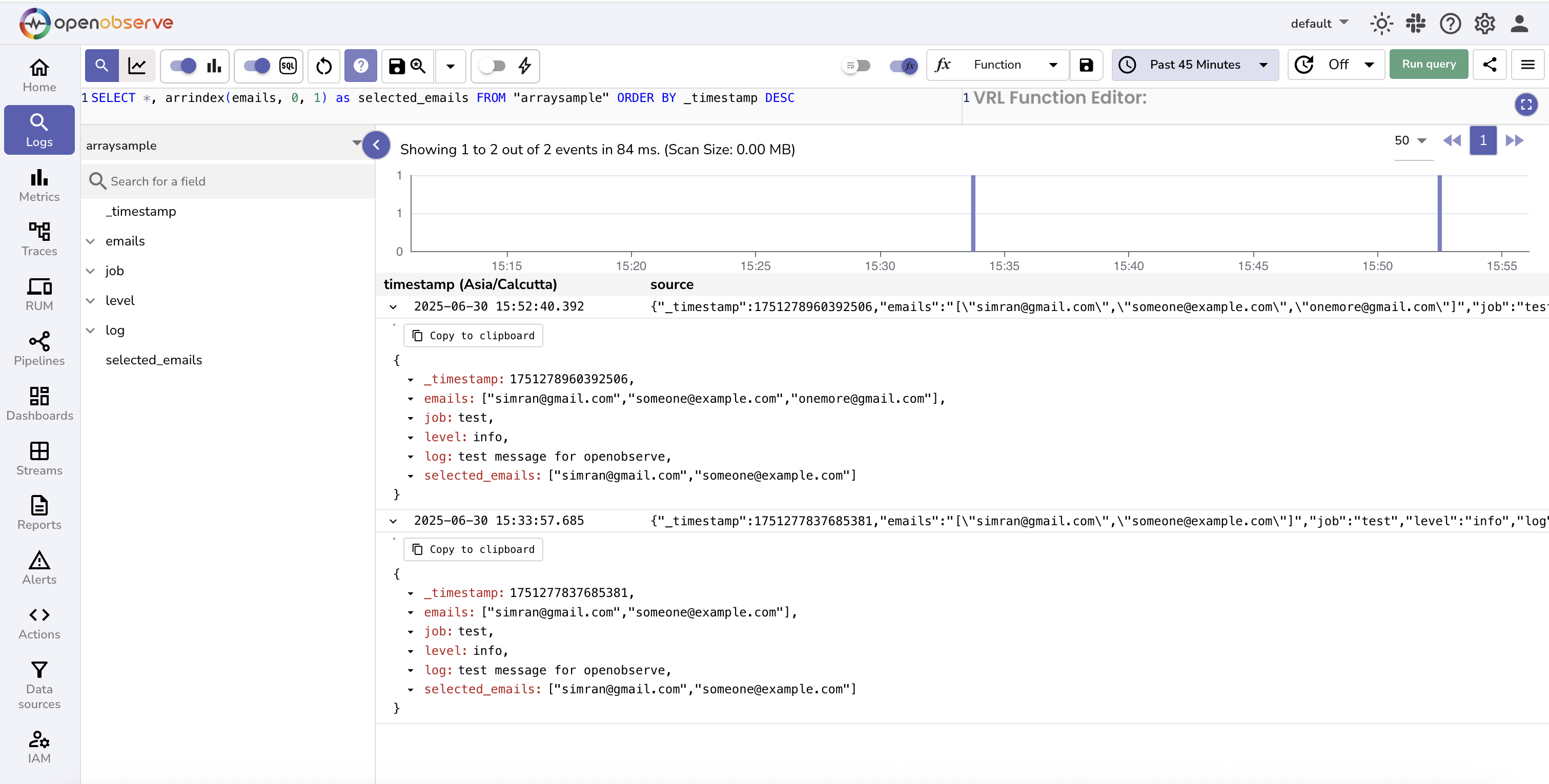
SELECT *, arrindex(emails, 0, 1) as selected_emails FROM "default" ORDER BY _timestamp DESC
```
In this query, the `emails` field contains a value such as `["jim@email.com", "john@doe.com", "jene@doe.com"]`. The function extracts elements at index `0` and `1`. The result is:
`["jim@email.com", "john@doe.com"]`
---
## `arrjoin`
**Syntax**: `arrjoin(field, delimiter)`
**Description:**
- Concatenates all elements in a stringified JSON array using the specified delimiter.
- The output is a single string where array elements are joined by the delimiter in the order they appear.
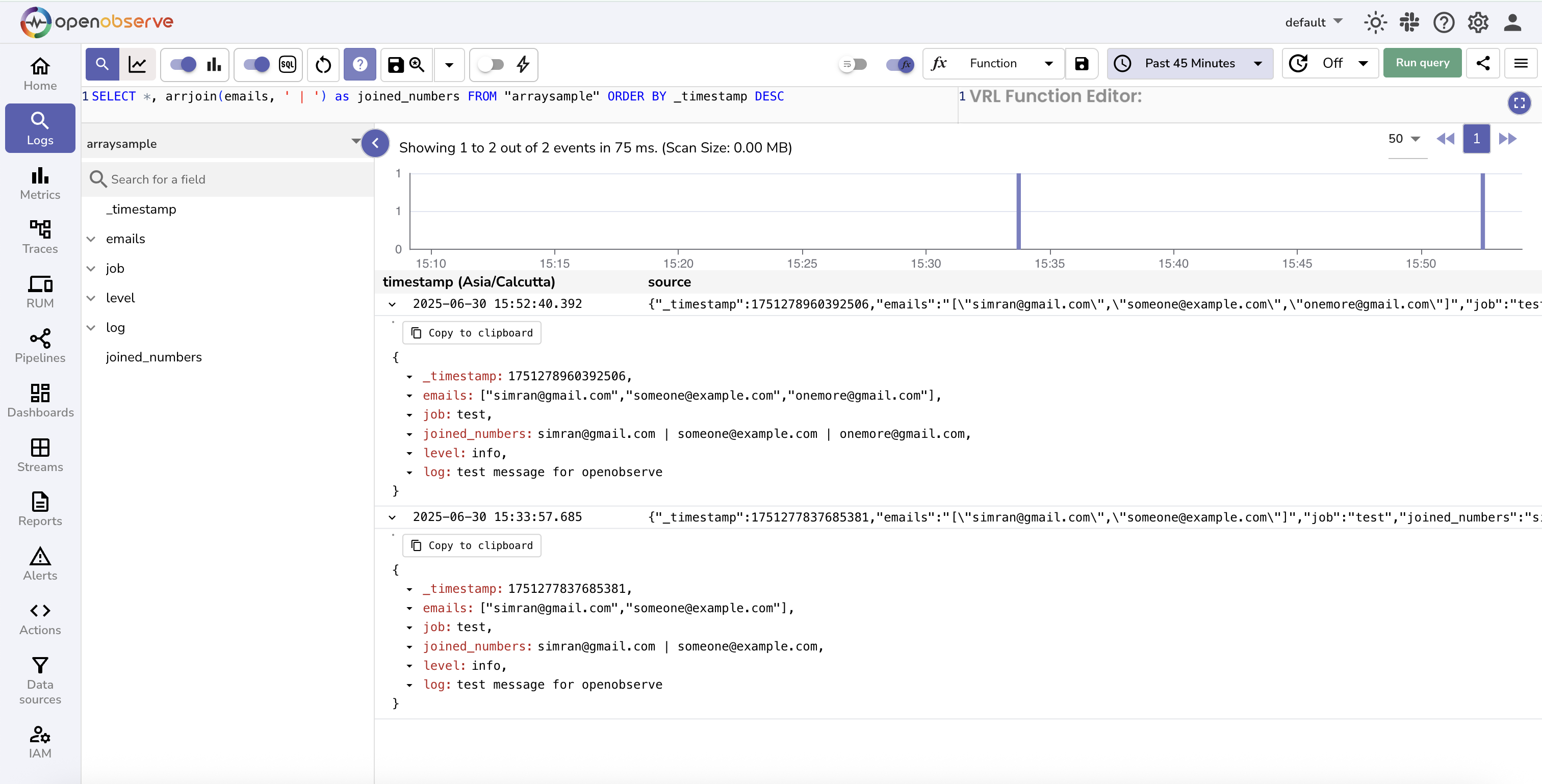
```sql
SELECT *, arrjoin(emails, ' | ') as joined_numbers FROM "default" ORDER BY _timestamp DESC
```
In this query, the `emails` field contains a value such as `["jim@email.com", "john@doe.com", "jene@doe.com"]`. The function joins all elements using the delimiter `|`. The result is:
`"jim@email.com | john@doe.com | jene@doe.com"`
---
## `arrsort`
**Syntax**: `arrsort(field)`
**Description:**
- Sorts the array field in increasing order.
- All elements must be of the same type, such as numbers or strings.
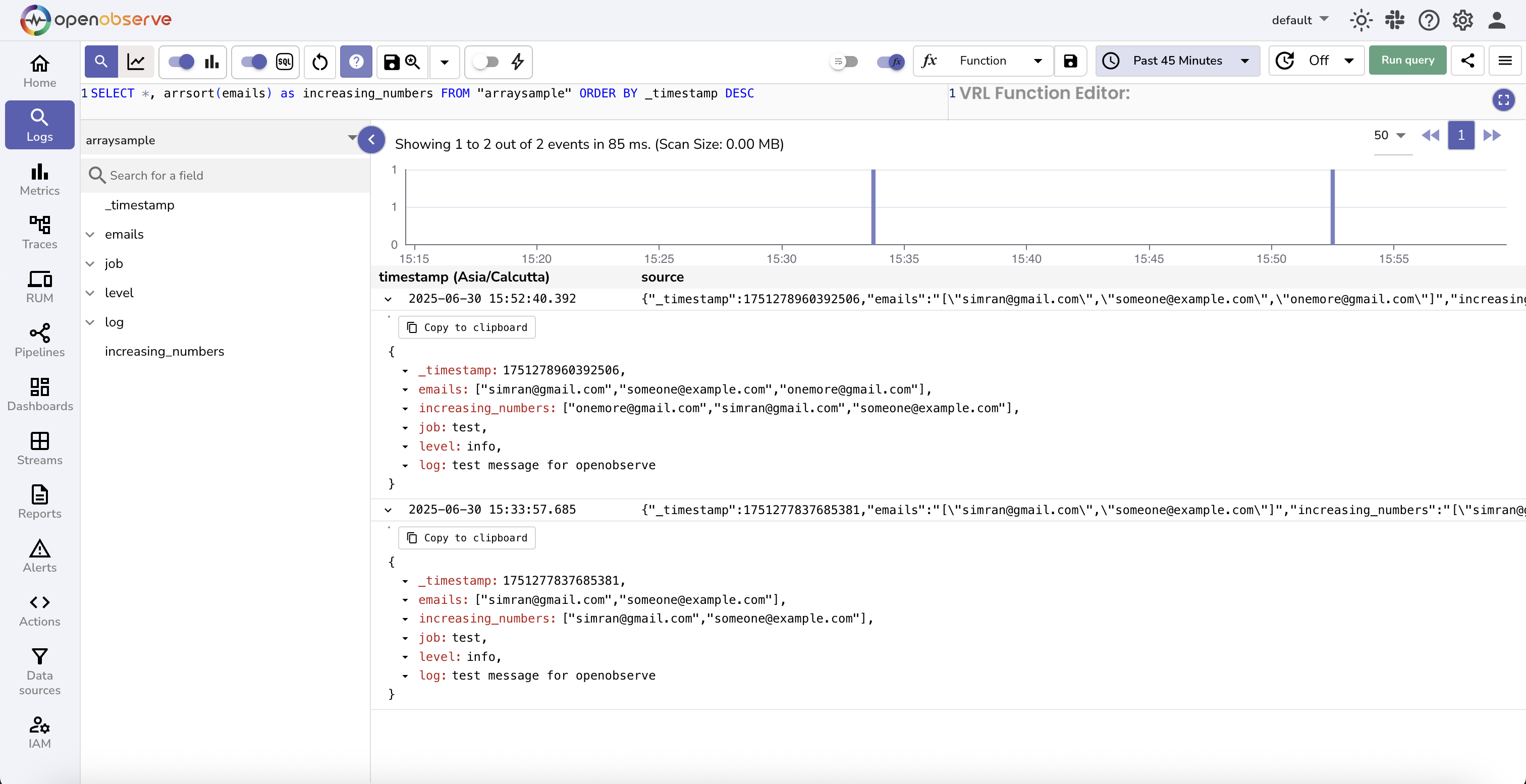
```sql
SELECT *, arrsort(emails) as increasing_numbers FROM "default" ORDER BY _timestamp DESC
```
In this query, the emails field contains a value such as `["jim@email.com", "john@doe.com", "jene@doe.com"]`. The function sorts the elements in increasing lexicographical order. The result is:
`["jene@doe.com", "jim@email.com", "john@doe.com"]`.
---
## `arrzip`
**Syntax**: `arrzip(field1, field2, delimiter)`
**Description:**
- Combines two stringified JSON arrays element by element using the specified delimiter.
- Each element from the first array is joined with the corresponding element from the second array.
- The result is a new array of joined values.
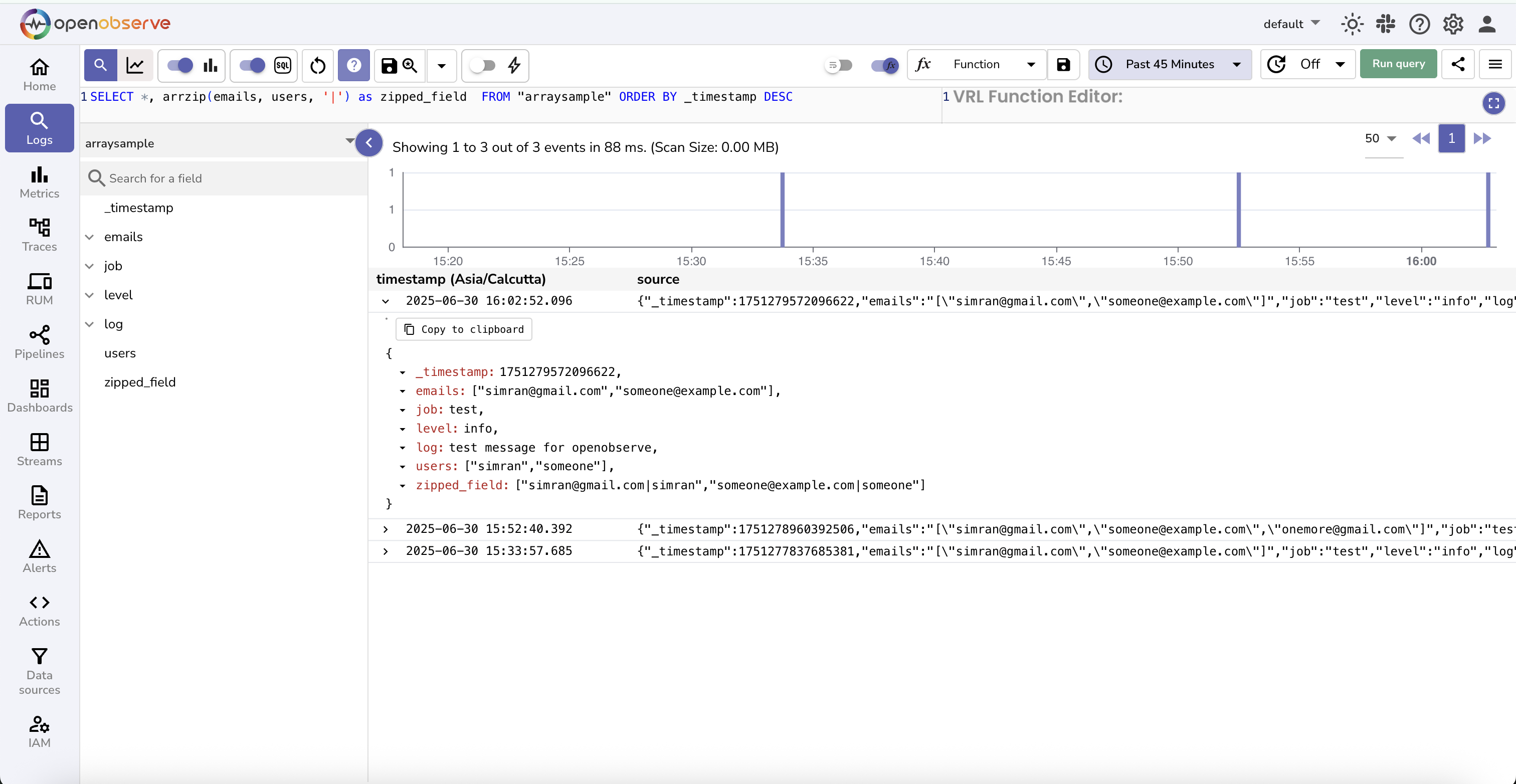
```sql
SELECT *, arrzip(emails, usernames, '|') as zipped_field FROM "default" ORDER BY _timestamp DESC
```
In this query, the `emails` field contains `["jim@email.com", "john@doe.com"]` and the `usernames` field contains `["jim", "john"]`. The function combines each pair of elements using the delimiter `|`.
The result is:
`["jim@email.com | jim", "john@doe.com | john"]`
---
## `spath`
**Syntax**: `spath(field, path)`
**Description:**
- Extracts a nested value from a JSON object stored as a string by following the specified path.
- The path must use dot notation to access nested keys.
**Example:**
```sql
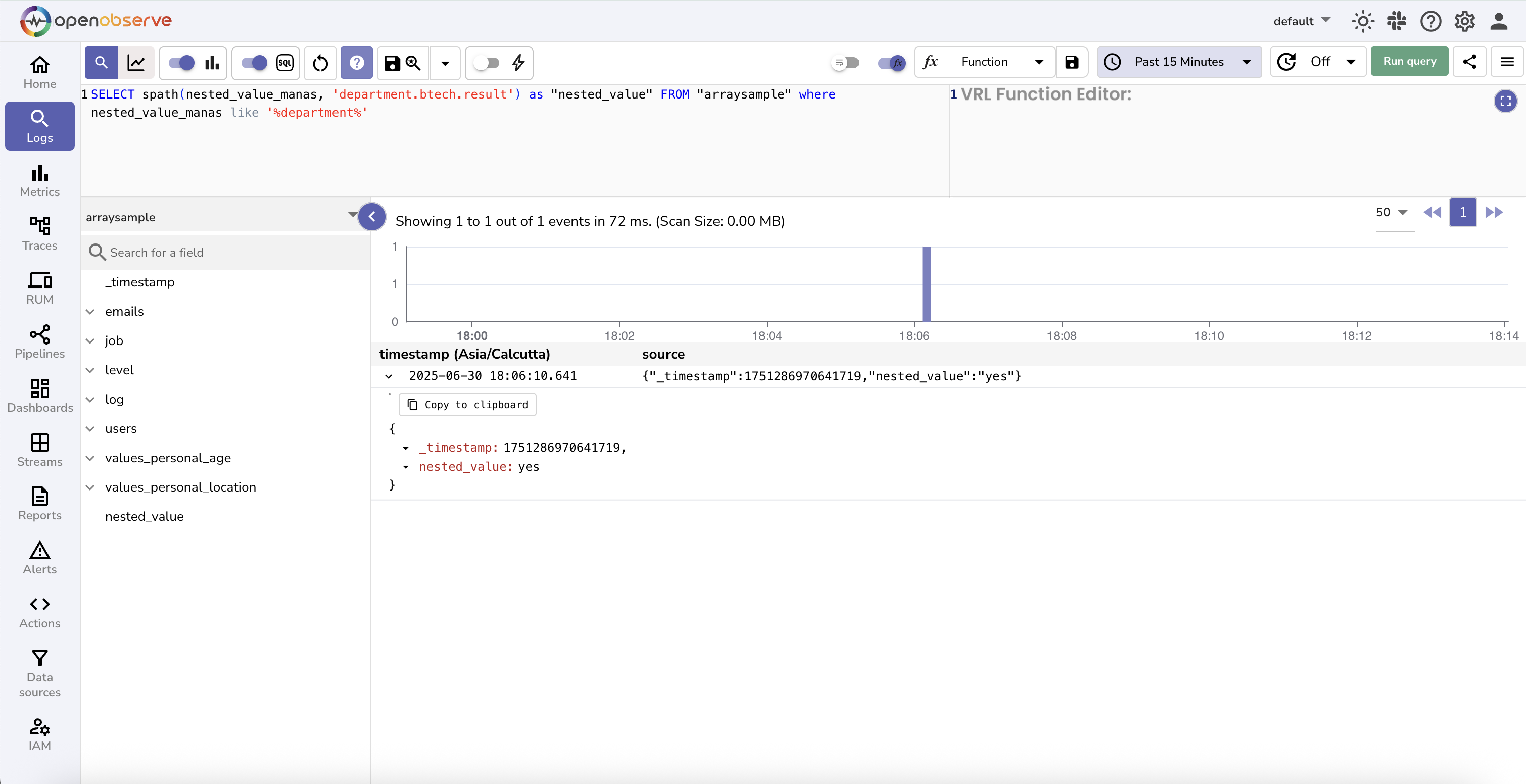
SELECT *, spath(json_object_field, 'nested.value') as extracted_value FROM "default" ORDER BY _timestamp DESC
```
In this query, the `json_object_field` contains a value such as:
```json
{"nested": {"value": 23}}
```
The function navigates the JSON structure and extracts the value associated with the path `nested.value`.
The result is: `23`.
Sample Input in log stream:
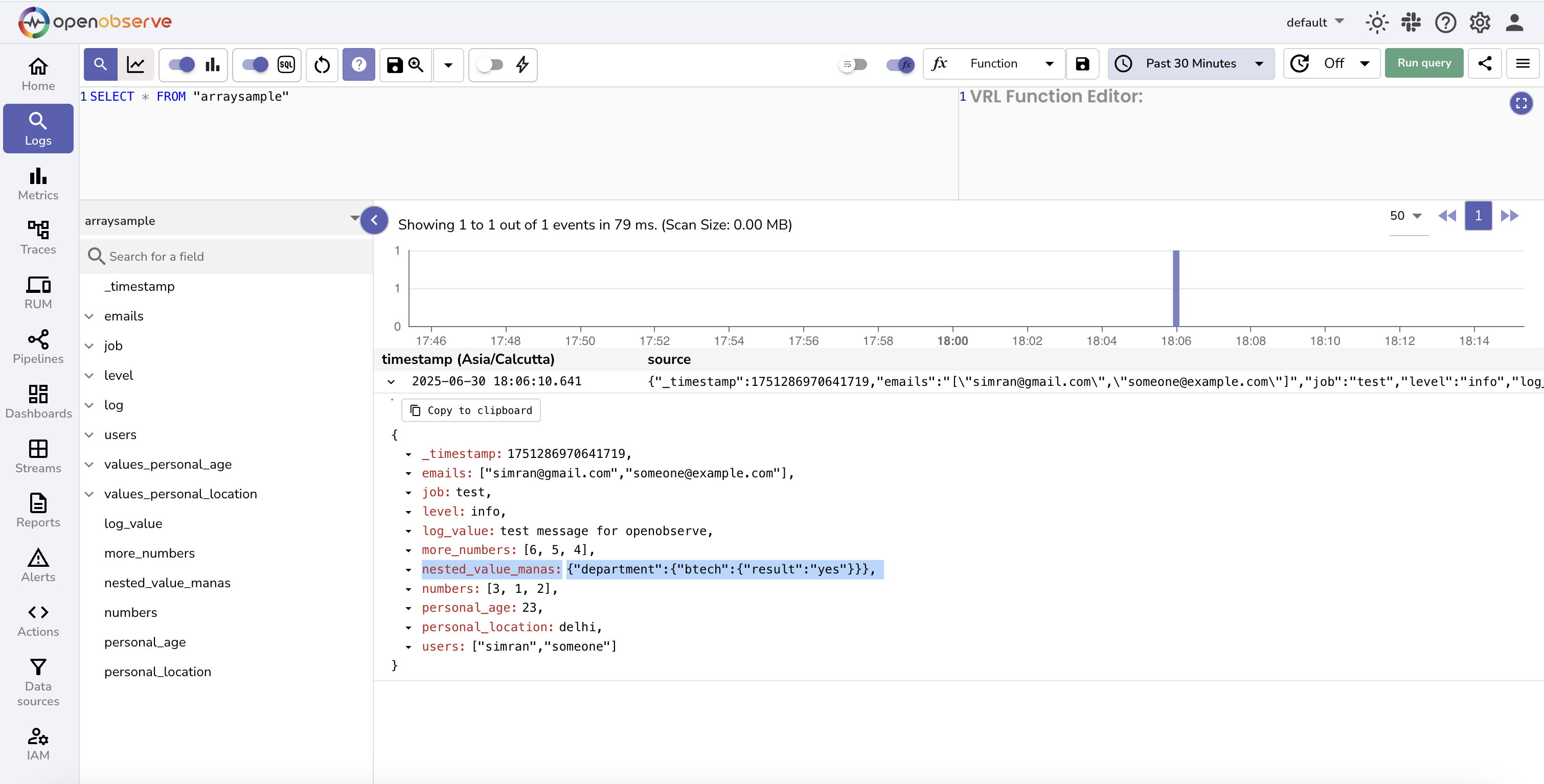
Running SQL query using spath():
---
## `cast_to_arr`
**Syntax**: `cast_to_arr(field)`
**Description:**
- Converts a stringified JSON array into a native DataFusion array.
- This is required before applying native DataFusion array functions such as `unnest`, `array_union`, or `array_pop_back`.
- Native functions do not work directly on stringified arrays, so this conversion is mandatory.
> Learn more about the [native datafusion array functions](https://datafusion.apache.org/user-guide/expressions.html#array-expressions).
Example:
```sql
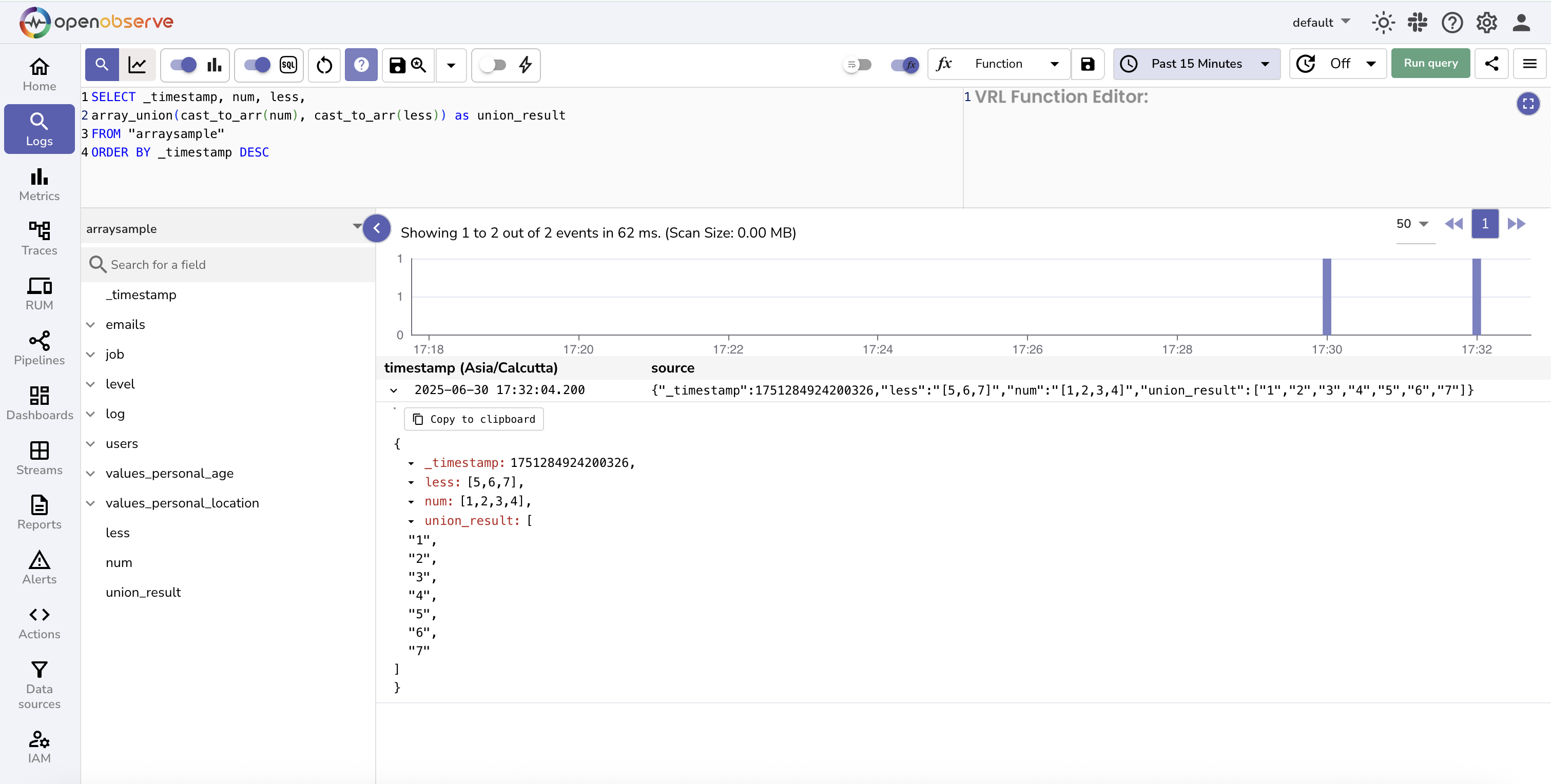
SELECT _timestamp, nums, less,
array_union(cast_to_arr(nums), cast_to_arr(less)) as union_result
FROM "arr_udf"
ORDER BY _timestamp DESC
```
In this query:
- `nums` and `less` are fields that contain stringified JSON arrays, such as `[1, 2, 3]` and `[3, 4]`.
- The function `cast_to_arr` is used to convert these fields into native arrays.
- The result of `array_union` is a merged array with unique values: `[1, 2, 3, 4]`.
---
## `to_array_string`
**Syntax**: `to_array_string(array)`
**Description:**
- Converts a native DataFusion array back into a stringified JSON array.
- This is useful when you want to apply OpenObserve-specific array functions such as `arrsort` or `arrjoin` after using native array operations like `array_concat`.
**Example:**
```sql
SELECT *,
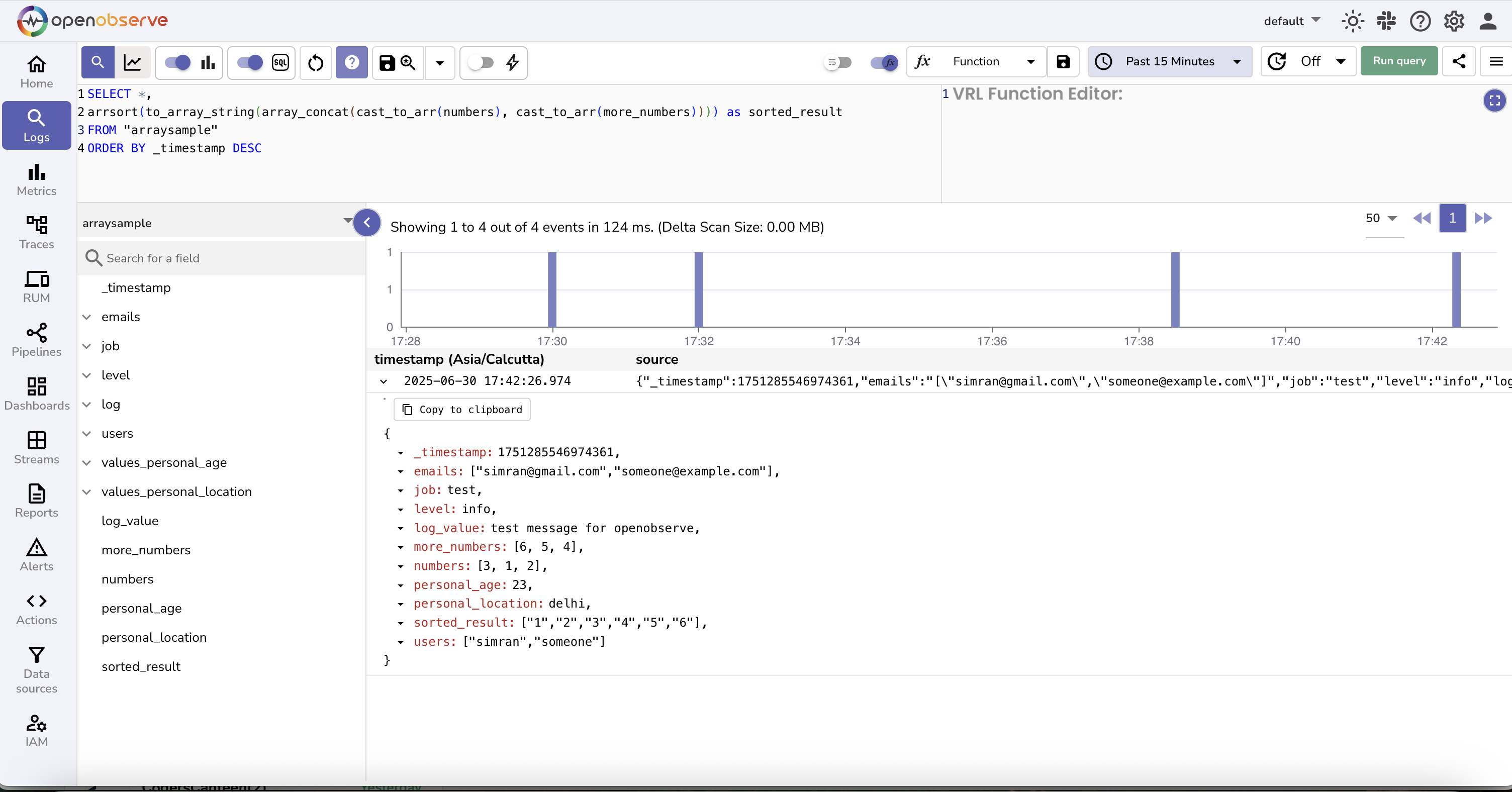
arrsort(to_array_string(array_concat(cast_to_arr(numbers), cast_to_arr(more_numbers)))) as sorted_result
FROM "default"
ORDER BY _timestamp DESC
```
In this query:
- `numbers` and `more_numbers` are stringified JSON arrays.
- `cast_to_arr` converts them into native arrays.
- `array_concat` joins the two native arrays.
- `to_array_string` converts the result back into a stringified array.
- `arrsort` then sorts the array in increasing order.