---
title: Import and Export Pipelines
description: Import and export pipelines in OpenObserve to move configurations across environments easily using JSON files, URLs, or direct input.
---
This guide explains how to import and export pipelines. Use this feature to replicate existing pipelines across environments without recreating them from scratch.
## Export a pipeline
To export an existing pipeline configuration:
1. From the left navigation menu, go to **Pipelines**.
2. In the **Pipelines** tab, locate the pipeline you want to export.
3. In the **Actions** column of the pipeline, click the download icon.
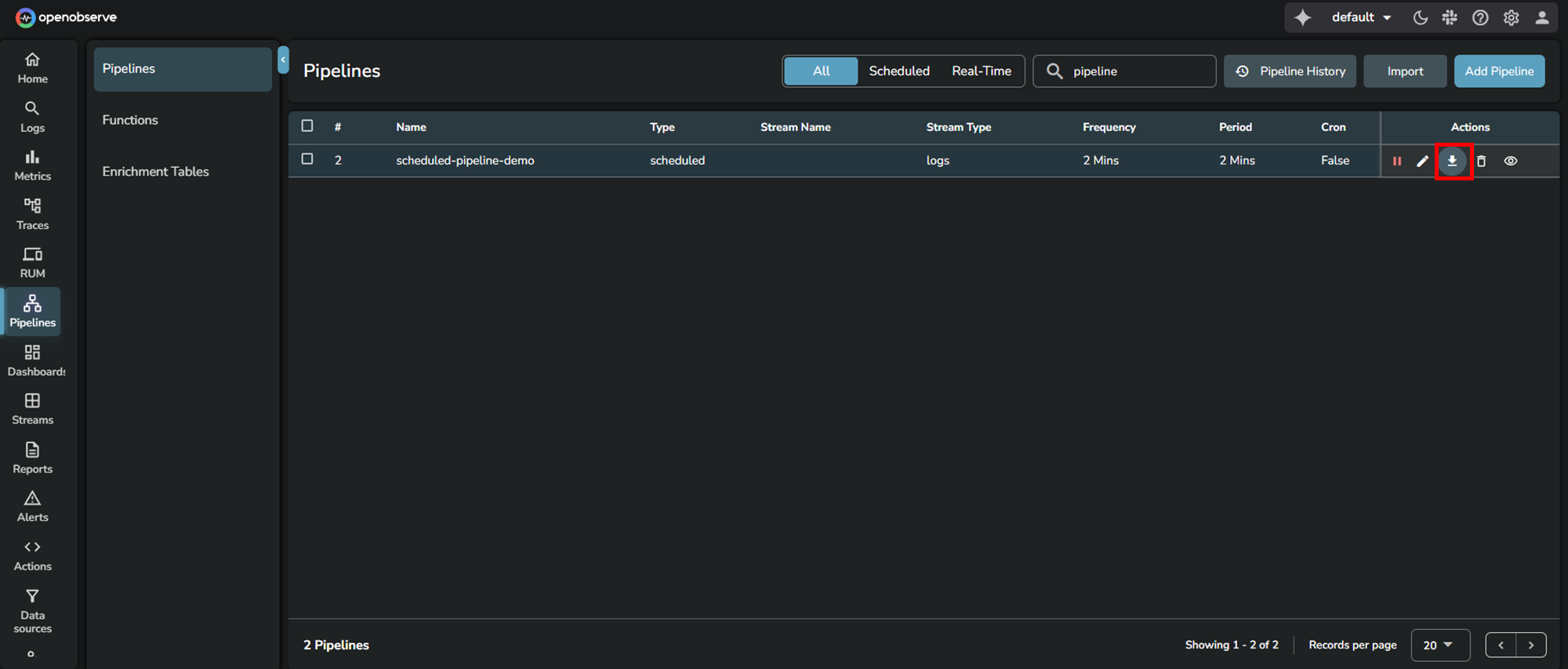
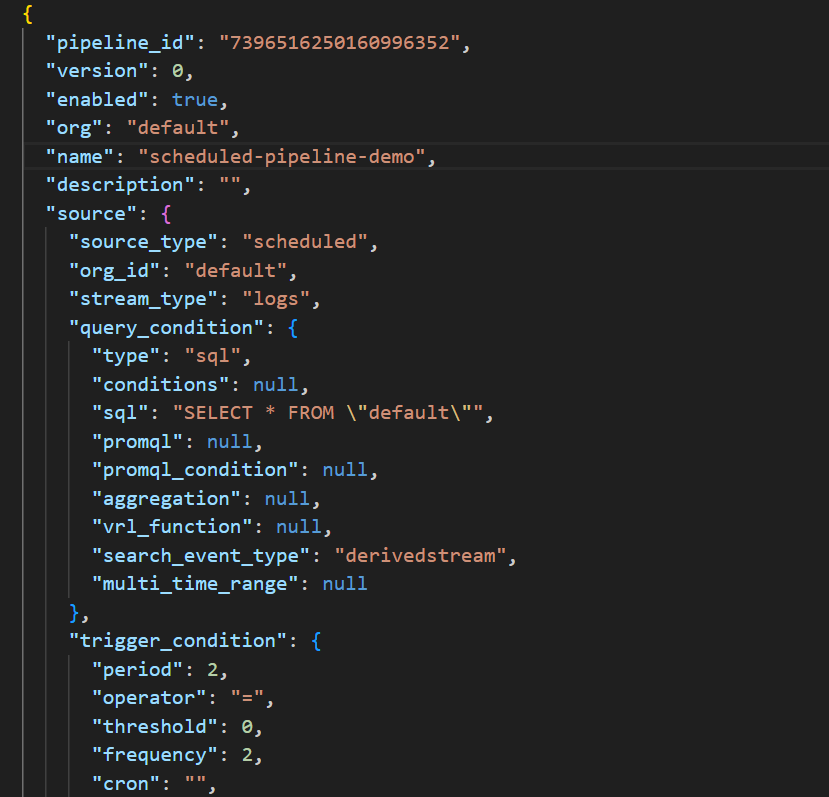
The downloaded `.json` file contains the pipeline configuration and can be used to import the pipeline into another environment.
Exporting the pipeline `scheduled-pipeline-demo` generates a JSON file similar to the following:
## Import a pipeline
To import a previously exported pipeline:
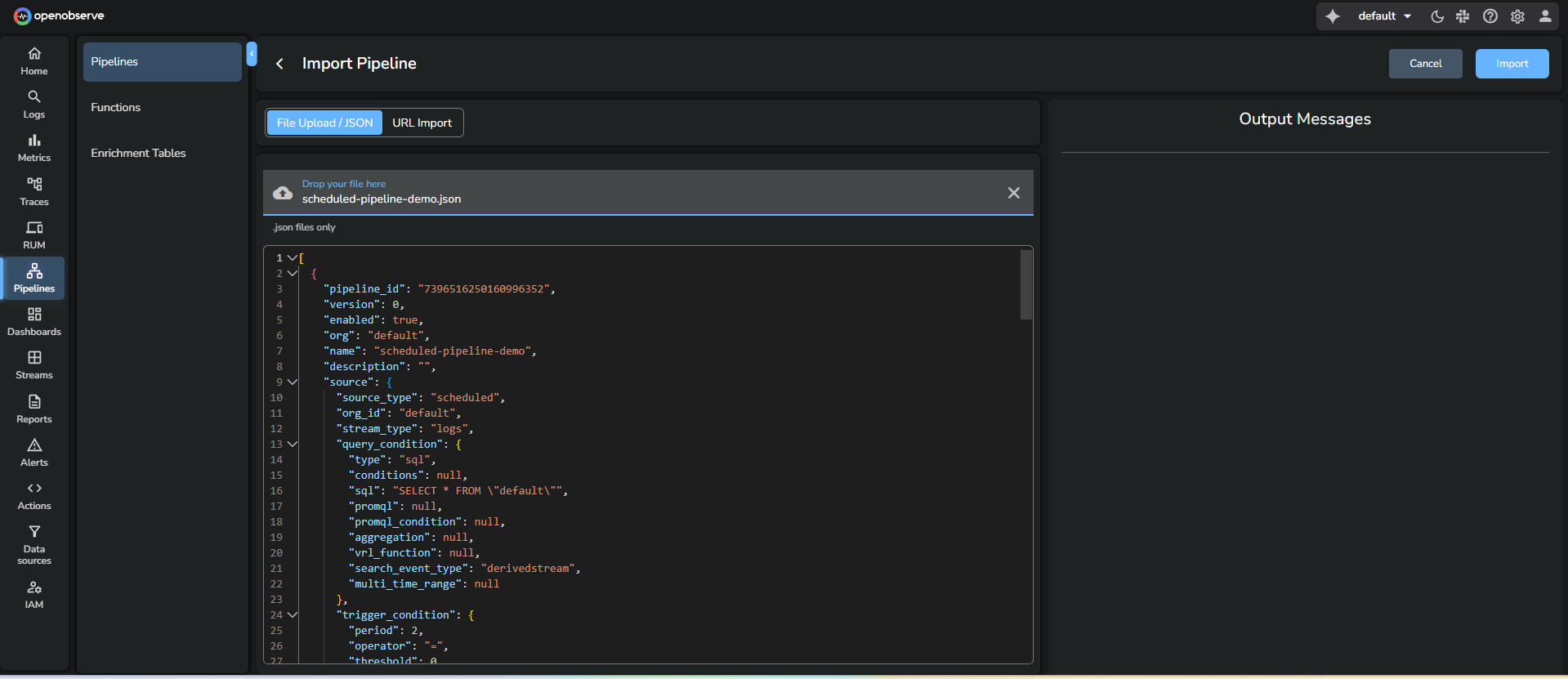
1. Go to **Pipelines**.
2. Click **Import Pipeline** in the top-right corner.
3. Choose one of the supported import methods:
- **Upload JSON Files**: Select one or more JSON files containing pipeline configurations from your local system.
- **Enter URL**: Provide a URL to fetch the pipeline configuration.
- **Paste JSON Object**: Copy and paste the JSON pipeline definition in the JSON editor.
4. To import pipelines in bulk, choose multiple JSON files.
5. Click **Import**.
The imported pipeline appears in the **Pipelines** tab.
## Handle validation errors while importing pipelines
If any validation errors occur during import, refer to the following resolutions:
- **Pipeline name already exists:** Enter a unique pipeline name.
- **Source stream name already exists**: Enter a unique source stream.
- **Source stream type does not exist**: Enter stream type.
- **Source time zone does not exist (for scheduled pipeline)**: Ensure the source time zone is accurate when you want to import scheduled pipelines.
- **The SQL query does not exist (for scheduled pipeline):** Ensure the SQL query exists if you want to import scheduled pipelines.
- **Destination stream type does not exist:** Enter the destination stream type.
- **Organization ID does not exist:** Enter the organization ID.
- **Function name does not exist:** Enter the function name
- **Remote Destination does not exist:** Ensure the remote destination is accurate.
## Related links
- [Pipelines in OpenObserve](index.md)
- [Create and Use Real-time Pipeline](create-and-use-real-time-pipeline.md)
- [Create and Use Scheduled Pipeline](create-and-use-scheduled-pipeline.md)
- [Manage Pipelines](manage-pipelines.md)
- [Configurable Delay in Scheduled Pipelines](configurable-delay-in-scheduled-pipelines.md)