
Profile
Search Inspector
The Search Inspector in OpenObserve helps you identify what happens during a search operation.
How to Use It
Make a request to the following endpoint to get profiling information for your search operations:
GET /api/{org_id}/search/profileThis returns structured metadata about recent search executions for your organization.
Why Use the Search Inspector
- To find out why a search is slow and which part is causing the delay
- To see how a search is processed step by step, including WAL, storage, and execution phases
- To trace how the query moved across nodes, using OpenTelemetry for distributed tracking
- To view all search metadata in one place, including role, timing, and component context
- To debug reliably using logs that show durations in human-readable format and clear size metrics
Access Control
The Search Inspector requires a dedicated search_inspector permission. Access depends on your role:
- The Root User and organization Admins can use the Search Inspector automatically. No extra grant is needed.
- Editors, Viewers, and other users get access only through a custom role that grants the
search_inspectorpermission. Without it, requests to the profile endpoint are denied.
To grant the permission:
- From the IAM panel, select Roles and click the edit icon on the custom role you want to grant access to.
- On the Permissions tab, under Modules, expand Data and select Search Inspector.
- Select the Get checkbox for the Search Inspector resource. All also grants it.
- On the Users tab, add the users who need access, if they are not already assigned to the role.
- Click Save.
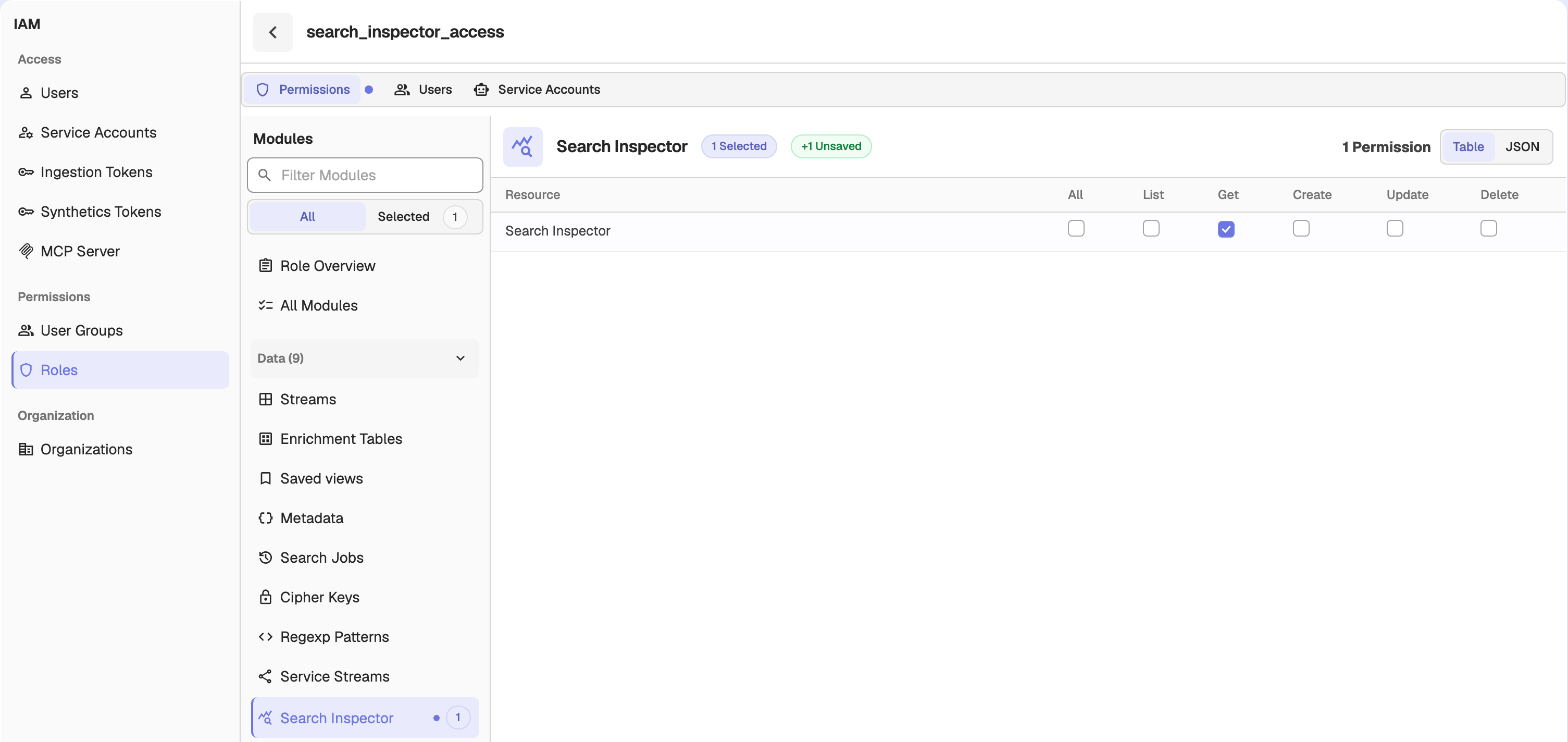
The Search Inspector permission is module-level. Granting it authorizes the profile endpoint for the entire organization; it cannot be scoped to individual streams.
Org Scoping and Security
The Search Inspector is scoped to the organization in the request path:
- It returns only traces owned by that organization. A trace belonging to another organization is answered as if it does not exist, so trace IDs cannot be probed across organizations.
- The
trace_idquery parameter is required and accepts only letters, numbers, and dashes; a missing or invalid value is rejected with a bad-request error.
In the OpenObserve UI, Search Inspector entry points hide automatically for users without the search_inspector permission.
Setup
The Search Inspector is turned off by default. To turn it on, set ZO_SEARCH_INSPECTOR_ENABLED=true (see Environment Variables). Once it is on, the Search Inspector records search executions automatically in the background, and users with the search_inspector permission can query the endpoint for real-time details.