
Slack Integration
The two-way Slack app brings OpenObserve into your Slack workspace. People link their Slack account to their OpenObserve account once, then ask questions about your data from Slack. Answers are read-only and use each person's own OpenObserve permissions. Admins install the app, decide how people are linked, set channel defaults, and manage access from Settings > Slack.
Slack webhook alert destinations you already have keep working when you add the app. To send alert notifications to Slack, see Alert Destinations.
Availability
The Slack app is an OpenObserve Enterprise feature and is off by default. It turns on only when all of the following hold:
O2_SLACK_ENABLEDis set totrue.- A master encryption key (
O2_MASTER_ENCRYPTION_KEY) is set and active, so Slack tokens are stored encrypted. - The instance is not a super cluster.
Until then no Slack tasks start and the Slack API routes return 404. The setting is global; there is no per-organization switch. Turning it on or off needs a restart.
Rollback
To disable Slack again, set O2_SLACK_ENABLED=false and restart. Rolling the binary back across the Slack table migration is not supported.
Install the app
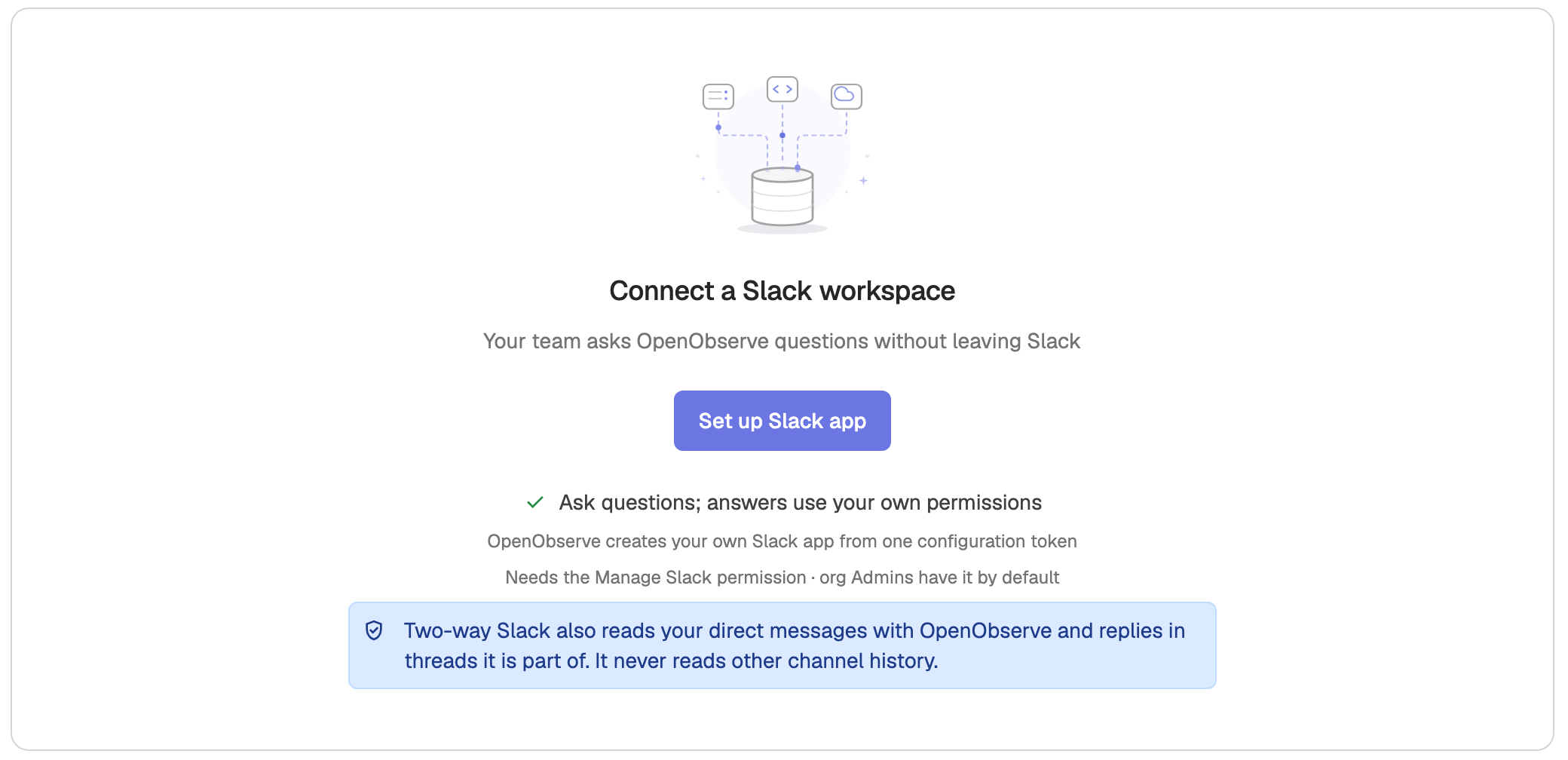
Installing needs the Manage Slack permission, which organization Admins have by default. Open Settings > Slack and connect a workspace. The flow depends on your deployment:
- Cloud: click Add to Slack. Slack opens in a popup, where you pick a channel for alerts and click Allow.
- Self-hosted: click Set up Slack app. A wizard creates your own Slack app in five steps: Prerequisites, Connection, Create the app, Install, and Test and linking.
Self-hosted setup wizard
-
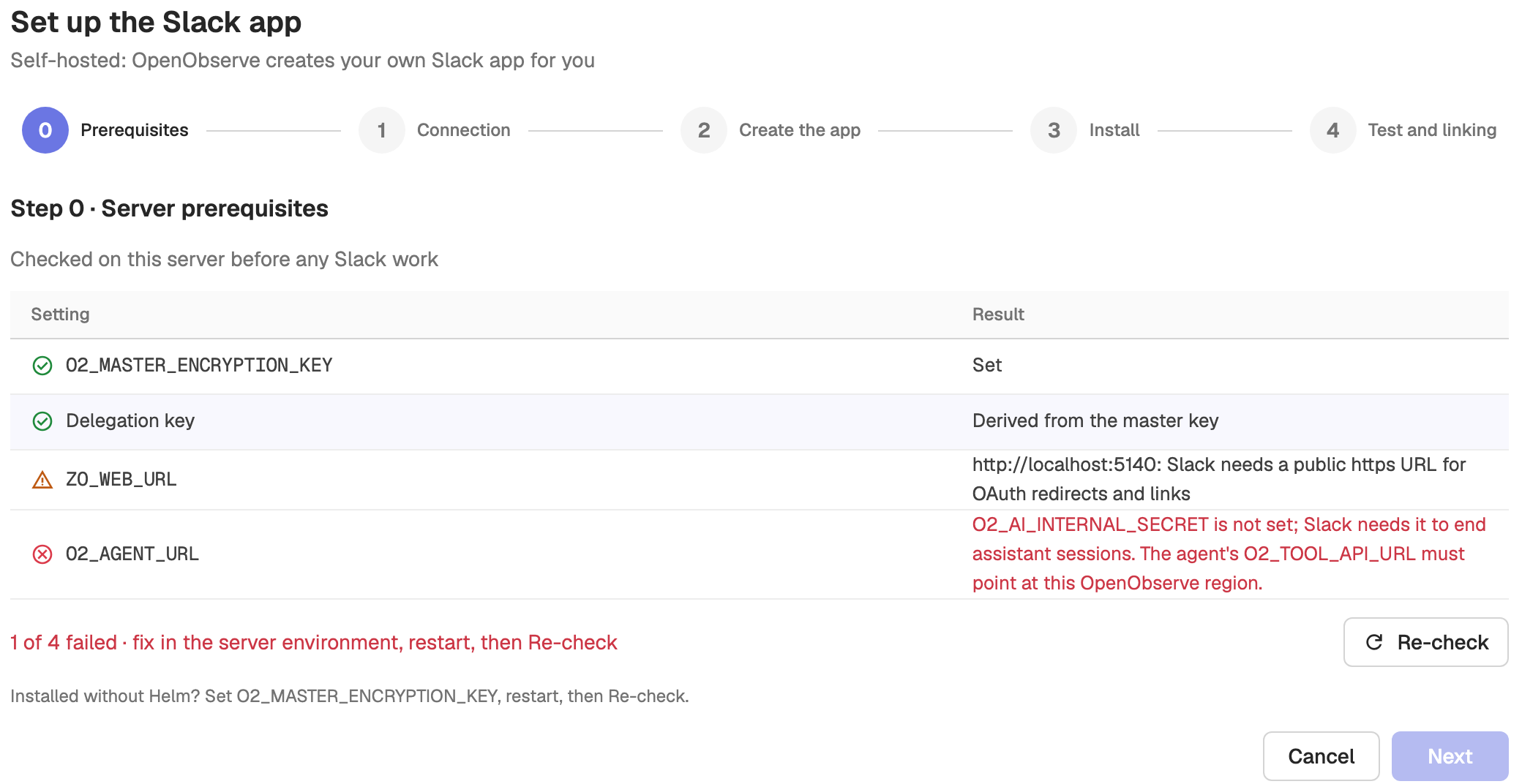
Prerequisites (Step 0 · Server prerequisites) checks the server before any Slack work. Each row shows a pass, warning, or failure, with the environment variable to fix. After you change the environment and restart OpenObserve, click Re-check. Next stays disabled until no check fails.
O2_MASTER_ENCRYPTION_KEYis set and active.- Delegation key: derived from the master key, or set with
ZO_DELEGATION_SIGNING_KEY. ZO_WEB_URLis a public HTTPS URL, which Slack needs for OAuth redirects and account links. Anhttp://orlocalhostURL shows a warning.O2_AGENT_URL: the AI assistant answers, andO2_AI_INTERNAL_SECRETis set.
-
Connection checks that the server can reach Slack, through
HTTPS_PROXYand any extra CA bundle set inO2_SLACK_CA_BUNDLE_PATH. -
Create the app asks for a Connection mode:
- Socket Mode (recommended): OpenObserve opens the connection, so Slack needs no public URL.
- HTTP: Slack calls your public URL. It needs one Verify click in Slack.
Paste an app configuration refresh token (
xoxe-…) from Slack's Your App Configuration Tokens and OpenObserve creates the app from its manifest. Or choose Set up manually to open Slack with the manifest pre-filled, then enter the app's client ID, client secret, signing secret, and, for Socket Mode, app-level token. -
Install opens Slack's install screen; click Allow in Slack.
-
Test and linking runs connection checks and Test Sign in with Slack.
Manage an installed workspace
Once installed, the workspace appears as a card with its connection mode, health status, and the organizations connected to it. From the card you can Test connection, Update credentials, Reinstall, set a Help contact that Slack replies name when someone lacks access, Disconnect this org, or Uninstall from workspace. Disconnecting stops Slack for one organization only. Uninstalling removes the app for every connected organization, needs Admin in each of them, and everyone must link again.
Link accounts
A Slack user must link their OpenObserve account before they can ask questions. The Linking section controls how that happens:
- Link people automatically: Slack members with a confirmed email on the listed Domains are linked to the OpenObserve user with the same email. Only your company's own domains are accepted; public email domains such as
gmail.comare rejected. If your organization has a domain mapping, those domains are used and are read-only here. - Sign in with Slack: when linking is off, or a person's email does not match, they click Link your account in Slack the first time they ask, and confirm their identity with Slack. Links work once and expire after 30 minutes.
- Link all matches: links every Slack member who matches an OpenObserve user but joined before automatic linking was turned on. Each person gets one direct message.
The section shows how many people were linked automatically and how many with Link your account. The Linked people table lists each link with the method (Email match, Sign in with Slack, or Link all), and lets you Unlink a person. People removed from OpenObserve or Slack lose their link within an hour.
Each user can also see and unlink their own Slack links from Linked accounts in the user menu at the top right.
Ask OpenObserve from Slack
Once linked, people ask questions in several ways:
/o2 ask <question>: ask privately; the answer arrives in your direct messages.- Mention
@OpenObservein a channel: the answer is posted in the message thread. - App Home: the app's Home tab shows how your account is linked, an Unlink button, and example questions you can ask in one click.
When you belong to several organizations, OpenObserve picks the one that answers in this order: an in:<org> word in the question, an OpenObserve link in the question, the thread's organization, an OpenObserve link shared in the thread, the channel default, then your personal default organization. Use Re-ask in on an answer to ask the same question in another organization.
Other slash commands:
/o2 org [name]: show your default organization, or set it toname. It never changes the organization of an existing thread./o2 linkand/o2 unlink: link or unlink your account./o2 help: list every command and your link status.
Configure channels
The Channel defaults table sets, per channel, which organization answers when nothing in the question or thread names one, and where answers go:
- In thread: the answer is posted in the channel thread.
- Private only: the answer is sent by direct message instead.
Questions in a channel without a default go to the earliest connected organization. Private channels appear in the channel picker after you /invite @OpenObserve to them.
Instance workspace (self-hosted)
On a self-hosted instance, an Admin of the _meta organization can install a single instance workspace that serves every organization on the server, or only selected ones. The Organizations section on the _meta Settings > Slack page controls this: choose All organizations (including organizations created later) or Selected organizations. _meta is always included. Each organization's Admin then maps its own channels and alert destinations.
When you remove an organization from the instance workspace, its channel defaults are removed, its linked people move to another organization they belong to or are unlinked, and its open threads get no more answers. Its alert destinations are not changed.
Permissions
Access to the Slack settings uses the same role-based access control as the rest of OpenObserve, through the slack_integration OpenFGA type. Reading maps to LIST, changes to PUT, and deletes to DELETE. When OpenFGA is disabled, an organization Admin is required.
Configuration
| Environment variable | Default | Purpose |
|---|---|---|
O2_SLACK_ENABLED | false | Enable the two-way Slack app. Requires O2_MASTER_ENCRYPTION_KEY. |
O2_SLACK_CA_BUNDLE_PATH | (empty) | Extra PEM root certificates for Slack calls, for proxies that re-sign TLS. |
O2_SLACK_THREAD_TTL_DAYS | 7 | Days a Slack thread keeps its assistant session after its last activity. |
O2_SLACK_SOCKETS_PER_INSTALL | 2 | Socket Mode connections per installation. |
O2_SLACK_STATUS_INTERVAL_MS | 3000 | Minimum gap between progress edits of a Slack answer, in milliseconds. |
O2_SLACK_SIGNING_SECRET | (empty) | Signing secret of the Cloud Slack app; verifies Slack's HTTP requests. |
Deploy order
Because Slack depends on both OpenObserve and the AI assistant, deploy in this order:
- Deploy OpenObserve and OpenObserve Enterprise with Slack off.
- Deploy the AI assistant, with
O2_INTERNAL_API_SECRETequal toO2_AI_INTERNAL_SECRET. - Turn Slack on only after both are deployed. On Cloud, enable it only in the region the Slack app's Request URLs point at.
Oracle Weblogic
Forward and parse Oracle WebLogic Server logs with Fluent Bit and OpenObserve for structured observability.
Kubernetes Monitoring - K8s Cluster & Container Observability
Kubernetes monitoring with OpenTelemetry and OpenObserve: cluster and container metrics, pod metrics, K8s logs, and microservices observability.