MITRE ATT&CK
MITRE ATT&CK maps your detections onto the MITRE ATT&CK Enterprise matrix, so you can see which techniques you cover, which fired, and where the gaps are. Open Security > MITRE ATT&CK and pick a window of 1h, 24h, 7d (default), or 30d.
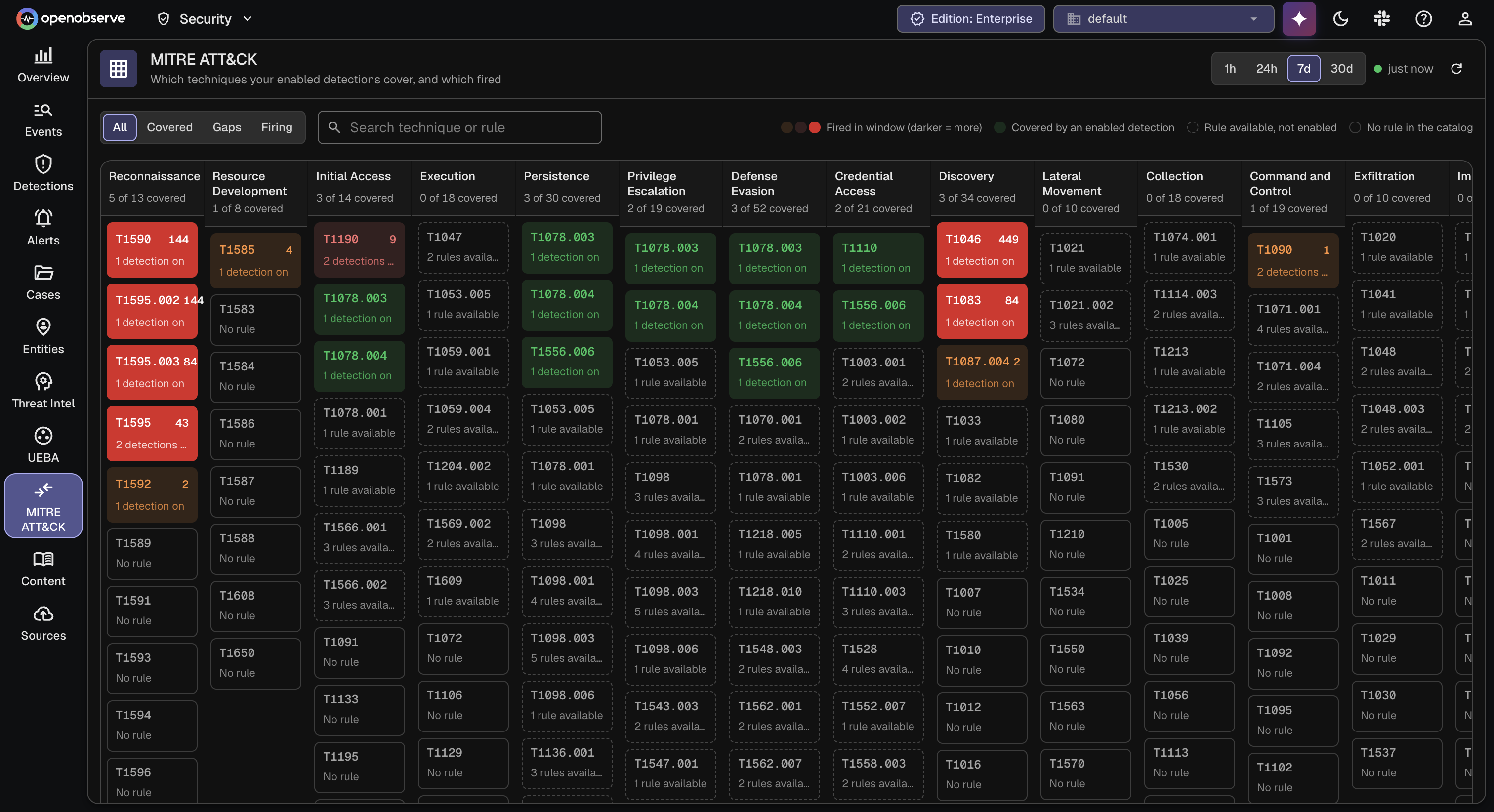
Coverage is measured against the 216 parent techniques of ATT&CK Enterprise v18.1, across 14 tactics. A sub-technique counts toward its parent.
Read the matrix
Each column is a tactic, with how many of its techniques are covered. Each cell is a technique, in one of four states:
| State | Meaning |
|---|---|
| Fired in window | A detection for this technique fired in the window. Darker means more firings: 1 to 4, 5 to 19, or 20 or more. |
| Covered by an enabled detection | You have an enabled detection for it. |
| Rule available, not enabled | A catalog rule or a disabled detection covers it. |
| No rule in the catalog | Nothing covers it. |
The tiles at the top count Techniques firing, Coverage gaps (techniques with no enabled detection), Techniques covered, and Tactics covered. Click one of the first three tiles, or use All, Covered, Gaps, and Firing, to filter the matrix. Search by technique ID or rule name. Technique IDs your detections carry that have no known tactic are listed under Techniques without a known tactic.
Close a gap
Click a technique to open it:
- Detections: your detections for it, and catalog rules that are Available in the catalog but not installed. With the Create permission, click Enable on a catalog rule to open New detection with the rule selected. See Create a detection.
- Firings: up to 50 detections that fired for it, newest first.
- Reference: a link to the technique on attack.mitre.org.