
Integration with Zookeeper Metrics
This guide provides step-by-step instructions to collect and monitor Apache Zookeeper metrics using OpenTelemetry Collector Contrib and forward them to OpenObserve.
Overview
Apache Zookeeper is a centralized service for maintaining configuration information, naming, distributed synchronization, and group services.
Monitoring Zookeeper is critical to ensure availability, performance, and stability across distributed systems.
Steps to Integrate
Prerequisites
- Running Apache Zookeeper instance(s)
- OpenObserve account (Cloud or Self-Hosted)
Step 1: Update Apache Zookeeper Configuration
The main configuration file for Apache ZooKeeper is named zoo.cfg and is typically located in the <ZOOKEEPER_HOME>/conf directory.
- UpdateZookeeper config:
Add:
4lw.commands.whitelist=mntr,ruok,conf,envi,stat- Restart and check Zookeeper:
/opt/zookeeper/bin/zkServer.sh start
/opt/zookeeper/bin/zkServer.sh status
Step 2: Install OpenTelemetry Collector Contrib
-
Download and install
otelcol-contrib:wget https://github.com/open-telemetry/opentelemetry-collector-releases/releases/download/v0.116.1/otelcol-contrib_0.116.1_linux_amd64.deb sudo dpkg -i otelcol-contrib_0.116.1_linux_amd64.deb -
Start and check version:
otelcol-contrib --version
Step 3: Configure the Collector
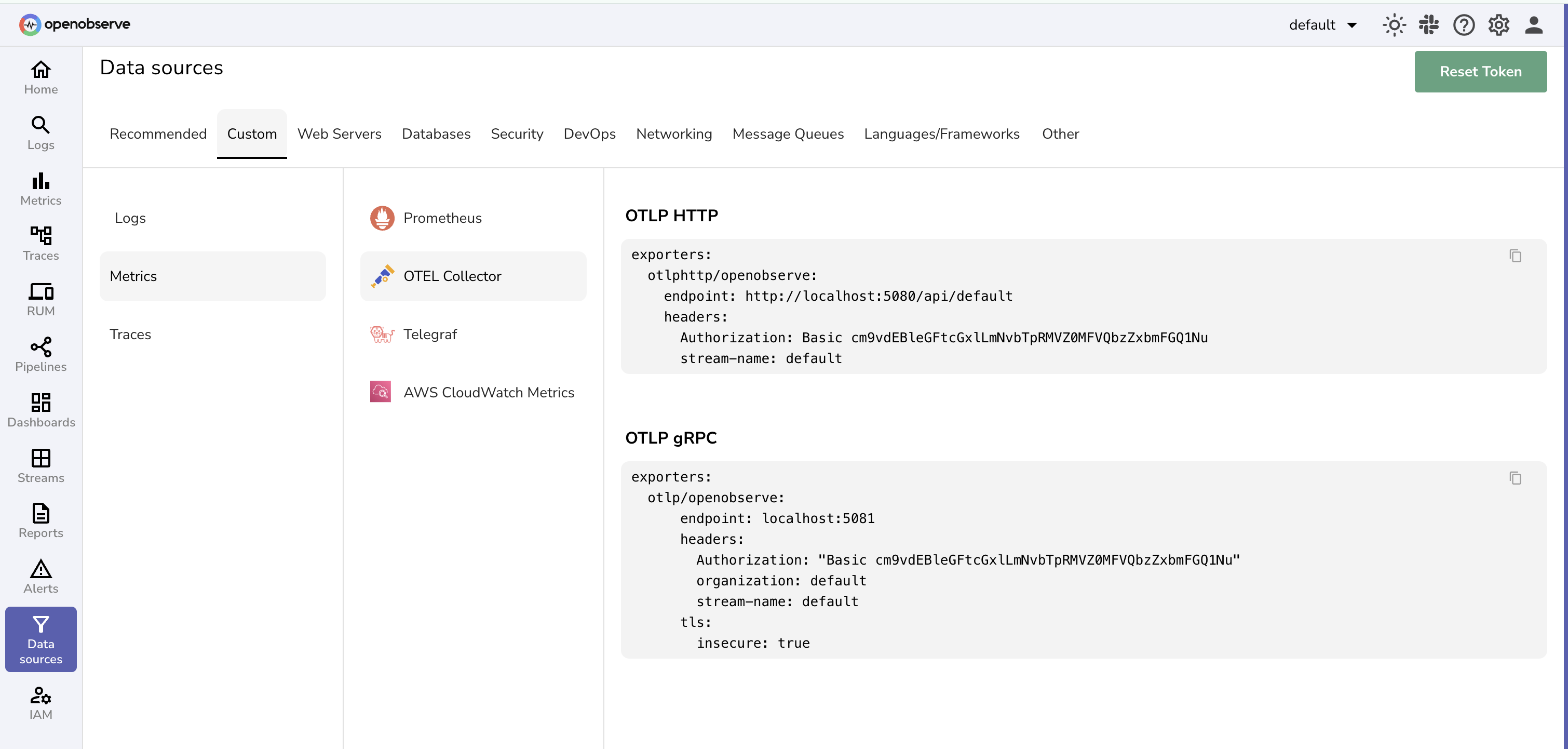
Edit /etc/otelcol-contrib/config.yaml with the following configuration:
receivers:
  zookeeper:
    endpoint: "localhost:2181"

exporters:
  otlphttp/openobserve:
    endpoint: https://<your-openobserve-endpoint>/api/default
    headers:
      Authorization: Basic <your_auth_token>
      stream-name: default

service:
  pipelines:
    metrics:
      receivers: [zookeeper]
      exporters: [otlphttp/openobserve]
Replace <your-openobserve-endpoint> and <your_auth_token> with your actual OpenObserve details.
Step 4: Run the Collector
Start the Collector service:
sudo systemctl start otelcol-contrib
sudo systemctl status otelcol-contrib
Step 5: Visualize in OpenObserve
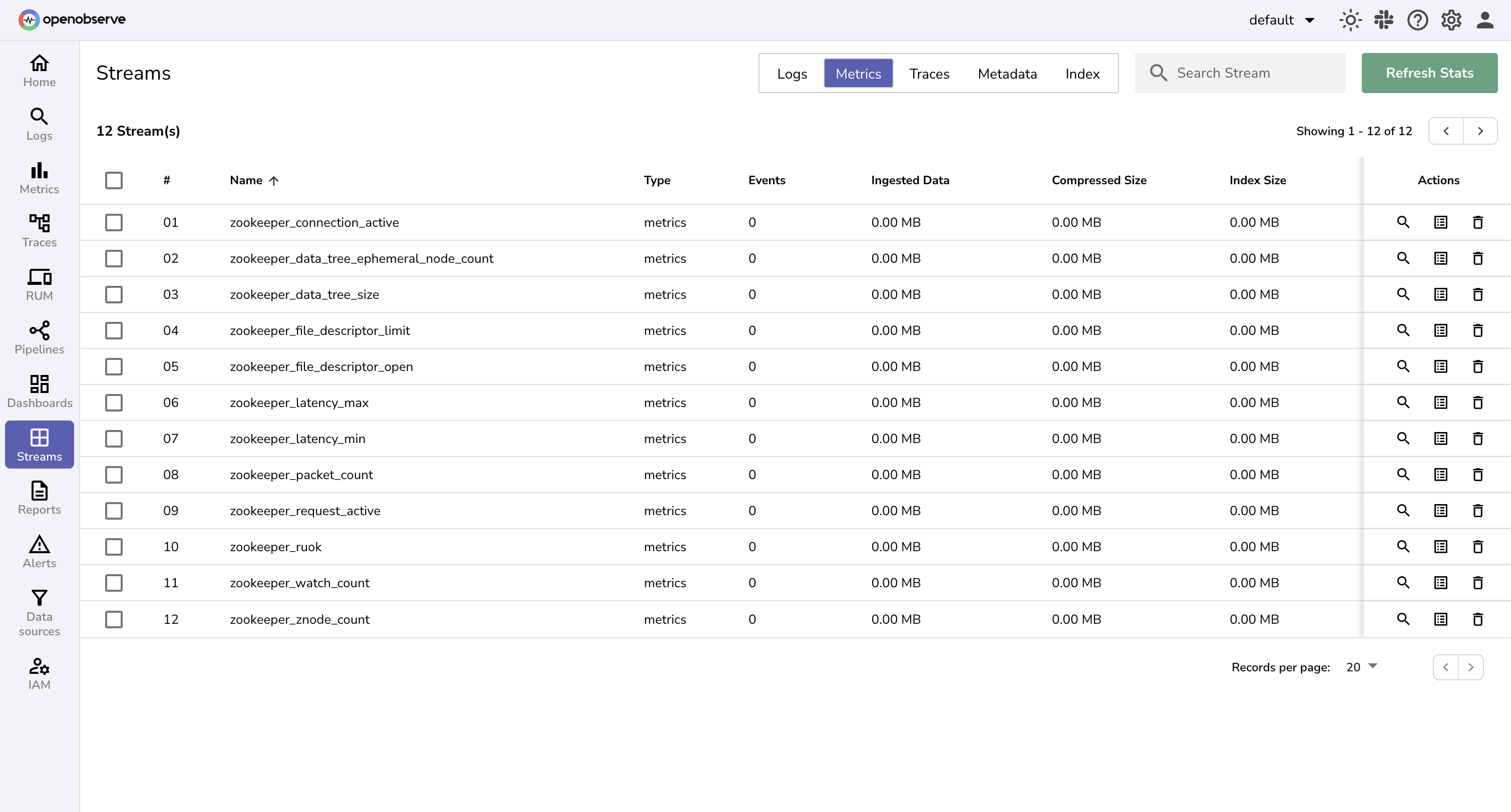
- Navigate to OpenObserve → Streams and select your metrics stream.
- Search for Zookeeper metrics.
- Visualize and Analyze data using Dashboards
To make it easy, we have a prebuilt zookeeper dashboard that should help you get started with the metrics monitoring available in the OpenObserve dashboards repository.
Troubleshooting
Collector Connection Issues
- Verify
localhost:2181is accessible from the Collector. - Confirm the 4-letter words (
mntr,stat) are whitelisted inzoo.cfg.
No Metrics in OpenObserve
- Check Collector logs for parsing errors.
- Confirm correct endpoint and auth token.
- Ensure OpenObserve is reachable from your server.
Amazon DynamoDB
Learn how to capture real-time DynamoDB item-level changes using Amazon Kinesis Data Streams and Firehose, and monitor them in OpenObserve.
Cassandra
Monitor Apache Cassandra by collecting metrics with the OpenTelemetry JMX receiver and logs from files, then forwarding both to OpenObserve.