
Full-text search functions
The full-text search functions allow you to filter records based on keyword or pattern matches within one or more fields. This page lists the full-text search functions supported in OpenObserve, along with their usage formats, descriptions, and examples.
Function index
| Function | Purpose |
|---|---|
str_match | Case-sensitive exact-string match on a single field |
NOT str_match | Inverse of str_match |
str_match_ignore_case | Case-insensitive match on a single field |
match_all | Case-insensitive keyword search across all full-text-indexed fields |
NOT match_all | Inverse of match_all |
re_match | Regular-expression match on a single field |
re_not_match | Inverse of re_match |
match_field | Alias of str_match |
match_field_ignore_case | Alias of str_match_ignore_case |
fuzzy_match | Typo-tolerant match on a single field |
fuzzy_match_all | Typo-tolerant keyword search across all full-text-indexed fields |
match_all_hash | Finds records that hold the hash of a value redacted with Sensitive Data Redaction |
str_match
Syntax: str_match(field, 'value')
Alias: match_field(field, 'value') (available in OpenObserve 0.15.0 and later)
Description:
- Filters logs where the specified field contains the exact string value.
- The match is case-sensitive.
- Only logs that include the exact characters and casing specified will be returned.
Example:
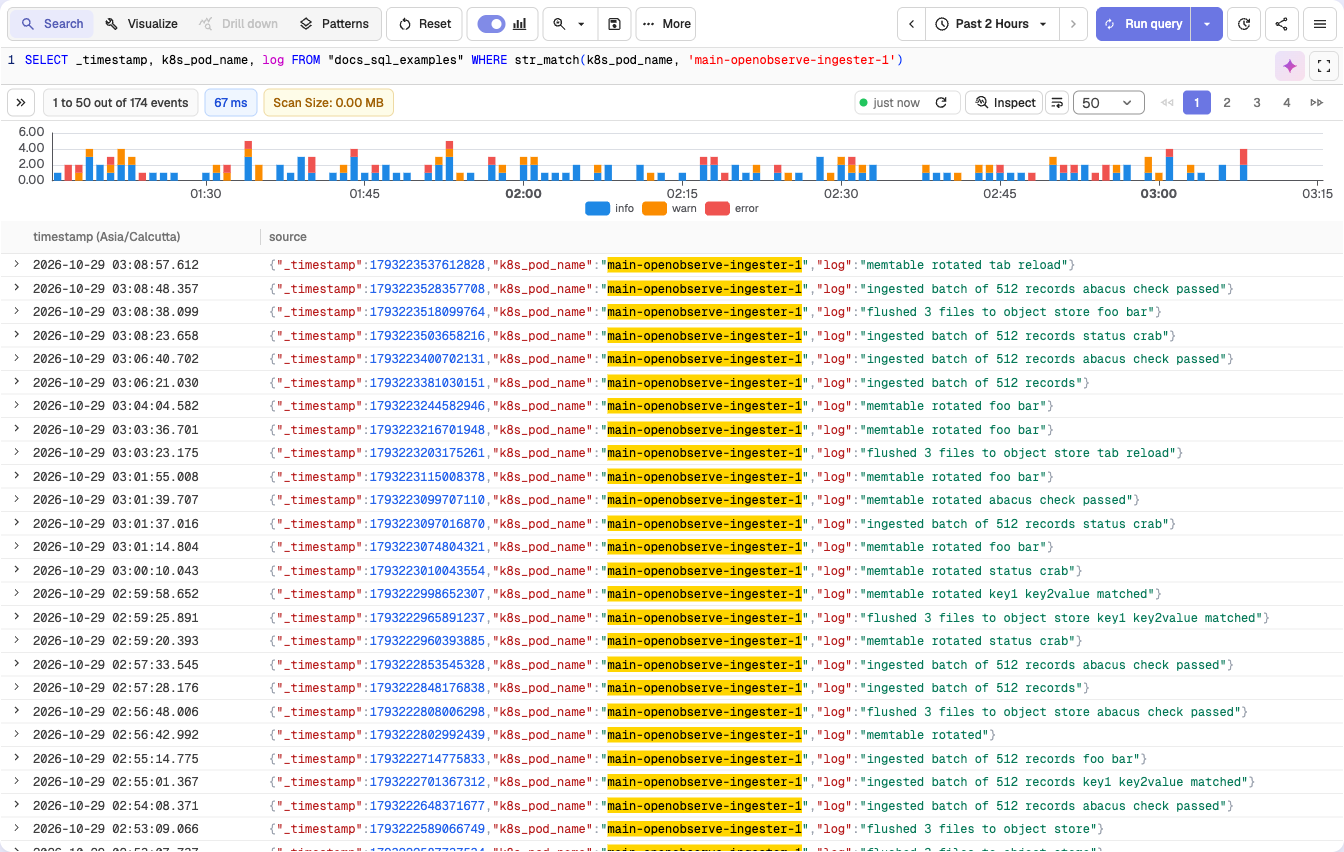
SELECT _timestamp, k8s_pod_name, log FROM "docs_sql_examples" WHERE str_match(k8s_pod_name, 'main-openobserve-ingester-1')This query filters logs from the docs_sql_examples stream where the k8s_pod_name field contains the exact string main-openobserve-ingester-1. It does not match values such as Main-OpenObserve-Ingester-1, main-openobserve-ingester-0, or any case variation.
NOT str_match
Syntax: NOT str_match(field, 'value')
Description:
- Filters logs where the specified field does NOT contain the exact string value.
- The match is case-sensitive.
- Only logs that do not include the exact characters and casing specified will be returned.
- Can be combined with other conditions using AND/OR operators.
Example:
SELECT _timestamp, k8s_app_instance, k8s_pod_name FROM "docs_sql_examples" WHERE NOT str_match(k8s_app_instance, 'dev2')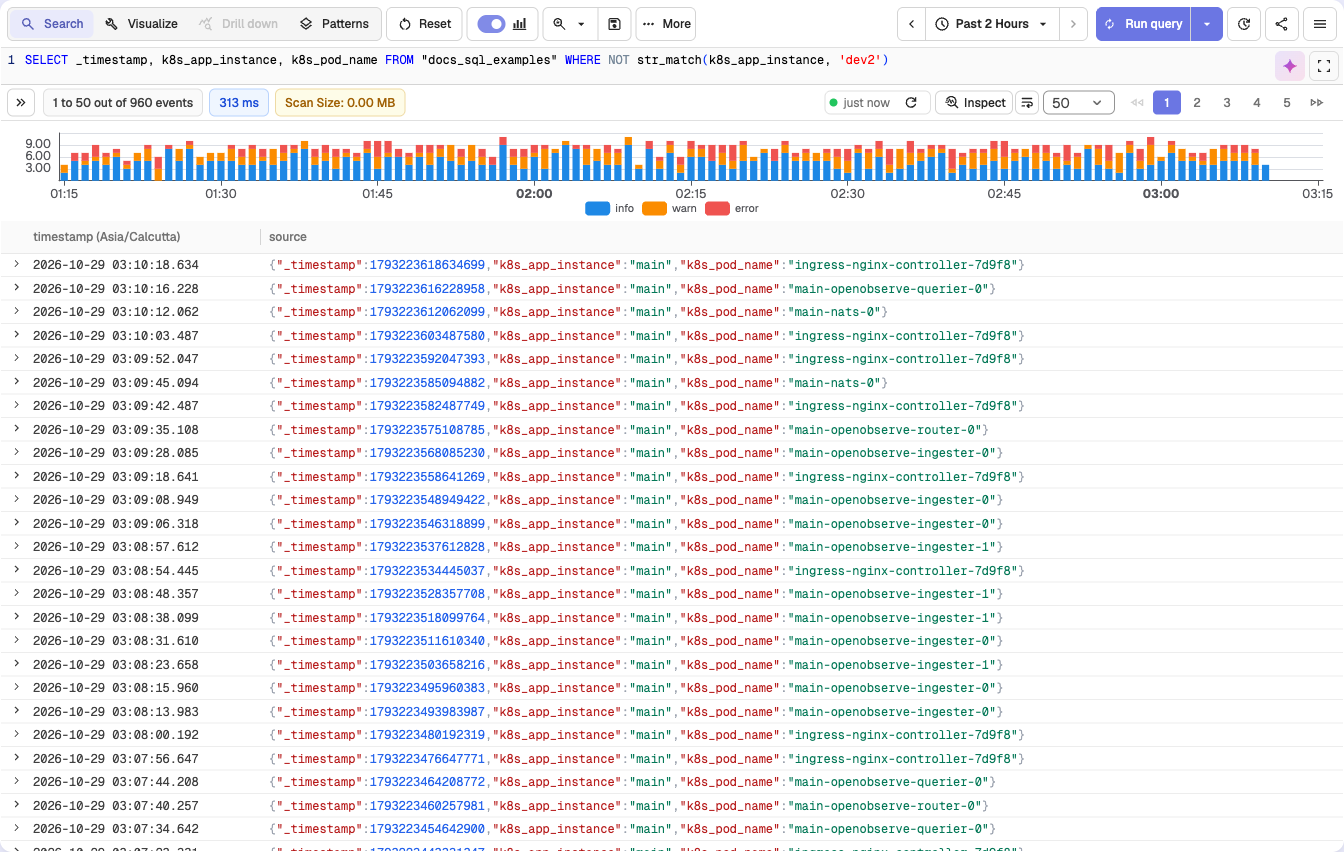
Combining multiple NOT conditions with AND:
SELECT _timestamp, k8s_app_instance, k8s_cluster, k8s_pod_name FROM "docs_sql_examples" WHERE (NOT str_match(k8s_app_instance, 'dev2')) AND (NOT str_match(k8s_cluster, 'dev2'))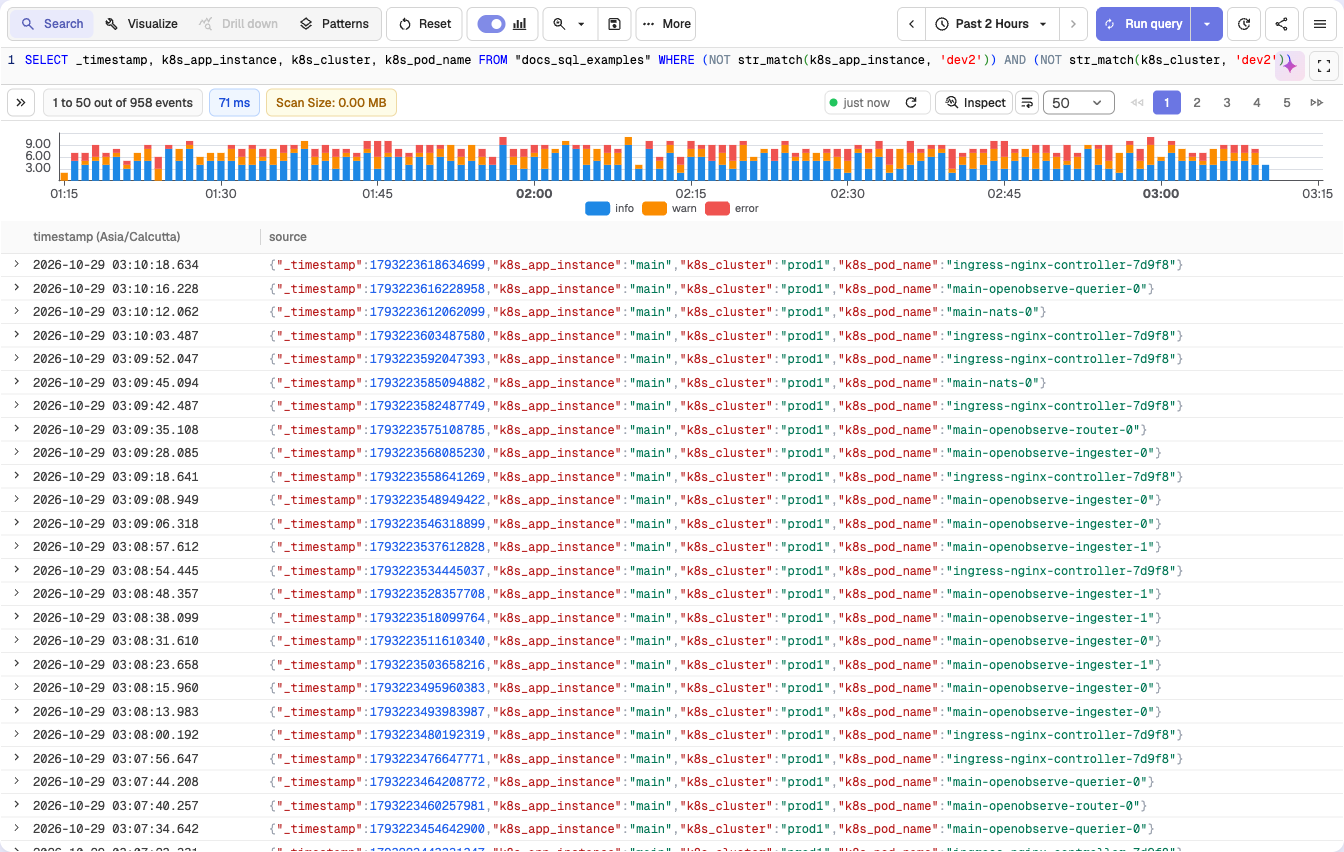
Combining NOT conditions with OR:
SELECT _timestamp, k8s_app_instance, k8s_cluster, k8s_pod_name FROM "docs_sql_examples" WHERE NOT ((str_match(k8s_app_instance, 'dev2') OR str_match(k8s_cluster, 'dev2')))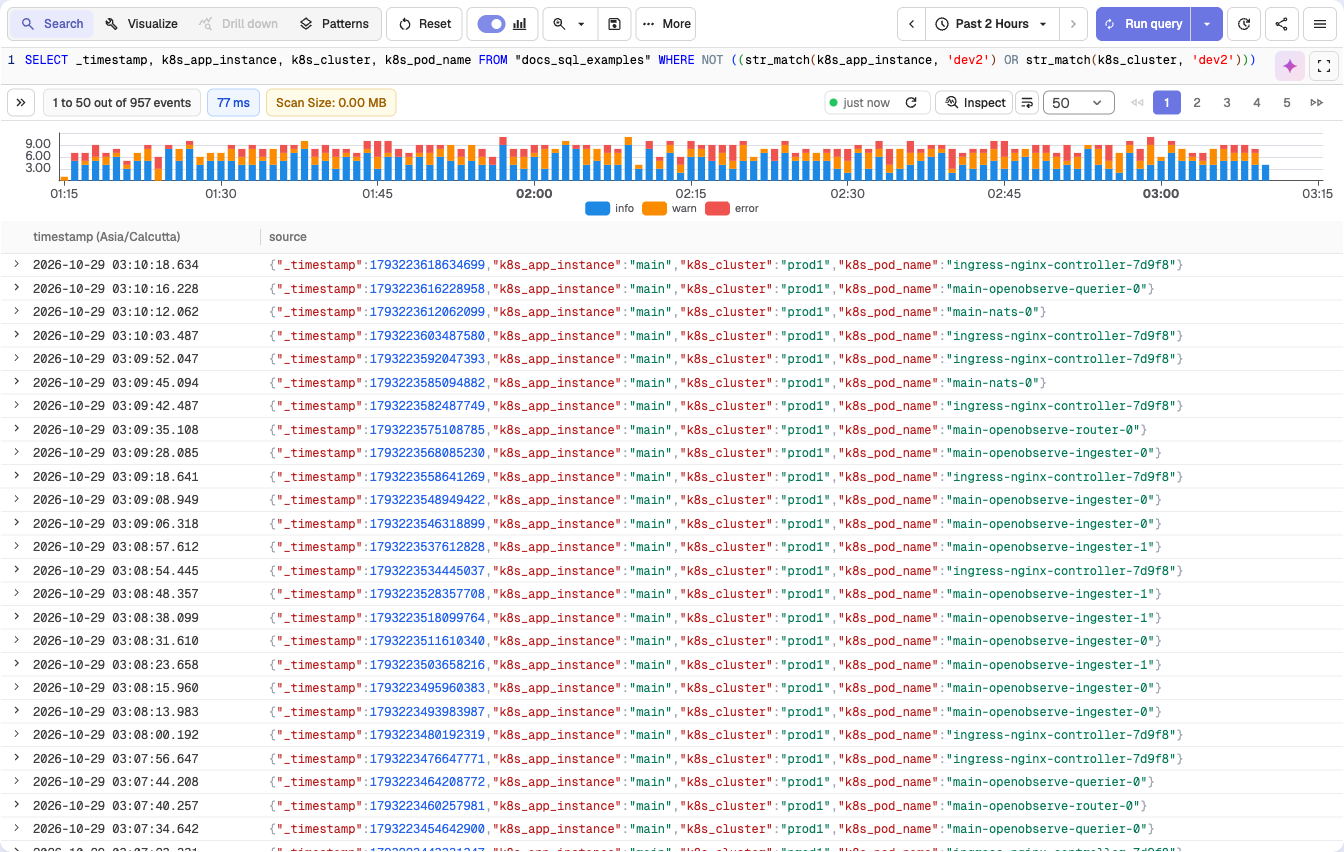
str_match_ignore_case
Syntax: str_match_ignore_case(field, 'value')
Alias: match_field_ignore_case(field, 'value') (available in OpenObserve 0.15.0 and later)
Description:
- Filters logs where the specified field contains the string value.
- The match is case-insensitive.
- Logs are returned even if the casing of the value differs from what is specified in the query.
Example:
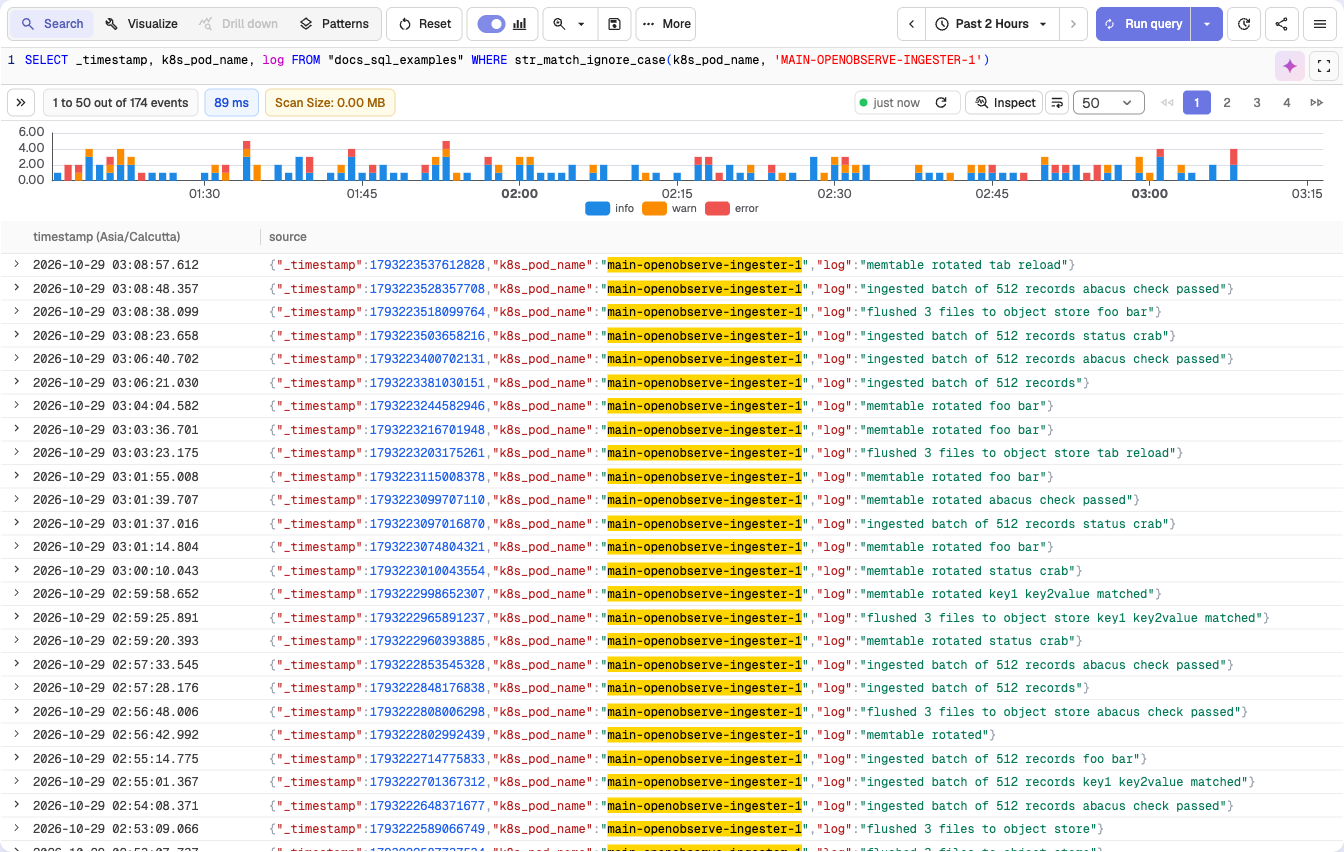
SELECT _timestamp, k8s_pod_name, log FROM "docs_sql_examples" WHERE str_match_ignore_case(k8s_pod_name, 'MAIN-OPENOBSERVE-INGESTER-1')This query filters logs from the docs_sql_examples stream where the k8s_pod_name field contains any casing variation of main-openobserve-ingester-1, such as MAIN-OPENOBSERVE-INGESTER-1, Main-OpenObserve-Ingester-1, or main-openobserve-ingester-1.
match_all
Syntax: match_all('value')
Description:
- Filters logs by searching for the keyword across all fields that have the Index Type set to Full Text Search in the stream settings.
- This function is case-insensitive and returns matches regardless of the keyword's casing.
Inverted index support
Inverted index generation is controlled by the environment variable ZO_ENABLE_INVERTED_INDEX, which is true by default. You can configure the fields to use the Inverted Index by updating the stream settings in the user interface or through the setting API.
The match_all function searches through inverted indexed terms, which are internally converted to lowercase. Therefore, keyword searches using match_all are always case-insensitive.
Example:
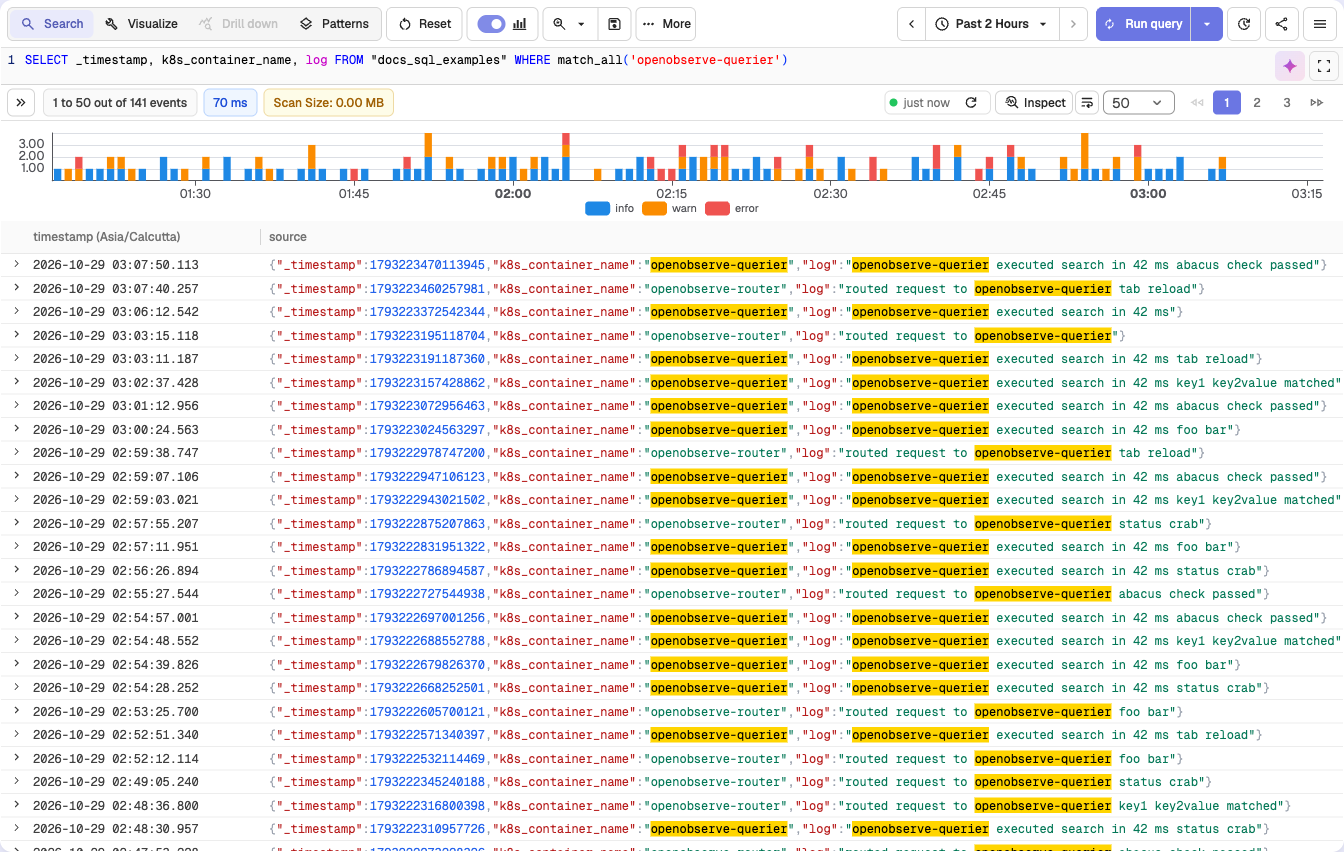
SELECT _timestamp, k8s_container_name, log FROM "docs_sql_examples" WHERE match_all('openobserve-querier')This query returns all logs in the docs_sql_examples stream where the keyword openobserve-querier appears in any of the full-text indexed fields. It matches all casing variations, such as OpenObserve-Querier or OPENOBSERVE-QUERIER.
More pattern support
The match_all function also supports the following patterns for flexible searching:
| Pattern | Example | Description |
|---|---|---|
| Prefix | match_all('ab*') | Matches keywords that start with ab |
| Postfix | match_all('*ab') | Matches keywords that end with ab |
| Contains | match_all('*ab*') | Matches keywords that contain ab anywhere |
| Phrase prefix | match_all('key1 key2*') | Matches phrases where the last term uses prefix matching |
NOT match_all
Syntax: NOT match_all('value')
Description:
- Filters logs by excluding records where the keyword appears in any field that has the Index Type set to Full Text Search in the stream settings.
- This function is case-insensitive and excludes matches regardless of the keyword's casing.
- Provides significant performance improvements when used with indexed fields.
Only Full Text Search fields are evaluated
NOT match_all only searches fields configured as Full Text Search fields. Other fields in the record are not evaluated.
Example:
SELECT * FROM "docs_sql_examples" WHERE NOT match_all('foo')This query returns all logs in the docs_sql_examples stream where the keyword foo does NOT appear in any of the full-text indexed fields. Fields not configured for full-text search are ignored.
Combining NOT match_all with NOT str_match:
SELECT * FROM "docs_sql_examples" WHERE (NOT str_match(f1, 'bar')) AND (NOT match_all('foo'))This query returns logs where field f1 does NOT contain bar AND no full-text indexed field contains foo. In other words, it excludes records that match either condition.
Using NOT with OR conditions:
SELECT * FROM "docs_sql_examples" WHERE NOT (str_match(f1, 'bar') OR match_all('foo'))This query returns logs where BOTH conditions are false: field f1 does NOT contain bar AND no full-text indexed field contains foo. In other words, it excludes records that match either condition.
re_match
Syntax: re_match(field, 'pattern')
Description:
- Filters logs by applying a regular expression to the specified field.
- The function returns records where the field value matches the given pattern.
- This function is useful for identifying complex patterns, partial matches, or multiple keywords in a single query.
- You can use standard regular expression syntax as defined in the Regex documentation.
Example:
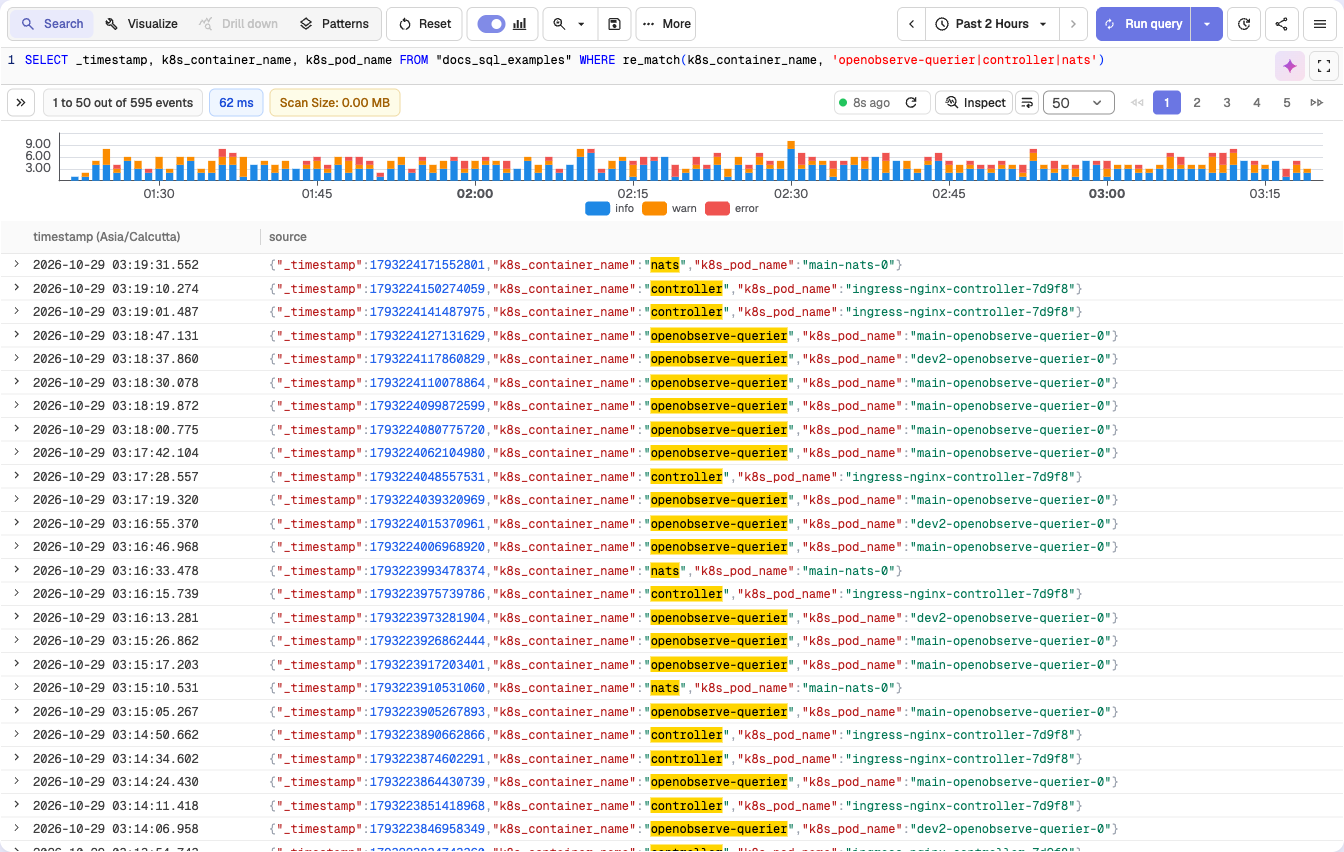
SELECT _timestamp, k8s_container_name, k8s_pod_name FROM "docs_sql_examples" WHERE re_match(k8s_container_name, 'openobserve-querier|controller|nats')This query returns logs from the docs_sql_examples stream where the k8s_container_name field matches any of the strings openobserve-querier, controller, or nats. The match is case-sensitive.
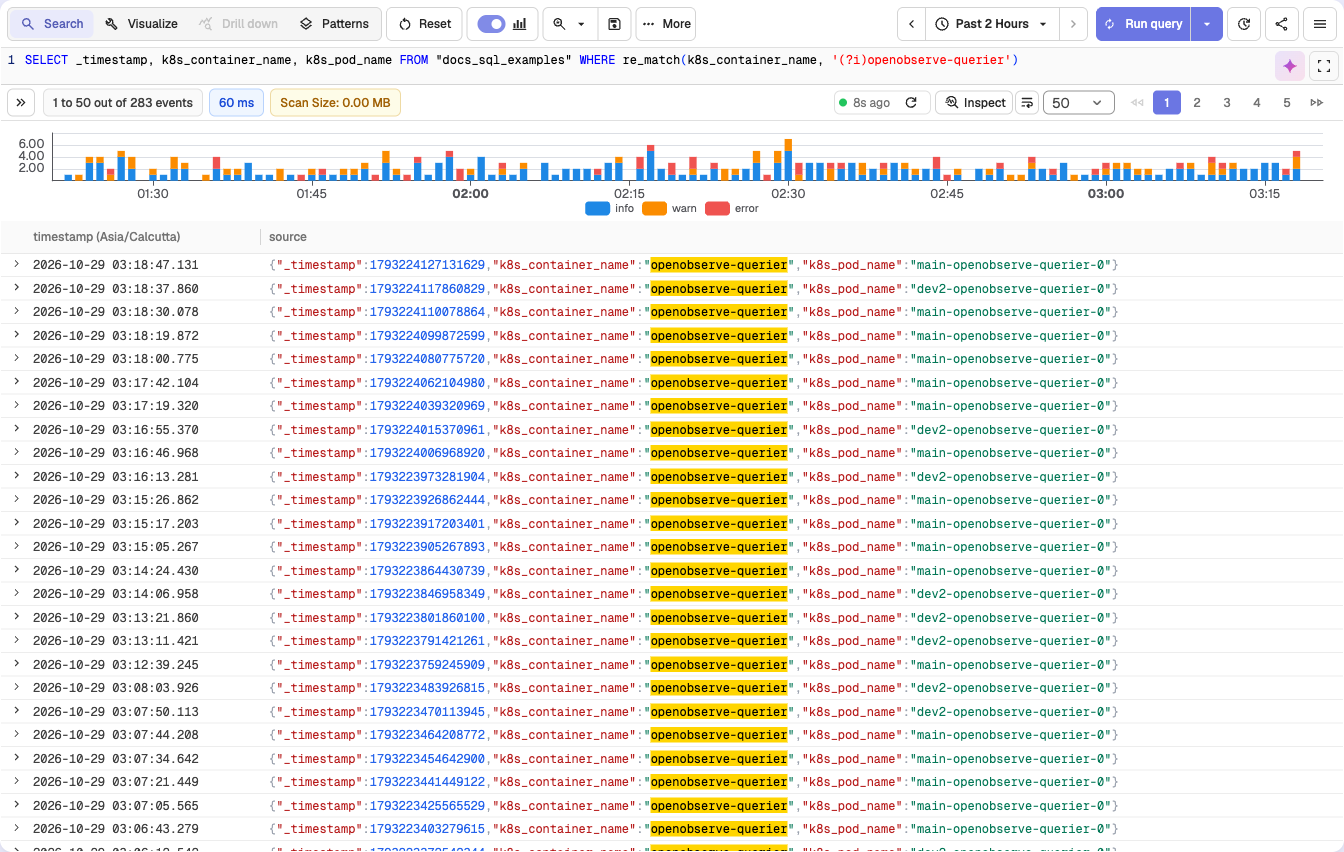
To perform a case-insensitive search:
SELECT _timestamp, k8s_container_name, k8s_pod_name FROM "docs_sql_examples" WHERE re_match(k8s_container_name, '(?i)openobserve-querier')This query returns logs where the k8s_container_name field contains any casing variation of openobserve-querier, such as OpenObserve-Querier or OPENOBSERVE-QUERIER.
re_not_match
Syntax: re_not_match(field, 'pattern')
Description:
- Filters logs by applying a regular expression to the specified field and returns records that do not match the given pattern.
- This function is useful when you want to exclude specific patterns or values from your search results.
Example:
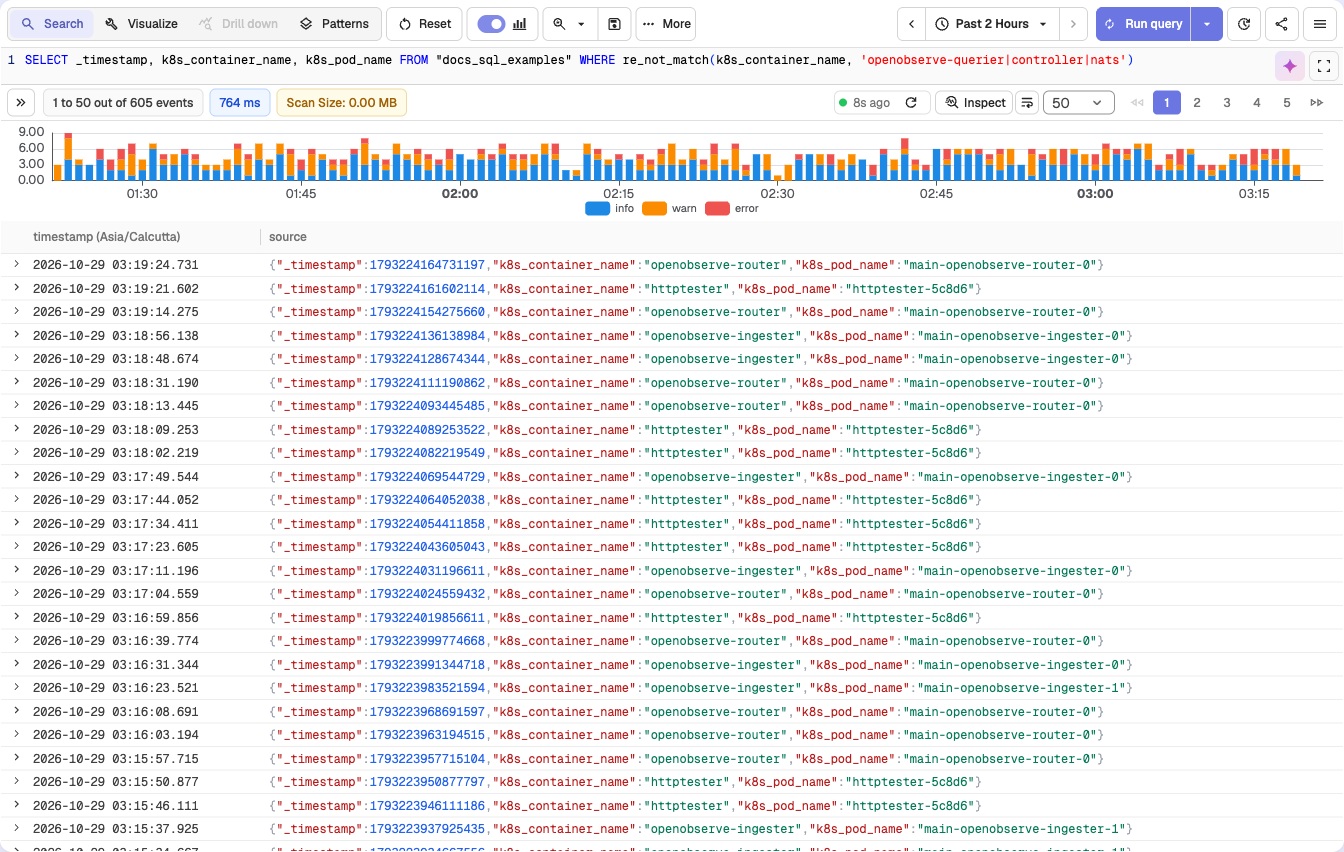
SELECT _timestamp, k8s_container_name, k8s_pod_name FROM "docs_sql_examples" WHERE re_not_match(k8s_container_name, 'openobserve-querier|controller|nats')This query returns logs from the docs_sql_examples stream where the k8s_container_name field does not match any of the values openobserve-querier, controller, or nats. The match is case-sensitive.
fuzzy_match
Syntax: fuzzy_match(field, 'value', distance)
Description:
- Returns records where any word in
fieldis withindistanceedits (Levenshtein distance: one insert, delete, or change of a character per edit) ofvalue. - The field is split into words the same way the full-text index splits text, and every word is lowercased before the comparison.
distanceis an integer, for example1or2.
Example:
SELECT _timestamp, log FROM "docs_sql_examples" WHERE fuzzy_match(log, 'timeout', 1)This query returns logs whose log field contains timeout, or a word one edit away from it, such as timout or timeouts.
Gotchas
- Pass
valuein lowercase. The words from the field are lowercased, butvalueis not, sofuzzy_match(log, 'Timeout', 0)never matches. fuzzy_matchreads the field value of every record in the time range. It does not use the full-text index, so keep the time range short on large streams.- A large
distanceon a short word matches almost anything:fuzzy_match(log, 'err', 2)also matchesear,her, anderror.
fuzzy_match_all
Syntax: fuzzy_match_all('value', distance)
Description:
- Typo-tolerant version of
match_all: returns records where any full-text-indexed field contains a word withindistanceedits ofvalue. - When the stream has an inverted index, the search runs on the index. Otherwise each full-text-indexed field is checked with
fuzzy_match.
Example:
SELECT _timestamp, k8s_container_name, log FROM "docs_sql_examples" WHERE fuzzy_match_all('querier', 1)This query returns logs where a full-text-indexed field contains querier or a near spelling such as querer or queriers.
Gotchas
- On the index path,
distancemust be0,1, or2. Larger values fail the query. - Use a single lowercase word.
fuzzy_match_alldoes not support the*prefix or contains patterns ofmatch_all. - The stream needs at least one Full Text Search field, or the query returns an error.
match_all_hash
Syntax: match_all_hash('value')
Description:
- Finds records where a full-text-indexed field contains the hash of
value, as written by the Hash action of Sensitive Data Redaction. - OpenObserve computes the MD5 hash of
valueand searches for it, so you can look up a card number or email address that is no longer stored in clear text.
Example:
SELECT _timestamp, log FROM "docs_sql_examples" WHERE match_all_hash('4111-1111-1111-1111')This query returns records containing a hashed value such as [REDACTED:907fe4882defa795fa74d530361d8bfb].
Gotchas
valuemust be exactly the original text. Case and spacing count, because a different input gives a different hash.- Only Full Text Search fields are searched, as with
match_all.
Next steps
- SQL functions reference: full list of functions you can use in queries.
- Example queries: copy-paste filters and SQL to try.
- Stream schema settings: configure which fields are full-text indexed.
Need some help?
- Join our Community Slack
- Or Contact support