
Organization Deletion
Organization deletion lets you schedule an organization for permanent removal. A configurable grace period (default 30 days) keeps the organization in a recoverable state — hidden, blocked, and with all scheduled activity paused — before its data is permanently purged.
Applicable to cloud deployments. Requires admin or root role in the organization.
How It Works
When you initiate deletion, the organization enters one of two paths depending on the grace-period setting:
-
Grace period > 0 (soft delete): The organization moves to
pending_deletionstatus. It becomes immediately invisible to its members, ingestion and queries are blocked, and scheduled alerts, pipelines, and reports stop firing. During this window a _meta administrator can resurrect the organization. After the grace period expires, the organization automatically transitions todeletingand the cleanup worker removes all data permanently. -
Grace period = 0 (immediate): The organization skips the soft-delete phase and moves directly to
deleting, where the cleanup worker begins permanent removal right away. This is not reversible.
Billing subscriptions are not cancelled by deletion. Deletion is refused if the organization has an active paid subscription. Cancel your subscription first through the billing UI.
Delete an Organization
From General Settings
- Navigate to the organization you want to delete.
- Go to Settings > General Settings.
- Scroll to the Danger Zone section at the bottom.
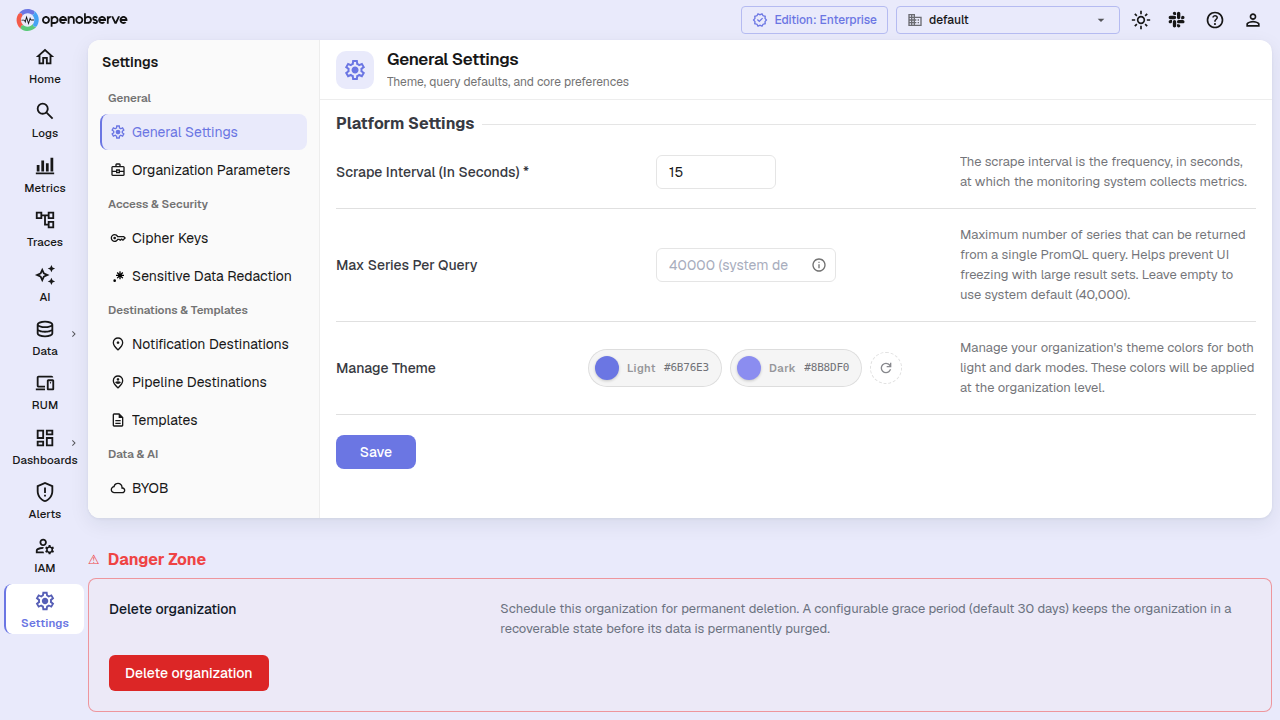
- Click Delete organization.
- In the confirmation dialog, type the organization name to confirm, then click Delete organization again.
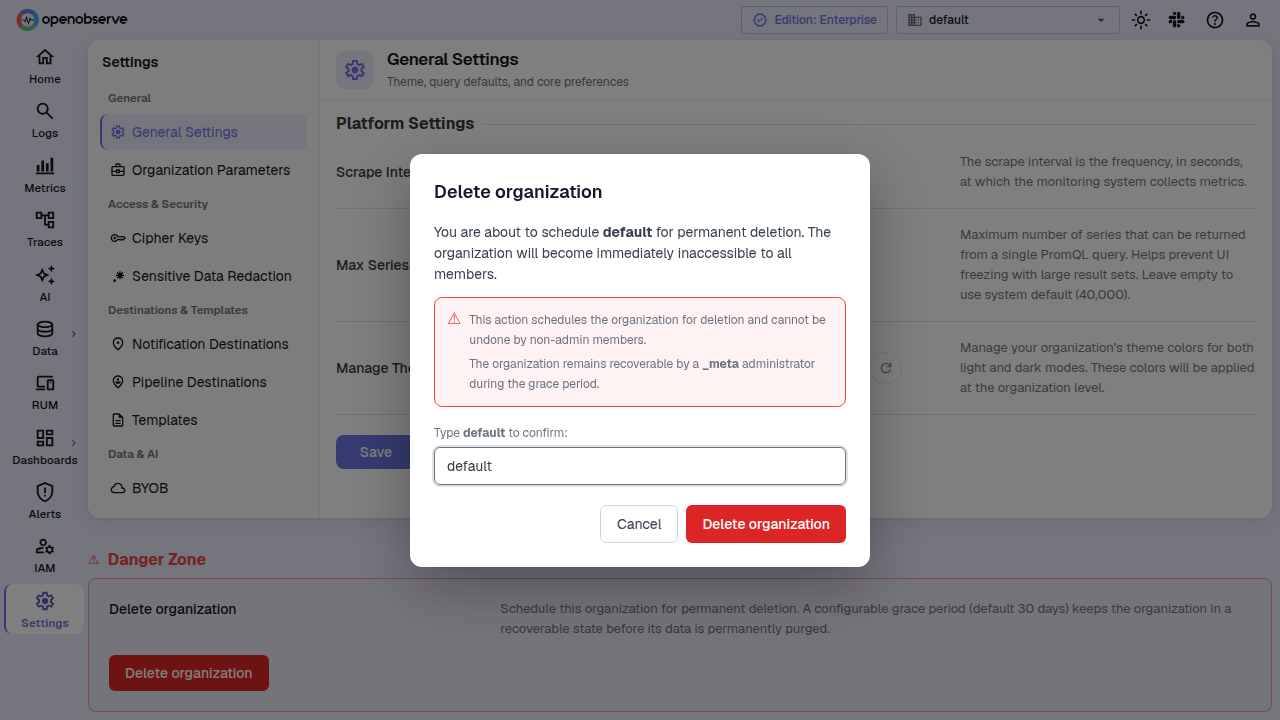
The organization is scheduled for deletion and becomes immediately inaccessible. Anyone still on it is automatically switched to another organization.
Manage Deletions as an Admin
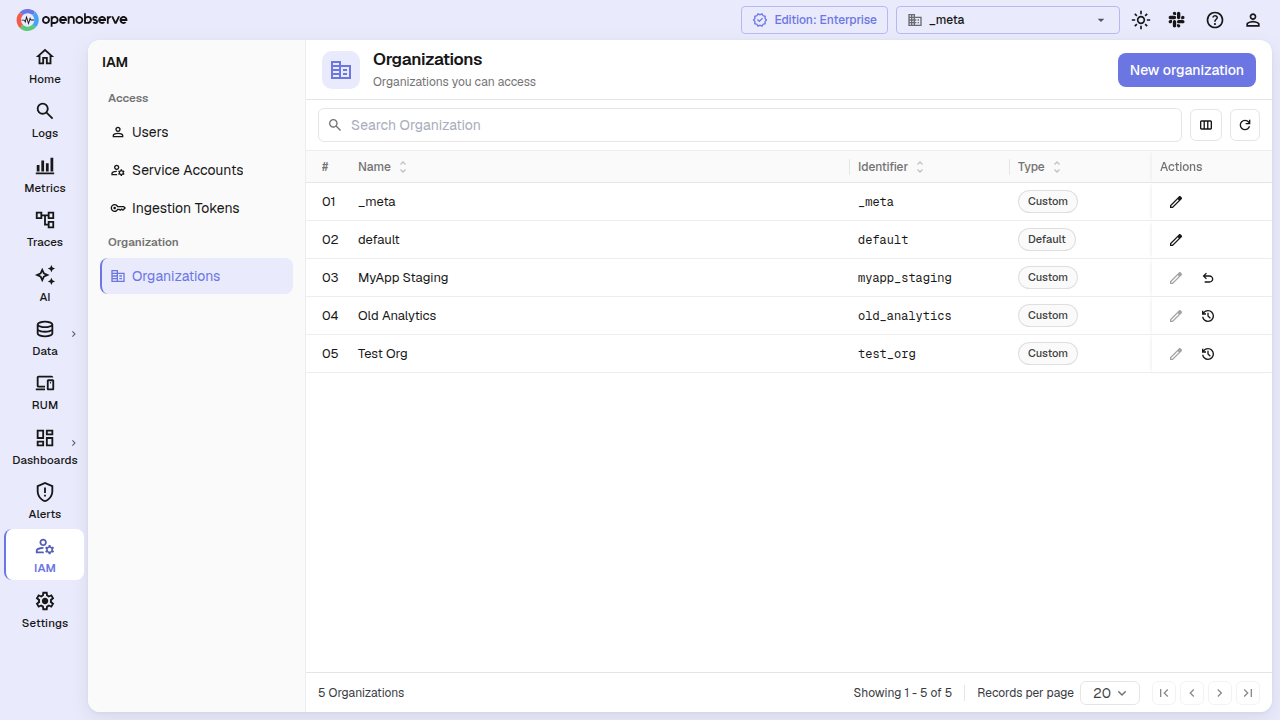
_meta organization administrators can manage deletions across all organizations from the IAM > Organizations page. This view includes a Status column showing the current lifecycle phase and grace-period countdown for each organization.
Resurrect an Organization
While an organization is in pending_deletion status — and before the grace period ends — you can cancel the deletion:
- Switch to the _meta organization.
- Go to IAM > Organizations.
- Locate the organization with
pending_deletionstatus. - Click the Resurrect (undo) action button.
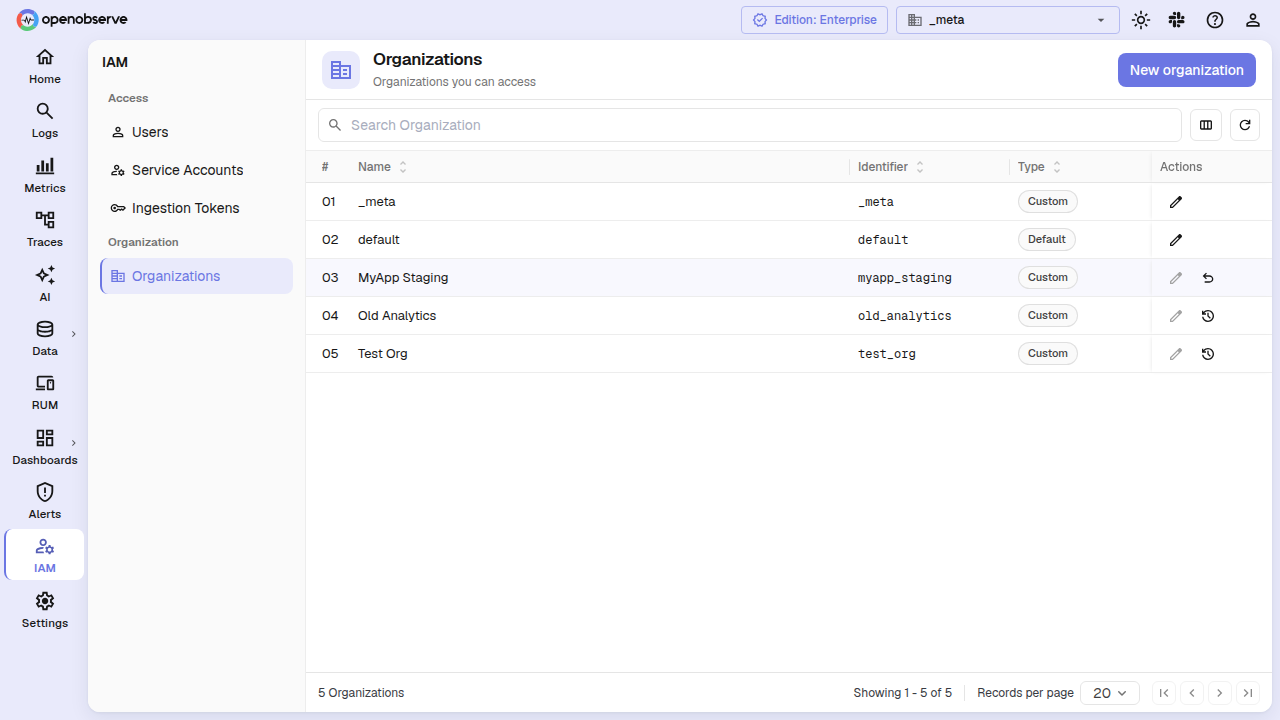
The organization returns to active status, its data is untouched, and all members regain access.
View Deletion Progress
When an organization is in deleting status, you can inspect the cleanup task ledger to see which steps have completed and whether any have failed:
- Switch to the _meta organization.
- Go to IAM > Organizations.
- Locate the organization with
deletingstatus. - Click the View deletion progress (history) action button.
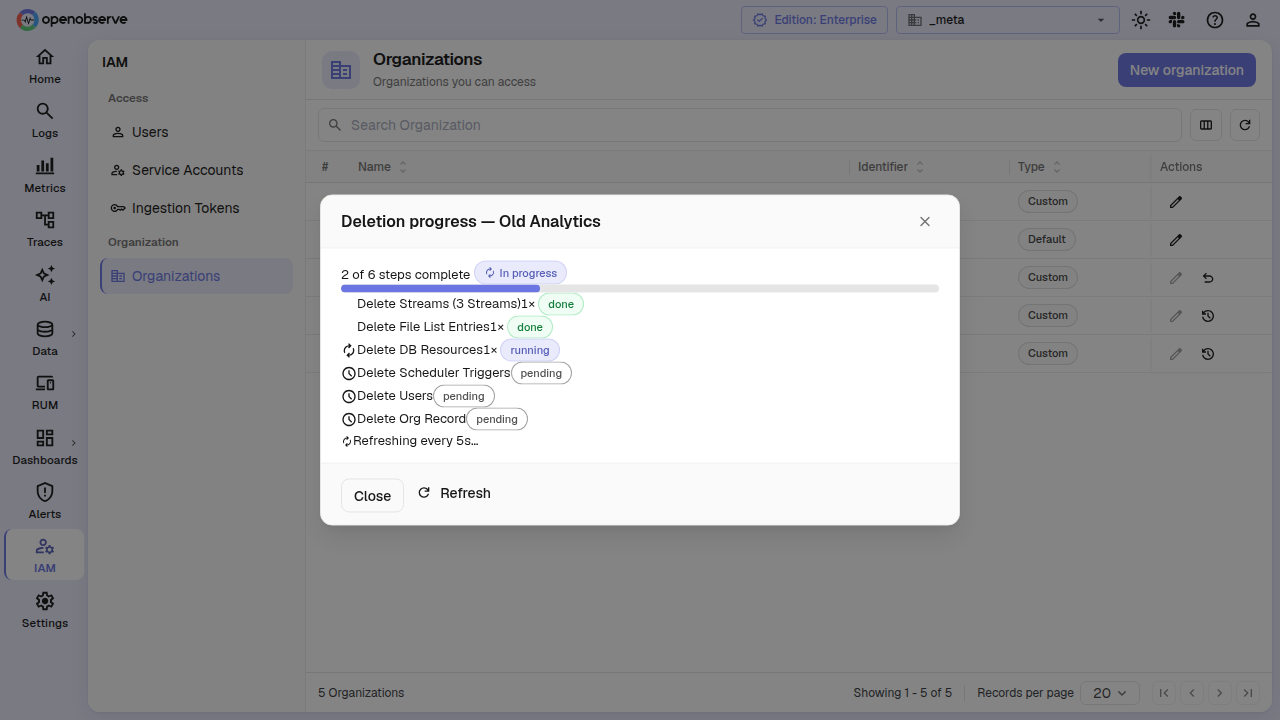
The dialog shows each cleanup step with its status (pending, running, done, or failed), attempt count, and any error details. Per-stream deletion tasks are grouped into a collapsible "Delete Streams" row. The dialog auto-refreshes every 5 seconds while the deletion is in progress.
If all steps complete, the organization row is removed from the database and the cleanup task ledger is cleared. If a step fails permanently (after 10 retries), it stays in failed status and the deletion stalls — troubleshoot the error and the worker retries hourly.
Configuration
| Variable | Default | Description |
|---|---|---|
O2_ORG_DELETION_GRACE_PERIOD_DAYS | 30 | Number of days before a soft-deleted organization is permanently purged. Set to 0 for immediate deletion with no grace window. |
API
Initiate Deletion
DELETE /api/{org_id}/organizationsAccess: Admin or root in the target organization.
Returns 200 OK on success; 400 if the organization has an active billing subscription; 403 if the caller is not authorized; 400 if the organization is already being deleted.
Resurrect (Cancel Pending Deletion)
POST /api/{org_id}/organizations/{target_org_id}/resurrectAccess: Requires the organizations:CREATE permission in the _meta organization.
Returns 200 OK on success; 400 if the organization is not in pending_deletion status.
List Cleanup Tasks
GET /api/{org_id}/org_cleanup_tasks/{target_org_id}Access: Requires the organizations:LIST permission in the _meta organization.
Returns an array of cleanup task objects with step, step_order, status, attempts, last_error, and timing fields.
Cleanup Workflow
Once the organization enters deleting status, the cleanup worker on the compactor node runs these steps in order:
-
Delete streams — enumerates all streams in the organization and creates a sub-task for each. Each stream's data and file-list entries are removed, then its schema definition is deleted.
-
Delete file list — catch-all removal of any file-list rows left behind after per-stream deletion (e.g., rows for streams whose schema was already missing).
-
Delete DB resources — removes every database resource belonging to the organization: alerts (through the service layer so caches evict cluster-wide), dashboards, folders, timed annotations, reports, templates, destinations, enrichment tables, pipelines, saved views, cipher keys, search jobs, backfill jobs, search queues, distinct values, short URLs, compactor jobs, system settings, ingestion tokens, storage providers, trial quota usage, and cloud-only resources (org invites, billing-group invites, billing-group memberships).
-
Delete scheduler triggers — removes all scheduled-alert, scheduled-pipeline, and scheduled-report triggers so no notifications fire after deletion.
-
Delete users — removes each member from the organization. Users who belong only to this organization are deleted entirely along with their OpenFGA authorization tuples. Users in other organizations are kept but stripped of this organization's access grants.
-
Delete org record — calls the canonical organization-delete path to remove the org row, clean up all remaining OpenFGA tuples, propagate the change to the super-cluster (if configured), emit the
OrgDeletedcloud event, and evict the organization from the status cache on all nodes.
The worker runs hourly, holds a cluster-wide distributed lock for task discovery, and uses per-task CAS (compare-and-swap) for execution — multiple compactor nodes remain safe. Steps are retried up to 10 times on failure.
Last updated on
Organizations
In OpenObserve, organizations group streams, users, and functions. Each user must select an organization to access and manage data and resources.
Ingestion Tokens
Manage organization-level ingestion tokens to securely send logs, metrics, and traces into OpenObserve without tying credentials to individual users.