
LLM Evaluations
OpenObserve offers two evaluation modes: Online Evaluations, which score live traces and spans as they happen, and Experiments, which run scorers over a static dataset for offline testing and comparison. Both use LLM-as-a-judge scorers (your own AI provider) or external remote scoring endpoints.
Overview
| Resource | What it does |
|---|---|
| Provider | An LLM API configuration (OpenAI, Anthropic, etc.) used by LLM Judge scorers. |
| Score Config | Defines a score's shape (numeric, categorical, or boolean) and its healthy/unhealthy threshold. |
| Scorer | The evaluation logic: a prompt template plus a score config. Two types: LLM Judge and Remote. |
| Eval Job | Binds scorers to a stream, defines what to evaluate (span, trace, or session), and how much to sample. |
Activating an eval job runs your scorers against incoming data. Scores land in the _llm_scores stream; evaluator telemetry lands in the _evaluator stream.
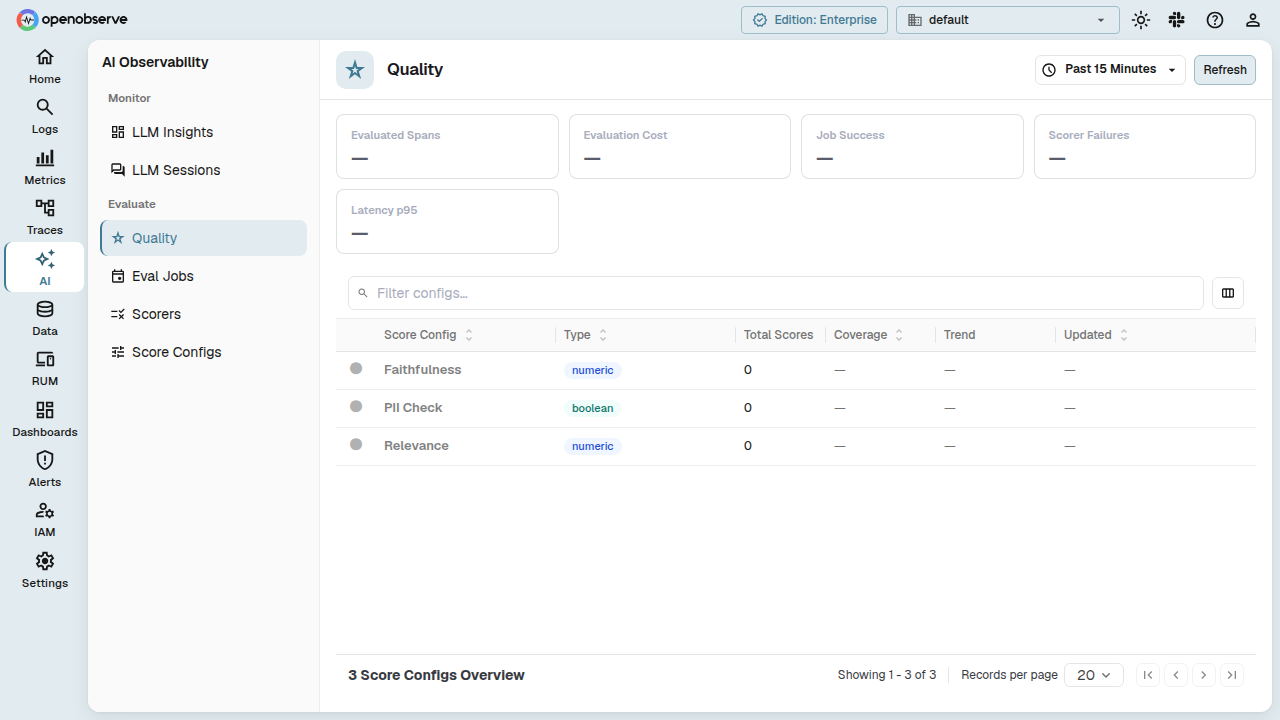
Enable Online Evaluations
Online Evaluations is available in the Enterprise edition and OpenObserve Cloud, and is enabled by default:
O2_EVAL_ENABLED=trueRenamed setting
O2_EVAL_ENABLED replaces O2_ONLINE_EVALS_ENABLED. The old name still works when the new one is not set, but OpenObserve logs a deprecation warning. If both are set, O2_EVAL_ENABLED wins.
When disabled, the AI menu, Settings > LLM Providers, and Settings > GenAI Agent Mapping are hidden, and the evaluation API endpoints are not registered.
Other server settings:
| Variable | Default | Description |
|---|---|---|
O2_EVAL_SCHEDULER_POLL_INTERVAL_SECS | 45 | How often the scheduler polls trace streams for trace- and session-scope jobs. |
O2_EVAL_TRACE_IDLE_TIMEOUT_SECS | 30 | Default idle window for trace-scope jobs that don't set their own. Capped at 30 minutes. |
O2_EVAL_TRACE_MAX_AGE_SECS | 1800 | Default max age for trace-scope jobs. |
O2_EVAL_SESSION_IDLE_TIMEOUT_SECS | 1800 | Default idle window for session-scope jobs that don't set their own. Capped at 4 hours. |
O2_EVAL_SESSION_MAX_AGE_SECS | 14400 | Default max age for session-scope jobs. |
O2_EVAL_WORKER_THREAD_NUM | 0 | Worker threads that run scorers. 0 uses half of ZO_CPU_NUM. |
O2_EVAL_SCHEDULER_MAX_PENDING_MEMORY_MB | 0 | Memory budget for targets waiting to complete. 0 uses 1% of system memory, between 32 and 512 MB. |
Providers
A Provider stores the connection details for an LLM API. Providers live under Settings > Data & AI > LLM Providers. Click New Provider to add one.
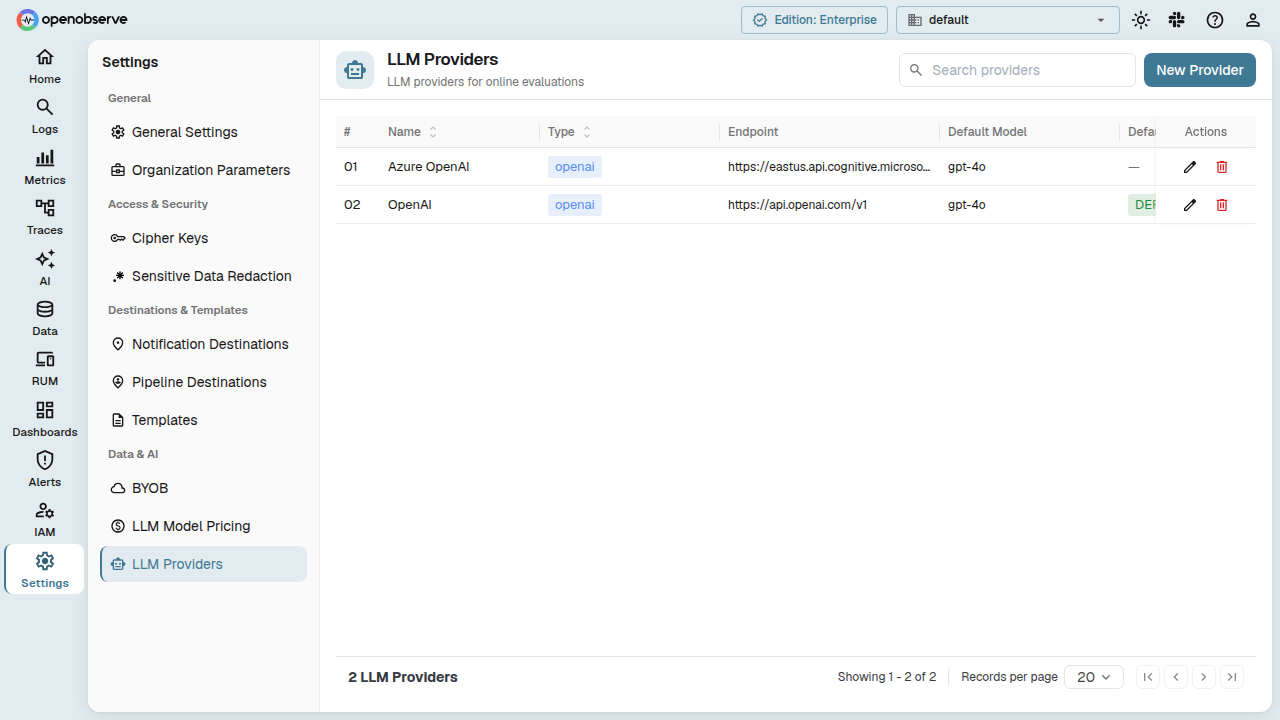
| Field | Description |
|---|---|
| Name | Display name. |
| Provider type | OpenAI, DeepSeek, Anthropic, Ollama, vLLM, OpenAI-compatible, or System One (TypeSafe Jev). |
| Default model | Used when a scorer doesn't specify one. |
| Available models | Model IDs this provider offers, for scorer selection. |
| Base URL | Request URL. Leave empty to use the provider's default endpoint. Required for OpenAI-compatible. |
| API Key | Stored encrypted and never read back. Leave blank when editing to keep the existing key. Optional for keyless self-hosted providers. |
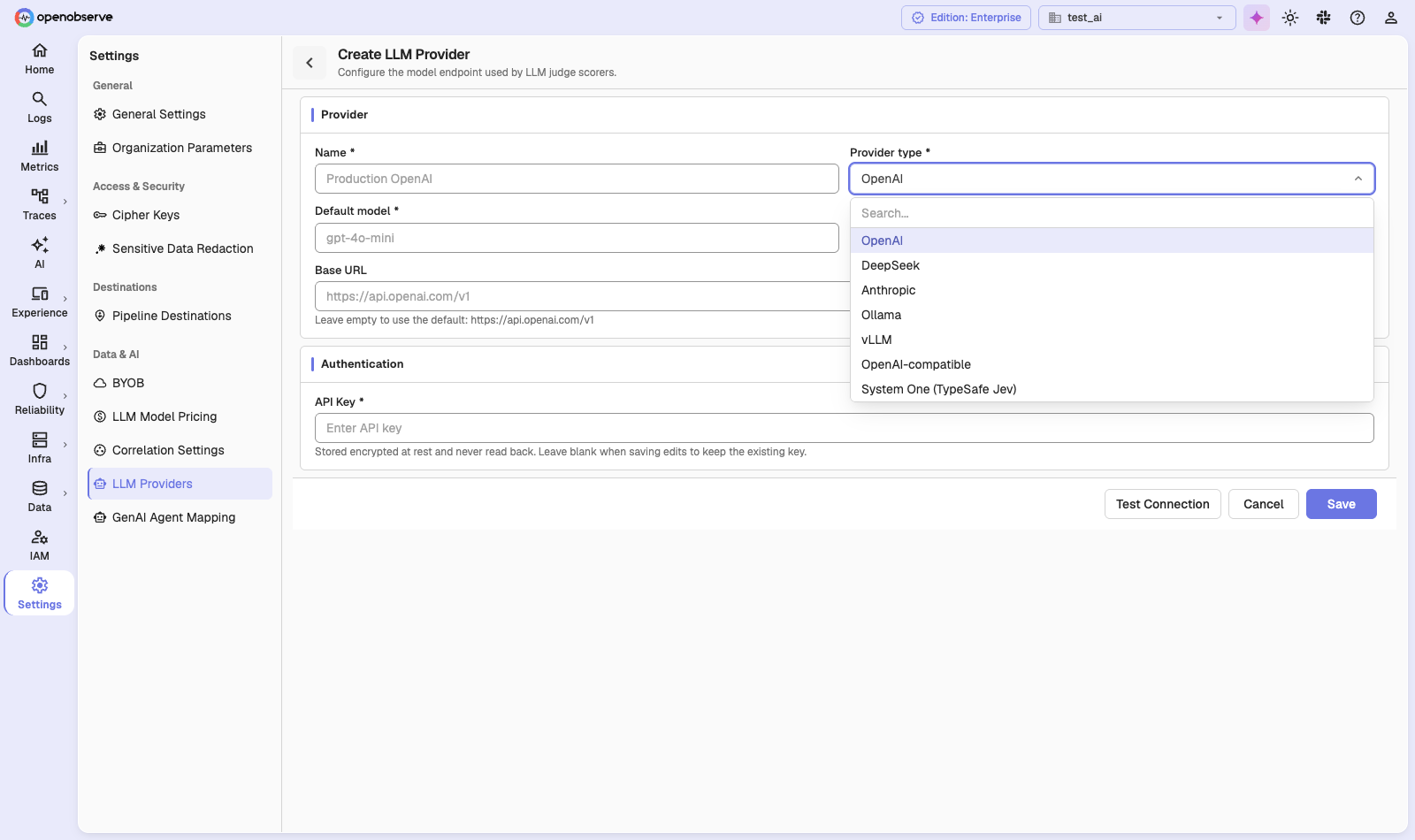
Use OpenAI-compatible for any service that implements the OpenAI chat completions API, and vLLM for a self-hosted vLLM server (defaults to http://localhost:8000/v1/chat/completions). System One (TypeSafe Jev) is available to scorers only; it does not appear in the Playground or Experiments.
Click Test Connection to check the endpoint and key before you save. To edit or delete a provider, use the actions on its row. Scorers that use a deleted provider fail until you reassign them.
Score Configs
A Score Config defines what a score looks like and when it's healthy. Navigate to AI > Evaluate > Score Configs and click New score config.
| Field | Description |
|---|---|
| Name | e.g., "Faithfulness", "Accuracy". |
| Data Type | numeric, categorical, or boolean. |
| Numeric Range | For numeric scores: {"min": 0.0, "max": 1.0}. |
| Categories | For categorical scores: a list of valid labels. |
| Healthy Threshold | e.g., {"direction": "gte", "value": 0.7} means scores ≥ 0.7 are healthy. |
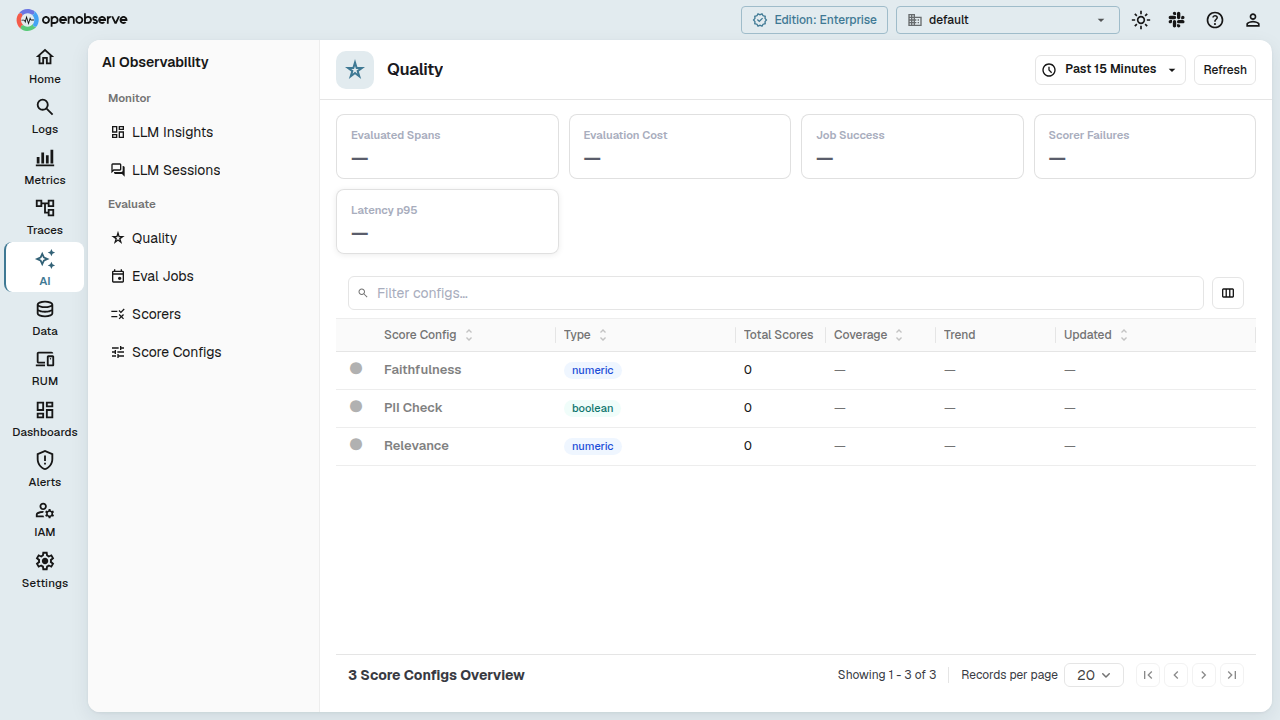
Updating a score config creates a new version; scorers can pin to a specific version or always use the latest.
Scorers
A Scorer is the evaluation unit: a prompt template with {{variable}} placeholders, execution parameters, and an optional linked score config. Navigate to AI > Evaluate > Scorers and click New scorer.
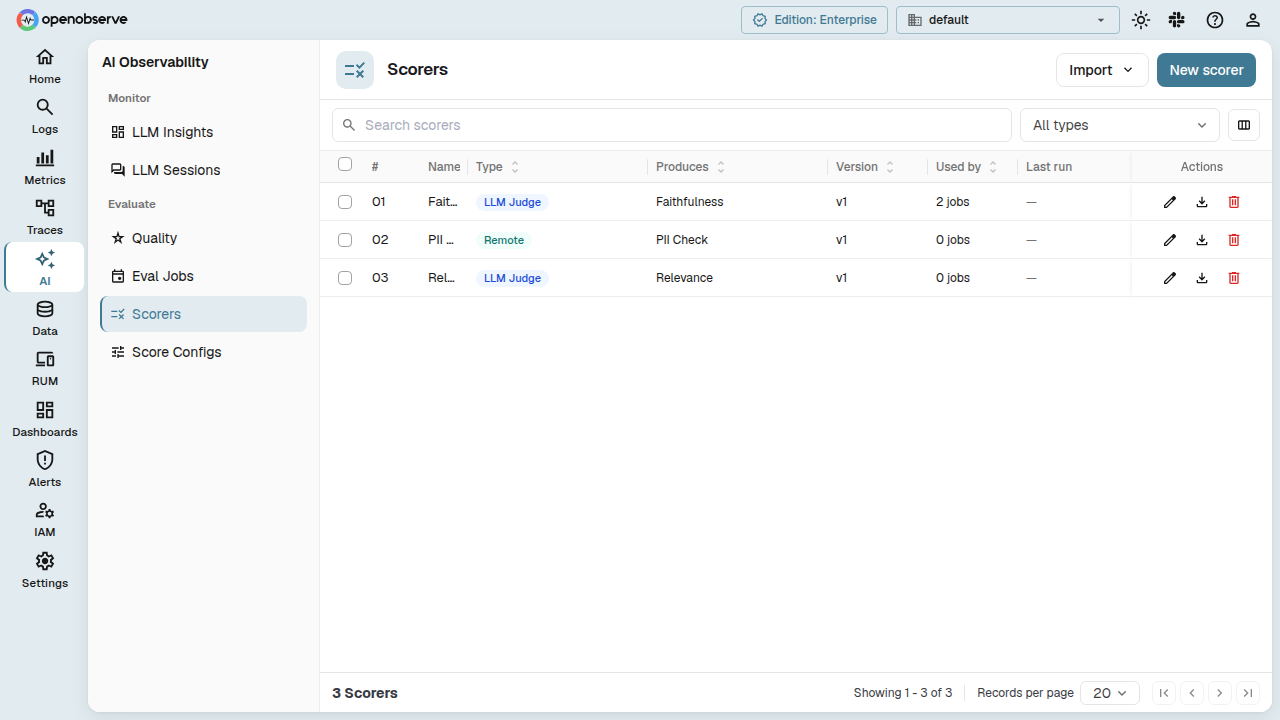
- LLM Judge: sends the rendered template to an LLM via a provider. Configure provider, model, temperature, max tokens, timeout, and optional reasoning.
- Remote: sends the rendered template as an HTTP request to an external service. Configure endpoint, method, auth (
none/bearer/basic/api_key), headers, timeout, and retries.
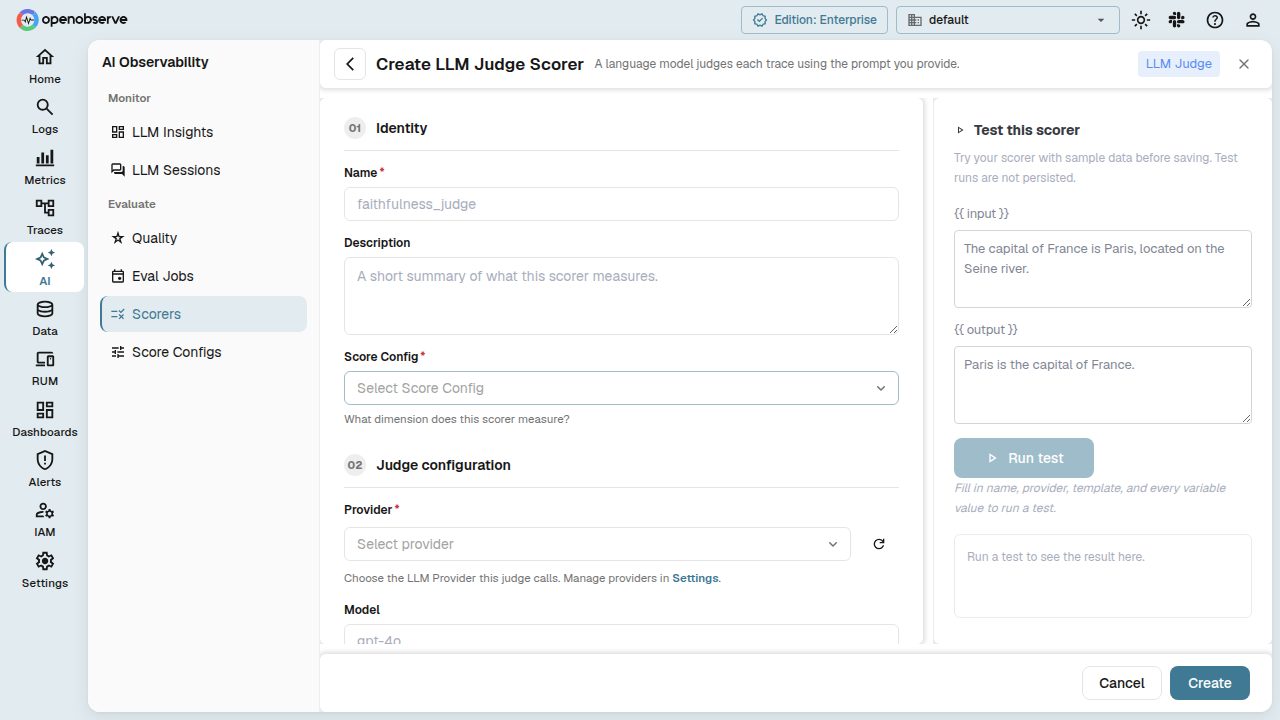
Use the Test button on the scorer detail page to try it with sample variable values; you'll see the score, reasoning, model, latency, and token usage.
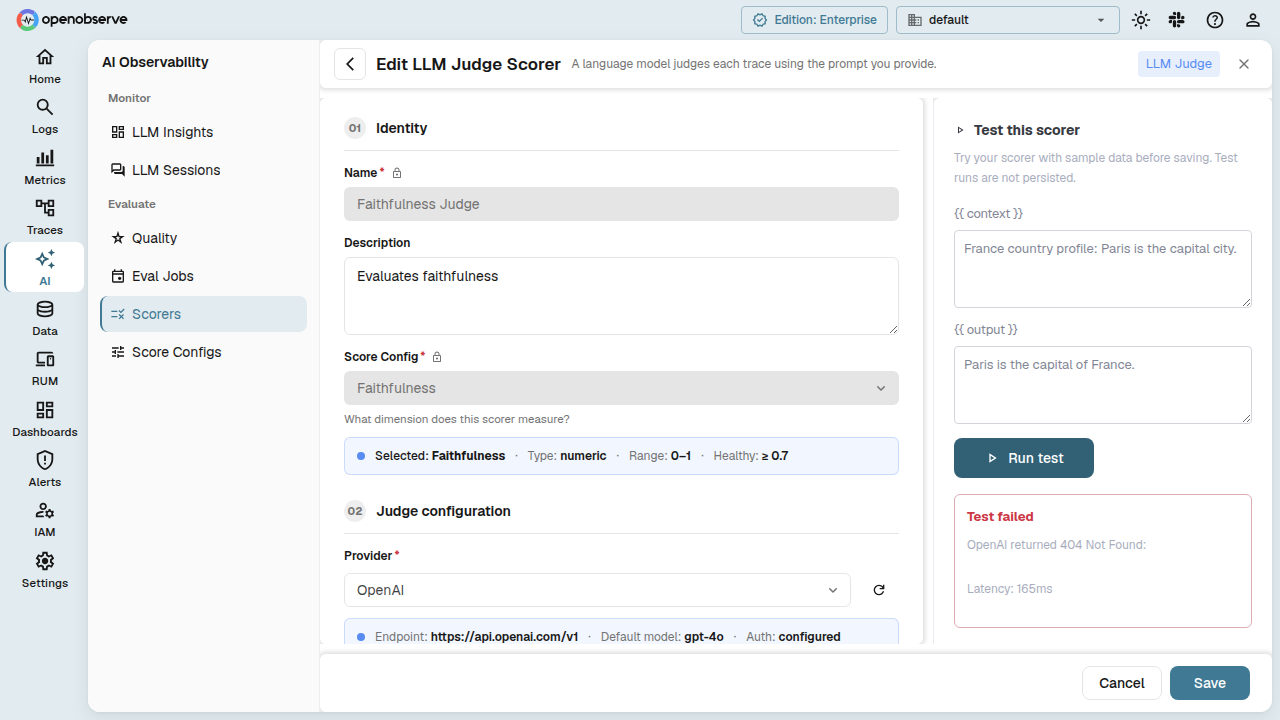
Like score configs, scorers are versioned. Eval jobs can reference a scorer by entity ID (always latest) or pin a specific version. The Versions tab in the scorer drawer lists every version, newest first, and tags the active one. Select two versions to compare them: you see a split or unified diff of the template and a table of the fields that changed.
Eval Jobs
An Eval Job runs scorers against incoming traces at a chosen target scope: span, trace, or session. Navigate to AI > Evaluate > Eval Jobs and click New job. Saving a job checks that you can read the selected stream.
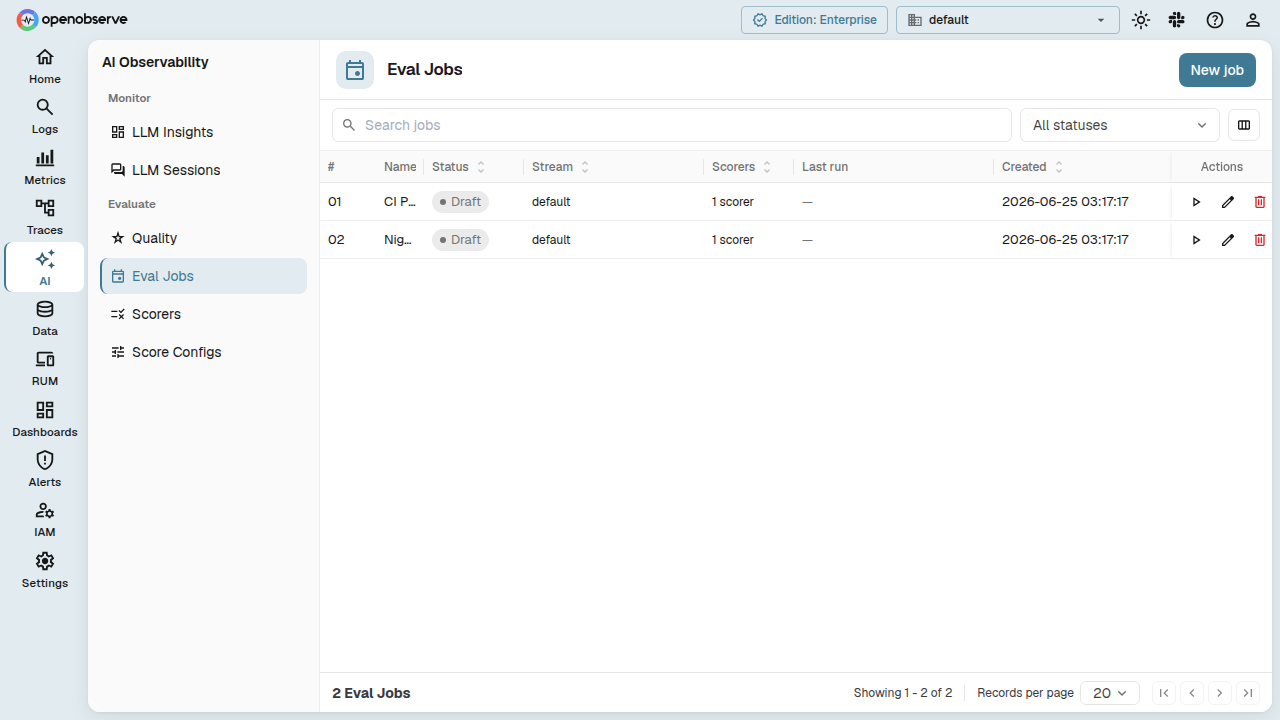
| Field | Description |
|---|---|
| Stream | The traces stream to evaluate. |
| Target Scope | span (score each matching span), trace (score a whole trace once complete), or session (score an entire conversation). |
| Filter Condition | Which spans/traces/sessions are eligible. Besides comparison operators, conditions support is_null, is_not_null, is_empty, and is_not_empty. |
| Scorers | One or more scorers to run against each target. |
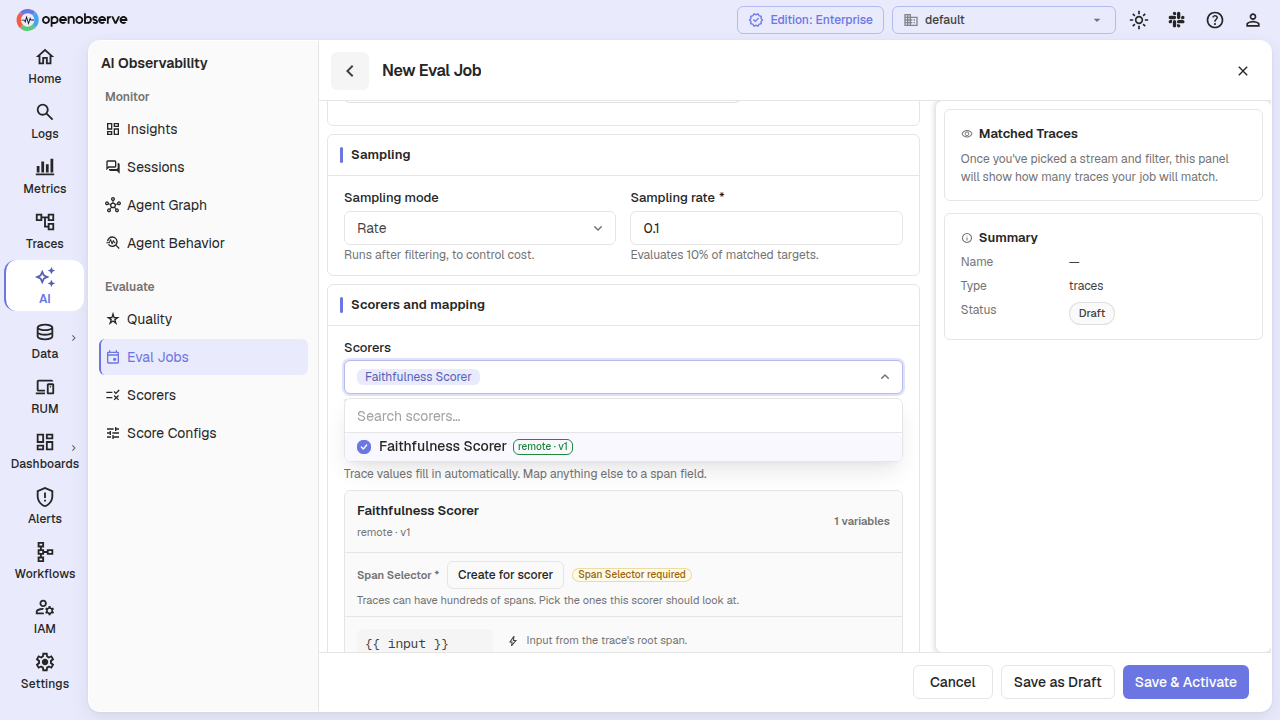
| Input Mapping | Maps each scorer's {{variables}} to a value source: a system-provided value (like input, output, statistics) or a span attribute. |
| Sampling Mode | all or rate (evaluate a percentage, e.g., 0.1 for 10%). |
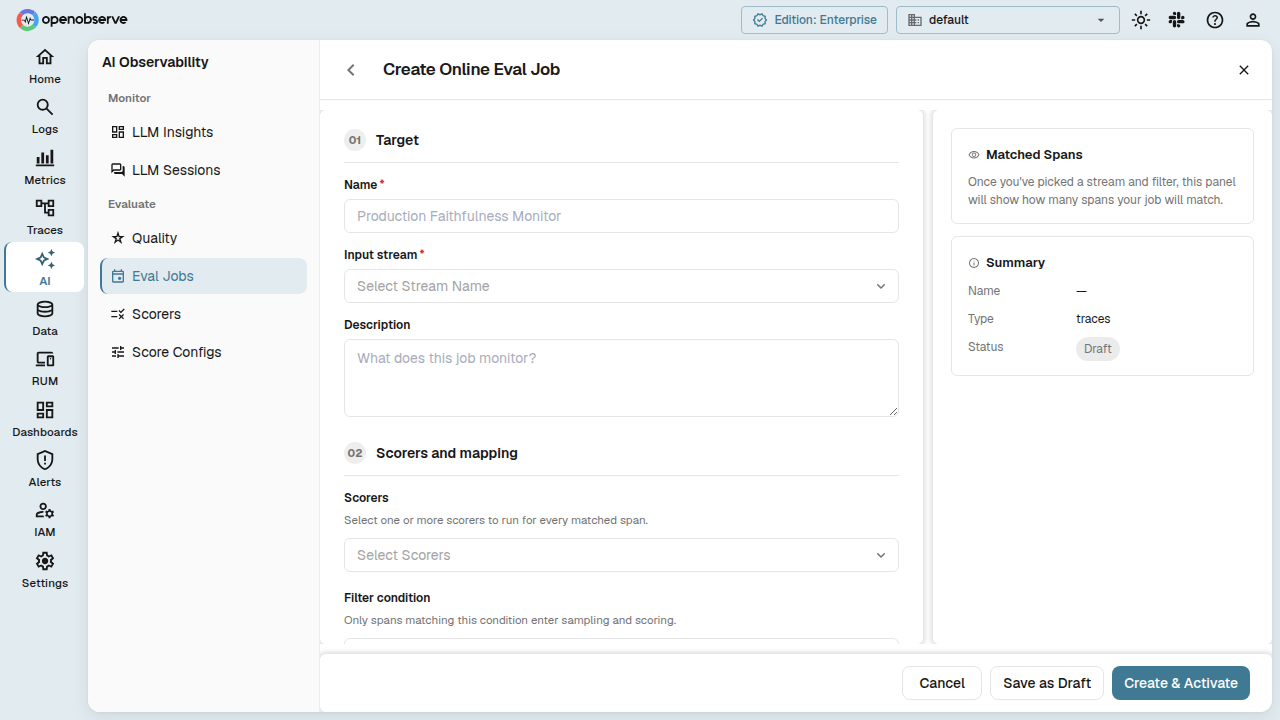
Target scope
| Scope | What is evaluated | When it runs |
|---|---|---|
| Span | Each matching span | Immediately, in real time. |
| Trace | A whole trace assembled from its spans | Once the trace is judged complete (see below). |
| Session | A full conversation across multiple traces, grouped by session ID | Once the session is judged complete. |
Trace and session completion
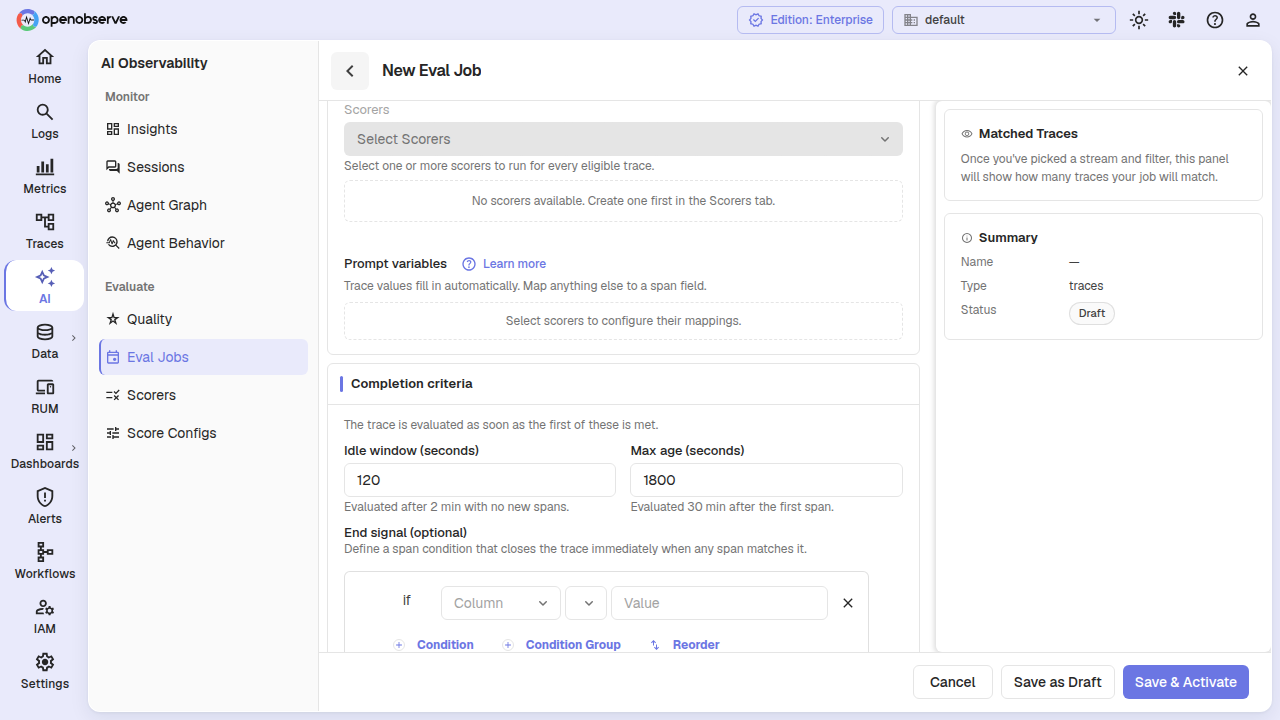
For trace- and session-scope jobs, configure how OpenObserve decides a target is "done":
| Field | Default | Description |
|---|---|---|
| Idle Window | 30 sec (trace) / 1800 sec (session) | Time with no new spans before the target is considered complete. |
| Max Age | 1800 sec (trace) / 14400 sec (session) | Score the target after this long even if spans are still arriving. |
| End Signal | none | An optional filter; when a matching span arrives, evaluate immediately instead of waiting. |
Example end signal (evaluate as soon as a span with status = "complete" arrives):
{
  "version": 2,
  "conditions": {
    "filterType": "group",
    "logicalOperator": "AND",
    "conditions": [{
      "filterType": "condition",
      "column": "status",
      "operator": "=",
      "value": "complete",
      "logicalOperator": "AND"
    }]
  }
}
Span selectors (trace scope)
For trace-scope jobs, a scorer may only need a subset of a trace's spans. A Span Selector filters, picks, and limits which spans (and fields) get sent to a given scorer; bind one to any scorer whose template uses {{ spans }}.
Input mapping and template variables
Each scorer's {{variables}} are mapped to a source in the job form's Prompt variables section, either a system-provided value or a span attribute.
For trace/session scope, OpenObserve auto-supplies these as ready-to-use template variables:
| Variable | Scopes | Description |
|---|---|---|
input / output | trace, session | For a trace, the LLM input/output messages from the root span. For a session, the user and assistant chat turns. |
tool_calls | trace, session | The tool calls made in the target, for scorers that need tool evidence. |
spans | trace | A compact list of spans (up to 5 by default, or per a bound span selector). |
steps | trace, session | An ordered sequence of LLM calls, tool calls, and other spans. |
statistics | trace, session | Aggregate counts: spans, LLM calls, tool calls, errors, duration, tokens, cost. |
For span-scope jobs, every variable maps to a span attribute instead (e.g. input → {{gen_ai_input_messages}}).
Manual evaluation
Trigger an evaluation on demand for a specific trace, span, or session. This is useful for re-testing after changing scorers. From the trace, span, or session detail page, click Evaluate trace / Evaluate span / Evaluate session, then pick which Eval Job to run.
Job lifecycle
draft → active ⇄ paused
          ↓
       degraded → active
          ↓
archived- Activate: starts scoring.
- Pause: stops it temporarily.
- Resume: restarts it.
- Archive: stops it permanently.
Editing an active job's config (filters, sampling, scorers, scope) takes effect immediately. No need to pause first.
Where scores go
Scores land in the _llm_scores stream; evaluator telemetry (latency, tokens, status) lands in the _evaluator traces stream. Query both directly for debugging or dashboards.
Quality Dashboard
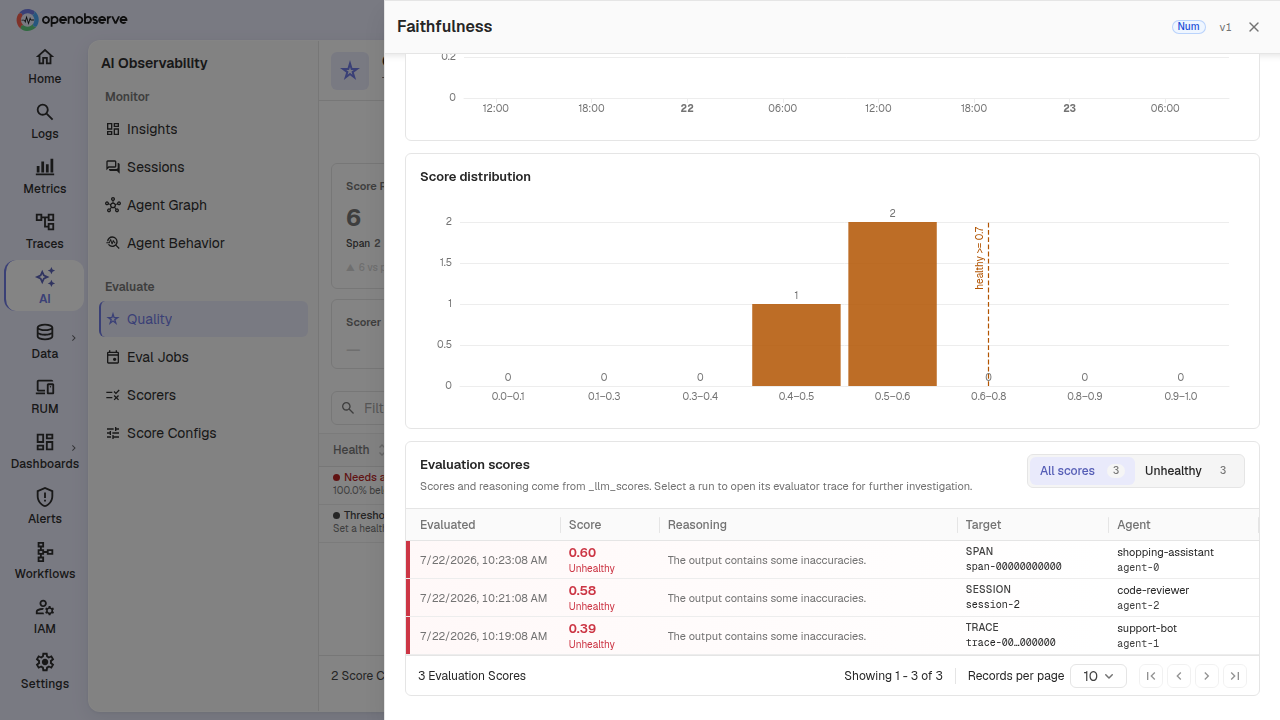
AI > Evaluate > Quality gives a real-time overview of evaluation health across your score configs, agents, and streams. Drill into a score config to see KPI cards, trend charts, and a runs table, filterable by scope (All/Span/Trace/Session).
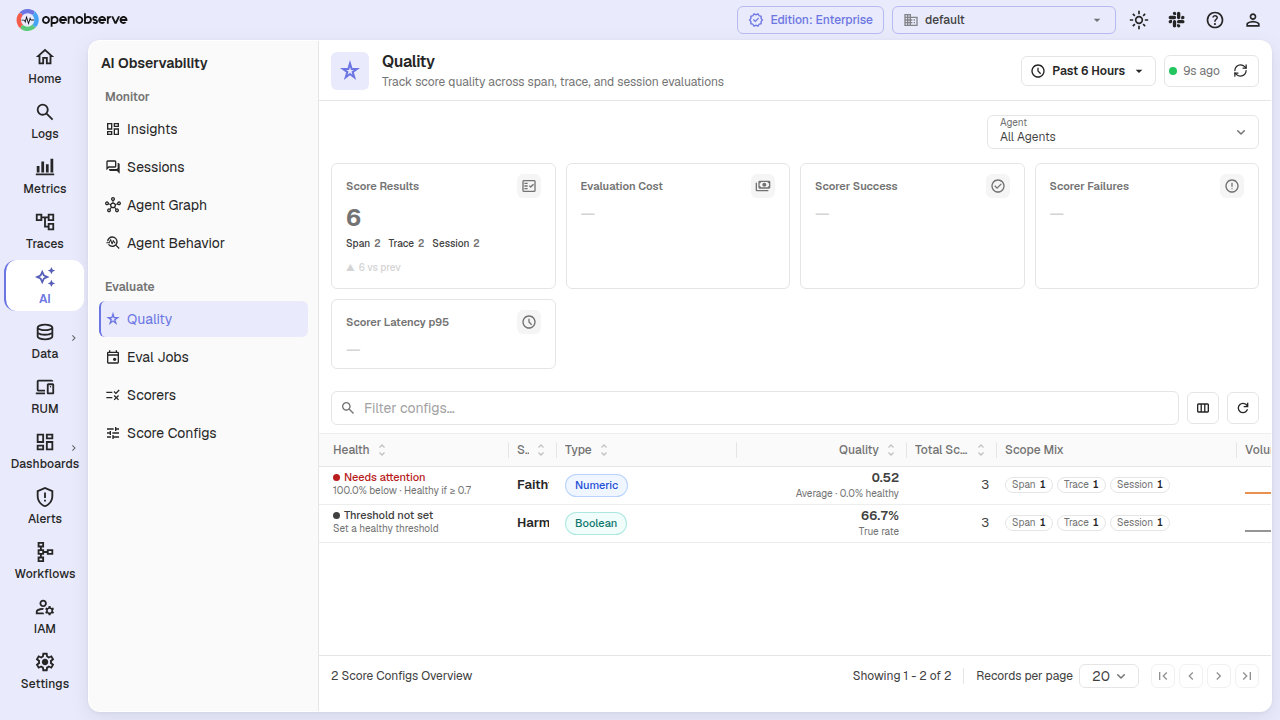
When a scorer fails, click the Scorer Failures KPI card to jump to the failing evaluator traces.
Evaluation runs
The Evaluation Runs table lists individual score records: value, health, target identity, agent, and reasoning. Click a row to open its evaluator trace. Filter to all runs or unhealthy only.
Gen-AI Agents
OpenObserve auto-discovers agents from your trace telemetry (via gen_ai.agent.name/id, or your own configured attribute fields), so you can scope the Quality, Insights, and Sessions views to a single agent or All Agents.
If your telemetry uses non-standard attribute names, map them under Settings > GenAI Agent Mapping. Scorer templates can also reference {{agent_name}}, {{agent_id}}, and {{pipeline_source_stream_type}}. See LLM Monitoring for the attributes OpenObserve checks.
Experiments
For offline, batch evaluation against a versioned dataset (pinned scorers, trial counts, cost estimates, baseline comparisons), see LLM Experiments.
RBAC
Providers, Score Configs, Scorers, and Eval Jobs each have their own permissions (GET, LIST, POST, PUT, DELETE). Assign roles in IAM > Roles to control access.
API Reference
All endpoints are prefixed with /api/{org_id}.
| Resource | Key endpoints |
|---|---|
| Providers | GET/POST /providers, GET/PUT/DELETE /providers/{id}, POST /providers/test |
| Score Configs | GET/POST /score_configs, GET/PUT/DELETE /score_configs/{id}, GET /score_configs/{id}/versions |
| Scorers | GET/POST /scorers, GET/PUT/DELETE /scorers/{id}, POST /scorers/test, POST /scorers/llm_judge/output_schema, GET /scorers/{id}/versions |
| Eval Jobs | GET/POST /eval_jobs, GET/PUT/DELETE /eval_jobs/{id}, POST /eval_jobs/{id}/activate|pause|resume|archive, POST /eval_jobs/{id}/manual_eval |
| Gen-AI Agents | GET /gen_ai/agents, GET/PUT /settings/gen_ai/agent_mapping, DELETE /settings/gen_ai/agent_registry |
| Experiments | See the LLM Experiments API Reference. |
Last updated on
LLM Monitoring
Track cost, tokens, latency, and errors for your LLM traffic, replay agent sessions turn by turn, and map what your agents call in OpenObserve.
LLM Annotations and Datasets
Learn how to build human review queues, curate golden datasets, and discover underperforming LLM traces in OpenObserve.