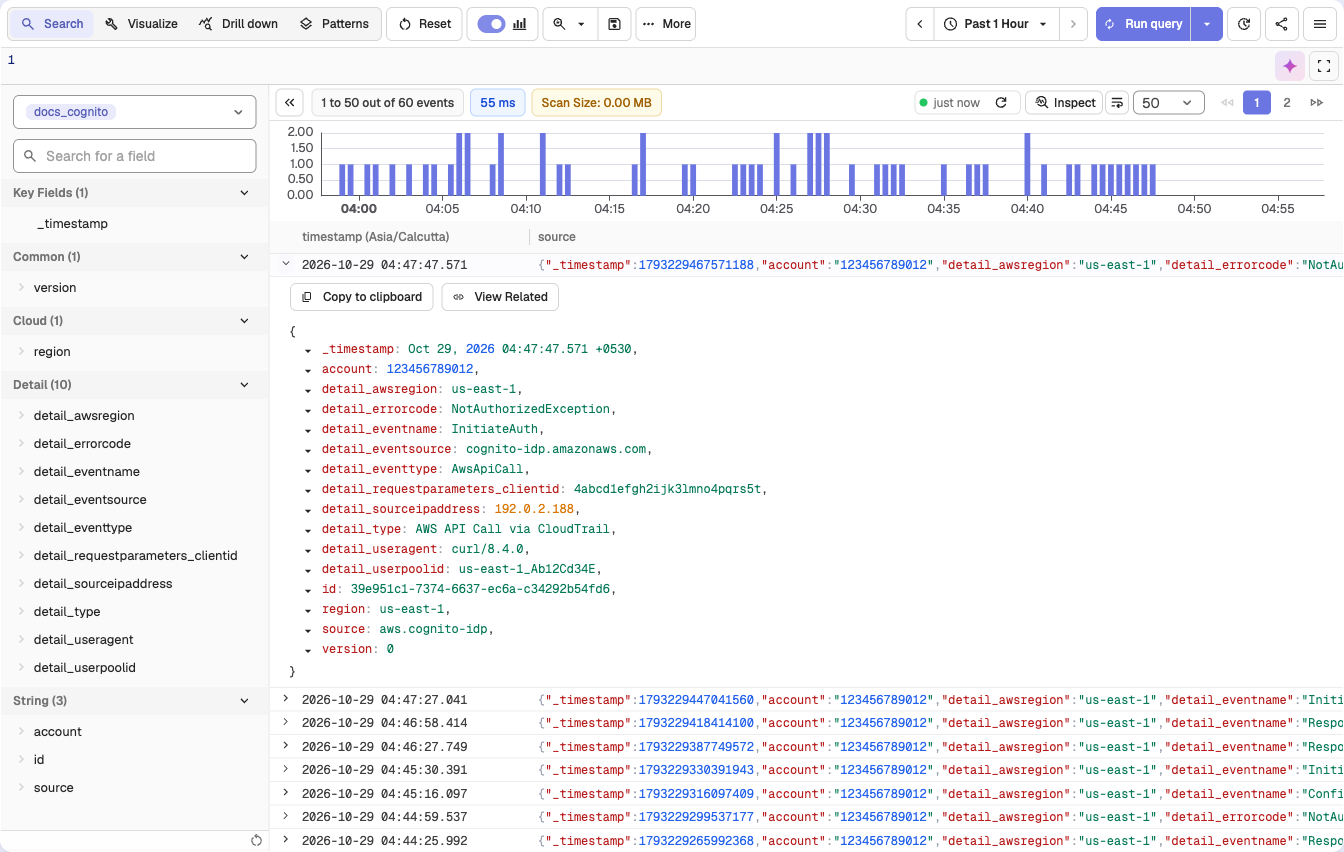
Monitor login attempts, user activity, and authentication behavior from Amazon Cognito by streaming events into OpenObserve for analysis. This integration uses CloudTrail to capture Cognito API calls, EventBridge to route events, and Firehose to deliver them to OpenObserve.
Permissions to create EventBridge rules and Firehose streams
Step 1: Enable CloudTrail Management Events
Go to AWS CloudTrail → Trails
Ensure you have a trail that logs management events
If not:
Click Create trail
Name it (e.g., CognitoTrail)
Enable Management events (Read/Write or Write-only)
Choose a destination S3 bucket (new or existing)
Complete trail creation
Step 2: Get OpenObserve Ingestion URL and Access Key
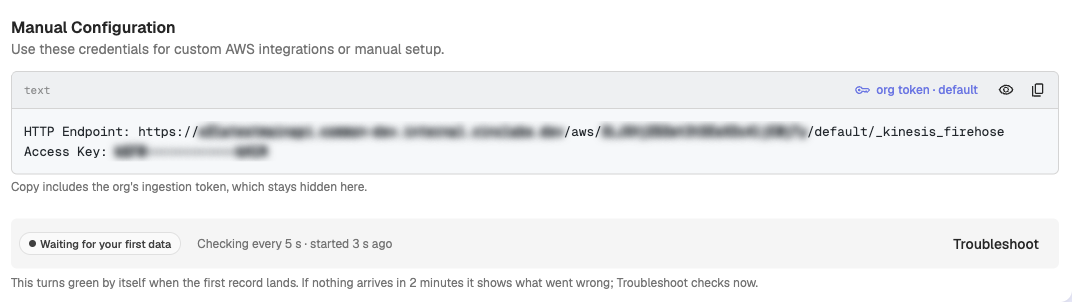
In OpenObserve: go to Data > Data sources > Recommended > Amazon Web Services(AWS). The Manual Configuration block shows the HTTP endpoint and Access Key
Copy the ingestion URL and Access Key
The endpoint shown ends in /default/_kinesis_firehose. Replace default with your stream name: