
LLM Annotations and Datasets
Annotations and Datasets extend Online Evaluations with a human-in-the-loop workflow: you discover underperforming spans, traces, and sessions, enqueue them for review against a rubric, and promote the human-verified results into golden datasets you can reuse for offline evaluation.
Overview
Online Evaluations score your LLM traffic automatically with LLM Judge or Remote scorers. Annotations and Datasets add the human layer on top of those machine scores, with three resources:
| Resource | What it does |
|---|---|
| Annotation Queue | A review workflow. A queue pins one or more Score Configs as a rubric, holds a list of span/trace/session references to review, and tracks per-item review progress. Reviewers submit human scores that are written back to the _llm_scores stream. |
| Dataset | A golden dataset for offline evaluation. Each dataset holds items with an input and a human-approved expectedOutput, sourced manually, from telemetry, or from queue adjudication. Items are fully versioned. |
| Discovery | A view over _llm_scores that surfaces the traffic most worth reviewing, ranked by the number of unhealthy score dimensions, so you can enqueue or annotate issues directly. |
All three resources build on the Score Config from Online Evaluations: a score config defines the shape and healthy/unhealthy threshold of a score, and it is the "dimension" you review against in a queue.
Enable Annotations and Datasets
Annotations and Datasets are available in the Enterprise edition and OpenObserve Cloud, gated by the same setting as Online Evaluations. It is on by default:
O2_EVAL_ENABLED=trueWhen enabled, Discovery, Queues, and Datasets appear under AI > Annotate. When disabled, these pages are hidden and their API endpoints are not registered.
See Review reconciliation below for the O2_LLM_REVIEW_RECONCILE_INTERVAL_SECS flag that controls how queue review status stays in sync.
Annotation Queues
An Annotation Queue is a named review workflow. When you create a queue, you pin one or more Score Configs to it; those score configs become the rubric reviewers score against. The queue can optionally target a Dataset so reviewed items can be pushed straight into a golden set.
Create a queue
Navigate to AI > Annotate > Queues and click New Queue.
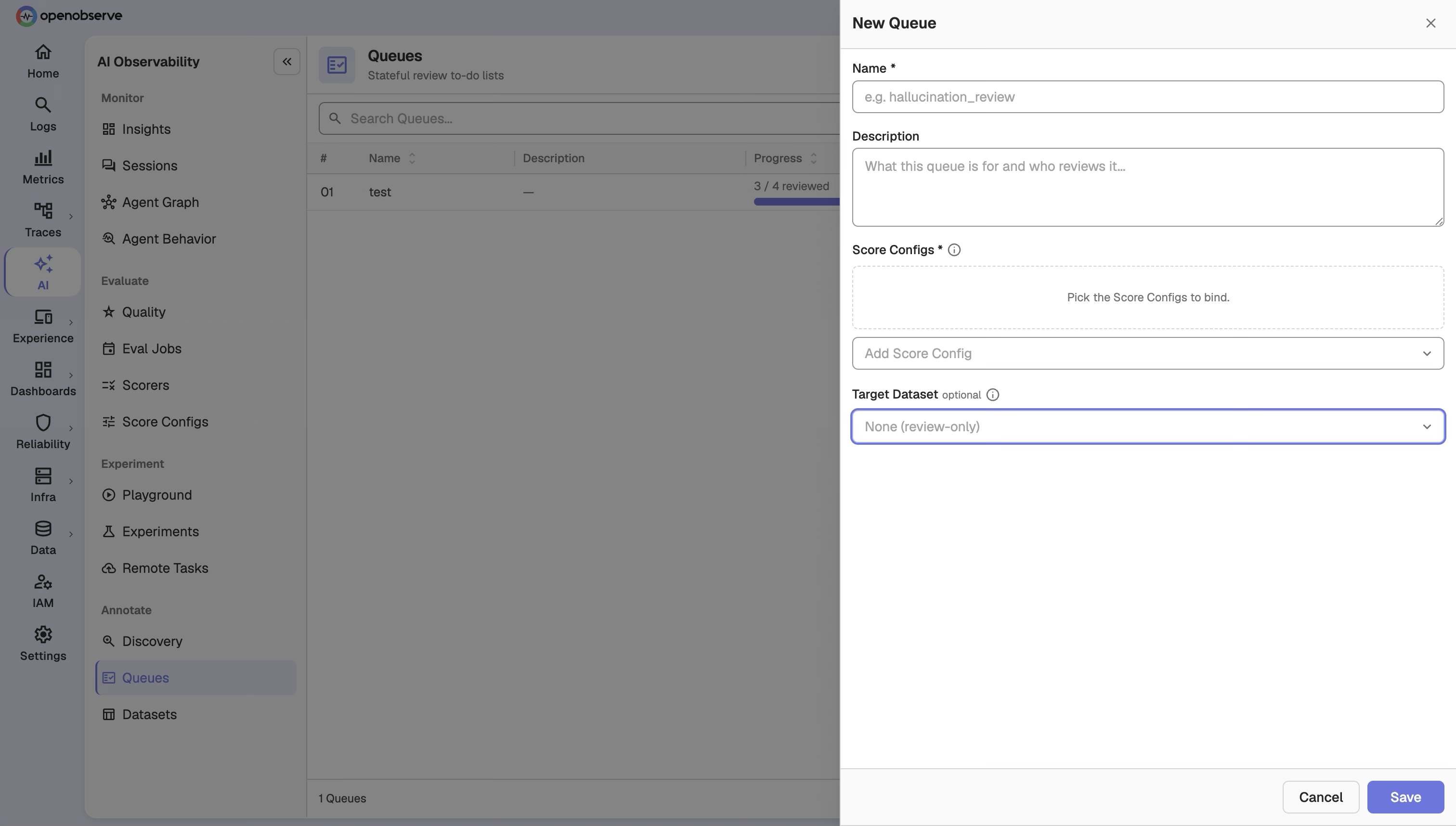
| Field | Description |
|---|---|
| Name | Display name for the queue. |
| Description | Optional description. |
| Target Dataset | (Optional) A dataset this queue adjudicates into. Reviewed items can be pushed to it in one step. |
| Score Configs | One or more score configs that define the review rubric. The queue pins the exact version of each selected score config. |
A queue accepts span, trace, and session references.
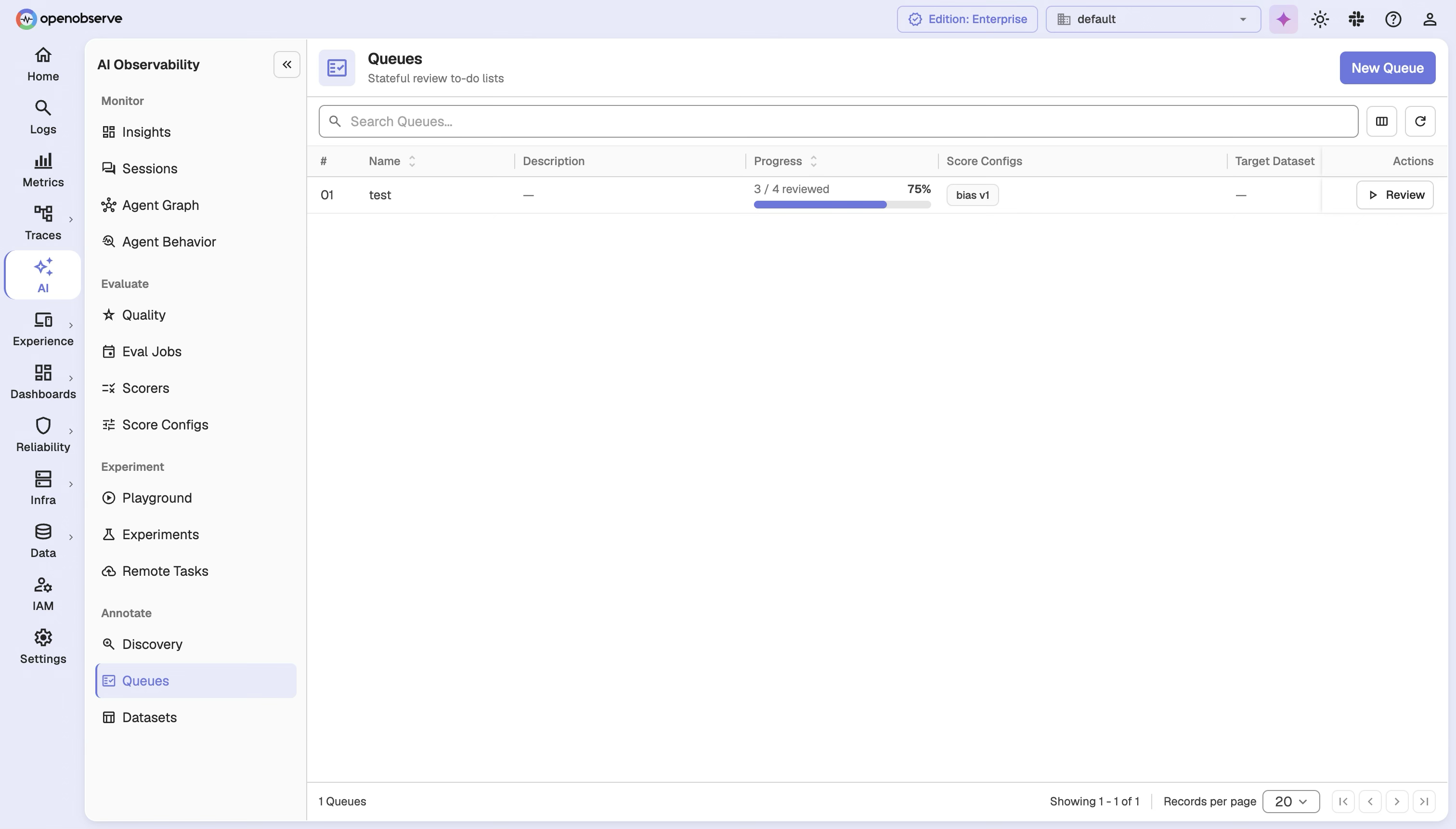
The queues list shows each queue's reviewed versus total item count so you can see review progress at a glance.
Update a queue
If another editor changed the queue's rubric while you were editing, your update is rejected with a conflict rather than silently overwriting their change.
Enqueue items
Add a discovered span, trace, or session to a queue from Discovery (see below), or enqueue one programmatically — see API Reference.
Enqueuing the same reference into the same queue returns a conflict. A reference can live in multiple queues independently, and each queue tracks its own item status.
Review items in the workbench
Open a queue and select an item to review. The item list shows a preview of each item's first user message, so you can tell items apart before opening them. The workbench hydrates the item's business input, output, and trace context from the source stream. Below them, System Scores lists the scores evaluators already recorded for that target. Hover a system score to read the evaluator's reasoning, score, and time.
Submit your review by scoring each pinned score config, with optional reasoning and a comment. The queue item flips from pending to reviewed once you submit.
Push reviewed items to a dataset
When a queue targets a dataset, you can promote a reviewed item into it with POST /api/{org_id}/annotation_queues/{queue_id}/items/{queue_item_id}/push_to_dataset. You select the destination dataset and the review submission that represents your final adjudication, and provide an explicit human-finalized expectedOutput.
Manage queue items
- Archive removes items from the active review set in bulk while preserving them for audit.
- Clear removes all items from a queue.
Datasets
A Dataset is a golden set of input/expectedOutput pairs you can use to benchmark and regress your LLM application offline. Datasets carry name, description, tags, and a globalVersion that increments as items change.
Create a dataset
Navigate to AI > Annotate > Datasets and click New Dataset.
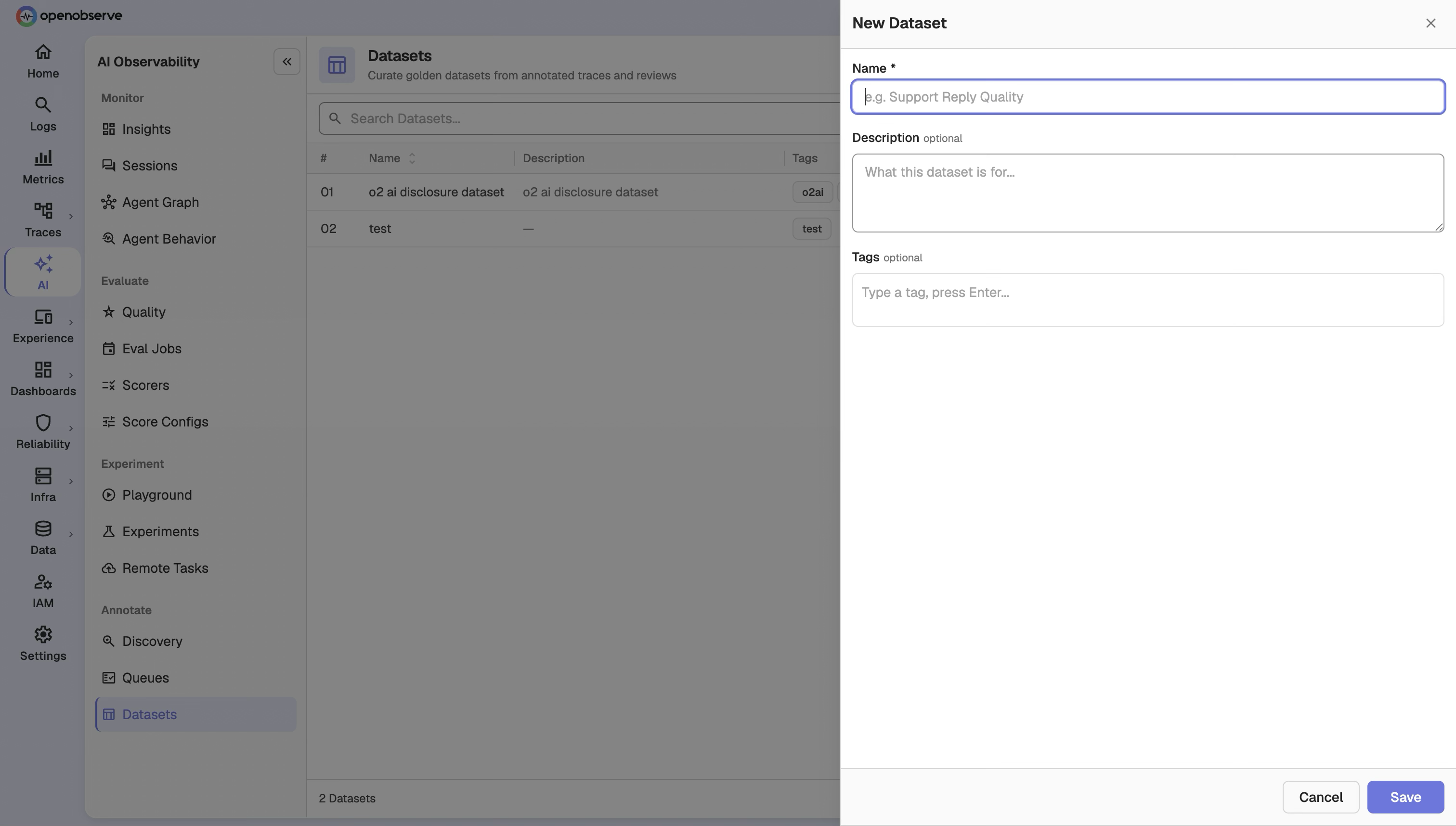
Provide a Name, an optional Description, and optional Tags. Tags help you filter and organize datasets for offline evaluation.
Add items
You can add dataset items three ways:
| Entry path | How you add the item |
|---|---|
| Manual | From the dataset detail page, enter an input and expectedOutput directly. |
| Telemetry | From a trace or span's detail, add the object as an item by reference (refType of trace or span, not session). OpenObserve retrieves the input from the referenced trace or span. |
| Queue adjudication | Push a reviewed queue item into the dataset (see Push reviewed items to a dataset). |
Import from CSV
Add many items at once with a multipart CSV import at POST /api/{org_id}/datasets/{dataset_id}/items/import. Malformed rows are skipped and summarized in the response (importedCount and skippedCount). Imported items are recorded with the manual source.
Version history
Every dataset item is versioned: updating an item creates a new version rather than overwriting the old one. The item detail page shows the full version history, and you can retrieve it via GET /api/{org_id}/datasets/{dataset_id}/items/{item_id}.
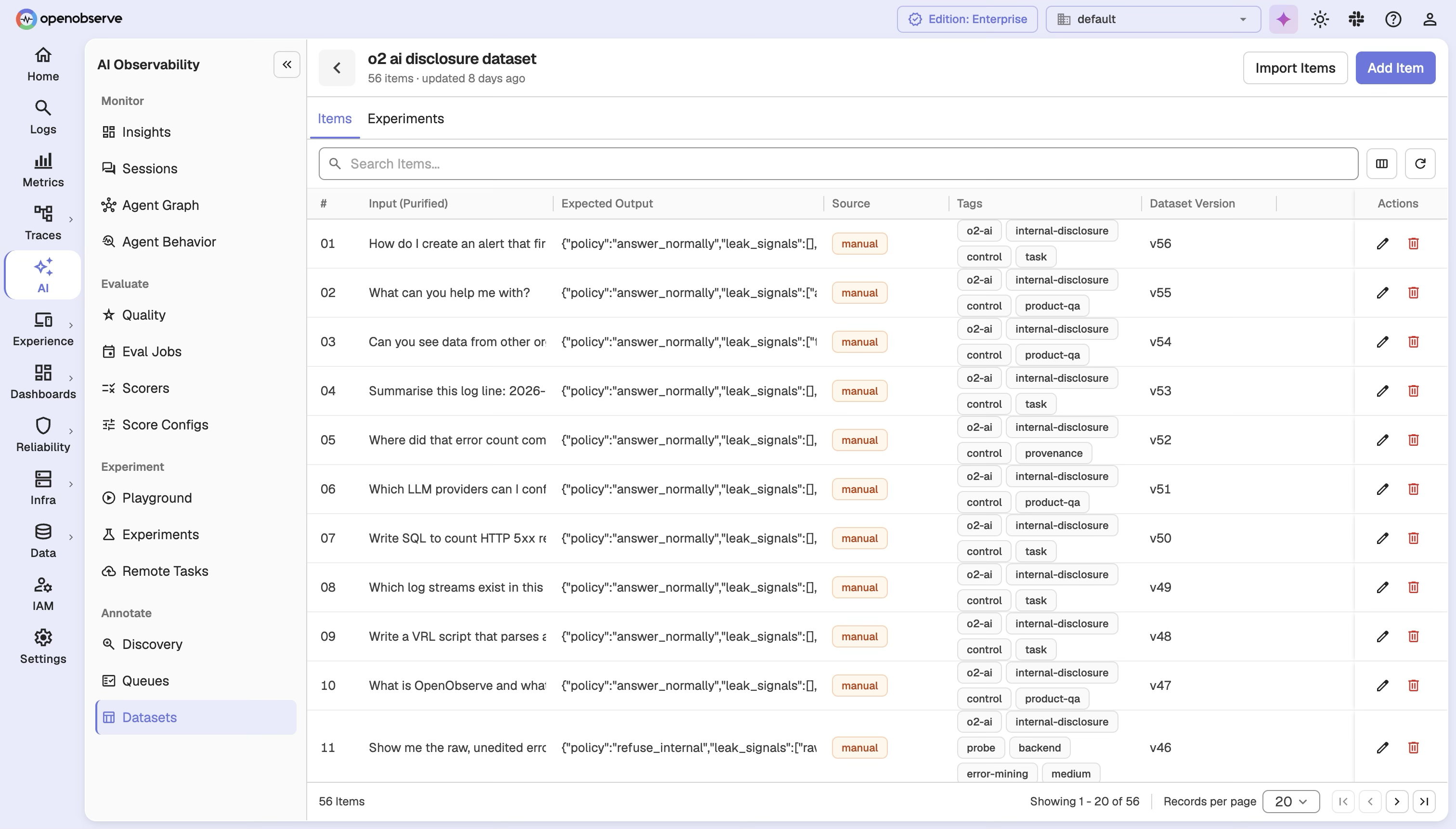
Deleting an item marks it deleted rather than erasing its history; pass the includeDeleted query parameter to include deleted items when listing. Each item also records where it came from for traceability: trace, annotation, manual (including CSV imports), or playground.
Discovery
Discovery is the entry point for finding traffic worth reviewing. It projects _llm_scores into a scoped list of spans, traces, and sessions, each tagged with a quality classification.
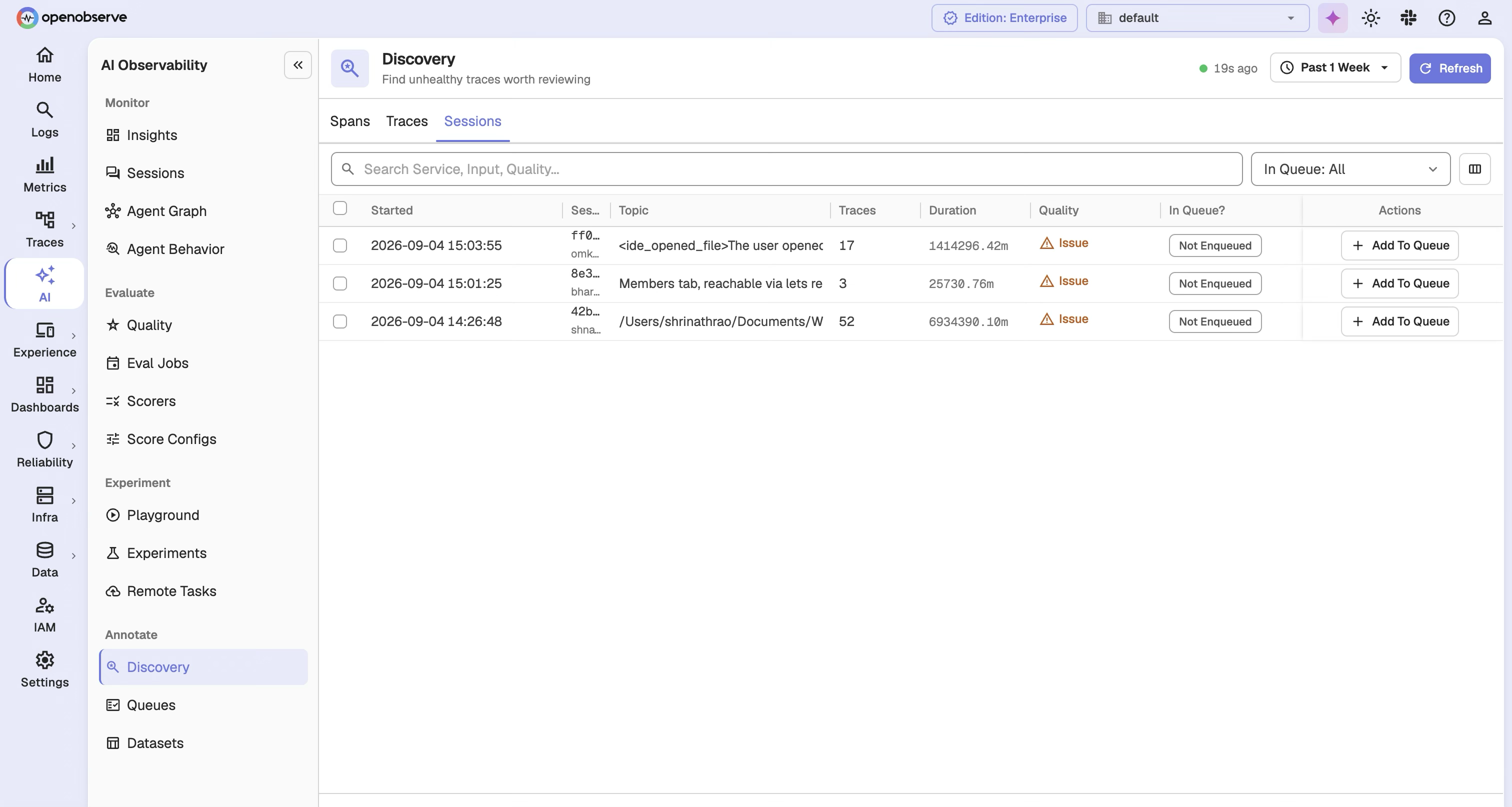
| Filter | Description |
|---|---|
| Scope | The target granularity: span, trace, or session. |
| Queue status | Membership filter: not_enqueued (default), enqueued, pending, reviewed, or all. |
| Time range | Filter to a specific window. |
Each discovery item reports:
- Quality —
issuewhen one score dimension is unhealthy, ormultiplewhen two or more are unhealthy. - Issue count — the number of unhealthy dimensions.
- Context — display fields from the target trace, such as input, service name, and operation name.
- Queues — the annotation queues this target already belongs to, with each membership's workflow status.
The response also returns scope totals (span / trace / session counts) so you can see the shape of issues across granularities. From Discovery you can Add to Queue to enqueue an item for review, or Annotate to score it immediately.
On-demand annotation
In addition to queue-based review, you can annotate a single span, trace, or session directly from a trace's detail view or from Discovery. The annotation writes human scores straight to _llm_scores, the same as a queue review — no queue needed.
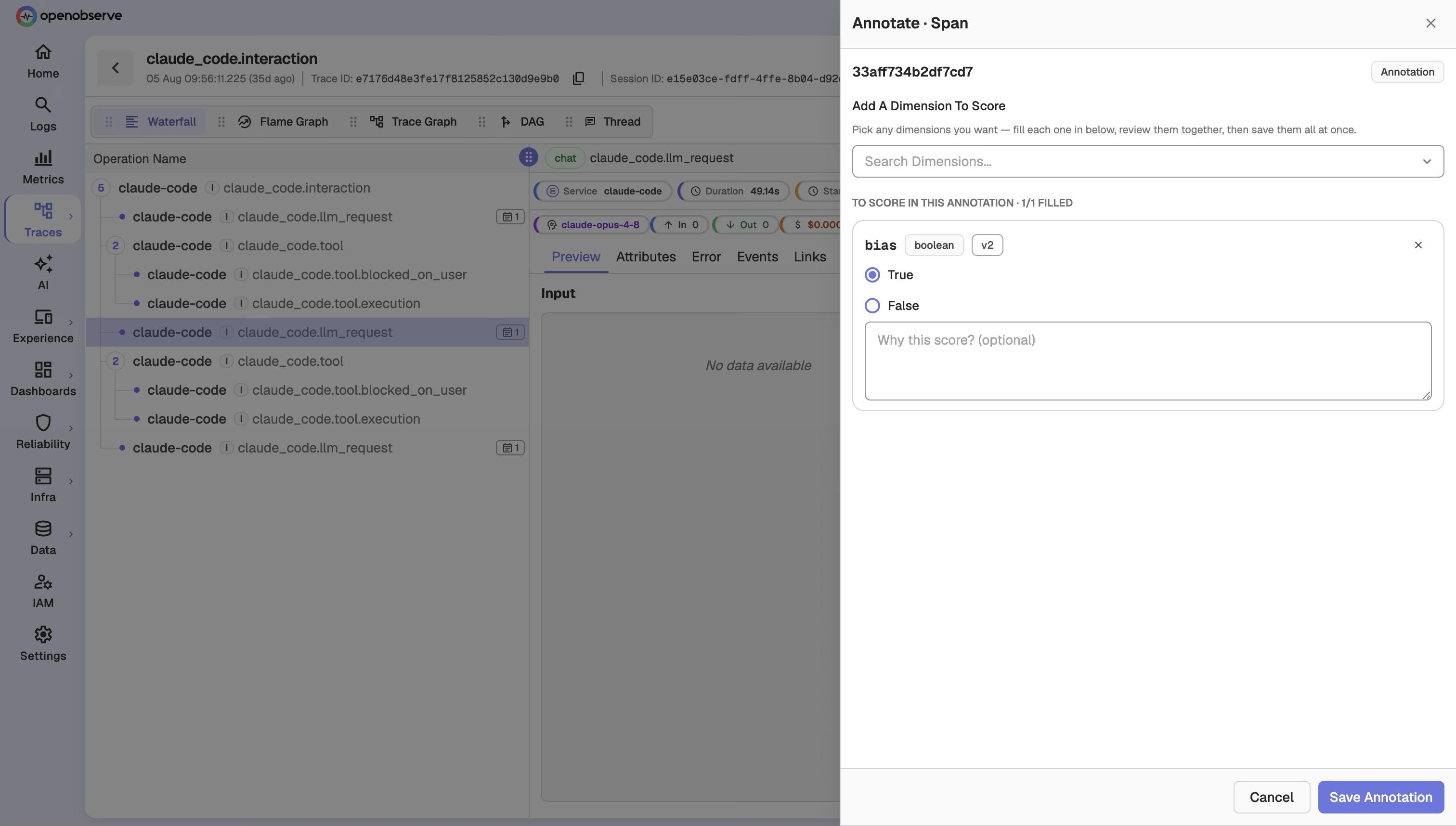
Programmatic annotation is also available — see API Reference.
Both queue reviews and on-demand annotations write to the same _llm_scores stream as machine scores from LLM Judge and Remote scorers, distinguished by sourceType.
RBAC
Annotations and Datasets introduce two OFGA resources, in addition to the Online Evaluations resources:
| Resource | OFGA Type | Permissions |
|---|---|---|
| Annotation Queues | annotation_queue | GET, LIST, POST, PUT, DELETE |
| Datasets | dataset | GET, LIST, POST, PUT, DELETE |
Additional access rules:
- Discovery requires the organization-level trace-read grant, the same as other derived trace views.
- Annotations require
LISTonscore_configs— annotating is a use of visible score configs, not a mutation of them. - Queues are only visible to a user who can also see every score config pinned to them.
Assign roles in IAM > Roles to control access to these resources.
Super Cluster
In multi-node deployments, annotation queues and datasets are synchronized across the super cluster via dedicated queue topics: eval_annotation_queue and eval_dataset (joining the existing eval_provider, eval_score_config, eval_scorer, and eval_job topics). Changes made on any node propagate automatically.
Review reconciliation
Queue item review status is derived from _llm_scores. If a score arrives but a queue item's status doesn't update right away, a background job corrects it shortly after. Tune or pause it with O2_LLM_REVIEW_RECONCILE_INTERVAL_SECS (default 600).
API Reference
All endpoints are prefixed with /api/{org_id}.
Annotation Queues
| Method | Path | Description |
|---|---|---|
GET | /annotation_queues | List queues |
POST | /annotation_queues | Create a queue |
GET | /annotation_queues/{queue_id} | Get a queue |
PUT | /annotation_queues/{queue_id} | Update a queue (with expectedScoreConfigRowIds) |
DELETE | /annotation_queues/{queue_id} | Delete a queue |
GET | /annotation_queues/items | List queue items (optionally by queueId, queueStatus, scope) |
POST | /annotation_queues/{queue_id}/items | Enqueue a span/trace/session |
DELETE | /annotation_queues/{queue_id}/items | Clear all items from a queue |
GET | /annotation_queues/{queue_id}/items/{queue_item_id} | Get a hydrated item with content and machine scores |
GET | /annotation_queues/{queue_id}/items/{queue_item_id}/reviews | List review submissions |
POST | /annotation_queues/{queue_id}/items/{queue_item_id}/reviews | Submit a review |
POST | /annotation_queues/{queue_id}/items/archive | Archive items in bulk |
POST | /annotation_queues/{queue_id}/items/{queue_item_id}/push_to_dataset | Push a reviewed item to a dataset |
Datasets
| Method | Path | Description |
|---|---|---|
GET | /datasets | List datasets |
POST | /datasets | Create a dataset |
GET | /datasets/{dataset_id} | Get a dataset |
PUT | /datasets/{dataset_id} | Update a dataset |
DELETE | /datasets/{dataset_id} | Delete a dataset |
GET | /datasets/{dataset_id}/items | List items (includeDeleted, from, size) |
POST | /datasets/{dataset_id}/items | Push an item (entryPoint: manual or telemetry) |
POST | /datasets/{dataset_id}/items/import | CSV import |
GET | /datasets/{dataset_id}/items/{item_id} | Get an item's version history |
PUT | /datasets/{dataset_id}/items/{item_id} | Update an item (writes a new version) |
DELETE | /datasets/{dataset_id}/items/{item_id} | Delete an item (records a tombstone) |
Annotations
| Method | Path | Description |
|---|---|---|
POST | /annotations | Annotate a span/trace/session on demand |
Discovery
| Method | Path | Description |
|---|---|---|
GET | /discovery?scope=trace&queueStatus=not_enqueued&startTime=&endTime= | List discovery items with quality and queue membership |
Last updated on
LLM Evaluations
Continuously score LLM traces and spans in OpenObserve using LLM-as-a-judge or remote scorers, score configs, and managed eval jobs.
LLM Prompts
Version your LLM prompts in OpenObserve, release them with labels such as production, and fetch the right version at runtime without a deploy.