
Protocol checks
Protocol checks verify connectivity and correctness without a browser. They are cheaper and faster than browser tests, and they are the right tool when you want to know whether a service is answering rather than whether a user journey works.
Four types are available: HTTP / API, TCP Port, SSL / TLS Certificate, and SSH. All four skip the journey step entirely and open straight into a single configuration page.
How to create a protocol check
Step 1: Choose the type
Click New Check and select HTTP / API, TCP Port, SSL / TLS Certificate, or SSH.
Step 2: Set the target
Enter a Name and the target. HTTP checks take a full URL; TCP, TLS, and SSH checks take a bare Host such as example.com or example.com:8443.
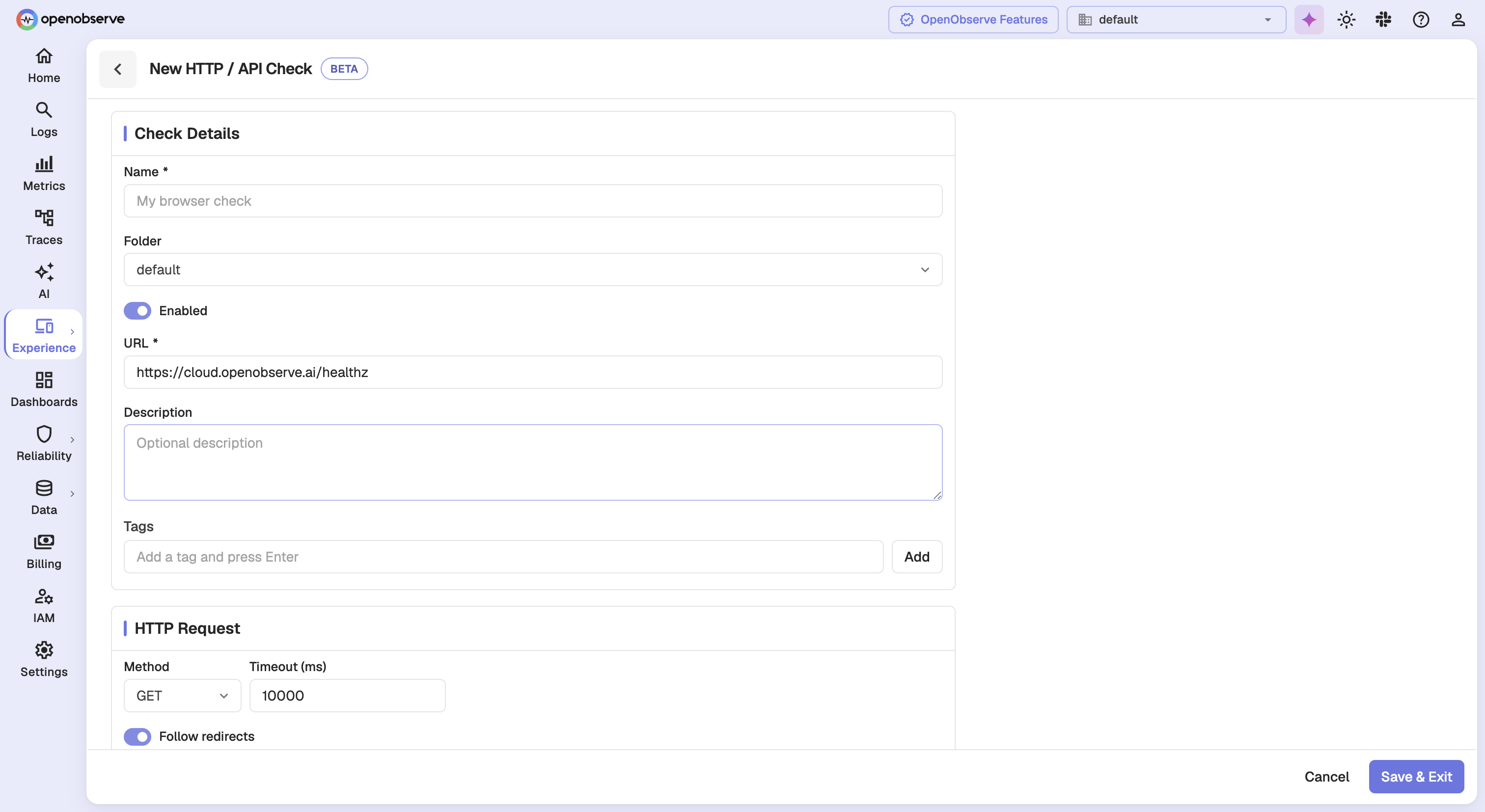
Note: Entering a full URL on a TCP, TLS, or SSH check is rejected. Those types connect to a host and port, not to a path.
Step 3: Configure the request
Fill in the per-type card described below.
Step 4: Complete the shared configuration and save
Set the schedule, retries, alerts, and locations, then click Save & Exit.
HTTP / API
An HTTP check issues a request and asserts on the response.
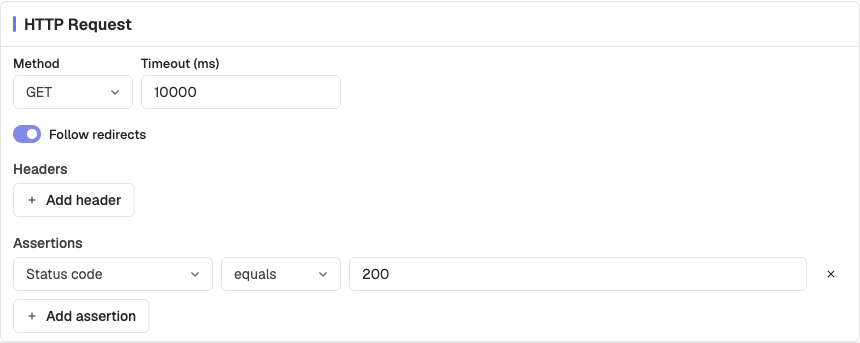
| Setting | Description | Default |
|---|---|---|
| Method | HTTP method to send | GET |
| Timeout | How long to wait for the response | 10000 ms |
| Follow redirects | Whether to follow 3xx responses | On |
| Headers | Headers sent with the request | None |
| Request body | Body sent with the request. Hidden on GET and HEAD. | Empty |
| Assertions | What a healthy response looks like | status_code equals 200 |
Assertions combine a field, an operator, and a value. Three fields are available, Status code, Response body, and Response time (ms), and each accepts any of the six operators:
| Operator | Meaning |
|---|---|
| equals | Exact match |
| not equals | Anything but an exact match |
| greater than | Numeric comparison |
| less than | Numeric comparison |
| contains | Substring is present |
| does not contain | Substring is absent |
Tip: The operator list is not filtered by field, so nothing stops you pairing Response body with greater than. Choose a combination that makes sense for the field you picked.
Warning: If the request never returns a response, assertions are reported as Not evaluated rather than passed. A check that cannot reach its target is a failure, not a pass.
TCP Port
A TCP check confirms that a host accepts a connection on a port.
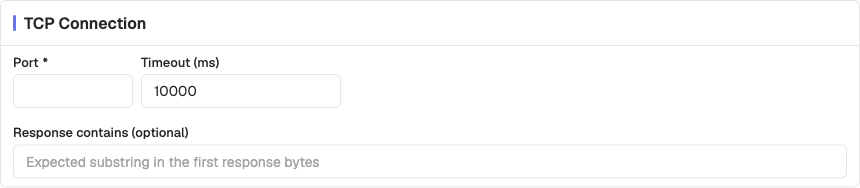
| Setting | Description | Default |
|---|---|---|
| Port | Port to connect to | N/A |
| Timeout | How long to wait for the connection | 10000 ms |
| Response contains | Optional substring expected in the first response bytes | Empty |
Leave Response contains empty to check reachability alone. Set it when the service announces itself on connect, such as with an SMTP banner, and you want to confirm it is the right service answering.
SSL / TLS Certificate
A TLS check inspects the certificate a host presents, and can warn you before it expires.
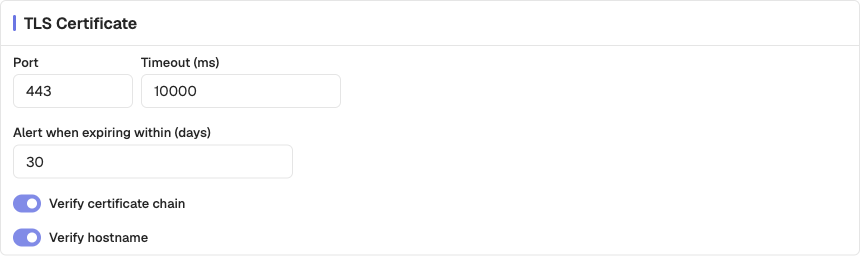
| Setting | Description | Default |
|---|---|---|
| Port | Port to connect to | 443 |
| Timeout | How long to wait for the handshake | 10000 ms |
| Alert when expiring within (days) | Fail the check this long before expiry | 30 |
| Verify certificate chain | Reject a certificate whose chain does not validate | On |
| Verify hostname | Reject a certificate that does not match the host | On |
Tip: The expiry threshold is what makes this check useful. A certificate that is valid today but expires in a week should be a problem you already know about, not one you discover at renewal time.
SSH
An SSH check confirms that a server accepts an SSH connection and authenticates.
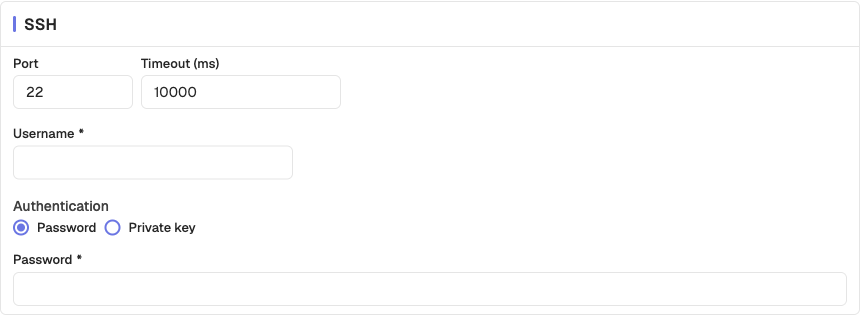
| Setting | Description | Default |
|---|---|---|
| Port | Port to connect to | 22 |
| Username | User to authenticate as | N/A |
| Authentication | Password or private key | Password |
| Password / Private key | The credential | N/A |
| Timeout | How long to wait | 10000 ms |
Warning: The credential is stored with the check. Use a dedicated monitoring account with the least privilege that still proves the service is reachable.
Differences from browser tests
Protocol checks share most configuration with browser tests, with these exceptions:
| Area | Protocol checks |
|---|---|
| Journey | None, no steps to author |
| Browsers and devices | Not applicable |
| Capture | Not applicable, no screenshots or traces |
| Authentication and network | HTTP only; TCP, TLS, and SSH have no basic auth or cookies |
| Retries | Maximum 3, against 2 for browser checks |
| Results | No Steps tab; reports a timing breakdown instead |
See Results for how a protocol run is reported.
Need help:
Last updated on
Browser Tests
Record or build a multi-step browser journey, add assertions and resilient locators, and tune how each step handles timing and failure.
Configuration
Reference for every Synthetics check setting, including details, schedule, retries, alerts, locations, browsers and devices, capture, and authentication.