15 Essential SRE Tools in 2026: Monitoring, Alerting, Tracing & Incident Response

Simran Kumari
March 23, 2026
25 min read
Don’t forget to share!



Try OpenObserve Cloud today for more efficient and performant observability.

Site Reliability Engineering has undergone a quiet revolution. The move to distributed, cloud-native systems has made "just throwing more monitoring at it" a losing strategy. In 2026, the average engineering org manages dozens of microservices, multiple cloud providers, and a flood of telemetry that would have been unimaginable five years ago.
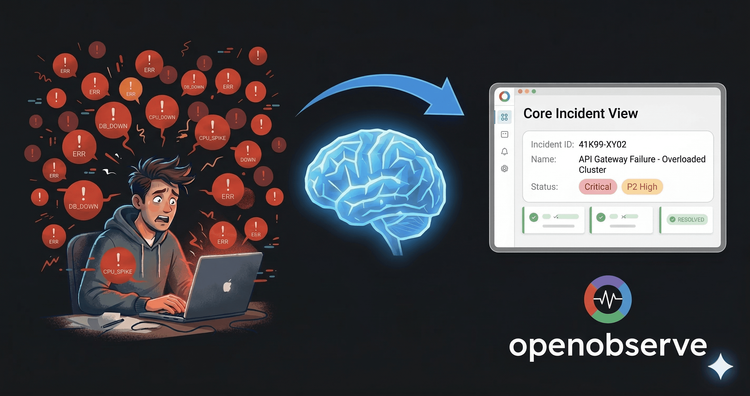
The problem is no longer having data, it's having too much of it, fragmented across too many tools. On-call engineers jump between five dashboards to correlate a single incident. Alert fatigue is epidemic. And observability bills have quietly become one of the largest line items in infrastructure budgets.
This guide covers the 15 tools that matter most, organized by category, with honest takes on pricing, integration complexity, and who each tool is actually for.
| Category | Tools Covered |
|---|---|
| Unified Observability | OpenObserve, Datadog, Grafana |
| Distributed Tracing | Jaeger, Grafana Tempo, OpenTelemetry |
| Log Management | Elasticsearch/OpenSearch, Loki |
| Alerting & On-Call | PagerDuty, Prometheus Alertmanager |
| Incident Management | incident.io, FireHydrant |
| SLO Tracking | Nobl9 |
| Chaos Engineering | Chaos Monkey/Toolkit, LitmusChaos |
Website: openobserve.ai GitHub: github.com/openobserve/openobserve License: AGPL-3.0 (self-host) | SaaS (cloud)
OpenObserve is a petabyte-scale, full-stack observability platform built to replace the fragmented "Prometheus + Loki + Tempo + Grafana" stack with a single, unified system. It ingests logs, metrics, traces, and frontend RUM data all into one storage layer making cross-signal correlation automatic rather than manual.
Built in Rust, it uses Vertex and object storage (S3, GCS, Azure Blob) under the hood, which is how it achieves storage costs up to 140× lower than Splunk or Datadog while still supporting petabyte-scale retention. There's no per-host pricing, no OTel penalties, and no surprise bills, just usage-based ingestion at $0.30/GB.
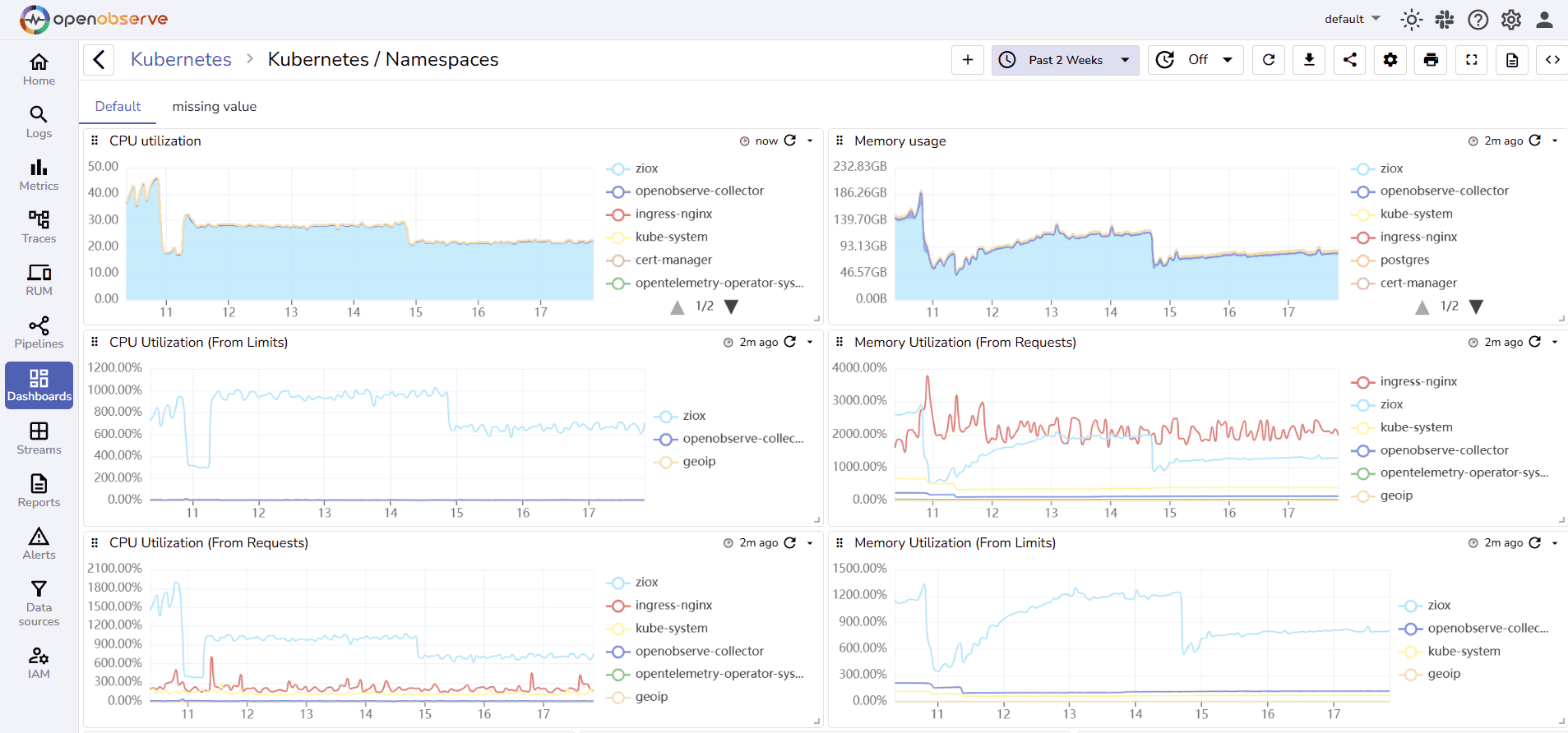
Key capabilities:
Deep Dive: Full-Stack Observability: Connecting Logs, Metrics, and Traces how OpenObserve unifies your telemetry signals into a single investigation workflow.
Related: Top 10 Open Source Observability Tools in 2026 vendor-neutral comparison including OpenObserve, Grafana, Jaeger, and more.
OpenObserve is ideal for:
Kubernetes Monitoring Tools: Top 10 Guide for 2026 includes OpenObserve's native K8s monitoring capabilities.
| Tier | Cost |
|---|---|
| Self-hosted (OSS) | Free |
| Cloud | $0.30/GB ingested (logs, metrics, traces) |
| Queries | Additional per-query charges |
| RUM & Error Tracking | Add-on pricing |
| Enterprise | Custom |
14-day free trial on Cloud (no credit card required). Available on the AWS Marketplace for consolidated billing.
Low. OpenObserve accepts data from FluentBit, Fluentd, Logstash, OpenTelemetry Collector, Prometheus, Jaeger, and Zipkin meaning you can plug it into an existing stack without re-instrumentation. The single API handles ingest, search, alerting, and dashboards.
Website: datadoghq.com License: Proprietary SaaS
Datadog is the dominant commercial observability platform, commanding roughly 50%+ of the enterprise monitoring market. It provides APM, infrastructure monitoring, log management, synthetic monitoring, Real User Monitoring (RUM), security monitoring, and AI observability all under one roof with 700+ integrations.
Key capabilities:
The Catch: Datadog's pricing model is notoriously complex per-host charges, per-GB log indexing, custom metric taxes, and per-feature add-ons can turn a modest setup into a six-figure annual spend. Vendor lock-in is real; proprietary agents and formats make migration painful.
Comparing alternatives: includes Datadog pricing breakdown and alternatives comparison.
| Feature | Cost |
|---|---|
| Infrastructure | $15–$23/host/month |
| Log Management | $0.10/GB ingested + $1.70/GB indexed |
| APM | $31/host/month |
| Custom Metrics | $0.05/metric/month (>100 included) |
Verdict: Best-in-class features, worst-in-class bill predictability.
Low (setup) / High (cost management). Getting data in is easy. Managing costs and avoiding billing surprises requires significant operational overhead.
Website: grafana.com License: AGPL-3.0 (OSS) | Grafana Cloud (SaaS)
Grafana is the world's most popular open-source visualization and dashboarding layer. The broader "Grafana Stack" combines:
Together, these form a complete open-source observability platform. Grafana itself has 700+ data source plugins, making it the de facto visualization standard across the industry.
The Catch: Each component has its own query language (PromQL, LogQL, TraceQL). Managing five separate systems at scale requires significant operational expertise. High-cardinality log data causes real performance issues in Loki.
Alternatives comparison: Top 10 Grafana Alternatives in 2026 for teams evaluating unified alternatives to the multi-component Grafana stack.
| Tier | Cost |
|---|---|
| Self-hosted (OSS) | Free (infra costs apply) |
| Grafana Cloud Free | 50GB logs, 10K metrics, 50GB traces |
| Grafana Cloud Pro | $8/month + usage |
| Enterprise | Custom (includes support, SSO, RBAC) |
High. The power comes with complexity each component must be deployed, configured, scaled, and maintained separately. Teams new to the stack face a steep learning curve across multiple query languages and operational patterns.
Website: jaegertracing.io License: Apache 2.0 (Open Source) CNCF Status: Graduated project
Jaeger is the leading open-source distributed tracing system, originally built by Uber and donated to the CNCF. It collects, stores, and visualizes distributed traces allowing SRE teams to follow a request as it travels across multiple microservices and identify exactly where latency or failures originate.
Key capabilities:
Free and open source. You pay only for the infrastructure (storage backend) you run it on.
Medium. Deploying Jaeger itself is straightforward (Helm chart available). The real work is instrumenting your services with OpenTelemetry SDKs and choosing + managing a storage backend. Jaeger integrates natively with OpenObserve as a trace receiver.
Website: grafana.com/oss/tempo License: AGPL-3.0
Grafana Tempo is a high-volume, cost-efficient distributed tracing backend that stores traces in object storage (S3, GCS) rather than in an indexed database. The key differentiator: Tempo stores 100% of traces without sampling, at dramatically lower cost than indexed solutions like Elasticsearch-backed Jaeger.
Key capabilities:
Free and open source. Grafana Cloud includes Tempo with managed hosting at scale.
Medium. Tempo requires a separate storage backend (S3/GCS) and integrates best when paired with Grafana, Loki, and Prometheus. Standalone use cases are less common.
Website: opentelemetry.io License: Apache 2.0 CNCF Status: Graduated project
OpenTelemetry (OTel) is not a single tool but the industry-standard observability framework a vendor-neutral set of APIs, SDKs, and the Collector for instrumenting, generating, collecting, and exporting telemetry data (metrics, logs, and traces).
The OTel Collector acts as a telemetry pipeline: it receives data from your applications, processes and transforms it, and exports it to any backend Datadog, Jaeger, Tempo, OpenObserve, Prometheus, and more.
Key capabilities:
Every modern SRE team. OpenTelemetry has become the de facto standard for telemetry instrumentation. Adopting OTel now means you can switch backends without re-instrumenting your services permanently avoiding vendor lock-in.
Completely free. The Collector runs as a sidecar or standalone agent.
Low to Medium. Getting basic metrics, logs, and traces flowing takes hours. Advanced processor pipelines with tail sampling, batch processing, and enrichment take more configuration. The Contrib distribution includes 100+ receivers, processors, and exporters.
Elasticsearch: elastic.co | OpenSearch: opensearch.org License: Elastic License 2.0 (ES) | Apache 2.0 (OpenSearch)
Elasticsearch (and its open-source fork, OpenSearch) is the foundation of the ELK Stack (Elasticsearch, Logstash, Kibana) the most widely deployed log management architecture in the world. It provides a distributed, RESTful search and analytics engine capable of ingesting and searching massive volumes of structured and unstructured data.
Key capabilities:
The Catch: Running Elasticsearch at scale is operationally intensive. Storage costs are high because data is indexed by default. High-cardinality fields cause heap pressure and cluster instability. OpenSearch alleviates some licensing concerns but not the operational burden.
Alternatives: Best Elasticsearch Alternatives in 2026 comparing cost-efficient alternatives for log analytics.
| Tier | Cost |
|---|---|
| Self-hosted (OSS) | Free (infra costs apply) |
| Elastic Cloud | From $95/month (small cluster) |
| Enterprise | Custom |
High. Deploying and operating an Elasticsearch cluster at scale requires dedicated expertise in index management, shard allocation, JVM tuning, and snapshot/restore. The ELK pipeline (Logstash → ES → Kibana) involves multiple components to maintain.
Website: grafana.com/oss/loki License: AGPL-3.0
Loki is Grafana Labs' horizontally scalable, highly available log aggregation system. Unlike Elasticsearch, Loki does not index the contents of logs it only indexes metadata labels (similar to how Prometheus handles metrics). Log content is stored compressed in object storage and queried via LogQL.
This design philosophy dramatically reduces storage costs compared to full-text indexed solutions, making Loki a popular choice for Kubernetes environments where log volumes are high.
Key capabilities:
The Catch: Loki's label-based indexing is a double-edged sword. High-cardinality labels (e.g., user IDs in labels) cause serious performance degradation. Full-text search is slower than Elasticsearch. Complex log analytics require advanced LogQL knowledge.
Free and open source. Grafana Cloud includes Loki in managed tiers.
Medium. Loki integrates well within the Grafana ecosystem but requires operational expertise for scaling. Works best as part of the full Grafana stack, less compelling as a standalone tool.
Website: pagerduty.com License: Proprietary SaaS
PagerDuty is the industry-standard incident response and on-call management platform. It receives alerts from any monitoring tool, applies intelligent routing via escalation policies, and notifies the right person via phone, SMS, push notification, or Slack at the right time.
Key capabilities:
Integration guide: How to Configure PagerDuty with OpenObserve Alerts step-by-step webhook setup for OpenObserve → PagerDuty incident creation.
| Tier | Cost |
|---|---|
| Free | 5 users, basic features |
| Professional | $21/user/month |
| Business | $41/user/month |
| Enterprise | Custom |
Low. PagerDuty connects to any alerting source via webhook. Setting up OpenObserve, Datadog, Prometheus, or Grafana to send alerts to PagerDuty takes under 30 minutes.
Website: prometheus.io/docs/alerting/latest/alertmanager License: Apache 2.0
Prometheus Alertmanager is the official alerting component of the Prometheus ecosystem. It handles alerts sent by Prometheus server, deduplicates them, groups them, silences them during maintenance, and routes them to the correct receiver Slack, PagerDuty, email, OpsGenie, or any webhook endpoint.
Key capabilities:
The Catch: Alertmanager is purely a routing layer it has no UI for managing on-call schedules, no mobile app, no escalation logic, and no postmortem tooling. Most production teams pair it with PagerDuty or incident.io for the on-call management layer.
Simplify Alertmanager: Simplify Prometheus Alertmanager setups with OpenObserve unified alerts for metrics, logs, and traces without YAML complexity.
Completely free and open source.
Medium. Alertmanager is powerful but configuration-heavy. Routing trees, inhibition rules, and receiver configuration are all done in YAML. Templating alert messages requires Go templating knowledge.
Website: incident.io License: Proprietary SaaS
incident.io is a modern incident management platform built natively for Slack-first engineering teams. It transforms incident response from a chaotic, manual process into a structured, automated workflow all without leaving Slack.
Key capabilities:
| Tier | Cost |
|---|---|
| Free | Up to 5 incidents/month |
| Starter | $19/user/month |
| Pro | $39/user/month |
| Enterprise | Custom |
Low. incident.io installs as a Slack app in minutes and connects to PagerDuty, Datadog, GitHub, Jira, and more via pre-built integrations. No infrastructure to manage.
Website: firehydrant.com License: Proprietary SaaS
FireHydrant is an end-to-end incident management platform built around runbooks, retrospectives, and service catalog intelligence. It goes deeper than incident.io on process automation enabling teams to define multi-step runbooks that execute automatically when specific incident conditions are detected.
Key capabilities:
| Tier | Cost |
|---|---|
| Free | Limited features, small teams |
| Teams | $18/user/month |
| Enterprise | Custom |
Medium. FireHydrant's depth means more configuration up front service catalog population, runbook design, and signal routing take investment. Pays dividends at scale.
Website: nobl9.com License: Proprietary SaaS
Nobl9 is a dedicated SLO management platform purpose-built to define, track, and alert on Service Level Objectives across any data source. Rather than bolting SLO tracking onto a general observability platform, Nobl9 treats SLOs as first-class objects with error budgets, burn rate alerts, and executive reporting built in.
Key capabilities:
Build SLOs in OpenObserve: SLO-Based Alerting in OpenObserve how to define, monitor, and alert on SLOs using SQL queries and OpenObserve dashboards (no dedicated SLO tool required).
SLO alerting strategy: SLO-Driven Monitoring: Build Better Alerts with OpenObserve framing reliability goals around user experience rather than infrastructure thresholds.
| Tier | Cost |
|---|---|
| Free | 10 SLOs, 1 user |
| Team | $500/month (50 SLOs) |
| Business | $1,500/month (150 SLOs) |
| Enterprise | Custom |
Medium. Nobl9 connects to your existing metrics sources via API no agent to deploy. SLO definition requires understanding SLI/SLO concepts and YAML configuration. Strong documentation and a well-designed UI ease the learning curve.
Chaos Monkey: github.com/Netflix/chaosmonkey Chaos Toolkit: chaostoolkit.org License: Apache 2.0 (both)
Chaos Monkey, created by Netflix, is the tool that started the chaos engineering movement. It randomly terminates virtual machine instances in production during business hours forcing teams to build resilience into every service. It's the origin of the broader "Simian Army" philosophy: if you build for failure, you won't be surprised by it.
Chaos Toolkit is a more flexible, modern alternative a framework-agnostic, declarative chaos engineering tool that lets teams define experiments as JSON/YAML files and execute them against any infrastructure.
Chaos Monkey capabilities:
Chaos Toolkit capabilities:
Both are fully free and open source.
Medium (Chaos Monkey) / Low-Medium (Chaos Toolkit). Chaos Monkey requires Spinnaker and AWS. Chaos Toolkit runs anywhere and has a lower barrier to entry for custom experiments.
Website: litmuschaos.io GitHub: github.com/litmuschaos/litmus License: Apache 2.0 CNCF Status: Incubating project
LitmusChaos is the leading Kubernetes-native chaos engineering platform. It provides a complete chaos engineering framework with a ChaosHub (library of pre-built experiments), a workflow engine for multi-step chaos scenarios, and a dedicated portal for managing and analyzing experiments.
Key capabilities:
| Tier | Cost |
|---|---|
| Community (OSS) | Free |
| ChaosNative Enterprise | Custom pricing |
Low to Medium. LitmusChaos installs via Helm chart into any Kubernetes cluster. Pre-built experiments work immediately. Custom chaos experiments require writing ChaosEngine CRDs and understanding Kubernetes operators. Integrates with Prometheus for metric-based steady-state probes.
| Tool | Category | Open Source | Pricing Model | Integration Complexity | Best For |
|---|---|---|---|---|---|
| OpenObserve | Unified Observability | ✅ Yes | $0.30/GB (Cloud) / Free (OSS) | Low–Medium | All-in-one replacement for Grafana stack |
| Datadog | Unified Observability | ❌ No | Per host + per GB | Low (setup) / High (cost mgmt) | Enterprise, full-managed |
| Grafana Stack | Observability + Viz | ✅ Yes | Free OSS / Cloud pricing | High | Flexibility-first teams |
| Jaeger | Distributed Tracing | ✅ Yes | Free (infra costs) | Medium | OTel-native tracing |
| Grafana Tempo | Distributed Tracing | ✅ Yes | Free OSS | Medium | 100% trace retention at low cost |
| OpenTelemetry | Instrumentation | ✅ Yes | Free | Low–Medium | Vendor-agnostic instrumentation |
| Elasticsearch | Log Management | ✅ (partial) | Free OSS / Cloud from $95/mo | High | Full-text search at scale |
| Loki | Log Management | ✅ Yes | Free OSS | Medium | K8s log aggregation, Grafana users |
| PagerDuty | On-Call / Alerting | ❌ No | From $21/user/month | Low | On-call scheduling + escalation |
| Alertmanager | Alerting | ✅ Yes | Free | Medium | Prometheus-native routing |
| incident.io | Incident Management | ❌ No | From $19/user/month | Low | Slack-native incident workflows |
| FireHydrant | Incident Management | ❌ No | From $18/user/month | Medium | Runbook automation + retrospectives |
| Nobl9 | SLO Tracking | ❌ No | From $500/month | Medium | Dedicated SLO management |
| Chaos Monkey/Toolkit | Chaos Engineering | ✅ Yes | Free | Medium | AWS + custom chaos experiments |
| LitmusChaos | Chaos Engineering | ✅ Yes | Free (OSS) | Low–Medium | Kubernetes-native chaos |
Use this flowchart-style guide to assemble the right toolchain for your organization's size, constraints, and maturity.
Question: Do you want a unified platform or a best-of-breed stack?
→ Unified Platform (recommended for most teams):
→ Best-of-Breed Stack:
| Organization Size | Recommended Observability Approach |
|---|---|
| Startup (< 20 engineers) | OpenObserve Cloud low cost, zero ops overhead, unified from day one |
| Growing team (20–100 engineers) | OpenObserve + PagerDuty + incident.io |
| Enterprise (100+ engineers) | OpenObserve (self-host) or Datadog + FireHydrant + Nobl9 |
| Budget-constrained | OpenObserve OSS + Alertmanager + Chaos Toolkit (all free) |
Beginner:
SLO-Based Alerting in OpenObserve a practical walkthrough for defining and alerting on SLOs without a dedicated SLO tool.
Advanced:
Just starting? → Begin with LitmusChaos on Kubernetes. Run pod-delete experiments on non-critical services first. Use Prometheus probes to validate steady state.
More mature? → Add Chaos Toolkit for cross-cloud, custom experiments. Integrate into CI/CD pipelines as a "chaos gate" before production deployments.
Netflix-scale? → Chaos Monkey for autonomous, continuous production resilience testing at the instance level.
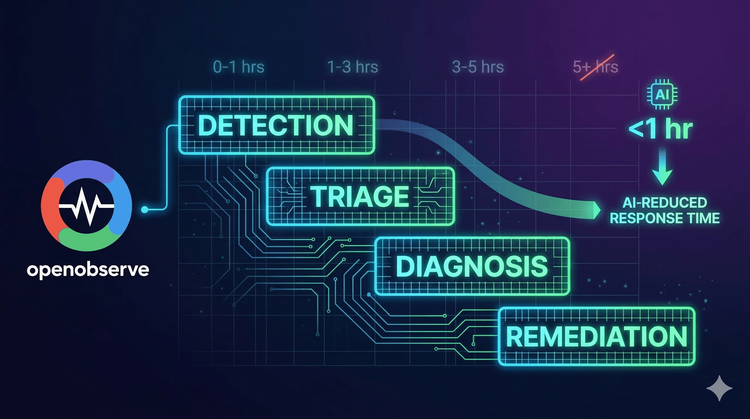
The SRE toolchain in 2026 is not a solved problem it's a strategic decision that directly affects your team's reliability, velocity, and observability costs. The overarching trend is consolidation: teams that once ran eight separate tools are realizing that cross-signal correlation, unified alerting, and a single query language dramatically reduce MTTR and operational burden.
OpenObserve represents this consolidation philosophy most directly replacing the Prometheus + Loki + Tempo + Grafana complexity with a single, cost-efficient platform that handles every signal without sampling or storage compromise.
Regardless of which tools you choose, the fundamentals remain constant:
Start here: Enterprise Observability Strategy: Efficient Logging at Scale building an observability strategy around critical principles like cost control, standardized collection, and unified insights.
AI-powered SRE: Top 10 AIOps Platforms 2026 how AI is changing incident response and root cause analysis in 2026.

Passionate about observability, AI systems, and cloud-native tools. All in on DevOps and improving the developer experience.