Try OpenObserve Cloud today for more efficient and performant observability.
Table of Contents
Introduction
As large language models (LLMs) move from experimental prototypes into business-critical production systems, monitoring them has become one of the most important and most overlooked responsibilities of AI and ML engineering teams. Unlike traditional software, LLMs are non-deterministic, expensive to run, and prone to subtle failures that standard application monitoring tools simply cannot catch.
This guide covers the most important LLM monitoring best practices for teams running models in production whether you're using OpenAI, Anthropic Claude, Google Gemini, or self-hosted open-source models like Llama or Mistral.
What Is LLM Monitoring?
LLM monitoring refers to the continuous observation, measurement, and analysis of large language model behavior in production environments. It encompasses tracking model outputs, latency, cost, safety, and downstream business impact in real time and over time.
Why LLM Monitoring Is Different from Traditional ML Monitoring
Traditional ML monitoring focuses on structured inputs and measurable predictions, think tabular models where you can track data drift and prediction accuracy against a ground truth label. LLMs operate in an entirely different paradigm:
Outputs are unstructured text quality is subjective and context-dependent.
Ground truth is often unavailable you rarely know the "correct" answer in real time.
Failures are subtle a model can sound confident while being completely wrong (hallucination).
Costs are dynamic token usage varies per request and can spike unexpectedly.
Safety risks are real models can be manipulated into generating harmful content.
These differences demand a dedicated LLM observability strategy.
The foundation of any LLM monitoring strategy is deciding what to measure. Core metrics fall into four categories:
Performance Metrics
Latency (Time to First Token / Total Response Time): Slow responses degrade user experience. Monitor P50, P90, and P99 latency values separately.
Throughput: Requests processed per second. Critical for capacity planning.
Token Usage: Both input and output tokens per request. Directly tied to cost.
Error Rate: Rate of API failures, timeouts, and content filter blocks.
Quality Metrics
Hallucination Rate: How often the model fabricates facts or citations.
Answer Relevance: Whether the response actually addresses the user's question.
Faithfulness: For RAG systems, whether responses are grounded in retrieved context.
Task Completion Rate: Whether the model successfully completed the intended task.
Safety & Policy Metrics
Toxicity Rate: Detection of harmful, offensive, or inappropriate content.
Prompt Injection Attempts: Frequency of adversarial user inputs.
Policy Violation Rate: Outputs that breach your application's usage guidelines.
Business Metrics
User Satisfaction (CSAT / thumbs up/down): Direct user feedback on output quality.
Conversion Rate: Whether LLM-assisted interactions lead to desired outcomes.
Cost per Interaction: Total model spend divided by number of interactions.
2. Log Every Request and Response
This might sound obvious, but many teams skip comprehensive logging to save storage costs a decision they almost always regret. Every LLM interaction should be logged with:
Full prompt (including system prompt and conversation history)
Full model response
Model name and version
Timestamp and request ID
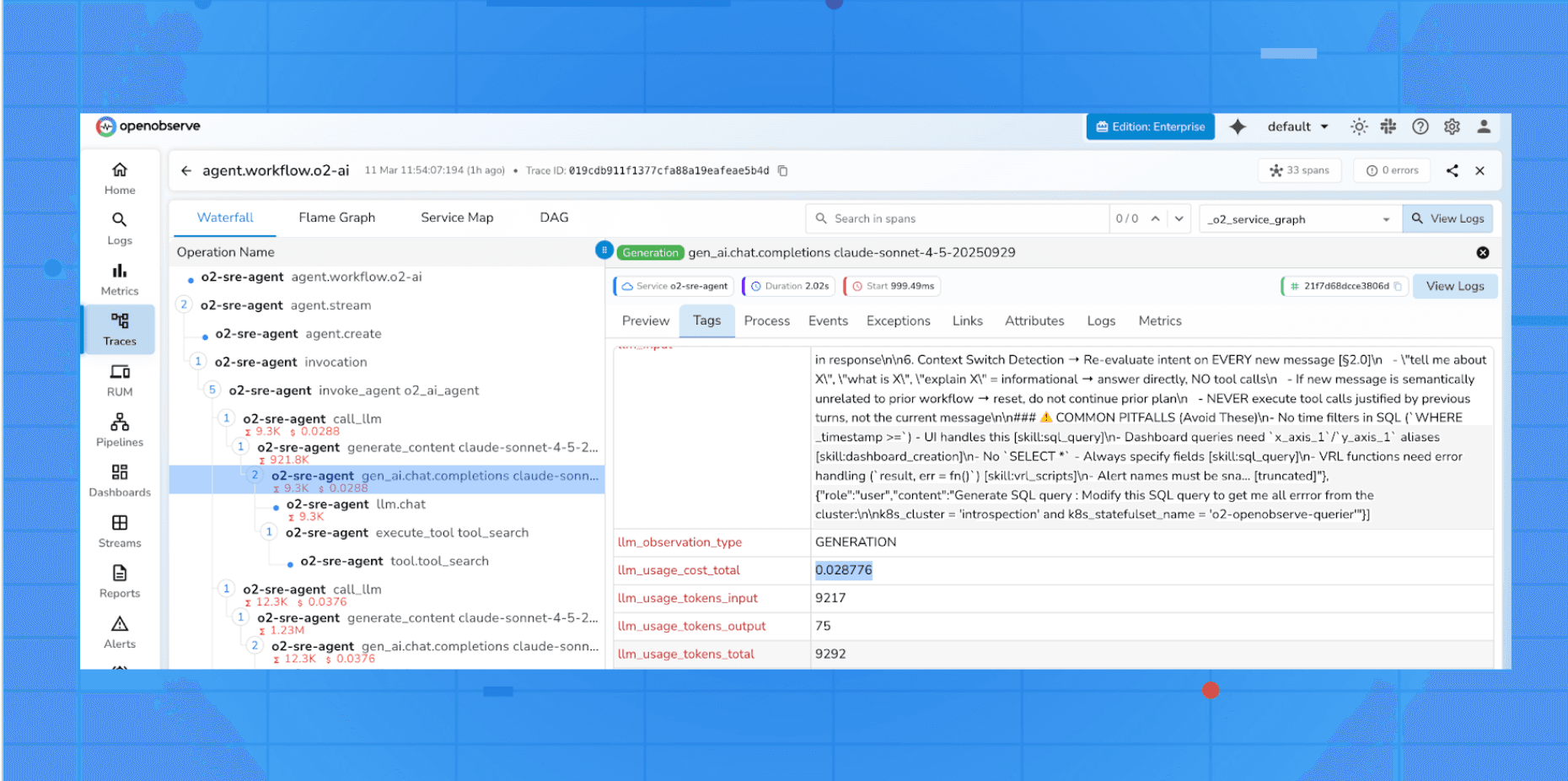
Latency and token counts
User ID or session ID (anonymized where required)
Any metadata: feature flags, A/B test variant, RAG retrieval sources
Best Practice: Use a structured logging format (JSON) that makes it easy to query and analyze at scale. Tools like LangSmith, Helicone, Langfuse, and Arize AI are built specifically for this purpose.
Privacy Note: Ensure your logging pipeline complies with GDPR, CCPA, and any other applicable data regulations. PII in prompts should be masked or redacted before storage.
3. Implement Real-Time Alerting
Logging is retrospective. Alerting is proactive. Set up real-time alerts for:
Latency spikes above your SLA threshold
Error rates crossing 1–2% in a rolling window
Cost anomalies sudden increases in token usage
Toxic or unsafe content being returned to users
Hallucination detection triggers from your evaluation layer
Model downtime from your LLM provider
Use alert thresholds appropriate for your traffic volume high-traffic applications need tighter windows; low-traffic applications may need longer aggregation periods to detect patterns.
4. Evaluate Output Quality Continuously
Unlike traditional software, you can't unit-test your way to quality assurance in LLMs. You need an ongoing evaluation strategy:
Human Evaluation
Establish a team or process for periodic manual review of sampled outputs.
Use annotation tools to label responses as correct, incorrect, harmful, or off-topic.
Focus human review on edge cases, flagged outputs, and new feature areas.
Automated LLM-as-a-Judge Evaluation
Use a separate LLM (often a more capable model) to score outputs on dimensions like accuracy, relevance, tone, and safety.
Define clear rubrics for the judge model to follow.
Validate your judge model's scores against human labels regularly.
Reference-Based Evaluation
For tasks with expected outputs (e.g., summarization, translation, classification), use metrics like ROUGE, BLEU, or embedding similarity.
Build regression test suites from high-value past examples.
Thumbs Up / Thumbs Down Signals
Embed lightweight user feedback directly into your UI.
Aggregate signal over time to detect quality trends.
5. Monitor for Hallucinations Specifically
Hallucinations are among the most dangerous failure modes of LLMs and the hardest to detect automatically. A dedicated hallucination monitoring strategy should include:
Retrieval Grounding Checks (for RAG): Verify that the model's response is entailed by the retrieved documents. Tools like TruLens or Ragas can automate this.
Fact Extraction + Verification: Extract factual claims from responses and cross-check them against a knowledge base or search index.
Uncertainty Signals: Monitor for high-confidence outputs in domains where your model is known to underperform.
User Correction Signals: Track when users follow up with corrections like "that's wrong" or "actually…"
Best Practice: Establish a hallucination rate baseline within your first few weeks in production. Even if you can't eliminate hallucinations, knowing your baseline allows you to detect regressions immediately.
6. Implement Cost Monitoring and Governance
LLM APIs are charged by token and costs can spiral out of control quickly. Treat cost as a first-class monitoring concern:
Set per-user, per-tenant, and per-feature budgets with hard limits and soft alerts.
Track cost per conversation and cost per successful task completion.
Monitor prompt length trends prompt bloat is a common driver of cost overruns.
A/B test cheaper models for tasks where quality requirements allow it.
Cache common responses to reduce redundant API calls (especially for FAQ-style interactions).
7. Monitor Prompt and Response Drift
LLMs are sensitive to subtle changes in their inputs. Over time, the distribution of real-world prompts shifts users ask different questions, use new terminology, or encounter new edge cases. Monitor for:
Prompt distribution drift: Changes in average prompt length, vocabulary, or topic distribution.
Output distribution drift: Changes in response length, sentiment, or style over time.
Semantic drift: Use embedding-based clustering to identify emerging prompt clusters your system may not handle well.
Drift monitoring is especially critical after model upgrades, prompt changes, or major product launches.
8. Track Safety and Guardrail Performance
If your application has safety guardrails (content filters, topic restrictions, rate limits), monitor them as carefully as you monitor the model itself:
Block Rate: What percentage of requests are being blocked by guardrails?
False Positive Rate: Are legitimate requests being incorrectly blocked?
Bypass Attempts: Are adversarial users succeeding in bypassing your defenses?
Guardrail Latency: Are your safety checks adding unacceptable latency to the response pipeline?
Treat your safety layer as a component that needs its own quality metrics and SLAs.
9. Version and Track Everything
Reproducibility is non-negotiable in production AI. You should be able to reproduce any output your system ever generated. This requires versioning:
Prompt templates every change to system prompts or few-shot examples
Evaluation rubrics the exact criteria used to score outputs
Application code tied to your CI/CD pipeline
Use a tool like MLflow, Weights & Biases, or a purpose-built LLM ops platform to manage this. When a quality regression is detected, you need to be able to trace it back to a specific change.
10. Establish SLAs and Ownership
Monitoring without accountability is just dashboards. Make sure you have:
Defined SLAs for latency, availability, and quality agreed upon with stakeholders.
On-call rotation for critical LLM-powered features.
Runbooks for common incidents (latency spike, hallucination outbreak, cost overrun).
Clear ownership for each metric who acts when an alert fires?
This organizational scaffolding is what separates teams that catch issues in minutes from those that learn about them from angry customers.
Common LLM Monitoring Mistakes to Avoid
Monitoring only infrastructure, not outputs Knowing your API is "up" tells you almost nothing about whether it's working well.
Relying solely on user feedback Most dissatisfied users don't provide feedback; they just leave.
Ignoring prompt versioning Undocumented prompt changes make root cause analysis nearly impossible.
Setting alerts but no runbooks Alerts without clear response procedures create alert fatigue.
Assuming eval scores are ground truth LLM-as-judge systems have their own biases and failure modes.
Skipping baseline measurement Without a baseline, you can't tell whether things are getting better or worse.
Building an LLM Monitoring Roadmap
If you're starting from zero, here's a practical phased approach:
Phase 1 Foundation (Week 1–2)
Set up structured logging for all requests/responses
Integrate a basic LLM observability tool
Define and instrument your core performance metrics
Phase 2 Quality & Safety (Week 3–6)
Build your first automated evaluation pipeline
Implement safety monitoring and guardrail tracking
Set up cost alerts and budgets
Phase 3 Advanced Observability (Month 2–3)
Add hallucination detection for your specific use case
Implement prompt/output drift monitoring
Build an LLM-as-judge evaluation layer with human validation
Phase 4 Operationalization (Month 3+)
Define SLAs and assign ownership
Build runbooks for common incidents
Establish a regular model and prompt review cadence
LLM monitoring is not a feature, it's a foundation. Teams that invest in observability from the start ship faster, catch regressions earlier, and build user trust more reliably than those who treat monitoring as an afterthought.
The best LLM monitoring strategy is one that gives you full visibility into what your model is doing, fast alerting when something goes wrong, and clear accountability for fixing it.
Start with logging and latency. Add quality evals. Layer in safety and drift monitoring as your system matures. The goal isn't to monitor everything at once it's to always know what's happening and why.
Frequently Asked Questions
About the Author
Simran Kumari
Passionate about observability, AI systems, and cloud-native tools.
All in on DevOps and improving the developer experience.