The On-Call Runbook Template That Actually Helps at 3AM




Ready to get started?
Try OpenObserve Cloud today for more efficient and performant observability.
Most runbooks fail the moment they're needed. They say things like "check the dashboard" or "look at the logs" - which is useless when you're half-asleep, the alert description says nothing useful, and you have five minutes before the incident escalates.
A good runbook tells you: what to check first, what the blast radius looks like, how to communicate status, and when to escalate. A bad one was written by someone who never used it under pressure.
This post gives you a practical on-call runbook template built for SREs and on-call engineers who actually get paged. It includes a 5-phase response framework, a first-5-minutes checklist, and a new approach: using AI to query your production data in natural language while on call.
TL;DR
- Problem: Most runbooks are vague checklists written by people who never get paged
- Solution: A structured on-call runbook template with a 5-phase framework and first-5-minutes checklist
- New capability: OpenObserve MCP server lets you query production telemetry in natural language during incidents
- Outcome: Faster incident response, fewer escalations, and runbooks that actually help at 3AM
1. Why Most Runbooks Fail at 3AM
A runbook only gets triggered because an alert fired, and that alert should be tied to an SLO and error budget in the first place, not an arbitrary threshold. Let's be honest about what a typical runbook looks like in production:
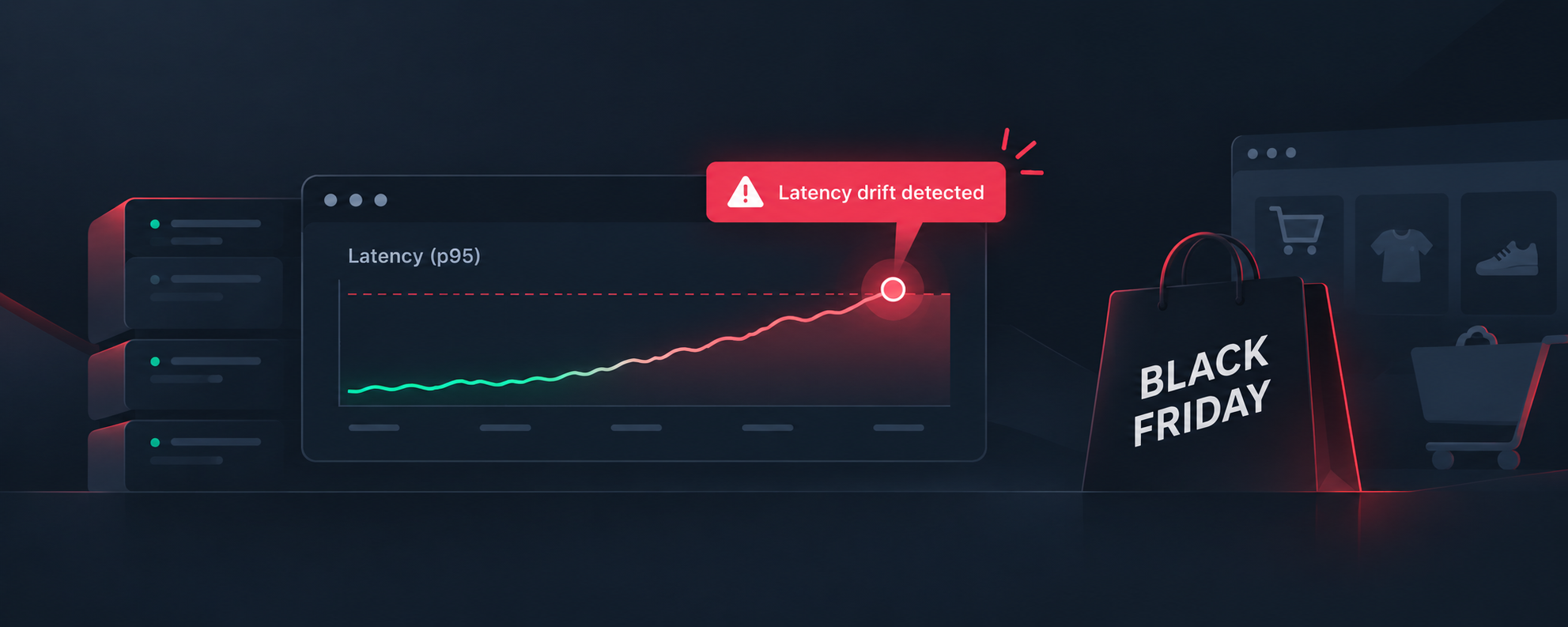
Alert: High latency on checkout service
1. Check the dashboard
2. Look at the logs for errors
3. If no errors found, escalate to infra team
This runbook has three problems. First, it assumes you know which dashboard to check - when the dashboard URL was changed three months ago and nobody updated the link. Second, "look at the logs" means writing a SQL or PromQL query from scratch while someone is paging you asking for an update. Third, it escalates responsibility without telling you how to rule out the obvious causes first.
The root issue: most runbooks are written during calm business hours by someone who knows the system well. They're never tested under actual incident conditions. And they're never updated after the incident is resolved.
What a 3AM-ready runbook looks like instead:
- The exact dashboard URL - pre-filtered for this service and the last 30 minutes
- The exact query to run - copy-paste ready, not "write a query to find errors"
- The blast radius question answered: "If this is failing, these three downstream services are also affected"
- The communication template: a Slack message you can send in 10 seconds, not a paragraph you have to compose
In short: runbooks should be written as if the reader is tired, stressed, and has never seen this alert before. Because at 3AM, that's exactly who the reader is. If you're evaluating the broader toolchain, our roundup of SRE tools covers what else belongs in your on-call stack.
2. The 5-Phase On-Call Response Framework
Every runbook should follow a consistent structure. Here's the framework we've tested across hundreds of incidents - it works whether you're responding to a latency spike, a spike in 500s, or a complete outage.
Phase 1: Understand the Alert
Before you touch anything, answer these questions:
- What fired? - The alert name and the specific condition that triggered it
- What does it mean? - In plain English. "p95 latency > 500ms for 5 minutes on checkout" means "users are waiting more than half a second on the payment flow and it's been happening for five minutes straight"
- What's at risk? - Is this a revenue-critical path? A customer-facing feature? An internal dashboard? Severity isn't always the same as the alert level
Phase 2: Assess Impact
Now determine who is affected and whether it's getting worse:
- Who is affected? - All users? One region? One customer?
- How many users? - Check request volume and error counts
- Is it growing? - Is the error rate flat, rising, or spiking?
- Is this a new incident or a continuation of something from earlier?
Phase 3: Correlate Telemetry
This is where most runbooks break down because they assume you know exactly what to query. Good runbooks pre-populate this:
- Check logs for the affected service in the last 30 minutes
- Check traces for high-latency spans correlated with the alert time window
- Check the deployment log - was anything pushed in the last 2 hours?
- Check dependent services - is the database showing connection spikes? Is Redis evicting keys?
With the OpenObserve MCP server, you can skip writing these queries from scratch. More on this in section 4. For a deeper dive into correlating signals across services during incidents, see our guide on incident correlation.
Phase 4: Mitigate
The goal is to stop the bleeding, not to fully understand the root cause:
- Can you roll back the last deployment?
- Can you reroute traffic away from a failing region?
- Can you scale up the struggling service?
- Do you need to fail over to a read replica?
Document the three most common fixes for this service directly in the runbook. If the fix is "restart the service," write the exact kubectl command.
Phase 5: Communicate
Bad communication makes incidents worse. Good communication buys you time to fix the problem:
- First 5 minutes: Acknowledge the incident in the on-call channel
- Every 30 minutes: Status update - what you know, what you're investigating, what's next
- On resolution: What happened, what you did, what the follow-up is
Include actual message templates in the runbook. When you're responding to an incident, you shouldn't be composing Slack messages from scratch.
3. The "First 5 Minutes" Checklist
The first five minutes of an incident determine the next five hours. This checklist belongs at the very top of every runbook, above even the alert description. It should take less than a minute to read and the remaining four minutes to act on.
First 5 Minutes Checklist:
Acknowledge the alert - Click "acknowledge" in your alerting platform. If you need two minutes before you can investigate, say so in the on-call channel. Silence is worse than "I'm looking into it."
Check recent deployments - Look at the deployment log for the last 2 hours. Roughly 60-70% of incidents are triggered by a recent change. If something was deployed, flag it immediately.
Check correlated telemetry - Is the error rate rising or flat? Is latency spiking or stable? A flat error rate at 2% is a slow-burn issue; a spiking error rate at 20% and climbing is an active outage. The response is different.
Determine blast radius - One region? One service? One customer? The answer changes your communication: "Checkout is degraded in us-east-1" is very different from "checkout is completely down."
Decide: rollback vs. investigate - If something was deployed in the last 2 hours and the error started right after, roll back first, investigate after. Don't debug in production while users are impacted. If nothing was deployed, start the investigation workflow.
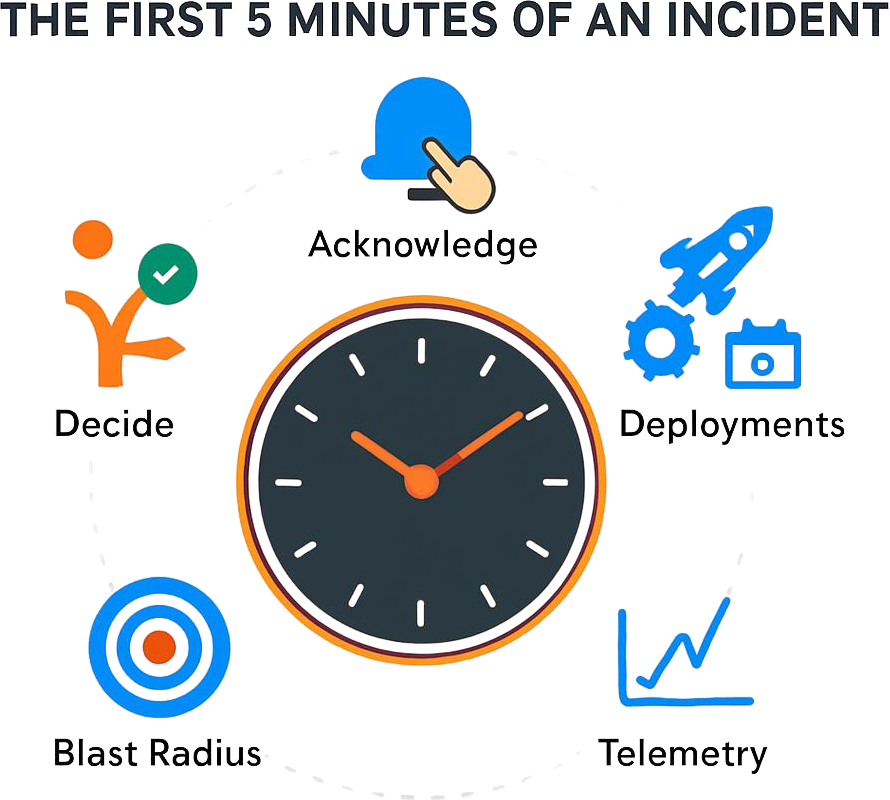
This checklist should be printed large enough that you can read it without your glasses at 3AM. It should be the first thing an on-call engineer sees when an alert fires - not buried in a wiki five clicks deep.
4. How AI Changes the 3AM Workflow
Here's the new capability that changes how runbooks work.
With the OpenObserve MCP server, you can connect Claude Code or Cursor directly to your production observability data. Instead of writing PromQL or SQL at 3AM with one eye open, you ask questions in plain English:
"What errors have spiked in the last 30 minutes?"
"Show me recent deployments correlated with error rate increases."
"Find traces for failed checkout requests and show me which downstream service is failing."
The AI doesn't replace your judgment. You still decide whether to roll back, who to escalate to, and what to communicate. But instead of starting from scratch - figuring out the right query, looking up the stream name, waiting for results, reformulating - you start from page 5 of the investigation.
Here's what that looks like in practice. Let's say the cart service is throwing errors at 2AM. In a traditional workflow, you'd:
- Open the logs view
- Remember or look up the correct stream name
- Write a SQL query to filter for errors in the cart service
- Run it, realize the time window is wrong, adjust it
- Switch to traces, repeat the process
- Manually correlate what you find
With the MCP server connected, you type:
"otel-demo app cart is throwing errors. find the root cause."
The assistant searches across logs and traces simultaneously. It looks for errors in the last six hours, finds none, and automatically widens the search window. It identifies the pattern - cart service failing on database writes under load - and shows you the exact traces, the error distribution, and the failing downstream call.
You can also ask it to lock in the fix:
"alert me if cart error rate crosses 10 errors in 5 minutes."
Or build a dashboard so the team can track the issue:
"create a dashboard for my nginx logs showing request rate, latency percentiles, and 4xx vs 5xx errors."
This doesn't just speed up the investigation. It means your runbooks can now include prompts to ask the AI assistant, alongside the traditional checklist items. That's the bridge between the old way and the new way.
5. The Downloadable Runbook Template
Here's the actual template. Copy it, adapt it for your services, and make sure your on-call team can access it - ideally linked directly from your alert descriptions.
On-Call Runbook Template
Service Name: [service-name]
Alert Quick Reference
| Alert Name | What It Means | Severity | Runbook Link |
|---|---|---|---|
[alert-name] |
[Plain English: "p95 latency > 500ms = users waiting"] | Critical/High | This doc |
First 5 Minutes Checklist
- Acknowledge the alert in [alerting platform]
- Post to [#on-call channel]: "Acknowledged [alert name]. Investigating."
- Check [Deployment Log] - anything deployed in last 2 hours?
- Check [Dashboard URL] - is the error rate rising or flat?
- Determine blast radius: one region? one service? one customer?
- Decide: rollback (if recent deploy) or investigate (if no deploy)
Blast Radius Assessment
- Affected service(s):
[service-name]+[dependent-service-1],[dependent-service-2] - User impact: [e.g., "Checkout flow unavailable for all users" or "Admin dashboard slow for EU customers"]
- Downstream dependencies: [List databases, caches, message queues this service depends on]
Telemetry Links
| Resource | Link |
|---|---|
| Service Dashboard | [Pre-filtered dashboard URL] |
| Log Stream | [Direct link to log stream for this service] |
| Trace Search | [Direct link to trace search, filtered] |
| Deployment Log | [Link to recent deployments] |
| Kubernetes Dashboard | [Link to pod health for this namespace] |
MCP Query Shortcuts
If you have the OpenObserve MCP server connected, start with these prompts:
"What errors have spiked in [service-name] in the last 30 minutes?"
"Show me traces for failed [service-name] requests and find the failing downstream call."
"Has anything been deployed in the last 2 hours? Check deployment logs."
"Create an alert if [service-name] error rate crosses [threshold] in [window]."
Escalation Path
| Order | Who | When to Escalate | Contact |
|---|---|---|---|
| 1st | Primary on-call | - | [Slack/Phone] |
| 2nd | Service owner | If no root cause identified in 15 min | [Slack/Phone] |
| 3rd | Infra lead | If related to DB, network, or infra | [Slack/Phone] |
| 4th | Engineering manager | If blast radius is company-wide or after 30 min | [Slack/Phone] |
Mitigation Playbook
Most common fix (try first):
[Exact command or procedure - e.g., "kubectl rollout restart deployment/cartservice -n prod"]
Second most common fix:
[Exact command or procedure - e.g., "Roll back to previous deployment: kubectl rollout undo deployment/cartservice"]
Third most common fix:
[Exact command or procedure - e.g., "Scale up: kubectl scale deployment/cartservice --replicas=6"]
Communication Templates
Initial acknowledgment (Slack - post within 2 min):
Acknowledged: [alert name] fired for [service]. Investigating now. Will update in 30 min or sooner if I find the root cause.
Status update (Slack - every 30 min):
Update on [alert name]:
- What we know: [2-3 bullet points]
- What we're investigating: [1-2 things]
- Current impact: [users affected, regions affected]
- Next update: [time]
Resolution (Slack and email):
Resolved: [alert name] for [service] at [time].
- Root cause: [1 sentence]
- What fixed it: [1 sentence]
- Follow-up: Postmortem scheduled for [date/time]. Link: [postmortem doc]
Postmortem Trigger Criteria
A postmortem should be triggered if:
- Service was down or degraded for > 30 minutes
- Incident required escalation beyond primary on-call
- Root cause was a new or unexpected failure mode
- Customer-facing impact was visible to end users
- A rollback was performed in production
6. Making Your Runbooks Self-Updating
The sustainability problem: runbooks rot. A runbook written six months ago references dashboards that no longer exist, escalation contacts who left the team, and mitigation steps that don't apply to the new architecture.
The fix is simple but requires discipline: add a runbook review step to every postmortem.
Whoever was on call during the incident updates the runbook with what was actually useful and what was missing. This takes five minutes at the end of a postmortem and prevents the runbook from becoming a historical artifact. Link these two documents together - every runbook should link to its most recent postmortem, and every postmortem template should include a "Was the runbook useful? What should we update?" section.
Runbook documentation never feels urgent until the next incident. Tying it to the postmortem process makes it part of closing the loop rather than a separate, easily deprioritized task.
Start Building AI-Assisted Runbooks Today
The on-call experience doesn't have to be terrible. A good runbook gets you from "what is happening" to "I know what to do" in under five minutes. And with the OpenObserve MCP server, you can query your production data in natural language during the investigation - so you spend less time writing queries and more time fixing the problem.
Take the Next Step
New to OpenObserve? Register for our Getting Started Workshop for a quick walkthrough.
- Download OpenObserve for self-hosting
- Sign up for OpenObserve Cloud - 14-day free trial, no credit card required
Frequently Asked Questions
About the Author
Manas Sharma


Manas is a passionate Dev and Cloud Advocate with a strong focus on cloud-native technologies, including observability, cloud, kubernetes, and opensource. building bridges between tech and community.
Follow OpenObserve on Google
Add OpenObserve as a preferred source to see more of our articles in Google Search and Top Stories.