What Is BYOC (Bring Your Own Cloud) in Observability?




Ready to get started?
Try OpenObserve Cloud today for more efficient and performant observability.
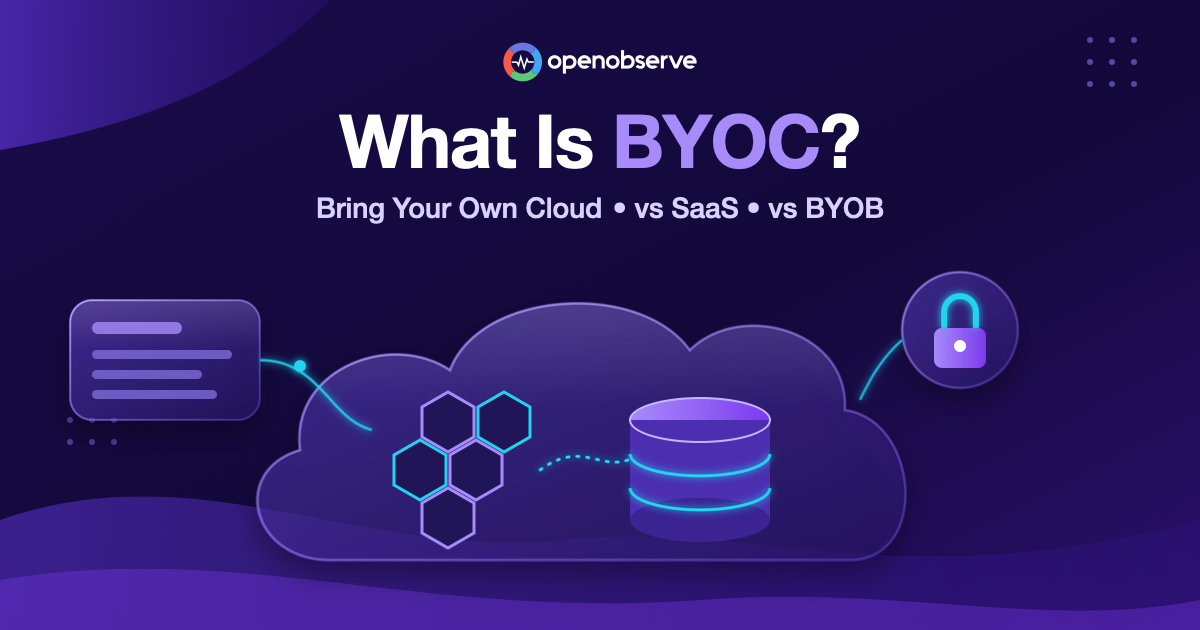
BYOC (bring your own cloud) is a deployment model where a vendor's software runs inside the customer's own cloud account while the vendor operates it. In observability, it means your logs, metrics, and traces stay in your AWS, Google Cloud, or Azure account, and you don't run the platform yourself.
TL;DR
- BYOC means the vendor's platform runs in your cloud account and the vendor operates it, so data stays with you without your team running the software.
- BYOC sits between SaaS, which runs in the vendor's account, and self-hosted, which runs in your account with your team on call.
- BYOB (bring your own bucket) is a lighter way to keep data in your account, because the platform stays managed and only the storage is yours.
- Most BYOC requirements are really about where data is stored, which BYOB or self-hosting meets with less infrastructure and narrower vendor access.
- OpenObserve keeps your data in your account two ways: self-hosted on your own object storage, or OpenObserve Cloud with Bring Your Own Bucket.
What is BYOC (bring your own cloud)?
BYOC is one of several ways to deploy a vendor's software, and the term is used well beyond observability: databases, streaming platforms, and data warehouses are also sold this way. What they share is a split between who owns the infrastructure and who operates the software.
What does BYOC mean in observability?
An observability platform has two parts: the software that ingests, stores, and queries telemetry, and the storage where telemetry lives. Deployment models differ in whose account each part runs in, and who operates it.
In a BYOC deployment, the vendor installs the platform into infrastructure in your cloud account, usually a Kubernetes cluster and object storage, and manages it through access you grant. Telemetry never leaves your account for storage, and your cloud provider bills you for the compute and storage it uses. The vendor charges separately for the software and its operation.
Why telemetry makes BYOC a common ask
Logs and traces often carry more sensitive data than teams expect: user IDs, IP addresses, request payloads, and occasionally secrets that slipped past redaction. That makes observability one of the first places a security or compliance team asks where data is stored. Our log management guide covers how to keep sensitive fields out of logs in the first place.
How does BYOC work?
A BYOC deployment splits the platform into two planes and connects them with access you grant. The details vary by vendor, but the pattern is consistent.
Data plane and control plane
The data plane (ingestion, storage, and query) runs in your cloud account, so telemetry stays there. The control plane (deployment automation, upgrades, monitoring of the platform itself, and often billing and licensing) stays with the vendor. The vendor's control plane reaches into your account to install and operate the data plane.
The access model
To operate the data plane, the vendor needs cross-account access: typically an IAM role or service principal with permissions to create and manage compute, networking, and storage in a dedicated account or project. Your security team reviews those permissions up front and monitors their use afterwards, usually through your cloud provider's audit logs.
Billing in a BYOC deployment
You receive two bills: your cloud provider charges for the compute, storage, and network the platform uses, and the vendor charges for the software and its operation. Existing cloud discounts and commitments apply to the first bill.
BYOC vs SaaS vs self-hosted vs BYOB
There are four common models. The difference comes down to where the software runs, where data is stored, and who is on call when the platform has a problem:.
| SaaS. | BYOC. | BYOB. | Self-hosted. | |
|---|---|---|---|---|
| Software runs in. | Vendor's account. | Your account. | Vendor's account. | Your account or data center. |
| Data stored in. | Vendor's storage. | Your account. | Your bucket. | Your storage. |
| Operated by. | Vendor. | Vendor, through access you grant. | Vendor. | Your team. |
| You pay. | Vendor fee. | Cloud bill plus vendor fee. | Vendor fee plus your storage bill. | Cloud bill (plus license, if any). |
| Access the vendor needs to your account. | None. | Broad: compute, network, storage. | Scoped to one bucket. | None. |
BYOC vs SaaS
SaaS is the simplest model: nothing runs in your account and the vendor handles everything. BYOC adds data residency in your account at the cost of a second bill and broad vendor access. If no rule requires data to stay in your account, SaaS is usually the better choice. Our top observability platforms roundup notes which vendors are SaaS only and which can also be self-hosted.
BYOC vs self-hosted
Both run the software in your environment. The difference is who is on call: with BYOC the vendor operates the platform, and with self-hosting your team does. Self-hosting gives you full control and works in air-gapped or on-premises environments, but it needs engineers who can run a production data system. For a cost and effort comparison at three data volumes, see self-hosted vs SaaS vs BYOC observability.
BYOC vs BYOB
BYOC moves the whole platform into your account. BYOB moves only the storage: the vendor keeps running ingestion and queries as a managed service, and writes data to a bucket you own. Both keep stored telemetry in your account; BYOB does it with one bucket and access scoped to that bucket. The section on when BYOB is enough goes deeper.
What are the benefits of BYOC?
The reasons teams ask for BYOC usually start with a rule about data, not about software. These are the most common ones.
- Data residency. A regulation or customer contract says telemetry must stay in a specific region or account.
- Security review. The security team won't approve sending logs, which can contain personal data, to a third party's storage.
- Cloud commitments. Spending already committed to a cloud provider can absorb the infrastructure cost.
- Data ownership. The organisation wants telemetry to stay usable if it ever changes vendors.
- No platform team required. Unlike self-hosting, the vendor runs upgrades and handles platform incidents.
What are the disadvantages of BYOC?
BYOC solves the data question by moving everything into your account, which brings its own costs and responsibilities.
Two bills and harder cost forecasting
You pay your cloud provider for infrastructure and the vendor for the software and its operation. The infrastructure bill depends on how the vendor sizes the platform in your account, so forecasting total cost means modelling both. Our observability cost optimization tactics apply to either bill.
Broad account access for the vendor
The vendor needs enough access to deploy, upgrade, and troubleshoot the platform in your account, which your security team has to review and monitor. For some organisations, granting a third party write access to compute and networking is a harder approval than sending data to a SaaS.
Shared responsibility during incidents
When something breaks, resolution depends on both your cloud setup and the vendor's response, under the terms of your contract. Capacity, quotas, and network policies in your account become part of the platform's reliability.
Is BYOC more secure than SaaS?
BYOC changes where the risk sits rather than removing it, so the answer depends on which risk your security team is most concerned about.
- Data location: BYOC keeps stored telemetry in your account, under your encryption keys and access policies. This is the main security benefit.
- Vendor access: the vendor's control plane needs permissions in your account. A SaaS vendor needs none, and a BYOB vendor needs access to one bucket.
- Attack surface: BYOC puts more of the vendor's software inside your network boundary, which your team has to track for patches and monitor alongside your own services.
Whichever model you choose, controls such as sensitive data redaction, RBAC, and audit trails matter as much as where the data sits.
BYOC vs BYOB: when is bring your own bucket enough?
Most of the reasons for BYOC are about where the data is stored, not where the software runs. If the requirement is "our telemetry must stay in our account," bring your own bucket meets it with much less in your account: only a storage bucket, and access scoped to that bucket.
How OpenObserve Bring Your Own Bucket works
With OpenObserve Bring Your Own Bucket, OpenObserve Cloud writes your telemetry to your own Amazon S3 bucket, Azure Blob container, or Google Cloud Storage bucket, while OpenObserve runs ingestion, compaction, and queries. The query experience is identical to managed storage. BYOB is available to commercial OpenObserve Cloud customers, and you contact OpenObserve to enable it.
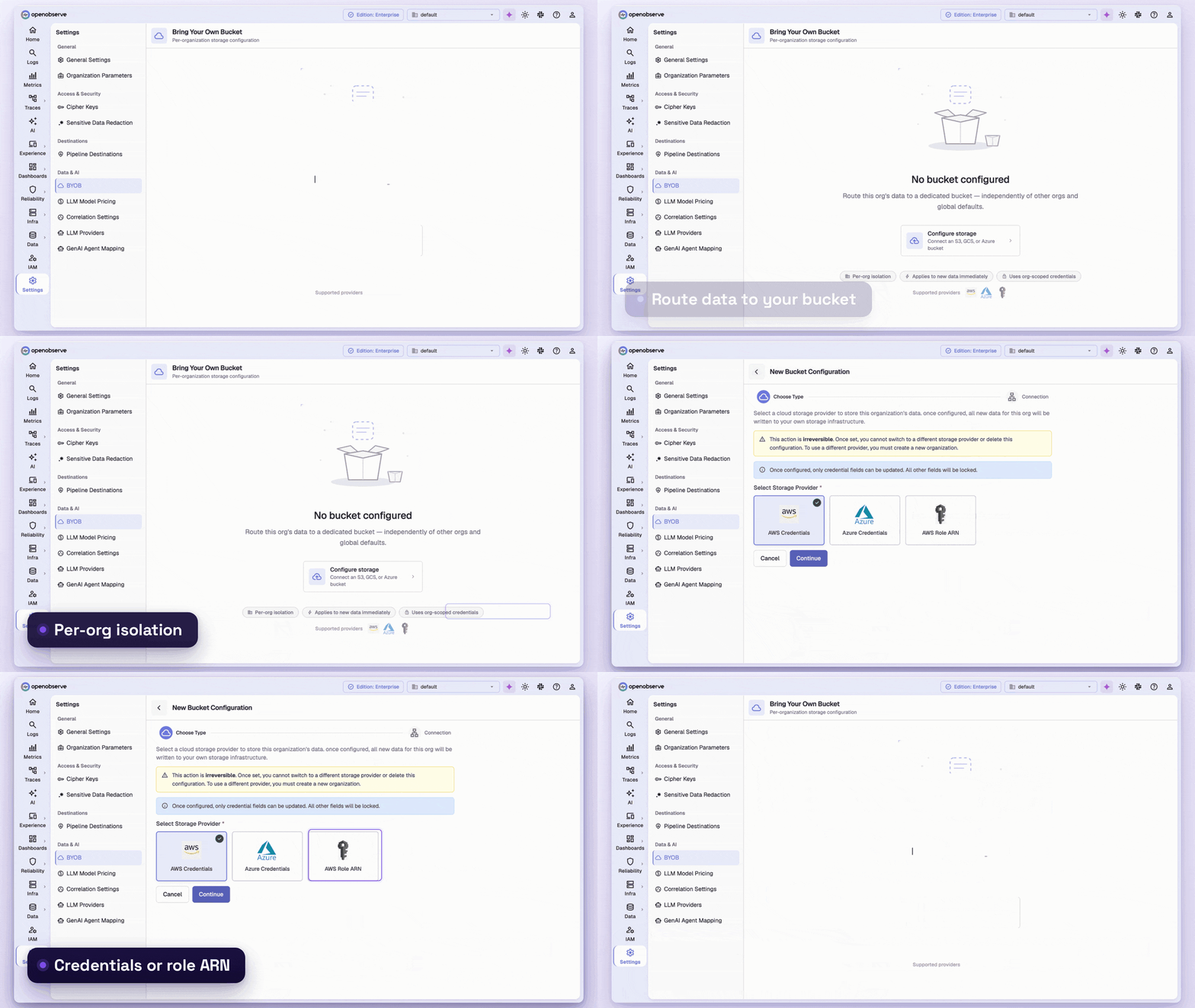
Once enabled, you configure it per organization from the BYOB page in Settings: choose a provider, enter the bucket name and region, and add credentials (for Amazon S3, an access key or a Role ARN with External ID). The same configuration is available through the /api/{org_id}/storage REST API.
BYOB requirements to plan for
- Same region and provider. The bucket must be in the same region and cloud provider as the OpenObserve Cloud deployment it connects to.
- Provider is fixed after setup. You can update the bucket name, region, and credentials later, but switching providers needs OpenObserve support.
- New data only. BYOB applies to data written after the bucket is connected; historical data can be moved as a one-time migration with support.
- Your data stays if you leave. On cancellation, data in your bucket remains in your account.
Because the data is in your bucket, you can apply your own IAM, bucket policies, and KMS keys, use storage rates you already have, and switch platforms later without a data migration project. See how teams automate this in OpenObserve Terraform and BYOB updates.
How to choose between BYOC, BYOB, SaaS, and self-hosted
The fastest way to choose is to work through the requirement from the narrowest option to the broadest. Answer these four questions in order:.
- Does a rule require data to stay in your account? If no, SaaS is the simplest choice.
- Does the rule cover only stored data? If yes, BYOB meets it with the least infrastructure in your account.
- Must the software itself run in your account or on premises, including air-gapped environments? Then you need self-hosted or BYOC.
- Can your team operate a production service? If yes, self-hosting gives you the most control at the lowest cost. If no, look at BYOC or BYOB.
Questions to ask a BYOC vendor
If you do evaluate BYOC, ask each vendor the same questions so the answers are comparable:.
- Which permissions does the control plane need in our account, and can they be scoped to a dedicated account or project?
- What leaves our account: telemetry, metadata, usage metrics, or nothing?
- Who is paged when the platform is down, and what does the SLA cover?
- How are upgrades scheduled, and can we defer them?
- What happens to the infrastructure and data if we end the contract?
How does OpenObserve keep your data in your account?
OpenObserve is an open-source (AGPL-3.0) observability platform that stores telemetry as Parquet files on object storage, which is what makes both of its "data in your account" options straightforward. Here is how each option maps to the requirements above.
Self-hosted OpenObserve
Run OpenObserve as a single binary or on Kubernetes in your own cloud account, data center, or air-gapped network, with data in your own Amazon S3, GCS, Azure Blob, or MinIO storage. The architecture docs cover both modes, and our guide to on-premise Kubernetes monitoring shows a self-hosted setup end to end.
OpenObserve Cloud with BYOB
A managed platform that writes to your own bucket, as described above. OpenObserve operates ingestion and queries, and your telemetry is stored in your account.
OpenObserve Cloud
Fully managed, with regions including EU-Central 1 (Frankfurt) for GDPR data residency, and ingest-based pricing with no per-host or per-user fees.
The same platform in every model
- Telemetry: logs, metrics, and traces with a service graph and service catalog, plus continuous profiles.
- Frontend and synthetics: RUM, session replay, error tracking, and scheduled browser and protocol checks.
- AI: AI Assistant, SRE Agent for AI root cause analysis, an MCP server, LLM observability and evaluations, anomaly detection, log patterns, and insights.
- Alerting and reliability: scheduled, real-time, composite, and anomaly alerts, incident management, and SLOs.
- Dashboards, reports, and data processing: dashboards, scheduled reports, pipelines, VRL functions, enrichment tables, and downsampling.
- Storage and cost: extended retention and ingest-based pricing with no per-host or per-user fees.
- Security and compliance: SSO, RBAC, multi-tenancy, sensitive data redaction, audit trail, cipher keys, federated search, SOC 2 Type II, ISO 27001, and GDPR via the EU region.
- Open standards: OpenTelemetry-native ingestion and PromQL and SQL querying.
Get started with OpenObserve
- Run it in your own account: download OpenObserve and follow the quickstart.
- Try the managed option: start a free trial of OpenObserve Cloud, then ask about Bring Your Own Bucket.
- Related reading: self-hosted vs SaaS vs BYOC observability and the cost of self-hosting observability on ClickHouse.
Frequently Asked Questions
About the Author
Manas Sharma

Manas is a passionate Dev and Cloud Advocate with a strong focus on cloud-native technologies, including observability, cloud, kubernetes, and opensource. building bridges between tech and community.
Follow OpenObserve on Google
Add OpenObserve as a preferred source to see more of our articles in Google Search and Top Stories.