9 Best Sumo Logic Alternatives in 2026: Full Comparison




Ready to get started?
Try OpenObserve Cloud today for more efficient and performant observability.
The best Sumo Logic alternatives in 2026 are OpenObserve, Datadog, Splunk, Elastic Observability, Grafana Cloud, New Relic, Coralogix, Graylog, and OpenSearch. OpenObserve leads the list because it covers logs, metrics, traces, RUM, synthetics, database monitoring, SLOs, and LLM observability in one open source platform with simple per-GB pricing.
Sumo Logic is a mature, cloud-native log analytics and security platform. It is known for fast log search, features like LogReduce and Live Tail, a large catalog of prebuilt apps, and Cloud SIEM. But as log volumes grow, many teams find that credit-based billing, data tiers, and a SaaS-only deployment model no longer fit how they want to run observability.
This guide answers the three questions buyers ask most: which Sumo Logic alternative is best, which open source options exist, and where to find more cost-efficient log analytics.
TL;DR
OpenObserve is the best Sumo Logic alternative in 2026. It unifies every signal your team needs in one platform, stores data on low-cost object storage, and charges a simple rate per GB with no credits or data tiers.
- Best overall Sumo Logic alternative: OpenObserve: logs, metrics, traces, RUM, synthetics, SLOs, and LLM observability in one place
- Best open source alternative: OpenObserve: AGPL-3.0, self-host as a single binary or an HA cluster on Kubernetes
- Best for cost-efficient log analytics: OpenObserve: per-GB pricing, no per-host or per-seat fees, compressed Parquet on object storage
- Best for data residency: OpenObserve: self-host, or bring your own S3 or Azure Blob bucket on OpenObserve Cloud
- Best for AI and LLM workloads: OpenObserve: trace prompts, tool calls, and token cost per span with OpenTelemetry
- Best for easy migration: OpenObserve: native OTLP ingestion plus standard SQL and PromQL instead of a proprietary query language
Why teams look for Sumo Logic alternatives
Sumo Logic does a lot well, but a few recurring pain points push teams to evaluate other platforms.
1. Credit-based billing is hard to forecast
Sumo Logic licenses usage in credits, which are consumed as you activate and use billable features. It does not publish a price per credit or per GB; self-serve credit card purchases are capped at $25,000, and larger deals go through sales. On the Enterprise plan, data can be ingested into Continuous, Frequent, or Infrequent tiers, or billed through Flex pricing, where ingest is listed at $0 and cost depends on how much data your searches scan. Sumo Logic sizes Flex by usage profile: 500 to 750, 750 to 1,500, or 1,500 to 2,000 scans per GB ingested. Dashboards, monitors, and scheduled searches all scan data, so the bill depends on query behavior as much as ingest volume, which is why Sumo Logic offers scan budgets to cap that usage. (Source: Sumo Logic pricing page and scan budgets documentation, October 2026)
2. Data tiers add operational overhead
Deciding which logs belong in which tier is an ongoing task. Data placed in lower-cost tiers has different search behavior and cost, so teams spend time tuning routing rules instead of investigating incidents.
3. A proprietary query language
Sumo Logic uses its own Sumo Query Language, with operators such as parse, timeslice, and LogReduce. It is one more syntax for engineers to learn, and saved searches, dashboards, and alerts written in it do not transfer to another tool.
4. SaaS only
Sumo Logic is a SaaS platform. Teams with strict data residency rules, air-gapped environments, or a preference for keeping telemetry in their own cloud account have no self-hosted option.
5. Limits on lower plans
The Essentials plan caps several signals: metrics at up to 50,000 per day, tracing at up to 5 GB per day, and log retention at up to 365 days, and it allows fewer real-time alerting monitors than Enterprise Suite (300 versus 1,000). Logs are unlimited. (Source: Sumo Logic pricing page, October 2026) Growing teams can hit these limits before they are ready for an Enterprise Suite contract.
What to look for in a Sumo Logic alternative
Use these criteria to compare options:
| Criteria | Why it matters |
|---|---|
| Unified signals | Logs, metrics, traces, and frontend data in one place shorten investigations |
| Predictable pricing | Per-GB pricing is easier to forecast than credits or scan-based billing |
| Storage efficiency | Columnar formats on object storage keep long retention affordable |
| Deployment choice | Self-hosted, cloud, and bring-your-own-bucket options cover compliance needs |
| Open standards | OpenTelemetry ingestion and SQL or PromQL querying reduce lock-in |
| Coverage beyond logs | RUM, synthetics, database monitoring, SLOs, and LLM observability avoid tool sprawl |
The 9 best Sumo Logic alternatives
1. OpenObserve
OpenObserve is an open source (AGPL-3.0) observability platform that brings every signal into one place. It stores data as compressed Parquet on object storage such as S3, GCS, or Azure Blob, and you query it with standard SQL or PromQL. You can run it yourself as a single binary or an HA cluster on Kubernetes, or use the fully managed OpenObserve Cloud.
For teams leaving Sumo Logic, the biggest differences are pricing and coverage. There are no credits and no data tiers: OpenObserve Cloud costs $0.50 per GB ingested on an annual contract or $0.70 per GB pay-as-you-go, plus $0.01 per GB queried, with 15 months of metrics retention and 30 days of logs and traces retention included (Source: OpenObserve pricing, October 2026), and OpenObserve delivers approximately 140x lower storage costs in typical log workloads compared to Elasticsearch-based stacks; actual results vary based on data entropy and cardinality.
What OpenObserve covers:
- Logs: full-text and SQL search, live tail, pipelines with VRL functions for parsing, enrichment, and sensitive data redaction
- Metrics: PromQL and SQL querying, Prometheus remote write, 15 months of included metrics retention on Cloud
- Traces: native OpenTelemetry ingestion, service maps, and correlation with logs and metrics
- Real user monitoring: Core Web Vitals, session replay, error tracking, and product analytics such as funnels and retention cohorts
- Synthetic monitoring: scripted browser journeys plus HTTP, TCP, SSL/TLS, and SSH checks from public locations or private agents
- Database monitoring: query performance and resource usage for MySQL, PostgreSQL, and cloud databases
- SLOs: error budgets and burn-rate alerts so you page on what matters instead of on every error
- LLM observability: trace every prompt, tool call, and agent handoff with token cost per span and online evaluations
- AI observability and AI SRE: evaluate AI quality in production, plus an AI SRE agent that starts investigating the moment an alert fires (Enterprise)
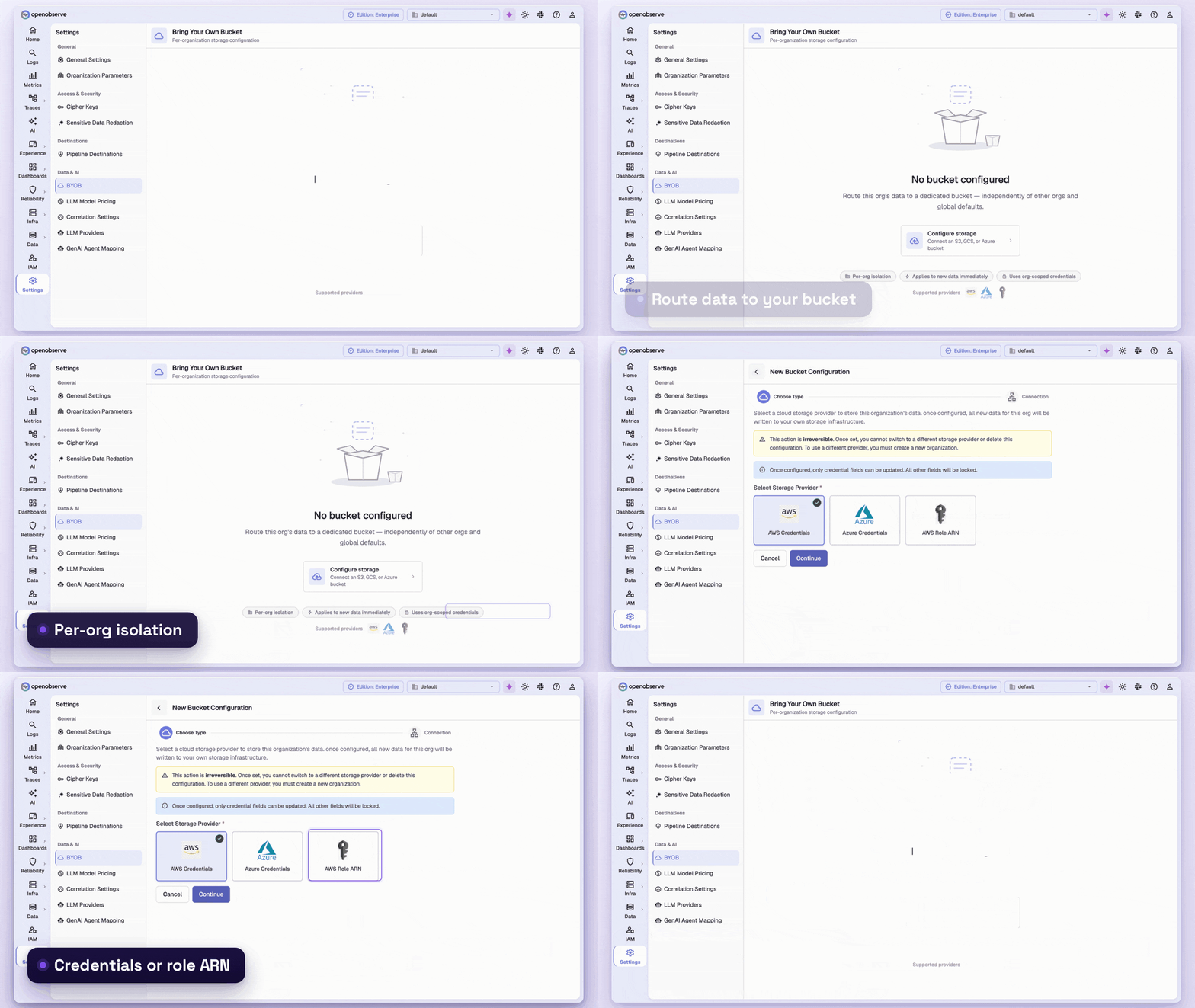
- Bring your own bucket: keep OpenObserve Cloud data in your own S3 bucket or Azure Blob container, in your region and under your access controls
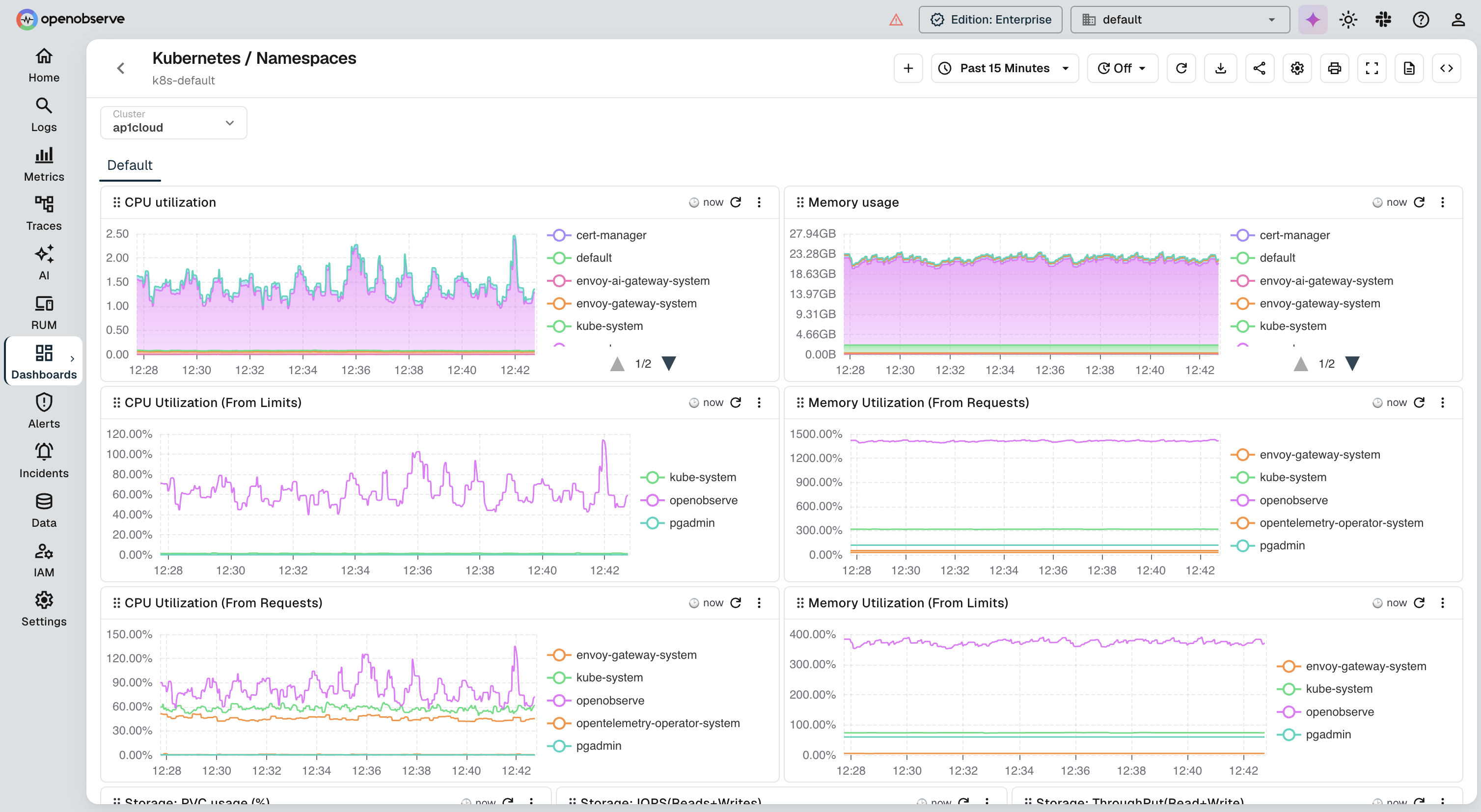
- Kubernetes monitoring: an interactive cluster browser for clusters, nodes, and workloads
OpenObserve pros
- One platform for every signal: logs, metrics, traces, RUM, synthetics, database monitoring, SLOs, and LLM observability share one UI, one query engine, and one storage layer, so an investigation does not jump between tools.
- Predictable per-GB pricing: $0.50 per GB ingested (annual) or $0.70 per GB (pay-as-you-go), plus $0.01 per GB queried, with no per-host, per-seat, or custom metric fees and no credits or data tiers to manage.
- Open source and self-hostable: the AGPL-3.0 core runs as a single binary or an HA cluster on Kubernetes, including air-gapped environments, using the same OpenTelemetry instrumentation as OpenObserve Cloud.
- Open formats on storage you control: data is stored as Apache Parquet on S3, GCS, Azure Blob, or MinIO. On OpenObserve Cloud, bring your own bucket keeps it in your account and region.
- No proprietary query language: SQL for logs and traces and PromQL for metrics. Sumo Query Language patterns such as parse, aggregate, and timeslice map to SQL expressions.
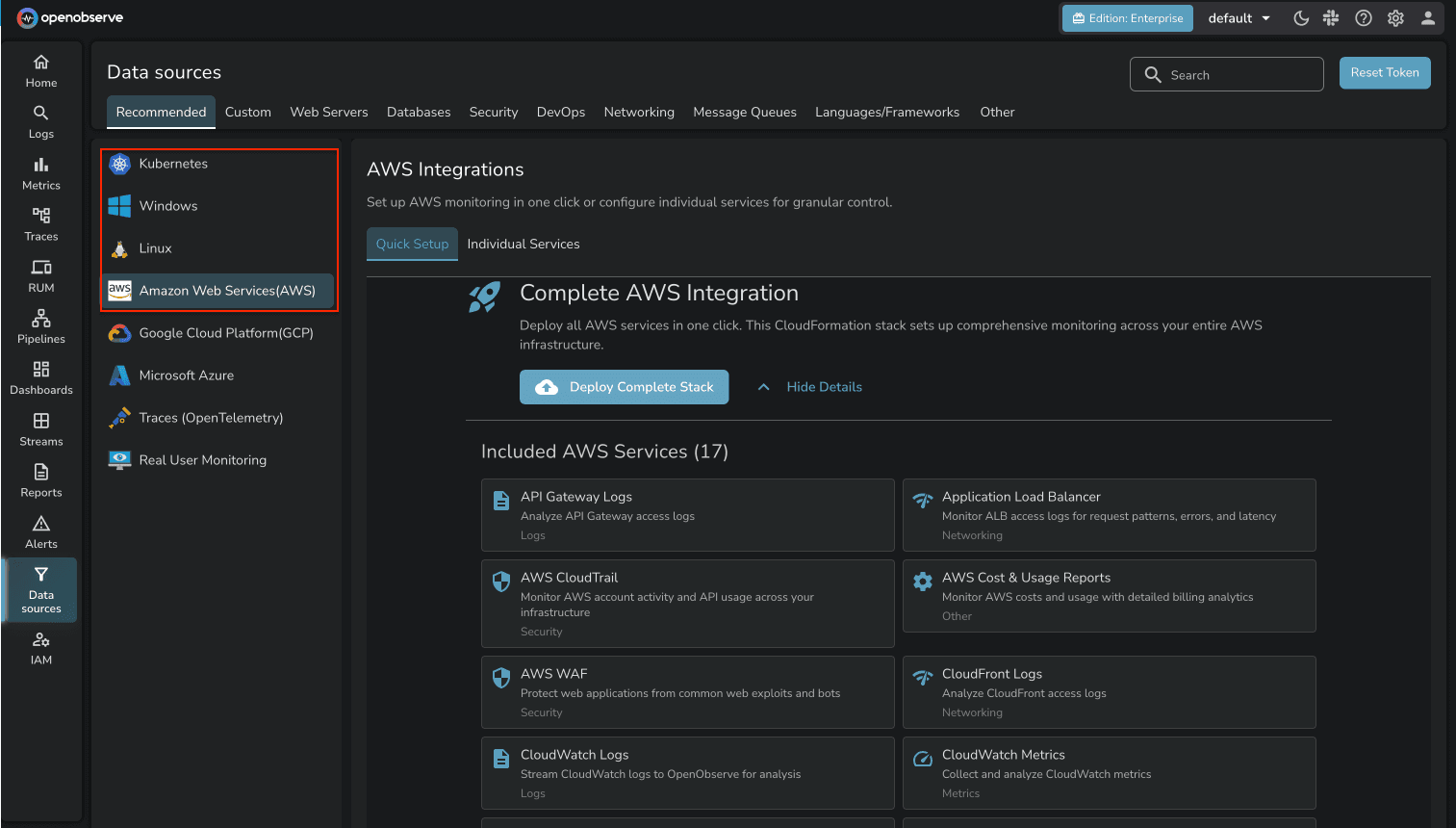
- Plug-and-play ingestion from open protocols and agents: OpenObserve accepts OTLP over HTTP and gRPC, the OpenTelemetry Collector, Fluent Bit, Fluentd, Vector, Filebeat, Logstash, Syslog-ng, Prometheus remote write, and an Elasticsearch-compatible bulk API, plus guided setups for Kubernetes, AWS, GCP, Azure, databases, and web servers. If your agents already speak one of these, you add an OpenObserve endpoint instead of re-instrumenting.
The Data sources page in OpenObserve shows ready-to-copy setup for each agent and integration, grouped by category:
Bring your own bucket is configured per organization under Settings > BYOB:
OpenObserve cons
- Not a dedicated SIEM: teams that rely on Sumo Logic Cloud SIEM rule packs need to rebuild detections as OpenObserve alerts or keep a separate security tool.
- Smaller user community: OpenObserve has a small-to-medium user community compared with long-established vendors such as Sumo Logic, Splunk, and Elastic, so there are fewer third-party tutorials, forum answers, and community-built integrations.
Best for: teams that want to replace Sumo Logic with one platform that is more cost-efficient to run and covers more than logs.
Related: OpenObserve vs Sumo Logic, OpenObserve benchmarks, and OpenObserve vs ClickHouse: one billion logs benchmark.
2. Datadog
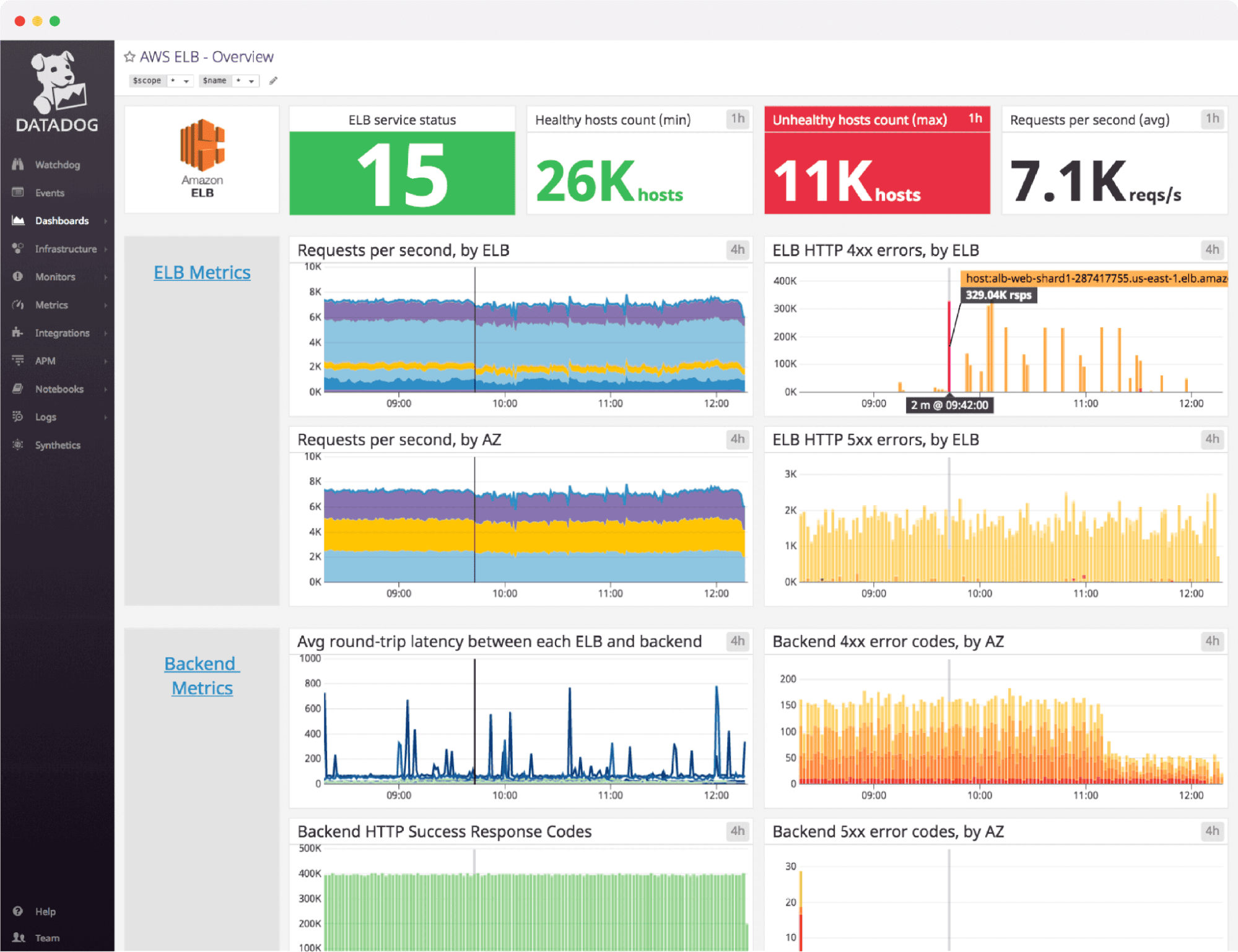
Datadog is a broad SaaS observability platform with infrastructure monitoring, APM, logs, RUM, synthetics, database monitoring, security, and LLM observability. Its integration catalog is one of the largest in the market.
Log Management has two meters: $0.10 per GB ingested, plus $1.70 per million log events indexed with 15-day retention ($2.55 on-demand). Infrastructure Monitoring costs $15 per host per month on Pro or $23 on Enterprise (billed annually), and APM costs $31 per host per month when bundled with Infrastructure Monitoring. (Source: Datadog pricing page, October 2026) Costs therefore scale on several axes at once. Compare Datadog with other options in our Datadog alternatives guide.
Datadog pros
- Broad product range: infrastructure monitoring, APM, logs, RUM, synthetics, database monitoring, security, and LLM observability are all available from one vendor.
- Free tier for small setups: infrastructure monitoring is free for up to 5 hosts with 1-day metric retention.
- Mature APM: distributed tracing comes with service maps and code-level profiling for deep performance analysis.
Datadog cons
- Several billing meters: a team sending 1 TB of logs a month and indexing 500 million events with 15-day retention pays $100 for ingestion plus $850 for indexing, before any host fees.
- Per-host pricing on top: each monitored host costs $15 to $23 per month for infrastructure (annual), or $18 to $27 on-demand, plus $31 to $36 more for APM.
- Custom metric limits: Pro includes 100 custom metrics per host and Enterprise 200; usage above that is billed separately, and the rate is not published on the pricing page.
- SaaS only: there is no self-hosted deployment, and data is stored in Datadog's cloud.
Best for: larger teams that want the widest SaaS feature set and can absorb the cost.
Related: OpenObserve vs Datadog, Datadog alternatives, and Datadog vs OpenObserve: cost comparison.
3. Splunk
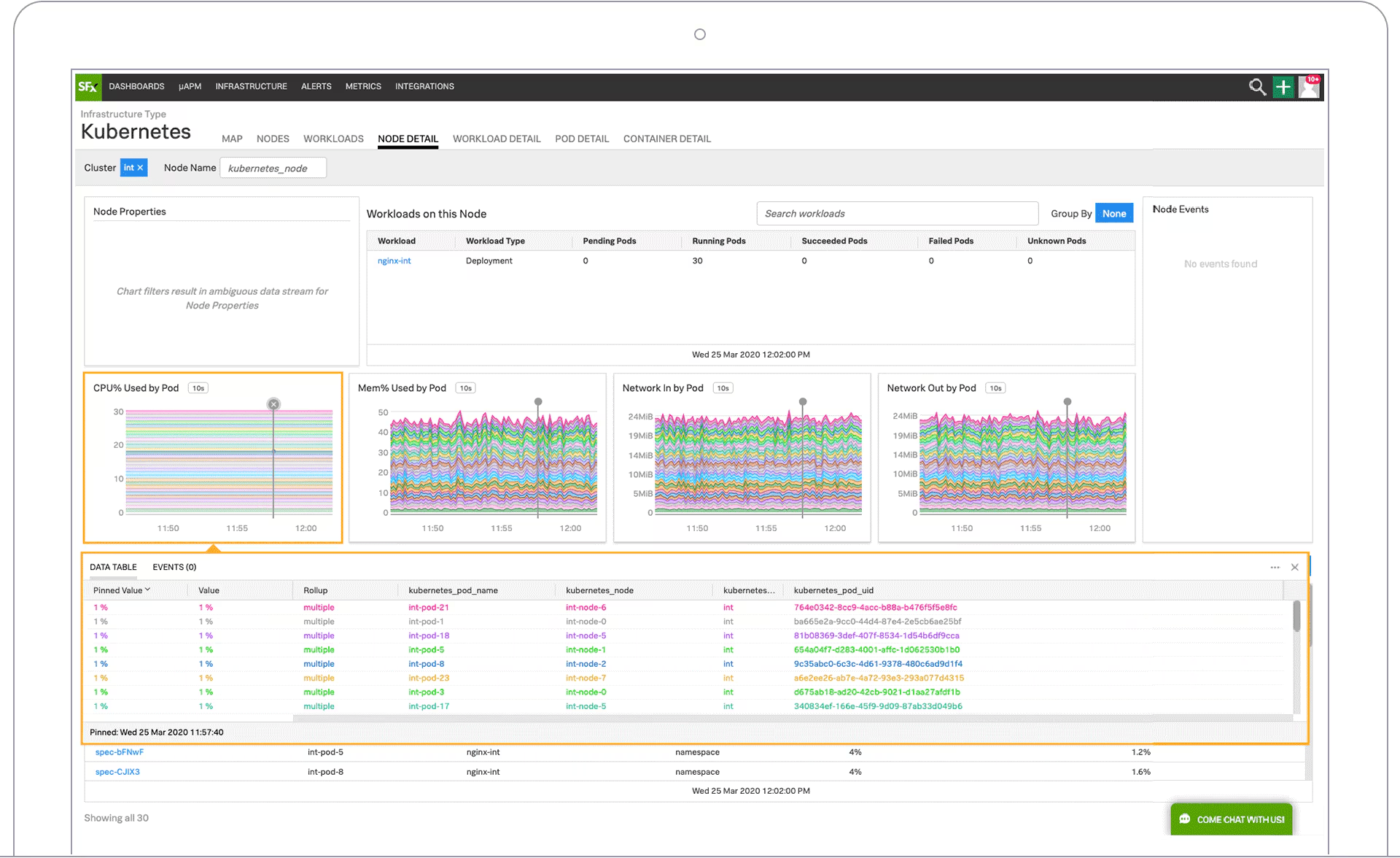
Splunk is the long-standing leader in log analytics and security, now part of Cisco. Splunk Enterprise can be self-hosted, Splunk Cloud Platform is managed, and Splunk Observability Cloud adds metrics, APM, RUM, and synthetics as a separate product.
Splunk's Search Processing Language (SPL) handles complex correlation and statistics, and Splunk Enterprise Security is widely used in security operations centers. Splunk Observability Cloud starts at $15 per host per month for Infrastructure, $60 for App and Infra, and $75 for End-to-End, billed annually. For logs, Splunk Cloud Platform offers activity-based, ingest, or workload pricing but does not publish per-GB prices. (Source: Splunk pricing page, October 2026) See our Splunk alternatives guide for a deeper comparison.
Splunk pros
- SPL for deep investigation: the Search Processing Language supports complex correlation, statistics, and transformations across very large log volumes.
- Security depth: Splunk Enterprise Security is widely used for SOC workflows, which matters if you are replacing Sumo Logic Cloud SIEM as well as log analytics.
- Deployment flexibility: Splunk Enterprise runs on-premises and in air-gapped environments, and Splunk Cloud Platform is fully managed.
Splunk cons
- No published log prices: Splunk Platform log pricing (activity-based, ingest, or workload) is quote-only, so you cannot estimate log costs without a sales conversation.
- Logs are licensed separately from Observability Cloud: Splunk Observability Cloud does not store or index logs. Its Log Observer Connect feature, included at no extra charge, queries logs that you ingest and pay for in Splunk Cloud Platform or Splunk Enterprise (Source: Splunk Log Observer Connect documentation). APM also requires the $60 App and Infra tier, and RUM the $75 End-to-End tier, each priced per host (Source: Splunk pricing page, October 2026).
- Heavy self-hosted footprint: self-hosting means sizing and operating forwarders, indexers, and search heads.
- SPL learning curve: SPL is powerful but takes time to learn, and queries do not transfer to other tools.
Best for: enterprises that need deep security analytics alongside log search.
Related: OpenObserve vs Splunk, OpenObserve vs Splunk Observability Cloud, and Splunk alternatives.
4. Elastic Observability
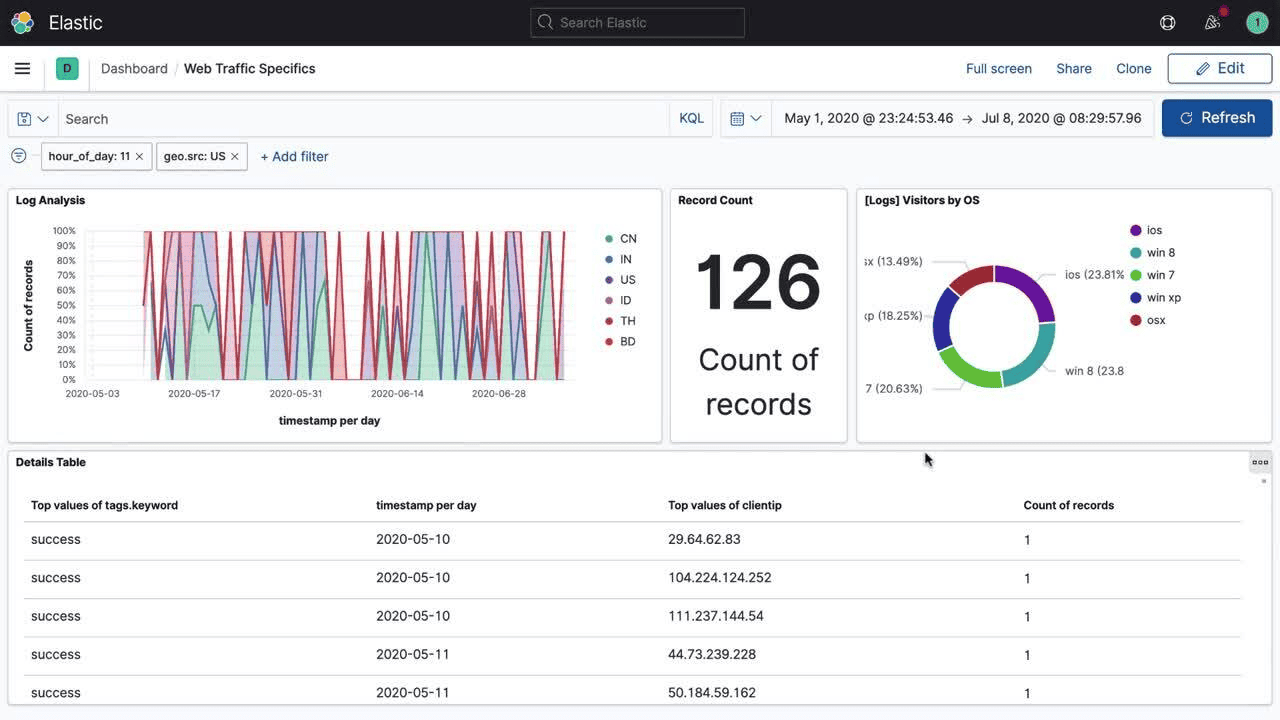
Elastic Observability is built on Elasticsearch and Kibana, and covers logs, metrics, APM, synthetics, and RUM. Since 2024, Elasticsearch and Kibana are available under the AGPL-3.0 license as one option, alongside Elastic's own licenses, so self-hosting is possible.
Elastic offers fast full-text search and a large ecosystem of shippers and integrations, but running it at scale means managing clusters, shards, index lifecycle policies, and hot, warm, and cold tiers. Storage costs grow quickly because of inverted indexes. See our Elasticsearch alternatives guide.
Elastic pros
- Fast full-text search: inverted indexes make keyword and phrase searches over unstructured logs fast.
- Large ecosystem: Beats, Logstash, Elastic Agent, and Kibana have broad community support and many integrations.
- Self-hosted or managed: Elasticsearch and Kibana are available under an AGPL-3.0 option for self-hosting. Elastic Cloud Serverless Observability starts from $0.07 per GB ingested on Logs Essentials or $0.09 per GB on Complete, plus from $0.017 or $0.019 per GB retained per month. (Source: Elastic Serverless Observability pricing page, October 2026)
- Observability and security together: APM, synthetics, RUM, and Elastic Security run on the same stack.
Elastic cons
- Shard and index management: you have to size shards, maintain index lifecycle policies, and rebalance clusters after node failures.
- JVM tuning: Elasticsearch runs on the JVM, so heap sizing and garbage collection pauses need attention at scale.
- Large storage footprint: replicated inverted indexes on fast disks use far more storage than compressed columnar formats on object storage.
- Several query languages: KQL, Lucene, Query DSL, and ES|QL are all in use, which adds to the learning curve.
Best for: teams with existing Elasticsearch expertise and search-heavy workloads.
Related: OpenObserve vs Elasticsearch, Elasticsearch alternatives, and Elasticsearch vs OpenObserve benchmark.
5. Grafana Cloud (LGTM stack)
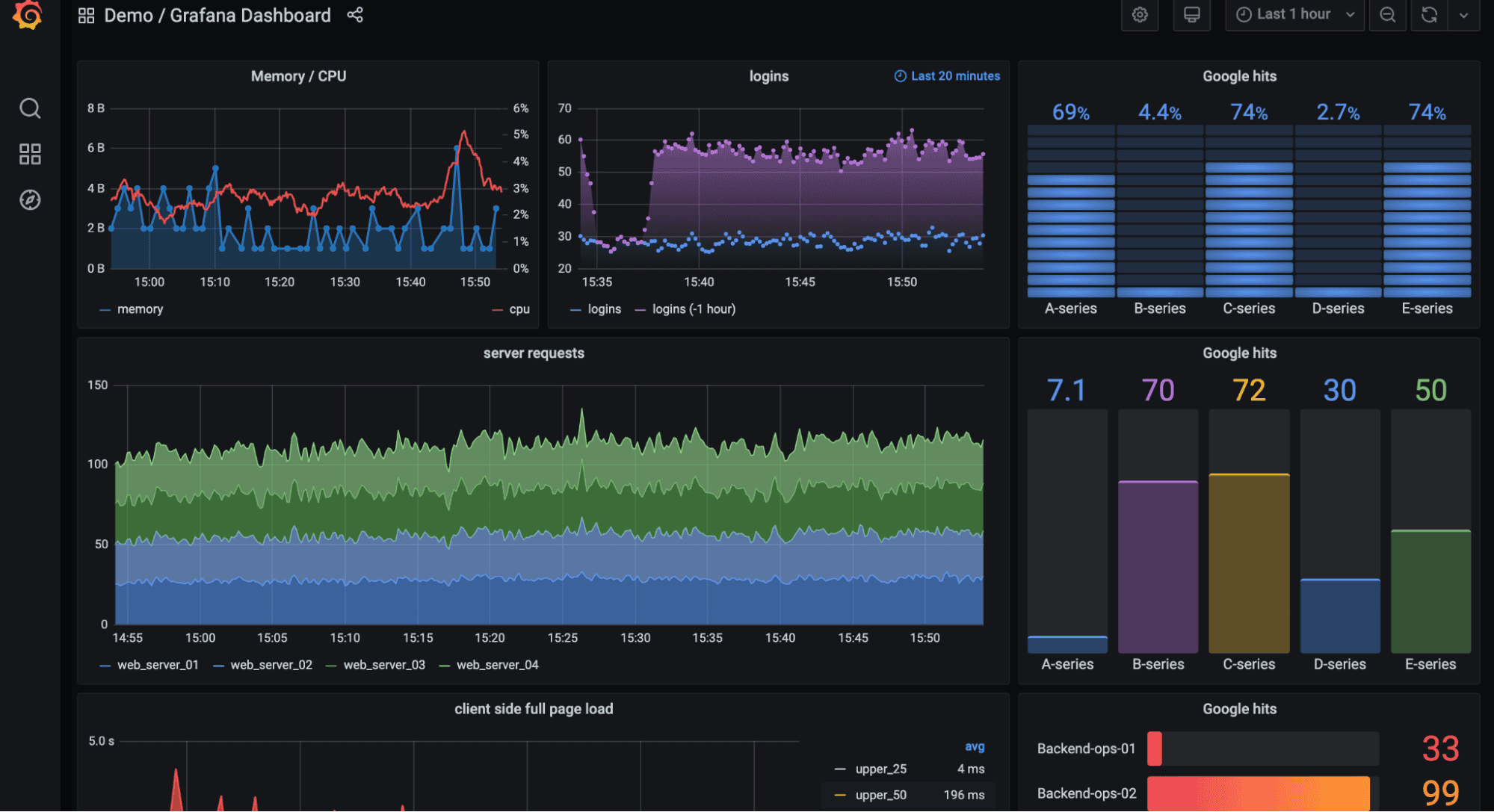
Grafana Cloud combines Grafana dashboards with Loki for logs, Mimir for metrics, and Tempo for traces. The open source components can also be self-hosted. Loki indexes only labels rather than full log content, which keeps ingest costs low but can make broad searches slower.
Grafana Cloud's free tier includes 50 GB of logs, 50 GB of traces, and 10,000 active metric series per month with 14-day retention. The Pro plan costs $19 per month plus usage: logs and traces are billed at $0.05 per GB processed, $0.40 per GB written, and $0.10 per GB retained, and metrics start at $6.50 per 1,000 active series. (Source: Grafana Cloud pricing page, October 2026) Self-hosting the full LGTM stack means running and upgrading several separate systems.
Grafana pros
- Flexible dashboards: Grafana connects to many data sources, including Prometheus, Loki, SQL databases, and cloud services, in one dashboard.
- Open source components: Loki, Mimir, and Tempo are AGPL-3.0 and can be self-hosted.
- Free tier for evaluation: 50 GB of logs, 50 GB of traces, and 10,000 active metric series per month, with 14-day retention and 3 active users.
- Prometheus-native metrics: Mimir speaks PromQL, so existing Prometheus queries and dashboards carry over.
Grafana cons
- Separate meters per signal and per user: logs ($0.55 per GB across processing, writing, and retention), metrics ($6.50 per 1,000 series), and users ($8 per active user beyond the 3 included) are all billed separately on Pro.
- Three backends to run when self-hosted: Loki, Mimir, and Tempo are separate systems to deploy, scale, and upgrade.
- Three query languages: LogQL for logs, PromQL for metrics, and TraceQL for traces.
- Label-only log indexing: Loki indexes labels rather than log content, so searching for a string across long time ranges has to scan a lot of data.
Best for: teams already invested in Grafana dashboards and Prometheus.
Related: OpenObserve vs Grafana, Grafana alternatives, and OpenObserve vs Prometheus and Mimir metrics benchmark.
6. New Relic
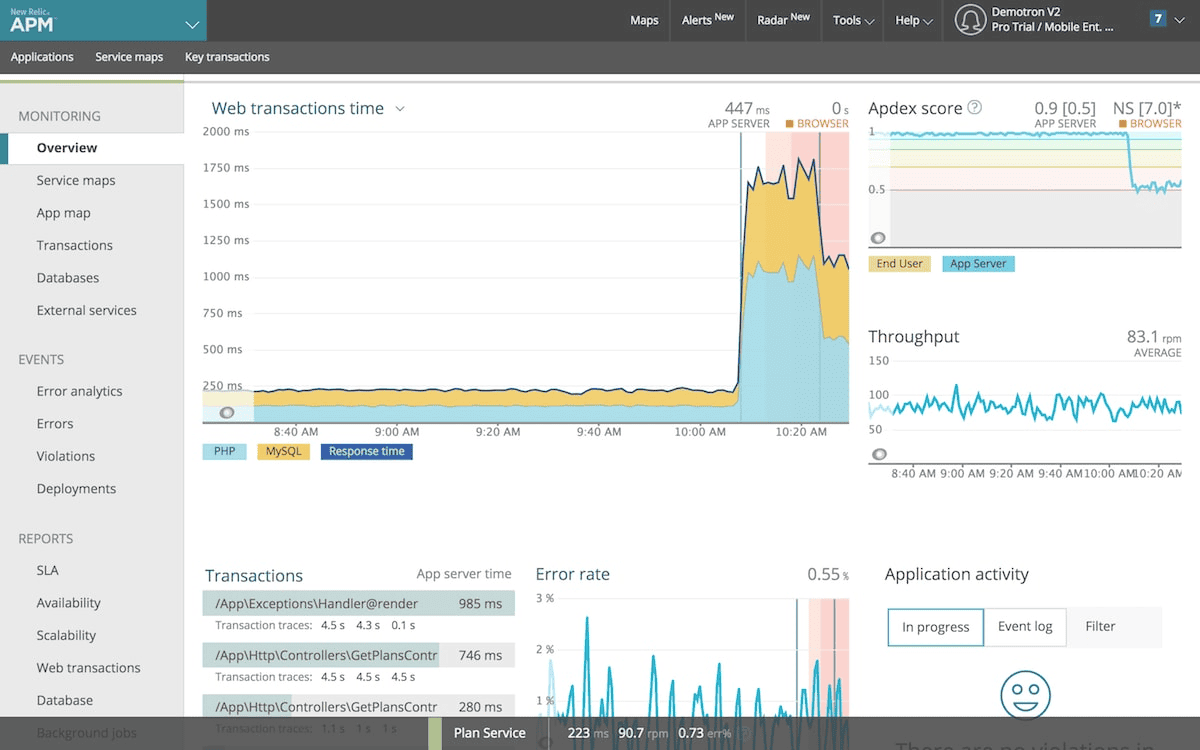
New Relic is a SaaS observability platform with APM, infrastructure monitoring, logs, browser and mobile monitoring, and synthetics. Its free tier includes 100 GB of data ingest per month, one full platform user, and unlimited basic users. Beyond that, data costs $0.40 per GB (Original Data) or $0.60 per GB (Data Plus). Full platform users cost $99 each on Standard (after a $10 first user, up to 5 users) and $349 each on Pro with an annual commitment, or $418.80 pay-as-you-go. (Source: New Relic pricing page, October 2026)
NRQL uses a SQL-like syntax, but per-user pricing for full platform users grows with every engineer who needs access.
New Relic pros
- Free tier: 100 GB of data ingest per month, one full platform user, and unlimited basic users, with no time limit.
- All-in-one SaaS: APM, infrastructure, logs, browser, mobile, and synthetic monitoring share one UI.
- Published data pricing: $0.40 per GB for Original Data and $0.60 per GB for Data Plus, so data costs are easy to estimate.
New Relic cons
- Per-user pricing: on Pro, each full platform user costs $349 per month (annual) or $418.80 (pay-as-you-go), so 10 engineers add $3,490 per month before any data charges. Standard caps full platform users at 5.
- NRQL lock-in: dashboards and alerts are written in NRQL, New Relic's own query language, and do not transfer to other tools.
- SaaS only: there is no self-hosted option and no way to keep data in your own storage.
Best for: small and mid-size teams that want a managed APM-first platform.
Related: OpenObserve vs New Relic and New Relic alternatives.
7. Coralogix
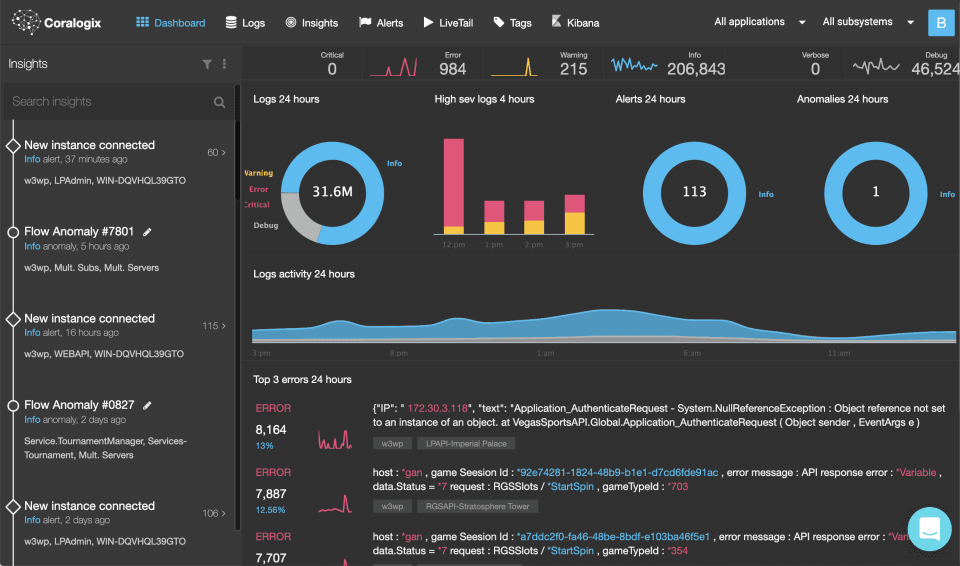
Coralogix is a SaaS observability platform that processes data in a streaming pipeline before storage. Its TCO Optimizer lets you route data into different pipelines based on how you use it, and archives can be stored in your own cloud storage bucket.
Coralogix lists logs at $0.42 per GB, traces at $0.16 per GB, and metrics at $0.06 per GB (750 active time series per GB), sold in units worth $1.50 each. Its FAQ example prices logs at $1.15 per GB in the Frequent Search pipeline and $0.50 per GB in the Monitoring pipeline, and a 14-day free trial includes 8 units. (Source: Coralogix pricing page, October 2026) It covers logs, metrics, traces, RUM, and security. Like Sumo Logic, it relies on routing data into different usage levels to control cost, which still requires ongoing tuning.
Coralogix pros
- Streaming analysis before indexing: data is parsed and analyzed in-stream, so you can alert on and create metrics from logs without indexing everything.
- Data stored in your own S3 bucket: Coralogix lists infinite retention for logs, traces, and metrics, stored in your own S3 bucket.
Coralogix cons
- Routing policies to maintain: the same log costs $1.15 per GB in Frequent Search and $0.50 per GB in Monitoring, so controlling cost means building and maintaining TCO policies for every data source.
- DataPrime query language: Coralogix's own pipe-based language is used alongside Lucene, so queries do not transfer to other tools.
- SaaS only: there is no self-hosted deployment option.
Best for: SaaS-first teams that want streaming log analytics with archive control.
Related: OpenObserve vs Coralogix and best log analysis tools.
8. Graylog
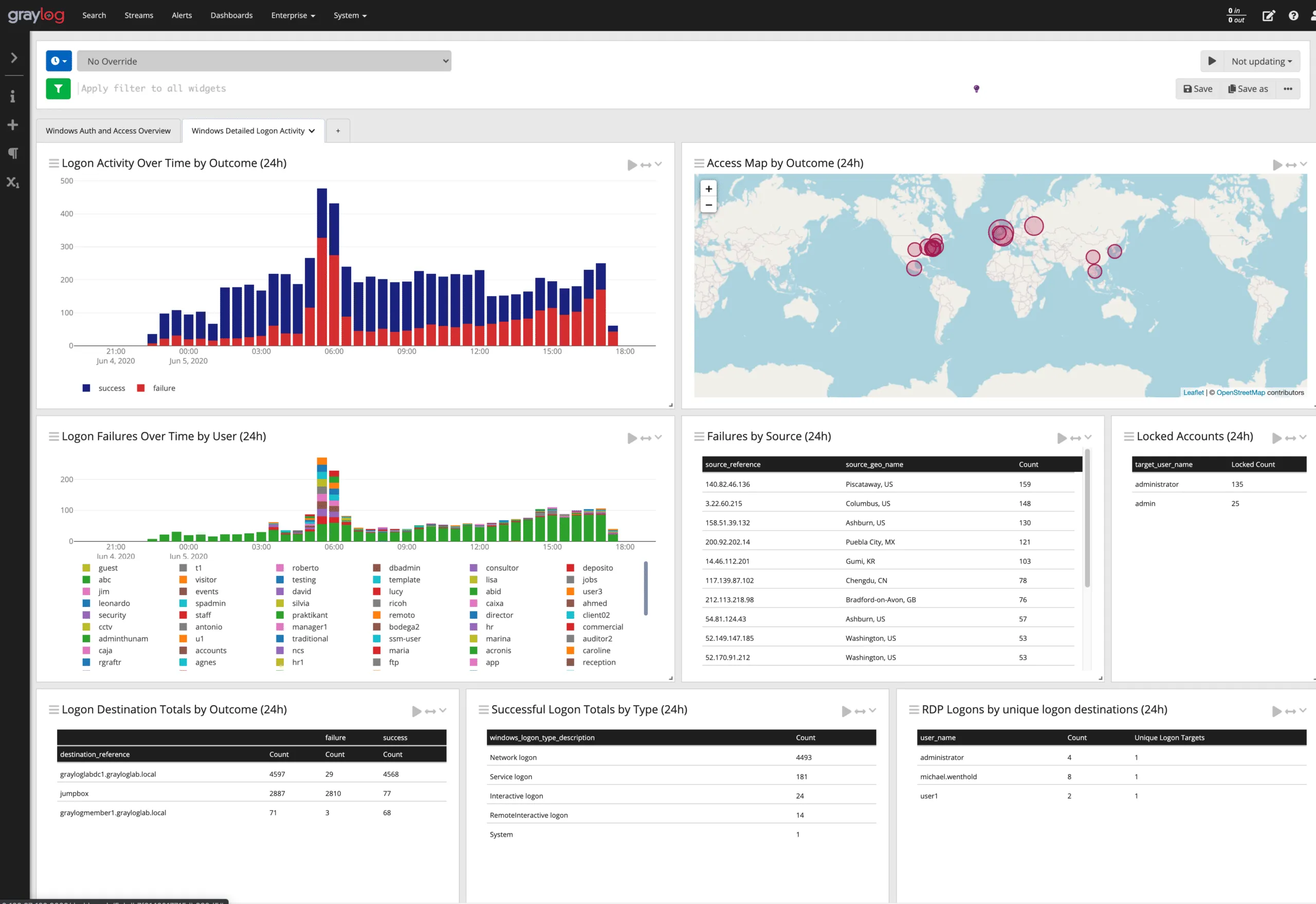
Graylog is a log management and security platform popular with IT operations and security teams. Graylog Open is free with no volume limits and is source-available under the SSPL. Graylog Enterprise starts at $15,000 per year and Graylog Security at $18,000 per year, both from 10 GB per day of volume. (Source: Graylog pricing page, October 2026)
Graylog is focused on logs. Metrics and traces are not its strength, so teams usually pair it with other tools for full observability.
Graylog pros
- Free self-hosted edition: Graylog Open has no daily ingest cap and no volume limit.
- Processing pipelines: rules can parse, enrich, and route logs as they arrive.
- Security and compliance focus: Graylog Security adds SIEM features, and on-premises deployment suits regulated environments.
Graylog cons
- Logs only: there is no native APM or distributed tracing, so you need other tools for full observability.
- Several components to run: a deployment includes the Graylog server, MongoDB, and an OpenSearch-based storage layer.
- Search-engine resource costs: storage and memory requirements grow with log volume, as with other index-based stores.
- SSPL license and paid features: Graylog Open is source-available under the SSPL, not an OSI-approved license, and features such as archiving and SIEM require Enterprise ($15,000 per year) or Security ($18,000 per year).
Best for: IT and security teams that want self-hosted log management.
Related: top log monitoring tools and best log analysis tools.
9. OpenSearch
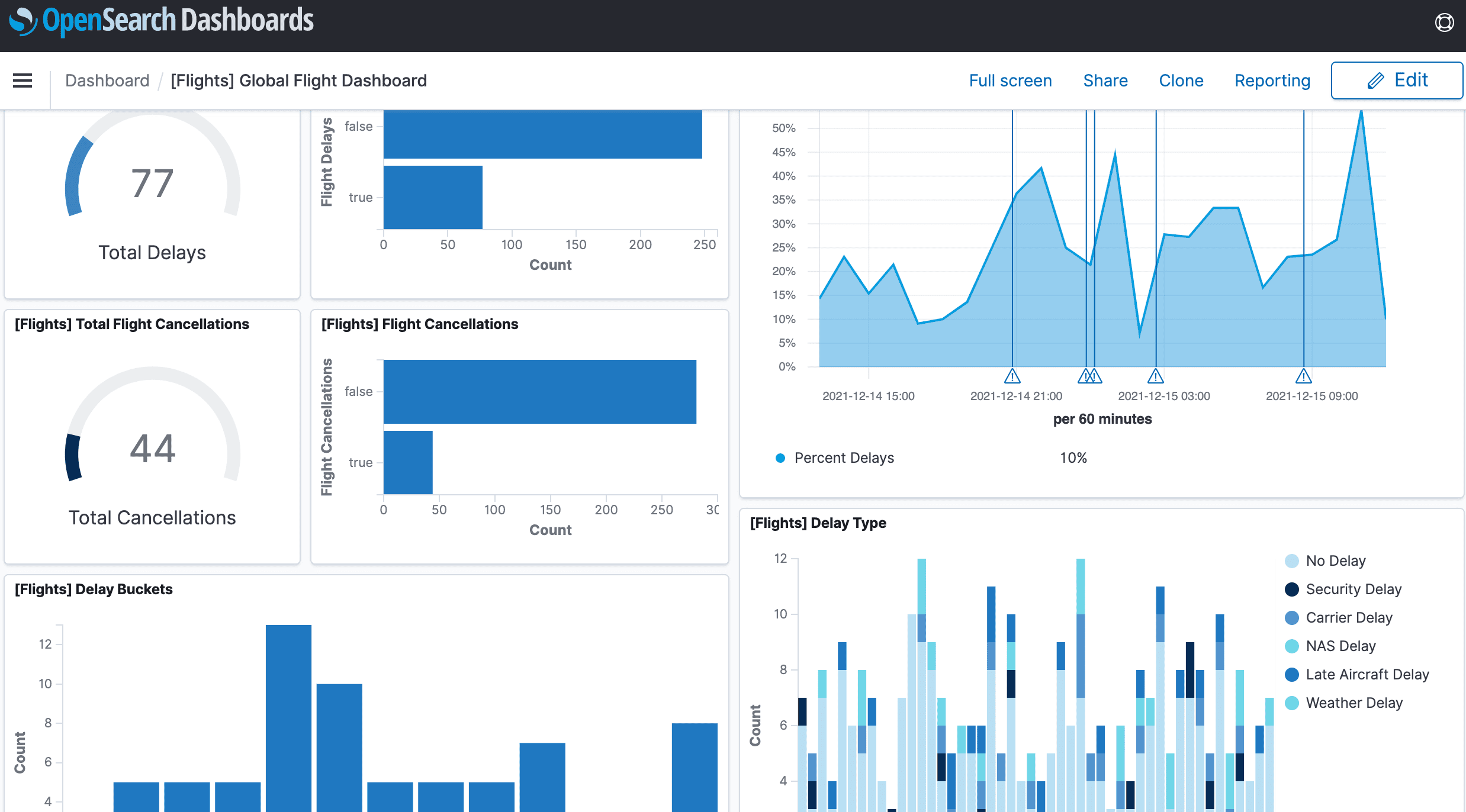
OpenSearch is an Apache 2.0 licensed search and analytics suite that started as a fork of Elasticsearch and Kibana and is now governed by the OpenSearch Software Foundation under the Linux Foundation. It includes OpenSearch Dashboards, an observability plugin, and support for traces through Data Prepper.
OpenSearch is free to self-host. On Amazon OpenSearch Service, OpenSearch Serverless costs $0.24 per OCU-hour for indexing and search plus $0.02 per GB-month of managed storage, and an r6g.xlarge.search instance costs $0.335 per hour in us-east-1. (Source: Amazon OpenSearch Service pricing page, October 2026) It shares Elasticsearch's operational model: clusters, shards, index management, and a large storage footprint.
OpenSearch pros
- Apache 2.0 with foundation governance: OpenSearch is governed by the OpenSearch Software Foundation under the Linux Foundation.
- Elasticsearch lineage: it forked from Elasticsearch 7.10, so many APIs, clients, and log shippers work with little change.
- Built-in features: security, alerting, anomaly detection, and SQL and PPL querying are included.
- Managed option: Amazon OpenSearch Service runs it for you, including a serverless mode billed at $0.24 per OCU-hour.
OpenSearch cons
- Same operational model as Elasticsearch: you still manage shards, JVM heap, and cluster health.
- Replicated indexes on cluster disks: OpenSearch indexes default to one replica shard (number_of_replicas: 1), so every indexed GB is stored twice on cluster storage, and long retention means adding nodes or moving data to UltraWarm or cold storage at $0.024 per GB-month (Source: OpenSearch index settings documentation; Amazon OpenSearch Service pricing page, October 2026).
- Observability needs extra components: traces require Data Prepper, and metrics usually come from Prometheus or another system.
Best for: teams that want an Apache 2.0 search engine and are comfortable running clusters.
Related: Elasticsearch alternatives and top open source observability tools.
OpenObserve vs Sumo Logic: feature comparison
This table compares OpenObserve with Sumo Logic across the capabilities buyers ask about most. Sumo Logic details are based on its official pricing page and documentation as of October 2026.
| Capability | OpenObserve | Sumo Logic |
|---|---|---|
| Logs | ✅ Yes, SQL and full-text search, live tail, pipelines | ✅ Yes, log search, LogReduce, live tail |
| Metrics | ✅ Yes, PromQL and SQL, 15 months included retention on Cloud | ✅ Yes, up to 50,000 metrics per day on Essentials |
| Traces | ✅ Yes, native OpenTelemetry, service maps | ✅ Yes, distributed tracing (5 GB/day on Essentials) |
| Real user monitoring | ✅ Yes, RUM, session replay, error tracking, product analytics | ✅ Yes, RUM powered by OpenTelemetry |
| Synthetic monitoring | ✅ Yes, browser, HTTP, TCP, SSL/TLS, SSH checks | Partial, through the Catchpoint integration app |
| Database monitoring | ✅ Yes, MySQL, PostgreSQL, cloud databases | ✅ Yes, through database apps |
| SLOs and error budgets | ✅ Yes, burn-rate alerts | ✅ Yes, SLOs |
| LLM observability | ✅ Yes, prompt, tool call, and token cost tracing with evaluations | ✅ Yes, through OpenLLMetry and LiteLLM apps |
| AI observability and AI SRE | ✅ Yes, AI evaluations, AI SRE agent, AI assistant, MCP server | ✅ Yes, Dojo AI assistant and agents (add-on) |
| Bring your own bucket | ✅ Yes, S3 or Azure Blob on OpenObserve Cloud | ❌ No |
| Self-hosted deployment | ✅ Yes, single binary, Kubernetes, air-gapped | ❌ No, SaaS only |
| Open source | ✅ Yes, AGPL-3.0 | ❌ No |
| Query language | SQL and PromQL | Sumo Query Language |
| Pricing model | $0.50/GB ingested (annual) or $0.70/GB (pay-as-you-go), plus $0.01/GB queried | Credits (no published per-GB price), data tiers, or scan-based Flex |
| SIEM | ❌ No, not a dedicated SIEM | ✅ Yes, Cloud SIEM and SOAR (Enterprise) |
Sumo Logic alternatives at a glance
| Tool | Deployment | Open source | Logs, metrics, traces in one product | Pricing model | Query language |
|---|---|---|---|---|---|
| OpenObserve | Self-hosted, cloud, BYOB | ✅ Yes, AGPL-3.0 | ✅ Yes | Per GB ingested and queried | SQL, PromQL |
| Datadog | SaaS | ❌ No | ✅ Yes | Per host, per GB, per event | Proprietary |
| Splunk | Self-hosted, cloud | ❌ No | Separate products | Ingest or workload based | SPL |
| Elastic Observability | Self-hosted, cloud | ✅ Yes, AGPL option | ✅ Yes | Resource or ingest based | KQL, ES|QL |
| Grafana Cloud | Self-hosted, cloud | ✅ Yes, AGPL components | Separate backends | Per signal usage | LogQL, PromQL, TraceQL |
| New Relic | SaaS | ❌ No | ✅ Yes | Per GB plus per user | NRQL |
| Coralogix | SaaS | ❌ No | ✅ Yes | Usage based by pipeline | Proprietary and SQL-like |
| Graylog | Self-hosted, cloud | Source-available (SSPL) | Logs focused | Free or licensed | Graylog query syntax |
| OpenSearch | Self-hosted, AWS managed | ✅ Yes, Apache 2.0 | Partial | Infrastructure costs | DQL, PPL, SQL |
Sumo Logic alternatives pricing compared
List prices as published on each vendor's official pricing page in October 2026. Prices change often, so confirm current rates with each vendor.
| Tool | Free tier or trial | Log pricing | Other key prices | Source |
|---|---|---|---|---|
| OpenObserve | 14-day Cloud trial; self-hosted open source is free | $0.50/GB ingested (annual) or $0.70/GB (pay-as-you-go), plus $0.01/GB queried | 15 months metrics and 30 days logs retention included; no per-host or per-user fees | OpenObserve pricing page |
| Sumo Logic | Free trial | Not published (credits); Flex ingest listed at $0 with scan-based billing | Essentials: metrics up to 50,000/day, tracing up to 5 GB/day | Sumo Logic pricing page |
| Datadog | Infrastructure free up to 5 hosts | $0.10/GB ingested plus $1.70 per million events indexed (15-day retention) | Infrastructure $15 to $23 per host/month; APM $31 per host/month | Datadog pricing page |
| Splunk | Free trial | Not published (activity-based, ingest, or workload) | Observability Cloud $15, $60, or $75 per host/month | Splunk pricing page |
| Elastic | Free trial | From $0.07/GB (Logs Essentials) or $0.09/GB (Complete) ingested | Retention from $0.017/GB-month | Elastic pricing page |
| Grafana Cloud | 50 GB logs, 50 GB traces, 10k series free per month | $0.05/GB processed + $0.40/GB written + $0.10/GB retained | Pro $19/month; metrics $6.50 per 1k series; $8 per extra user | Grafana pricing page |
| New Relic | 100 GB/month and 1 full platform user free | $0.40/GB (Original Data) or $0.60/GB (Data Plus) | Full platform users $99 (Standard) or $349 (Pro, annual) per month | New Relic pricing page |
| Coralogix | 14-day trial with 8 units | $0.42/GB list; $1.15/GB Frequent Search, $0.50/GB Monitoring | Traces $0.16/GB; metrics $0.06/GB | Coralogix pricing page |
| Graylog | Graylog Open free, no volume limit | Enterprise from $15,000/year (from 10 GB/day) | Security from $18,000/year | Graylog pricing page |
| OpenSearch | Free to self-host | Amazon OpenSearch Serverless $0.24 per OCU-hour | Managed storage $0.02/GB-month | Amazon OpenSearch Service pricing page |
What is the best Sumo Logic alternative?
OpenObserve is the best Sumo Logic alternative for most teams. It replaces Sumo Logic's log analytics and covers RUM, synthetic monitoring, database monitoring, SLOs, and LLM observability in the same platform, so you consolidate tools instead of adding more. Its per-GB pricing removes the credit and tier management that drives teams away from Sumo Logic, and the open source edition gives you a self-hosted path that Sumo Logic does not offer.
Are there open source Sumo Logic alternatives?
Yes. OpenObserve is the open source Sumo Logic alternative to start with:
- License: AGPL-3.0, with the full source on GitHub
- Coverage: logs, metrics, traces, RUM, synthetic monitoring, database monitoring, SLOs, and LLM observability in one platform, so you do not assemble several open source projects
- Deployment: a single binary for small setups, or an HA cluster on Kubernetes, including air-gapped environments
- Storage: compressed Parquet on S3, GCS, Azure Blob, or MinIO that you control
- Ingestion and querying: OpenTelemetry, Fluent Bit, Vector, and other open agents in; SQL and PromQL out
- No license fee: you pay only for your own compute and object storage, and can move to OpenObserve Cloud later with the same instrumentation
Our guide to top open source observability tools compares OpenObserve with other open source options.
What is the most cost-efficient alternative to Sumo Logic for log analytics?
For cost-efficient log analytics, look at three things: how storage is priced, whether there are per-host or per-seat fees, and whether queries add unpredictable costs.
OpenObserve is the most cost-effective choice for most teams:
- Self-hosted is free. The open source edition has no license fee; you pay only for your own compute and object storage.
- Cloud pricing is simple. OpenObserve Cloud costs $0.50 per GB ingested on an annual contract or $0.70 per GB pay-as-you-go, plus $0.01 per GB queried, with no per-host or per-seat fees (Source: OpenObserve pricing, October 2026).
- Storage is efficient. Compressed Parquet on object storage keeps long retention affordable, with no tiers to manage.
- Bring your own bucket. Use reserved capacity or negotiated cloud storage rates you already have.
Free tiers from New Relic (100 GB of ingest per month) and Grafana Cloud (50 GB of logs per month) cover small workloads, but costs rise as you scale: $349 per full platform user per month on New Relic Pro, and $0.55 per GB of logs plus $8 per extra user on Grafana Cloud Pro.
How to migrate from Sumo Logic to OpenObserve
Moving to OpenObserve is mostly plug and play. If your data already flows through an open protocol or agent, you do not migrate data or re-instrument applications: you add OpenObserve as one more destination.
- Add an OpenObserve endpoint to the agents you already run. OpenTelemetry Collector (including Sumo Logic's OpenTelemetry distribution), Fluent Bit, Fluentd, Vector, Filebeat, Logstash, Syslog-ng, and Prometheus remote write all ship to OpenObserve with a new output or exporter. Copy the endpoint and credentials from the Data sources page and both platforms receive the same data.
- Replace proprietary Sumo Logic Installed Collectors. Swap them for the OpenTelemetry Collector or Fluent Bit, mapping file, syslog, and host metrics sources to standard receivers that work with any backend.
- Translate critical queries. Map Sumo Query Language patterns such as parse, aggregate, and timeslice to SQL, and use PromQL for metrics.
- Convert dashboards with the migration tool. The free OpenObserve Dashboard Migrator at migration.openobserve.ai converts Datadog, Grafana, Kibana, and AWS CloudWatch dashboards, plus Datadog monitors and Grafana alert rules, into OpenObserve in one click, with no signup. Sumo Logic is not a supported source yet; you can request it from the same page, and rebuild Sumo Logic dashboards on SQL in the meantime.
- Cut over gradually. Move non-critical services first, compare results side by side, then switch the rest.
Our Sumo Logic comparison page covers migration in more detail, and the OpenObserve team can help plan the move.
Conclusion
Sumo Logic remains a capable log analytics and security platform, but credit-based billing, data tiers, a proprietary query language, and a SaaS-only model push many teams to look elsewhere.
OpenObserve is the strongest Sumo Logic alternative in 2026. It brings logs, metrics, traces, RUM, synthetic monitoring, database monitoring, SLOs, LLM observability, and AI observability into one open source platform, with simple per-GB pricing, self-hosted and cloud deployment, and bring-your-own-bucket storage.
For more comparisons, see our guides to Datadog alternatives, Splunk alternatives, and log monitoring tools.
Ready to switch? Sign up for OpenObserve Cloud or download OpenObserve to self-host.
Frequently Asked Questions
About the Author
Simran Kumari

Passionate about observability, AI systems, and cloud-native tools. All in on DevOps and improving the developer experience.
Follow OpenObserve on Google
Add OpenObserve as a preferred source to see more of our articles in Google Search and Top Stories.